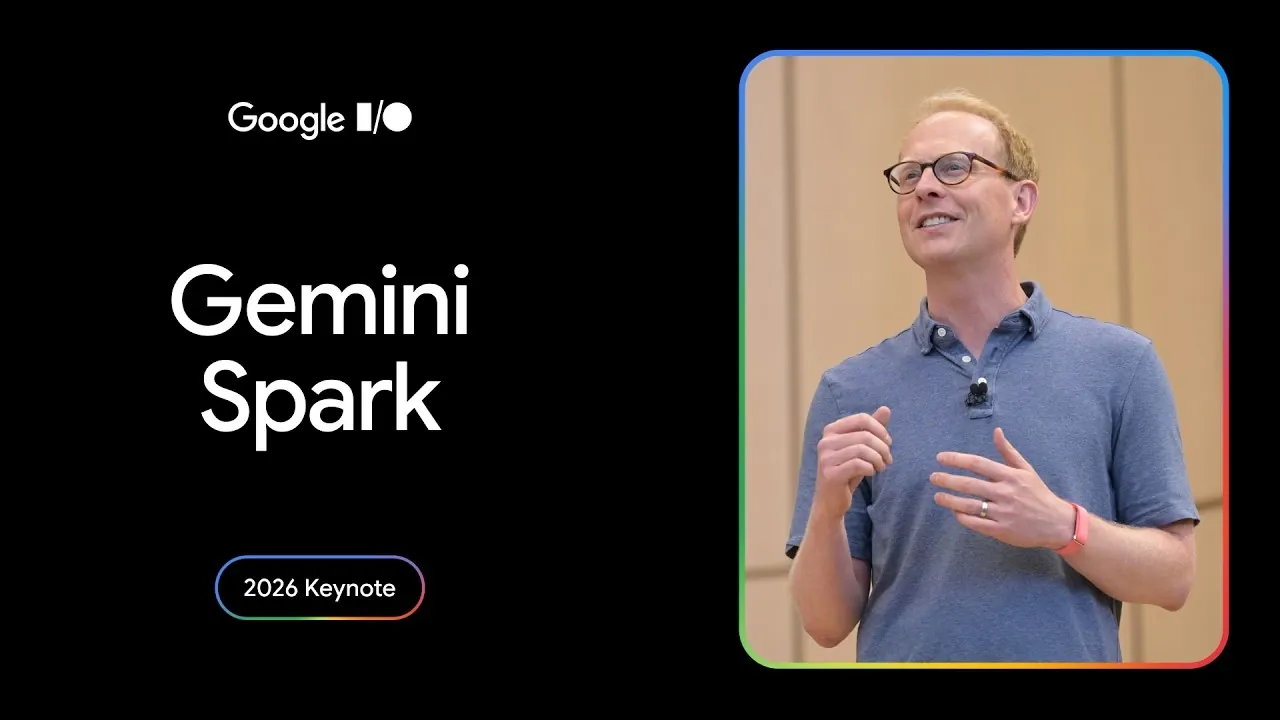
Google’s Gemini Spark, unveiled at Google I/O 2026, introduces AI-driven capabilities for streamlining task management across multiple platforms. By integrating with services like Google Sheets and Google Slides, it enables workflows with features such as automated scheduling, task prioritization and real-time updates. For example, Gemini Spark can analyze email content to identify actionable tasks, suggest follow-up actions and schedule meetings, while allowing users to adjust settings based on their preferences.
Discover how to use Gemini Spark’s cross-device syncing to ensure task consistency between laptops and mobile devices. Learn how to tailor workflows by uploading AI skills or using context-aware suggestions for task organization. Gain insight into applying these features to meet specific personal or professional needs, creating a more structured approach to managing responsibilities.
Features of Gemini Spark
TL;DR Key Takeaways :
- Google introduced Gemini Spark, an AI-powered task management tool, at Google I/O 2026, designed to streamline daily responsibilities with cross-device functionality, proactive automation and robust user control.
- Gemini Spark centralizes task management, automating processes like scheduling, reminders and task prioritization, while integrating seamlessly with Google services like Sheets and Slides.
- The tool offers high customization, including custom AI skills and context-aware suggestions, adapting to user preferences for a personalized workflow experience.
- It ensures seamless cross-device functionality, allowing users to switch between devices without interruptions and emphasizes safety with explicit user approval for actions and strong security measures.
- Future updates include Chrome integration, Android Halo support and advanced features like automated shopping lists and enhanced project management, with availability currently limited to trusted testers and Google AI Ultra subscribers.
Gemini Spark centralizes task management, allowing you to organize and track responsibilities from a single, intuitive dashboard. Using AI, it identifies actionable tasks from emails, chats and documents, automating processes like scheduling meetings, setting reminders and managing deadlines. For instance, if you receive an email about an upcoming meeting, Spark can automatically add it to your calendar, suggest follow-up actions and even draft a response.
The tool also integrates seamlessly with Google Sheets and Google Slides, allowing you to generate live updates, create presentations, or analyze data directly from your task list. Additionally, it breaks down complex projects into smaller, manageable tasks, prioritizing them based on deadlines and importance. This automation ensures you can focus on high-priority items without feeling overwhelmed by the sheer volume of responsibilities.
Personalization and Customization
One of Gemini Spark’s most compelling features is its high level of customization. You can upload custom AI skills to enhance its functionality, allowing it to perform tasks such as drafting personalized emails, managing event RSVPs, or generating detailed reports. Its context-aware AI learns from your habits and preferences, offering proactive suggestions tailored to your workflow.
For example, if you frequently organize team meetings, Spark can analyze participants’ availability, recommend optimal times and even draft a meeting agenda. This adaptability ensures the tool evolves alongside your needs, making it a valuable assistant for both routine and complex tasks. By aligning with your unique preferences, Gemini Spark transforms task management into a seamless, personalized experience.

Deep dive into the latest in Gemini by exploring our other resources and articles.
- What Early Tests Reveal About Gemini 3.5 Flash and Pro
- How Google Gemini’s New Canvas Dashboard is Completely Changing File Creation
- What the Leaked Gemini Omni Demo Reveals About Google’s AI Future
- What the Claude Orbit and Gemini 3.2 Flash Leaks Reveal About AI’s Next Move
- Gemini’s Multimodal RAG API is Changing AI Search
- Google Just Put NotebookLM Inside Gemini and It Changes Everything
- Google’s Unreleased Gemini 3.2 Flash Just Surfaced Online : Here’s What It Can Do
- Google’s New AI Smart Glasses Are Leaving Meta Behind
- ChatGPT vs Claude vs Gemini & More : AI Features, Limits & Pricing Tiers
- Gemini 3.1 Flash-Lite vs Gemini 2.5 Flash: Speed Gains & Output Quality Tested
Seamless Cross-Device Functionality
Gemini Spark’s ability to sync effortlessly across devices is a standout feature. Whether you’re using a laptop, Android phone, or iPhone, your tasks remain accessible and up-to-date. You can start a task on one device and seamlessly continue it on another without interruptions, making sure a consistent workflow.
This feature is particularly beneficial for professionals who frequently switch between devices. For instance, you might draft a overview on your desktop during the day and review it later on your mobile device while commuting. With Gemini Spark, your productivity remains uninterrupted, no matter where you are or which device you’re using.
Focus on Safety and User Control
User control and safety are at the core of Gemini Spark’s design. The tool requires your explicit approval before executing any action, such as sending an email or scheduling a meeting. This ensures tasks are carried out exactly as you intend, minimizing errors and giving you full oversight of the AI’s operations.
Google has also prioritized security in the rollout of Gemini Spark. Initially, the tool is available only to trusted testers and Google AI Ultra subscribers, allowing the company to gather real-world feedback and refine the tool before a broader release. This cautious approach underscores Google’s commitment to delivering a secure and reliable product.
Future Enhancements
Google has ambitious plans to expand Gemini Spark’s capabilities in the coming months. Upcoming integrations with Chrome will enable web-based task management, allowing you to manage tasks directly from your browser. Additionally, Android Halo, a dedicated hub for AI agents, will serve as a central platform for task management and updates.
Proactive features currently in development include automated shopping list creation, enhanced calendar integration and advanced project management tools. These updates aim to further simplify daily life and improve efficiency. Google plans to roll out these enhancements gradually, making sure a smooth transition for users while maintaining the tool’s reliability.
Availability and Pricing
As of now, Gemini Spark is available exclusively to trusted testers and US-based Google AI Ultra subscribers. The Ultra subscription plan, priced at $100 per month, provides access to exclusive features, early updates and priority support. To make advanced AI tools more accessible, Google has also reduced the price of its top-tier subscription plan, signaling its commitment to expanding the tool’s reach.
Looking Ahead: Google’s Vision for Gemini Spark
Google envisions Gemini Spark as a cornerstone of its evolving AI ecosystem. Future plans include expanding its capabilities to Gemini Workspace and Enterprise solutions, offering advanced tools tailored to businesses and large organizations. These developments aim to support complex workflows, allowing teams to collaborate more effectively and manage intricate projects with ease.
Regular updates throughout the year will ensure Gemini Spark remains at the forefront of AI-driven task management. By combining automation, personalization, and user control, this tool is designed to help you work smarter and more efficiently. Whether you’re managing personal tasks or professional projects, Gemini Spark adapts to your needs, enhancing productivity across devices and platforms.
Media Credit: Google
Disclosure: Some of our articles include affiliate links. If you buy something through one of these links, Geeky Gadgets may earn an affiliate commission. Learn about our Disclosure Policy.
