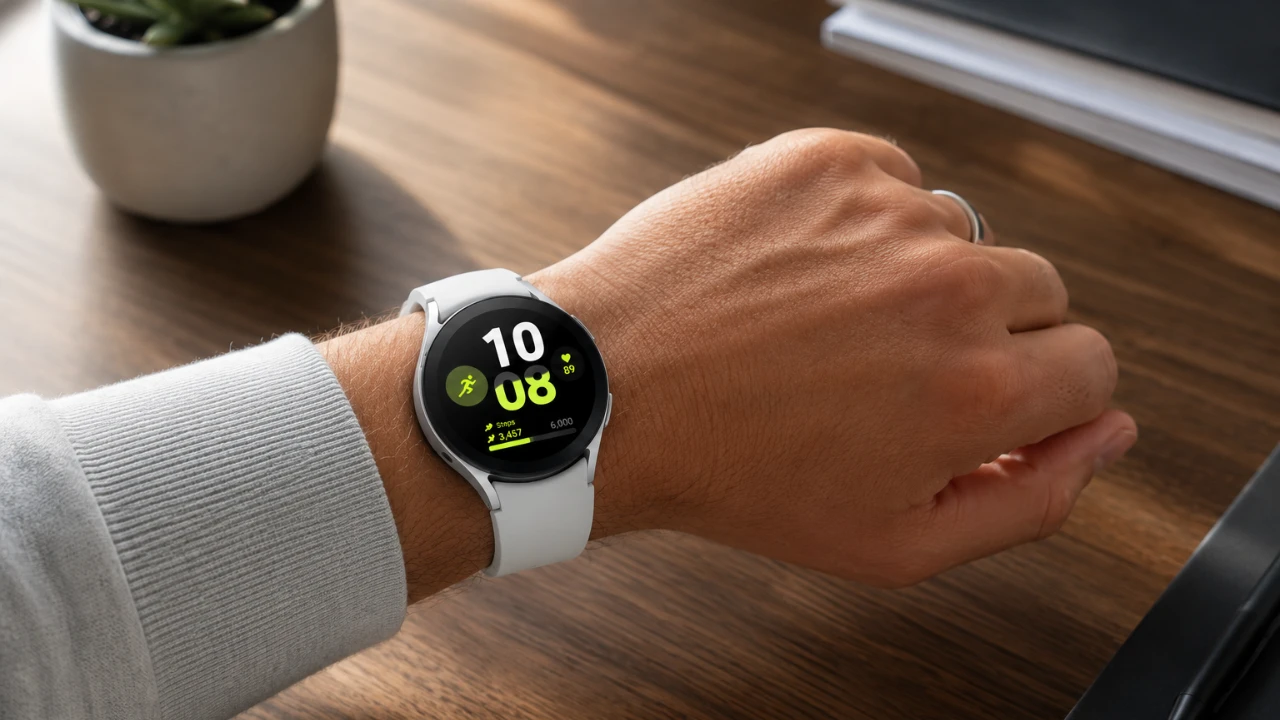
The Samsung Galaxy Watch 9 is more than just a smartwatch; it is a powerful companion designed to enhance your daily life. With its advanced features, intuitive controls, and customizable options, it seamlessly blends functionality with style. Whether you are a tech enthusiast or someone seeking to streamline everyday tasks, the video below from Hayls World will help you uncover the most practical and intriguing aspects of the Galaxy Watch 9.

Personalize Your Watch Face
The Galaxy Watch 9 allows you to express your individuality through its customizable watch faces. With a wide selection of options, you can tailor your watch to match your mood, outfit, or personal style:
- Portrait Watch Face: Display cherished personal photos, such as family or pets, with the clock elegantly wrapping around the image for a unique touch.
- My Style Watch Face: Snap a selfie and the watch will automatically match its colors to your outfit, creating a coordinated and polished look.
- Daily Dashboard Watch Face: Enjoy a dynamic background that shifts hues throughout the day, reflecting the time and adding a subtle aesthetic flair.
- Photos Watch Face: Add animated GIFs as your background for a fun and lively way to personalize your watch.
Master Gesture Controls
The Galaxy Watch 9 introduces intuitive gesture controls, making interactions with your device effortless and efficient. These gestures simplify tasks and enhance usability:
- Touch Bezel: Swipe along the bezel to navigate through apps and settings with precision and ease.
- Double Pinch Gesture: Answer calls, check notifications, control music playback, or snap photos with a simple double pinch of your fingers.
- Shake/Wrist Twist Gesture: Decline calls, dismiss alarms, or return to the home screen by shaking or twisting your wrist.
- Palm Cover Gesture: Instantly mute alarms or calls by covering the watch face with your palm.
- Knock-Knock Gesture: Customize this gesture to perform specific actions, such as launching apps or activating the flashlight, for added convenience.
Seamless Google Assistant Integration
The Galaxy Watch 9 takes voice assistance to the next level with Google Assistant Gemini, offering a robust and responsive experience. You can activate it in various ways to suit your preferences:
- Press the home button for instant access to Google Assistant.
- Use the raise-to-talk gesture for hands-free activation, ideal for multitasking.
- Add Google Assistant as a complication on your watch face for quick and easy availability.
This integration ensures that you can manage tasks, set reminders and control smart devices with minimal effort, keeping you connected and productive.
Customizable Button Functions
The Galaxy Watch 9 allows you to assign specific actions to its buttons, streamlining your interactions and making navigation more intuitive. For example, you can configure the home button to answer calls and the back button to end them. This level of customization ensures that your watch adapts to your unique needs, enhancing both efficiency and convenience.
Optimize Battery Life
Battery life is a critical aspect of any smartwatch and the Galaxy Watch 9 excels in this area. It features an intelligent power-saving mode that activates automatically when the watch is removed from your wrist. This ensures that energy is conserved without requiring manual adjustments, allowing your watch to last longer even during demanding days. Additionally, you can enable further battery-saving settings to extend usage during travel or busy schedules.
Locate Lost Devices
Losing your watch or phone can be frustrating, but the Galaxy Watch 9 simplifies the process of locating misplaced devices. The “Find My Device” feature enables you to track your Galaxy Watch 9 or connected phone using the wearable app or quick settings. This functionality not only saves time but also provides peace of mind, making sure that your devices are always within reach.
Discover Hidden Features
The Galaxy Watch 9 is packed with lesser-known features that can significantly enhance your user experience:
- Auto Launch Media Controls: Automatically display media controls on your watch when playing content on your phone, making it easier to manage playback.
- System Sounds – Ticking: Add a nostalgic ticking sound to analog watch faces for a classic and timeless feel.
- Samsung Wallet: Enable contactless payments directly from your watch, offering a secure and convenient way to make transactions.
These hidden gems add depth to the Galaxy Watch 9, making it more than just a smartwatch, it becomes an indispensable tool for everyday life.
Additional Tools to Explore
Beyond its core features, the Galaxy Watch 9 offers a range of tools designed to simplify and enrich your daily routine:
- Compass with Parking Spot Feature: Save your car’s location and navigate back to it effortlessly using the built-in compass, a handy tool for busy parking lots or unfamiliar areas.
- Browser App: Access YouTube or browse the web directly on your watch, providing on-the-go entertainment and information at your fingertips.
- Music Storage: Store up to 3,000 songs on your watch and listen via connected earbuds, eliminating the need to carry your phone during workouts or commutes.
These additional tools demonstrate the Galaxy Watch 9’s versatility, making sure that it adapts to your lifestyle and preferences while offering practical solutions for everyday challenges.
Unlock the Potential of the Galaxy Watch 9
The Samsung Galaxy Watch 9 is a testament to innovation, combining advanced technology with user-friendly features to deliver a seamless experience. From customizable watch faces and intuitive gesture controls to hidden tools and integrations, this smartwatch is designed to complement and enhance your lifestyle. Whether you are managing daily tasks, staying connected, or exploring its unique capabilities, the Galaxy Watch 9 ensures that you remain efficient, stylish and in control.
Explore further guides and articles from our vast library that you may find relevant to your interests in Galaxy Watch 9 features.
- Is the Samsung Galaxy Watch 9 Actually Worth the Upgrade?
- Don’t Upgrade to the Galaxy Watch 9 Until You See How It Compares to the Watch 7
- Samsung Galaxy Watch 9 & Ultra 2 Revealed: What You Need to Know
- What to Expect from Samsung’s Galaxy Watch 9 Series
- What the New Galaxy Watch 9 Faces Offer for Daily Tracking
Source: Hayls World
Disclosure: Some of our articles include affiliate links. If you buy something through one of these links, Geeky Gadgets may earn an affiliate commission. Learn about our Disclosure Policy.
