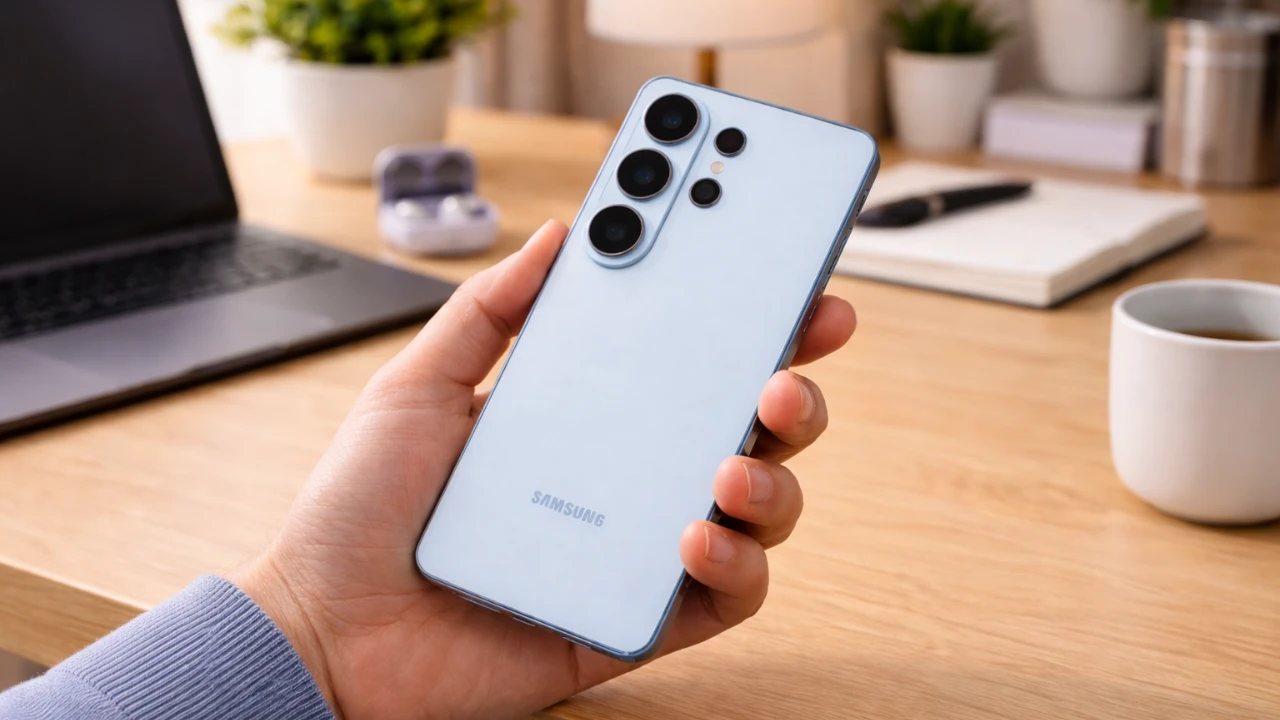
The Samsung Galaxy S26 and S26 Ultra are equipped with a wide array of advanced features designed to elevate your smartphone experience. From enhanced privacy tools to state-of-the-art camera technology, these devices offer a comprehensive suite of options to optimize performance, personalization, and usability. The video below from WhatGear explores 17 essential features that will help you maximize the capabilities of your Galaxy S26, making sure of a seamless and personalized experience from the moment you power it on.

Privacy Features: Safeguard Your Data
The Galaxy S26 introduces robust privacy tools to protect your personal information. Start by allowing the Privacy Display, which restricts screen visibility to prevent unauthorized viewing in public spaces. This feature is particularly useful in crowded environments, such as public transport or cafes. Additionally, activate secure notifications to ensure that alerts are visible only to you, safeguarding sensitive information from prying eyes. You can further customize notification pop-up styles to strike the perfect balance between visibility and discretion, making sure your privacy is always maintained.
Display Optimization: Experience Stunning Visuals
The Galaxy S26’s QHD+ resolution delivers unparalleled screen clarity, making it ideal for streaming high-definition content, gaming, or browsing. To enhance your viewing experience, enable adaptive brightness, which intelligently adjusts screen lighting based on your surroundings. This feature not only improves visibility but also reduces eye strain during prolonged use. For added comfort, activate dynamic color tone settings, which adapt the display’s color temperature to suit varying light conditions. These tools combine to provide a visually immersive and comfortable experience, whether you’re indoors or outdoors.
Customization Tools: Make Your Device Uniquely Yours
Personalization is a key aspect of the Galaxy S26, allowing you to tailor your device to reflect your individual style. Use the AI-powered Creative Studio to design custom wallpapers by simply providing prompts that align with your preferences. This tool enables you to create unique and visually appealing backgrounds effortlessly. Add a dynamic touch to your lock screen with the Weather Effect, which displays real-time weather visuals, offering both functionality and aesthetic appeal. These customization options ensure that your Galaxy S26 feels truly personal and tailored to your needs.
Performance Enhancements: Boost Speed and Efficiency
The Galaxy S26 is designed to deliver exceptional performance, with tools that enhance speed and multitasking capabilities. Activate RAM Plus to allocate additional memory, making sure smoother app performance and seamless multitasking. Use the Device Care tools to monitor and manage background processes, optimizing your device’s efficiency. For quick and convenient access, add Device Care widgets to your home screen, allowing you to address performance issues in real time. These features work together to keep your Galaxy S26 running at peak performance, no matter how demanding your tasks may be.
Camera and Video Features: Capture Like a Pro
The Galaxy S26’s camera system is a standout feature, offering professional-grade tools to elevate your photography and videography. Switch between 50MP and 200MP modes to capture high-resolution images with stunning detail. For video recording, enable composition guides to frame your shots perfectly and use the horizon lock feature to stabilize footage, making sure smooth and professional-quality results. Whether you’re capturing everyday moments or creating content, these tools make it easy to produce visually striking images and videos.
Audio Tools: Enhance Sound Quality
The Audio Eraser tool is a fantastic option for content creators and audio enthusiasts. This feature effectively reduces background noise in your recordings, delivering clearer and more polished sound. Whether you’re recording in a noisy environment or editing audio clips, the Audio Eraser ensures that your content maintains a professional standard. This tool is particularly useful for podcasts, interviews, or any situation where audio clarity is essential.
AI and Assistant Improvements: Smarter, Faster Interactions
Samsung’s AI assistant, Bixby, has been significantly upgraded to provide smarter and faster interactions. With offline processing and improved voice recognition, Bixby can handle tasks efficiently even without an internet connection. This feature is especially useful in areas with limited connectivity. Additionally, the Finder tool simplifies searches by providing device-wide results and web suggestions, making it easier to locate files, apps, or information. These enhancements ensure that your Galaxy S26 is always ready to assist you, no matter the task.
Now Brief Customization: Stay Informed at a Glance
The Now Brief feature is designed to keep you informed with personalized updates. Customize it to display relevant information such as news, weather forecasts, traffic updates and even parking reminders. This feature ensures that you have access to the information you need at a glance, helping you streamline your daily routine and stay organized. By tailoring the Now Brief to your preferences, you can create a more efficient and productive experience.
Call Management: Simplify Voicemail
Managing voicemails has never been more convenient. Enable voicemail transcription to convert voice messages into text in real time. This feature is particularly useful in situations where listening to audio isn’t practical, such as during meetings or in noisy environments. By providing a text-based alternative, voicemail transcription ensures that you stay informed without disrupting your workflow. This tool is a valuable addition for professionals and anyone who values efficiency.
Maximize Your Galaxy S26 Experience
The Samsung Galaxy S26 and S26 Ultra are designed to offer a comprehensive and personalized smartphone experience. By exploring and configuring these 17 essential features, you can unlock the full potential of your device. From advanced privacy tools and stunning display optimization to professional-grade camera capabilities and enhanced performance, the Galaxy S26 is built to meet your unique needs. Take the time to familiarize yourself with these features, and you’ll discover a device that seamlessly integrates into your lifestyle, offering both functionality and personalization at every turn.
Discover other guides from our vast content that could be of interest on Galaxy S26 Ultra.
- Samsung Galaxy S26 Ultra Design Leaks and Camera Upgrades
- Samsung Galaxy S26 Ultra: Pros, Cons, and Key Features
- Samsung Galaxy S26 Ultra Launch Date, Features, and Innovation
- Samsung Galaxy S26 Ultra: 2nm Chip, 60W Charging & Design
- Why the Samsung Galaxy S26 Ultra Redefines Smartphones
- Samsung Galaxy S26 Ultra Features and Upgrades Explained
Source: WhatGear
Disclosure: Some of our articles include affiliate links. If you buy something through one of these links, Geeky Gadgets may earn an affiliate commission. Learn about our Disclosure Policy.
