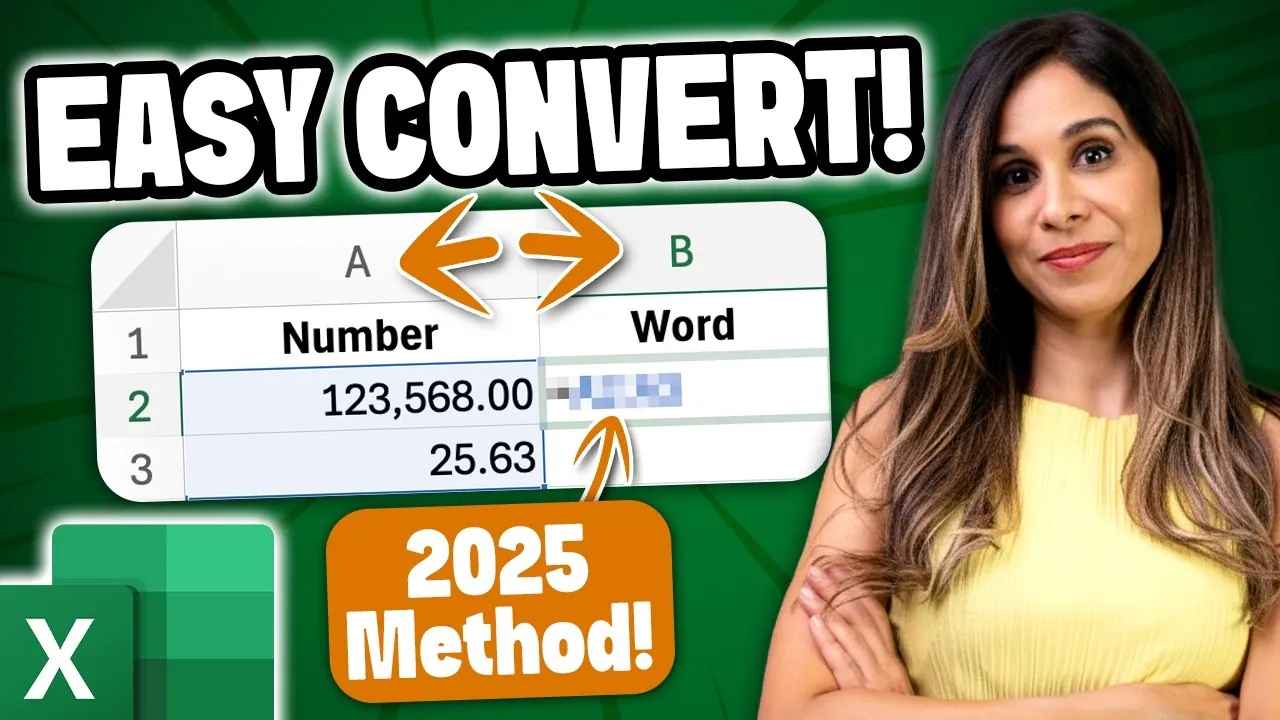
Have you ever spent countless hours wrestling with Excel formulas, trying to convert “one thousand two hundred” into “1,200” or vice versa? For years, this task has frustrated professionals across industries, requiring tedious manual input or complex workarounds. But now, Microsoft Excel has introduced a innovative feature that promises to eliminate this hassle entirely. Powered by its advanced AI tool, COPILOT, Excel can now seamlessly transform words into numbers and numbers into words with remarkable precision. This isn’t just an upgrade, it’s a bold step toward redefining how we interact with data, saving time and reducing errors in ways that were previously unimaginable.
Below Excel expert Leila Gharani takes you through how Excel’s AI-driven automation is transforming word-to-number conversions, making it easier than ever to handle complex numerical data. From effortlessly translating “123,456” into “one hundred twenty-three thousand four hundred fifty-six” to extracting numbers from unstructured text, this feature is designed to simplify even the most intricate tasks. Whether you’re managing financial reports, drafting legal documents, or working in a multilingual environment, COPILOT’s capabilities promise to enhance productivity and precision. But how does it work, and what are its limitations?
AI-Powered Excel Innovations
TL;DR Key Takeaways :
- Microsoft Excel’s AI-driven COPILOT tool simplifies word-to-number and number-to-word conversions, eliminating the need for complex formulas and reducing errors in data management.
- COPILOT uses advanced natural language processing (NLP) to support multilingual conversions and currency-specific formatting, making it ideal for global and multilingual applications.
- The tool can extract numerical values from unstructured text, streamlining tasks in industries like finance, marketing, and research by automating data extraction.
- While highly efficient, COPILOT emphasizes the importance of manual oversight for critical applications, such as legal or financial documents, to ensure compliance and accuracy.
- COPILOT is currently available in a phased rollout for enterprise users, allowing Microsoft to refine the tool based on feedback before broader availability.
How AI Enhances Word-to-Number Conversions
At the core of this feature is AI-powered automation, which simplifies the traditionally tedious task of converting numbers into words and vice versa. For example, COPILOT can effortlessly transform “123,568” into “one hundred twenty-three thousand five hundred sixty-eight dollars” or convert “one hundred twenty-three” back into “123.” This functionality is particularly beneficial in professional contexts such as financial reporting, legal documentation, and accounting, where accuracy is paramount.
By automating these conversions, COPILOT not only saves time but also minimizes the risk of human error, making sure that your data remains consistent and reliable. This capability is especially valuable for professionals who regularly handle large datasets or complex numerical information.
Advanced Language Processing for Multilingual Applications
COPILOT uses advanced natural language processing (NLP) to handle numbers in multiple languages, adhering to the unique grammatical and syntactical rules of each language. For instance:
- In English, “123” is converted to “one hundred twenty-three.”
- In German, the same number becomes “einhundertdreiundzwanzig.”
This multilingual capability makes COPILOT a versatile tool for global users, allowing seamless communication and data management across different regions and languages. Additionally, the tool supports currency-specific formatting, making sure that monetary values are accurately represented according to local conventions. For example, it can distinguish between “1,000 USD” and “1.000 EUR,” adapting to the appropriate formatting style.
This feature is particularly useful for international businesses, financial institutions, and organizations that operate in multilingual environments, as it ensures consistency and clarity in numerical data representation.
New Excel Trick Instantly Convert Words to Numbers

Uncover more insights about Excel functions in previous articles we have written.
- New Excel’s Copilot() Function : AI Spreadsheets Just Got Smarter
- How to use Excel FILES a secret, powerful hidden function
- Master Dynamic Excel Formulas with Dot Operator in 2025
- 10 New Excel Functions to improve your formulas
- How to Use Excel’s SCAN Function for Advanced Analytics in 2025
- How to Use Excel’s LET Function to Simplify Complex Formulas
- Powerful Excel formulas you should know in 2024
- How to Use SuperXLOOKUP for Advanced Excel Data Analysis
- Excel SUM Function: Advanced Techniques for Data Analysis
- Why You Should Stop Using Excel’s INDIRECT Function Today
Effortless Extraction of Numbers from Text
One of the standout features of COPILOT is its ability to extract numerical values from free-form text. Whether numbers are written as digits or spelled out, the tool can identify and isolate them for further use. For example, if you input “The total cost is one thousand two hundred dollars,” COPILOT can extract “1,200” as a usable value.
This capability is invaluable in industries such as finance, marketing, and research, where extracting numerical data from unstructured text is a frequent and often time-consuming task. By automating this process, COPILOT not only saves time but also ensures greater accuracy, allowing professionals to focus on higher-value tasks.
Balancing Automation with Manual Oversight
While COPILOT’s AI-driven capabilities are highly efficient, it is essential to balance automation with manual verification, particularly for critical applications. Although the tool is designed to deliver accurate results, certain contexts may require additional scrutiny to ensure compliance with specific formatting or contextual requirements.
For example, legal or financial documents often demand a higher level of precision and adherence to regulatory standards. In such cases, manual review remains a crucial step to avoid potential errors and ensure that the final output meets all necessary criteria. This approach underscores the importance of combining AI efficiency with human oversight to achieve optimal results.
Phased Rollout and Enterprise Access
Currently, COPILOT is being rolled out in phases and is available exclusively to users with enterprise licenses. This gradual rollout allows Microsoft to gather user feedback and refine the tool before making it widely available. For now, access is limited to organizations that have opted for Microsoft’s enterprise solutions, making sure that the tool is tailored to meet the needs of professional users.
This phased approach not only ensures a smoother implementation but also allows Microsoft to address any potential issues and enhance the tool’s functionality based on real-world usage. As a result, businesses can expect a more robust and reliable solution when COPILOT becomes widely accessible.
The Broader Impact of AI in Excel
The integration of COPILOT into Microsoft Excel marks a significant advancement in AI-powered automation. By simplifying word-to-number and number-to-word conversions, supporting multiple languages, and allowing the extraction of numerical data from text, this tool addresses a wide range of professional needs.
For businesses, COPILOT offers a practical solution to enhance efficiency, reduce errors, and streamline data management processes. However, as with any AI-driven tool, it is important to verify outputs for high-stakes applications to ensure accuracy and compliance. With its enterprise-focused rollout, COPILOT is poised to become an indispensable tool for organizations aiming to optimize their workflows and achieve greater precision in their operations.
Media Credit: Leila Gharani
Disclosure: Some of our articles include affiliate links. If you buy something through one of these links, Geeky Gadgets may earn an affiliate commission. Learn about our Disclosure Policy.
