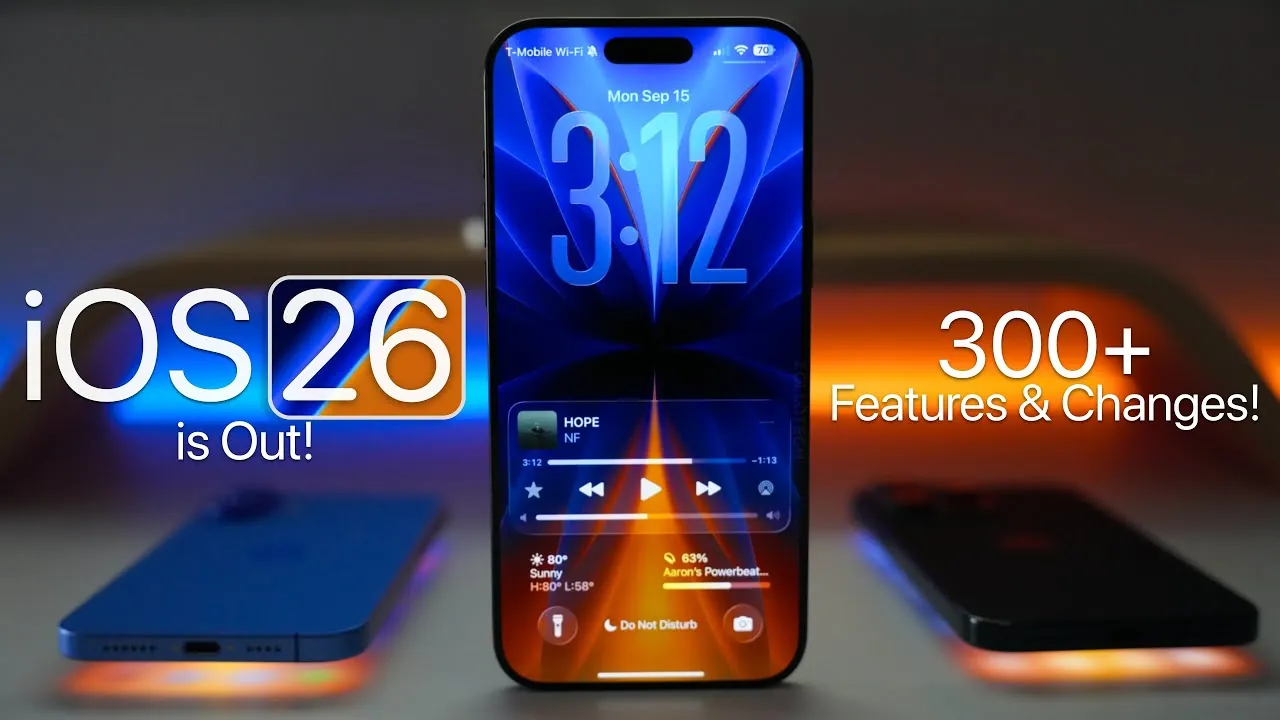
Apple has officially launched iOS 26, a comprehensive update that introduces a host of new features, enhanced accessibility tools, and a visually striking design overhaul. With the debut of the Liquid Glass design language, expanded customization options, and significant app enhancements, iOS 26 aims to redefine the user experience. However, it’s important to note that support for older devices, including the iPhone XR, XS, and XS Max, has been discontinued. Below is an in-depth exploration of the key features and improvements that make iOS 26 a noteworthy release in a new video from Zollotech.

Liquid Glass Design and Interface Evolution
One of the most prominent updates in iOS 26 is the introduction of the Liquid Glass design language. This new aesthetic brings dynamic refractions and reflections to the interface, creating a visually immersive experience. App icons now feature greater depth, smoother animations, and a polished finish, making navigation feel more fluid and engaging.
Customization has also been significantly enhanced. You can now personalize your device with dynamic wallpapers that adapt to the time of day, spatial scenes that add depth to your lock screen, and flexible layout options. These features allow you to create a device experience that feels uniquely tailored to your preferences, blending functionality with style.
Accessibility and Personalization Enhancements
Apple continues its commitment to inclusivity with a range of accessibility improvements in iOS 26. These updates are designed to make the platform more user-friendly for individuals with diverse needs. Key features include:
- Improved contrast settings: Enhanced visibility for users with visual impairments.
- Personal voice creation: Streamlined tools for users with speech impairments to create custom voice profiles.
- Advanced sound recognition: Alerts for critical sounds like baby cries, doorbells, or car horns.
- Refined assistive technologies: Enhanced head tracking, motion cues, and Braille support for improved interaction.
In addition to accessibility, customization options have been expanded. Users can now choose from light, dark, clear, and tinted modes for app icons, offering a more personalized and visually cohesive experience.
Streamlined Control Center and Notifications
The Control Center has been redesigned to provide a more intuitive and visually engaging interface. With bouncy animations and organized submenus, managing settings like Wi-Fi, AirDrop, and music controls is now more seamless. These updates make accessing frequently used features faster and more efficient.
Notifications have also undergone a significant overhaul. Alerts are now categorized and summarized to reduce clutter. For example, news notifications are grouped together, while drafts in Messages are easier to locate. This improved organization ensures you stay informed without feeling overwhelmed by excessive alerts.
App-Specific Innovations
Several core apps in iOS 26 have received substantial updates, enhancing their functionality and usability. These improvements include:
- Music: New playlist folders, live lyrics translation, and automix for seamless transitions between songs.
- Photos: Features like spatial photo creation, event recognition for occasions like concerts, and improved library organization.
- Camera: A simplified interface, new photo styles, and lens-cleaning hints for better usability.
- Safari: Advanced fingerprinting protection, customizable tab layouts, and a Liquid Glass-inspired address bar.
- Maps: Enhanced incident reporting, preferred route suggestions, and detailed insights into locations.
These updates not only improve the overall user experience but also add new layers of functionality to everyday tasks.
Audio, Media, and Battery Innovations
iOS 26 introduces several audio and media enhancements. New ringtones and simplified customization options allow users to personalize their auditory experience. For AirPods users, features like sleep detection, live translation, and improved audio recording options enhance usability. Adaptive audio settings further refine the listening experience, making it more efficient and enjoyable.
Battery management has also been significantly upgraded. A redesigned usage graph provides detailed insights into power consumption, while the new adaptive power mode optimizes battery life during periods of high usage. Additionally, charging time estimates are now displayed directly on the lock screen, offering greater convenience.
Enhanced Messaging and Productivity Tools
Communication tools in iOS 26 have been refined to improve collaboration and user control. Key updates include:
- Live translation: Available in Messages, Phone, and FaceTime for seamless multilingual communication.
- Typing indicators and polls: Added to group chats for better interaction and decision-making.
- Spam filtering: Improved tools for identifying and screening unknown callers and messages.
Productivity apps have also been upgraded to streamline workflows. Notable enhancements include:
- Notes: Support for inline images, math notes, and enhanced text selection for more versatile documentation.
- Reminders: Intelligent categorization and time zone-based alerts for better task management.
- Shortcuts: Advanced automation powered by Apple Intelligence for more efficient workflows.
These updates aim to make communication and productivity tools more intuitive and effective for users.
Privacy, Security, and Additional Updates
Privacy remains a cornerstone of iOS 26. The Passwords app now includes password history and passkey notifications, providing greater control over account security. Enhanced app permissions and Safari privacy settings offer additional layers of protection for your data. Furthermore, the new on-device recovery mode simplifies troubleshooting without requiring external hardware.
Other updates include:
- Redesigned apps: Mail, Weather, Podcasts, and TV apps now align with the Liquid Glass design language for a cohesive aesthetic.
- Calculator improvements: A clear button and support for Arabic calculations have been added.
- Family accounts: Improved parental controls and communication limits ensure a safer digital environment for younger users.
Performance and Compatibility
iOS 26 delivers improved stability and performance, particularly on newer devices like the iPhone 15, 16, and 17 models. However, older devices such as the iPhone XR, XS, and XS Max are no longer supported. This shift reflects Apple’s focus on optimizing the experience for its latest hardware, making sure that users with compatible devices can fully benefit from the update’s features.
iOS 26 represents a significant step forward for Apple’s mobile platform. With its blend of aesthetic innovation, enhanced functionality, and expanded accessibility, this update offers something for everyone. Whether you’re drawn to the Liquid Glass design, advanced app updates, or improved customization options, iOS 26 is a compelling upgrade for users with compatible hardware.
Here are more detailed guides and articles that you may find helpful on Liquid Glass design language.
- iOS 26: Liquid Glass & The TOP Features You Need to See!
- Apple’s Liquid Glass Design in iOS 26
- macOS Tahoe: A Stunning New Design is Coming to Your Mac
- How iOS 26 Beta Enhances iPhone Usability and Design
- iOS 26: Pros, Cons, and Everything You Need to Know
Source & Image Credit: zollotech
Disclosure: Some of our articles include affiliate links. If you buy something through one of these links, Geeky Gadgets may earn an affiliate commission. Learn about our Disclosure Policy.
