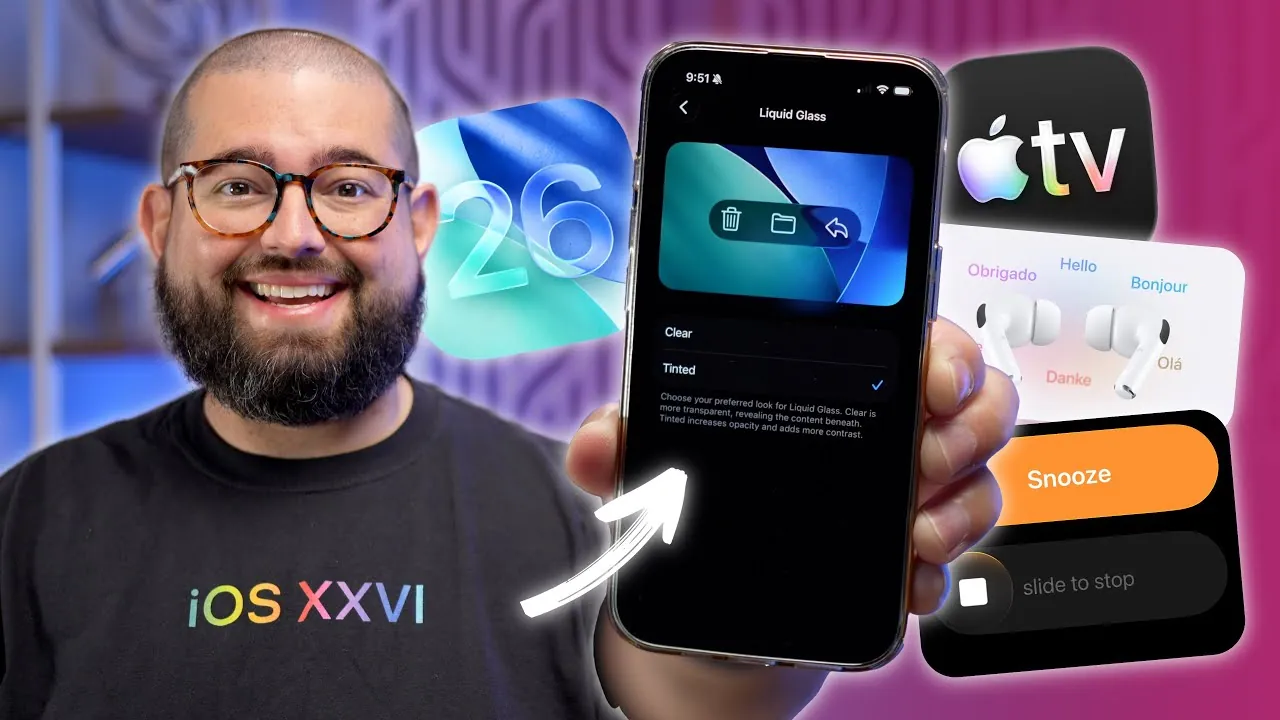
Apple’s iOS 26.1 introduces a comprehensive set of updates designed to enhance your device’s usability, customization, and overall functionality. With improvements ranging from display personalization to expanded language support, this update focuses on making your iPhone or iPad more intuitive and versatile. Below is a detailed exploration of the most notable features and how they can elevate your daily interactions with your device in a new video from Stephen Robles.

Liquid Glass Toggle: A New Era of Display Customization
One of the standout features in iOS 26.1 is the Liquid Glass Toggle, located in the Display & Brightness settings. This feature introduces two innovative display options:
- “Clear”: Offers a sleek, glass-like effect for a minimalist and modern aesthetic, ideal for users who prefer a clean and futuristic look.
- “Tinted”: Adds a subtle opacity layer to the screen, improving readability in bright environments and reducing glare.
Whether you prioritize style or functionality, this feature ensures your screen adapts to your preferences, delivering a tailored visual experience that enhances both usability and aesthetics.
Live Translation Updates: Expanded Language Support for AirPods Pro
For users who rely on live translation, iOS 26.1 significantly enhances its capabilities by expanding the range of supported languages for AirPods Pro. Newly added languages include:
- Japanese
- Korean
- Italian
- Simplified and Traditional Chinese
This update makes real-time communication more seamless, whether you’re traveling, collaborating in a multilingual workplace, or simply exploring new cultures. These languages can be accessed through the AirPods settings or the Translation app, making sure smooth integration into your daily tasks.
Apple Music Enhancements: Swipe-to-Switch Tracks
Navigating your music library becomes more intuitive with the swipe-to-switch feature in Apple Music. By swiping on the “Now Playing” bar, you can quickly skip forward or backward between tracks. This gesture eliminates the need to navigate through menus, making it especially useful during workouts, commutes, or other activities where convenience is essential. This small yet impactful update enhances the overall music experience by prioritizing ease of use.
Alarm Interaction: Simplified Slide-to-Stop Gesture
Managing alarms is now more straightforward with the introduction of the slide-to-stop gesture. This feature minimizes the risk of accidentally snoozing your alarm, making sure you wake up on time. The gesture is intuitive and effective, addressing a common frustration for many users. By streamlining this interaction, iOS 26.1 adds a layer of practicality to your morning routine.
Lock Screen Security: Enhanced Privacy Options
iOS 26.1 introduces a new level of security for your lock screen by allowing you to disable the swipe-to-camera shortcut. This prevents unauthorized access to your camera, offering an additional layer of privacy. Furthermore, you can customize lock screen shortcuts to better suit your needs, balancing security with convenience. This feature is particularly beneficial for users who prioritize protecting their personal data while maintaining quick access to essential functions.
Local Capture Settings: Flexible Media Storage Options
Content creators and media enthusiasts will appreciate the new local capture settings, which provide greater control over where high-quality videos and audio recordings are stored. You can now choose between:
- iCloud Drive
- Your iPhone’s internal storage
Additionally, an audio-only recording option is available, offering flexibility for various projects such as podcasts or voice memos. This feature ensures your media is stored in the location that best aligns with your workflow, making it easier to manage and access your content.
Home Screen Folder Text Alignment: Subtle Design Refinement
In a minor yet impactful design update, folder titles on the home screen are now left-aligned instead of centered. This adjustment improves readability and aligns with modern design trends, giving your device a cleaner and more polished appearance. While subtle, this change reflects Apple’s attention to detail and commitment to enhancing the user interface.
Apple TV App Rebranding: Simplified Name and Icon
The Apple TV app has undergone a rebranding, dropping “Plus” from its name. Now simply called “Apple TV,” the app also features a redesigned icon. This change reflects Apple’s streamlined approach to its services, making it easier for you to identify and access your entertainment hub. The update emphasizes simplicity and clarity, aligning with the broader design philosophy of iOS 26.1.
Apple Intelligence Language Expansion: Broader Multilingual Support
iOS 26.1 expands the language capabilities of Apple Intelligence, including Siri and other AI-driven features. Newly supported languages include:
- Danish
- Dutch
- Norwegian
- Portuguese
- Swedish
- Turkish
- Vietnamese
This update ensures a more inclusive experience, catering to a wider global audience. By broadening its multilingual support, Apple continues to make its devices accessible to users from diverse linguistic backgrounds.
Refining the iOS Experience
iOS 26.1 delivers a thoughtfully curated set of updates that balance aesthetics, functionality, and accessibility. From the visually striking Liquid Glass Toggle to expanded language support and improved app interactions, these features are designed to make your device more user-friendly and adaptable. By addressing both practical and design-oriented needs, Apple continues to refine the iOS experience, making sure it meets the diverse demands of its global user base.
Unlock more potential in iOS 26.1 by reading the previous articles we have written.
- iOS 26.1 RC Is Out: Liquid Glass Toggle, Final Fixes & More
- iOS 26.1 Beta 4 Features: Liquid Glass, Bug Fixes, and More
- iOS 26.1 RC FINALLY Lands! The Liquid Glass Toggle & FINAL Fixes!
- iOS 26.1 Beta 4: Liquid Glass Customization Revealed
- What iOS 26.1 Does to Liquid Glass?
Source & Image Credit: Stephen Robles
Disclosure: Some of our articles include affiliate links. If you buy something through one of these links, Geeky Gadgets may earn an affiliate commission. Learn about our Disclosure Policy.
