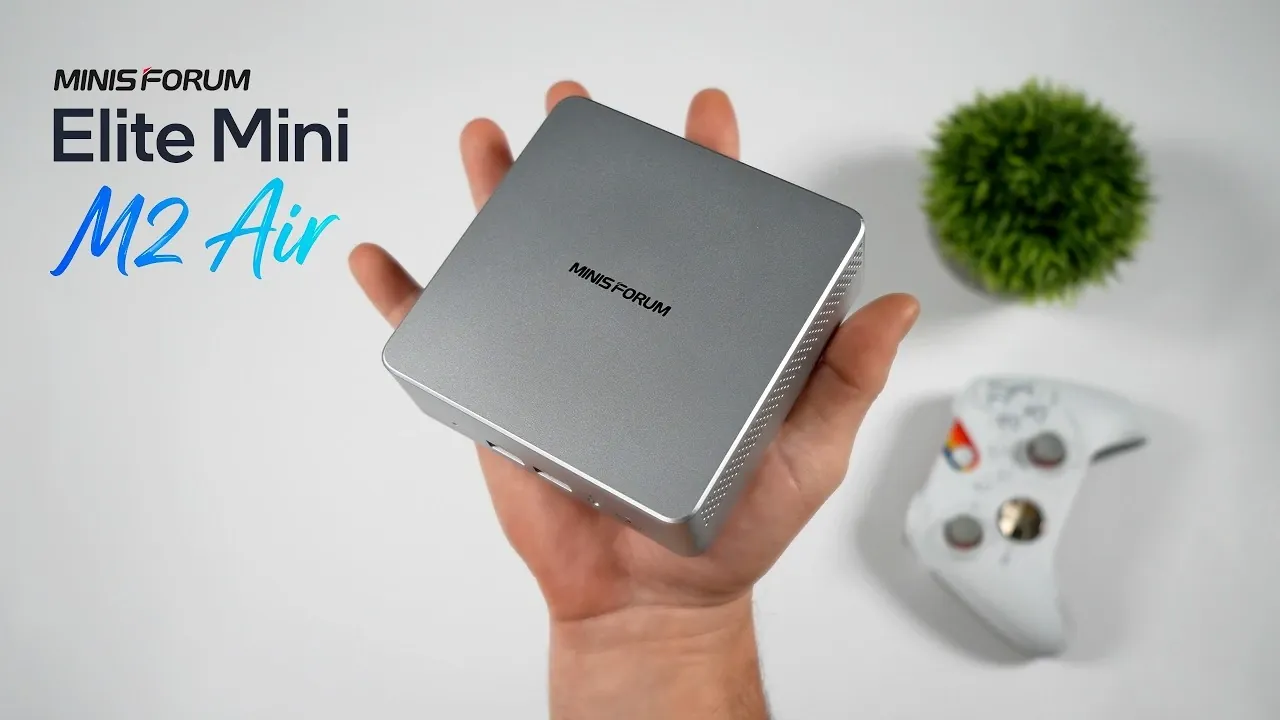
The Minis Forum Elite Mini M2 Air 304 stands out as a compact and budget-friendly mini PC designed for everyday use. Powered by the Intel Core 3304 processor, it combines a single performance core with four efficiency cores, striking a balance between speed and energy consumption. ETA Prime explores how this device handles tasks like web browsing, 4K video playback and light gaming, while also highlighting its thoughtful design elements, such as a durable plastic-and-metal build that enhances cooling. With its small footprint and included VESA mounting bracket, the Elite Mini M2 Air 304 is tailored for users with limited space or those seeking a discreet computing solution.
In this assessment, you’ll gain insight into the device’s real-world performance, including how its integrated Intel Arc iGPU supports casual gaming and retro emulation. Explore the range of connectivity options, from dual HDMI ports to USB 4 and dual 2.5Gb Ethernet and understand how these features make it adaptable for home offices or multimedia setups. The breakdown also examines its energy efficiency, with idle power consumption as low as 4 watts, making it an economical choice for environmentally conscious users.
Compact Design with Practical Features
TL;DR Key Takeaways :
- The Minis Forum Elite Mini M2 Air 304 is a budget-friendly, ultra-compact mini PC designed for basic computing tasks, offering affordability and functionality in a small form factor.
- Powered by an Intel Core 3304 processor with integrated Intel Arc iGPU, it supports smooth 4K video playback, light gaming and retro game emulation, making it ideal for casual users.
- Its compact design, VESA mounting options and efficient cooling system ensure portability, practicality and quiet operation, suitable for home offices, classrooms, or entertainment setups.
- Extensive connectivity options include dual HDMI 2.0 ports, USB 4, USB-C, dual 2.5Gb Ethernet, Wi-Fi 6E and Bluetooth 5.4, providing flexibility for various peripherals and multi-display setups.
- With exceptional power efficiency (4W idle, 7W during 4K playback, 31W max), it is an environmentally friendly and cost-effective solution for everyday computing, though not suited for resource-intensive tasks.
The Elite Mini M2 Air 304 is engineered with portability and practicality in mind. Its small size allows it to integrate seamlessly into any workspace, whether placed on a desk or mounted behind a monitor using the included VESA bracket. The device features a durable plastic shell paired with a metal base, which enhances heat dissipation and ensures optimal cooling. This thoughtful design keeps the mini PC cool and quiet, even during demanding tasks, making it ideal for home offices, classrooms, or entertainment setups.
The compact design also makes it a great choice for users with limited space. Its unobtrusive form factor ensures it can be tucked away neatly, while the included mounting options provide flexibility for various configurations. This combination of portability and practicality makes the Elite Mini M2 Air 304 a versatile addition to any environment.
Specifications: Balancing Performance and Efficiency
At the heart of the Elite Mini M2 Air 304 is the Intel Core 3304 processor, a 5-core, 5-thread CPU. This processor combines one performance core running at 4.3 GHz with four efficiency cores at 3.3 GHz, offering a balance between speed and energy efficiency. The integrated Intel Arc iGPU, featuring one XE3 core clocked at 2300 MHz, supports smooth 4K video playback and light gaming, making it suitable for multimedia consumption and casual gaming.
Key specifications include:
- Support for up to 64GB of DDR5 RAM and a 2TB M.2 SSD for ample storage and multitasking capabilities
- Pre-installed Windows 11 for a modern and user-friendly experience
- Extensive connectivity options, including:
- Dual HDMI 2.0 ports for multi-display setups
- USB 4, USB-C, USB 3.2 Gen 2 and USB 2.0 for connecting peripherals
- MicroSD card reader for additional storage flexibility
- Dual 2.5Gb Ethernet ports for fast and reliable networking
- Wi-Fi 6E and Bluetooth 5.4 for seamless wireless connectivity
These features ensure compatibility with a wide range of peripherals and networks, making the device adaptable to various user needs. Whether you’re setting up a home office or creating a multimedia hub, the Elite Mini M2 Air 304 offers the versatility to handle diverse requirements.

Here are more detailed guides and articles that you may find helpful on mini PC.
- Unreleased Piston V Mini PC Packs Ryzen AI 9365 but Lacks Maker
- Turn a Broken Phone into a DeX-Powered 1440p Mini PC for Under $100
- 128GB Ryzen AI Halo Replaces Cloud Servers for Local AI
- This 10-Core Mini PC Fits in Your Bag, but Can It Run GTA V?
- Storm10 Mini 2-in-1 Laptop Review : Lightweight Design Meets Big Ambitions
- New AMD’s $1,500 Strix Halo PC Runs 120B AI Models Locally
- M4 Apple Silicon vs Intel vs AMD – Ultimate Mini PC Comparison
- DIY Steam Machine: AMD Ryzen 7 and Radeon RX 7800M Hit 70 FPS in 1440P
- Minisforum MS02 Ultra Fits an NVIDIA RTX 4060 in 4.8L
- How to build a super small 4060 gaming PC
Everyday Performance
The Elite Mini M2 Air 304 excels in handling everyday computing tasks. Whether you’re browsing the web, managing emails, or working on documents, the device delivers a smooth and responsive experience. Its ability to handle 4K video playback across up to three displays makes it an excellent choice for multimedia consumption, presentations, or digital signage.
Benchmark tests highlight its competitive single-core performance, making it suitable for tasks that rely on individual core speed. However, its multi-core performance is moderate, which limits its ability to handle resource-intensive workloads like video editing or 3D rendering. For users with basic computing needs, the Elite Mini M2 Air 304 provides reliable and efficient performance.
Gaming and Emulation: A Mixed Bag
While the Elite Mini M2 Air 304 is not designed to be a gaming powerhouse, it performs well with older and less demanding titles. Games like Left 4 Dead 2 and Skyrim run smoothly at 1080p with acceptable frame rates, providing a satisfying experience for casual gamers. However, modern, graphically intensive games such as Cyberpunk 2077 are only playable at low settings, with reduced performance.
For retro gaming enthusiasts, the device shines in emulation. It handles systems like the PlayStation 2 and GameCube with ease, delivering smooth gameplay and accurate emulation. This makes it an excellent option for revisiting classic games without the need for dedicated hardware. While it may not cater to hardcore gamers, its emulation capabilities and support for older titles make it a compelling choice for casual gaming.
Power Efficiency: A Standout Feature
One of the Elite Mini M2 Air 304’s most impressive attributes is its exceptional power efficiency. The device consumes minimal energy, making it an environmentally friendly and cost-effective computing solution. Its power consumption metrics include:
- 4 watts at idle
- 7 watts during 4K video playback
- Up to 31 watts under heavy load
This low power consumption not only reduces electricity costs but also minimizes heat generation, contributing to its quiet operation. For users seeking an energy-efficient device that aligns with modern sustainability goals, the Elite Mini M2 Air 304 is a strong contender.
Ideal Use Cases
The versatility of the Elite Mini M2 Air 304 makes it suitable for a variety of scenarios:
- Basic computing tasks such as web browsing, word processing and media streaming
- Digital signage setups, thanks to its multi-display support and compact design
- Light gaming and retro game emulation for casual gamers
- Secondary PC for home or office use
However, it is not recommended for resource-intensive tasks such as 4K video editing or high-end gaming, as its hardware is not designed to handle such demands. Users with more advanced requirements may need to consider higher-end alternatives.
A Practical and Affordable Mini PC
The Minis Forum Elite Mini M2 Air 304 is a cost-effective and compact mini PC that delivers reliable performance for everyday computing and light multimedia tasks. Its low power consumption, extensive connectivity options and support for modern features like 4K video playback and emulation make it a practical choice for budget-conscious users. While it may not cater to power users or gamers seeking innovative performance, it excels as an affordable and versatile solution for basic computing needs.
Media Credit: ETA PRIME
Disclosure: Some of our articles include affiliate links. If you buy something through one of these links, Geeky Gadgets may earn an affiliate commission. Learn about our Disclosure Policy.
