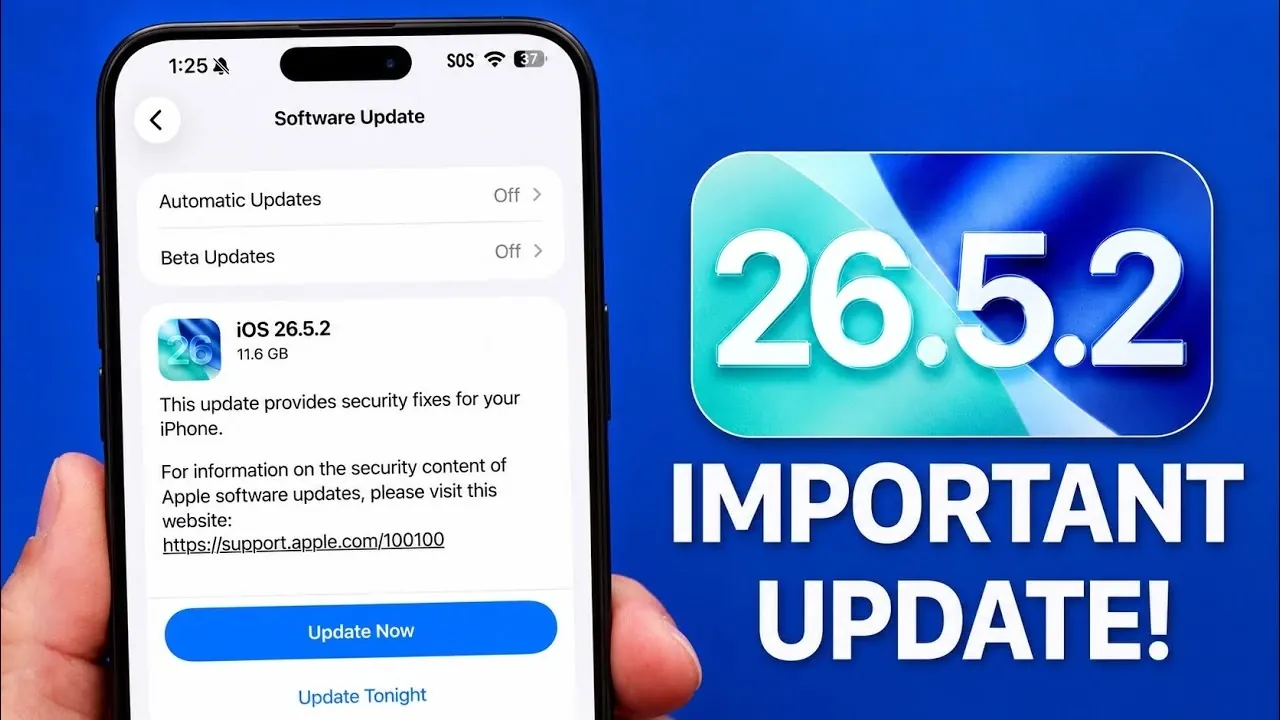
Apple has officially rolled out iOS 26.5.2, a significant update designed to address over 25 security vulnerabilities affecting iPhones, iPads, and Macs. This release is part of a broader initiative that includes updates to iPadOS and macOS, emphasizing enhanced security and performance across the Apple ecosystem. Alongside this update, Apple has also introduced iOS 26.6 Developer Beta 3, offering developers and tech enthusiasts a preview of upcoming features and improvements. If safeguarding your device’s security and making sure optimal functionality are priorities, installing this update is highly recommended. The video below from iDeviceHelp gives us more details on the update.

The Importance of iOS 26.5.2
The iOS 26.5.2 update primarily focuses on resolving critical security vulnerabilities that could compromise your device. Apple has identified and patched over 25 issues, including risks related to unauthorized access, data breaches, and malicious attacks. These vulnerabilities impacted various system components, such as Safari, kernel-level processes, and third-party app integrations.
By updating to iOS 26.5.2, you ensure your device is protected against these threats, safeguarding sensitive information and maintaining system stability. This update is compatible with all supported devices, including the latest iPhone 15 Pro Max, and requires approximately 11 GB of storage space. Whether you use your device for personal or professional purposes, installing this update promptly is essential to maintaining its security and performance.
Exploring iOS 26.6 Developer Beta 3
For developers and technology enthusiasts, iOS 26.6 Developer Beta 3 introduces several new features and refinements. While still in the testing phase, this beta version offers a glimpse into Apple’s ongoing efforts to enhance user experience and device functionality. Key highlights of this beta release include:
- Contact Block Limit Alerts: A new notification system that informs users when they exceed the contact block limit, providing better control over communication settings and helping manage spam or unwanted contacts.
- Anti-Snatching Mechanism: Using advanced sensors and integration with the Apple Watch, this feature detects sudden movements or unauthorized attempts to remove your device, enhancing physical security.
- System Stability and Battery Optimization: Improvements aimed at making sure smoother performance and extended battery life, contributing to a more reliable user experience.
Developers registered in Apple’s beta program can access this update to test these features and provide valuable feedback. This collaborative process helps refine the final release, which is expected to launch in late July.
Key Features and Enhancements in iOS 26.5.2
The updates included in iOS 26.5.2 and iOS 26.6 Developer Beta 3 reflect Apple’s commitment to improving security, usability and innovation. Below are the main areas of improvement:
- Security Fixes: Over 25 vulnerabilities have been patched to protect against potential threats, making sure your device remains secure.
- Device Integration: Enhanced compatibility between iPhones, iPads, Macs and Apple Watch for a seamless ecosystem experience.
- Advanced Sensors: Testing of features like the anti-snatching mechanism to improve device safety and physical security.
- Battery Optimization: Updates designed to extend battery life and improve energy efficiency, making sure longer usage between charges.
- Bug Fixes: Resolutions for software glitches to provide a more stable and reliable user experience.
- New Alerts: Notifications for exceeding contact block limits, offering better communication management and spam control.
These updates not only address immediate security concerns but also lay the foundation for future advancements, making sure Apple devices remain secure, efficient and innovative.
Steps to Update and Recommendations
The iOS 26.5.2 update is now available for all users, and installing it promptly is strongly advised to benefit from the critical security patches and system improvements. To update your device, follow these steps:
- Navigate to Settings > General > Software Update.
- Ensure your device is connected to Wi-Fi and has sufficient battery life or is plugged into a power source.
- Follow the on-screen instructions to download and install the update.
For developers and beta testers, iOS 26.6 Developer Beta 3 provides an opportunity to explore new features and contribute feedback. The final release of iOS 26.6 is anticipated in late July, bringing further refinements and enhancements to Apple’s software ecosystem.
Why Staying Updated Matters
Installing iOS 26.5.2 is a critical step in protecting your Apple devices from potential security threats. By addressing over 25 vulnerabilities and introducing system enhancements, Apple continues to prioritize user safety and device performance. Meanwhile, iOS 26.6 Developer Beta 3 offers a preview of exciting new features, showcasing Apple’s dedication to innovation and seamless integration within its ecosystem. Updating your device ensures you remain secure and benefit from the latest advancements in technology, keeping your Apple experience both safe and innovative.
Here are additional guides from our expansive article library that you may find useful on iOS 26.5.
- The First Thing You Need to Do After Installing iOS 26.5
- iOS 26.5 Beta 4 Released: Top Features Revealed
- Why Apple is Rushing the iOS 26.5.2 Update to Your iPhone
- Is iOS 26.5 Actually Good? Here is What Users Are Saying
- iOS 26.5 Beta 3 Released: Here’s What’s New for Your iPhone
- Hidden Changes in iOS 26.5 Beta 3 You Might Have Missed
Source & Image Credit: iDeviceHelp
Disclosure: Some of our articles include affiliate links. If you buy something through one of these links, Geeky Gadgets may earn an affiliate commission. Learn about our Disclosure Policy.
