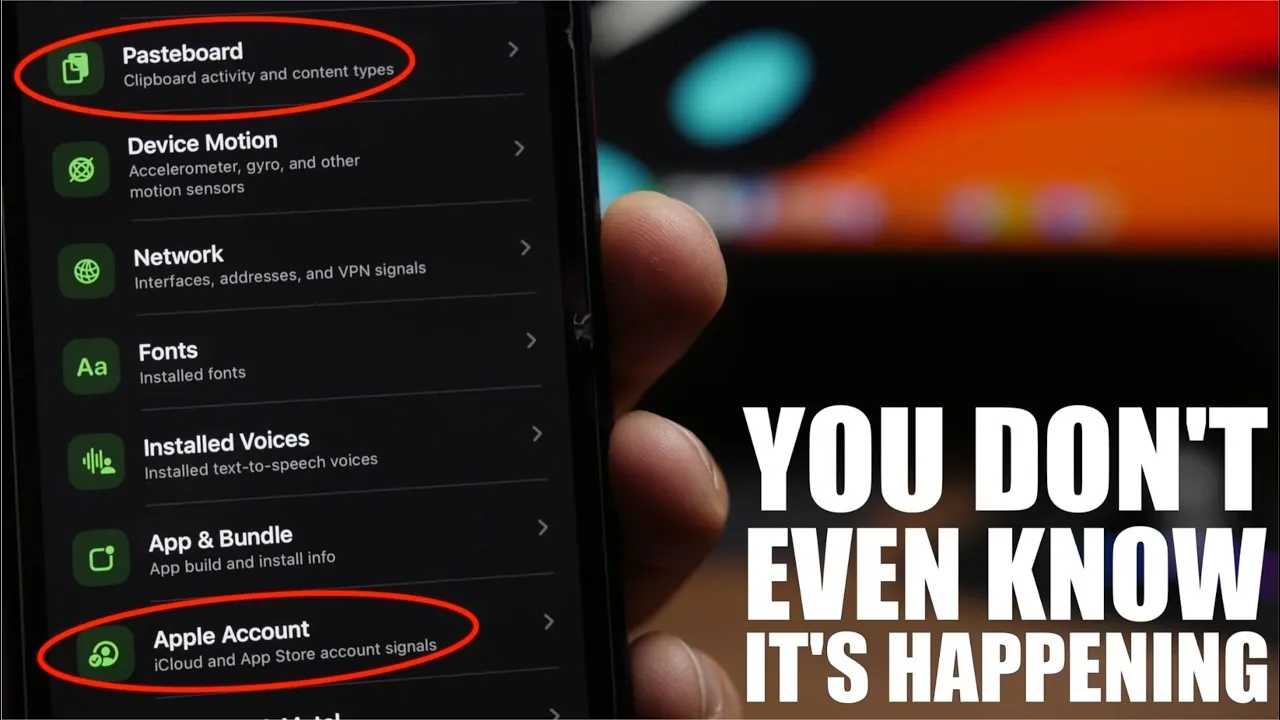
Your iPhone is more than just a communication tool; it’s a repository of your most personal data. While Apple has implemented robust privacy features to safeguard your information, some apps exploit subtle loopholes to access sensitive details without your explicit consent. These practices, ranging from tracking your location to monitoring your online activity, raise significant privacy concerns. Understanding how apps collect data and adopting proactive measures to protect yourself is crucial in today’s interconnected digital landscape. The video below from iReviews gives ys more details.

How Apps Collect Data Without Your Knowledge
Many apps on your iPhone collect data without your awareness or permission. This data can include your device identity, system settings, location and even the contents of your pasteboard, a temporary storage area for copied text, passwords, or other sensitive information. The pasteboard is particularly vulnerable, as some apps can access it without notifying you. Beyond this, apps may also gather network details, installed fonts, and app bundle information to create a unique “fingerprint” of your device.
Even with Apple’s privacy settings enabled, certain apps bypass these restrictions using advanced techniques like device fingerprinting. Unlike traditional tracking tools such as cookies, fingerprinting combines various device-specific details to track your activity across apps and websites. This method is harder to detect and block, allowing apps to monitor your behavior without your knowledge. Such practices highlight the need for vigilance and informed decision-making when managing your digital privacy.
Permission-Based Data Collection: A Double-Edged Sword
When apps request permission to access specific data, it may seem like you’re in control. However, granting access can inadvertently open the door to further data collection. For example:
- Allowing location access enables apps to track your movements and analyze your habits over time.
- Granting access to your Apple account or telephony data could lead to misuse beyond the app’s stated purpose.
Some apps go a step further by continuing to collect data in the background, even when you’re not actively using them. This underscores the importance of regularly reviewing and managing app permissions. By limiting unnecessary access, you can reduce the risk of unauthorized data collection and maintain greater control over your personal information.
How “Loop” Can Help You Monitor Data Access
To better understand and manage how apps interact with your device, tools like “Loop” can be invaluable. This free app categorizes data access into three distinct areas: passive (data collected without permission), permission-based, and advanced (such as device fingerprinting). By using “Loop,” you can uncover hidden privacy risks and make more informed decisions about the apps you use.
For instance, “Loop” can reveal whether an app is accessing your pasteboard or monitoring your network activity without your knowledge. It also provides insights into the permissions you’ve granted and how they’re being utilized. Armed with this information, you can identify apps that may pose a privacy threat and take appropriate action, such as revoking permissions or uninstalling the app altogether.
Practical Steps to Protect Your Privacy
Safeguarding your personal data doesn’t have to be overwhelming. By adopting a few straightforward practices, you can significantly enhance your privacy and reduce the risk of unauthorized data collection. Consider the following steps:
- Download apps exclusively from trusted sources like the App Store and read user reviews to assess their credibility.
- Regularly review app permissions and revoke access for apps that no longer require it.
- Be selective about granting access to sensitive data, such as your location, contacts, or Apple account details.
- Use privacy tools like “Loop” to monitor app behavior and identify potential risks.
- Keep your iPhone’s software updated to benefit from the latest security enhancements and bug fixes.
These steps, while simple, can go a long way in protecting your personal information and making sure that your digital interactions remain secure.
Why Privacy Settings Alone Aren’t Enough
Apple’s privacy settings provide a strong foundation for protecting your data, but they are not infallible. Some apps employ advanced techniques to bypass these safeguards. For example, device fingerprinting combines system information, installed fonts, and network details to create a unique identifier for your device. This allows apps to track your activity across platforms, even if you’ve disabled traditional tracking methods like cookies.
Additionally, indirect data collection methods often go unnoticed. An app might access your pasteboard to gather sensitive information, such as copied passwords or personal messages, without explicitly requesting permission. These practices highlight the limitations of relying solely on privacy settings. To truly protect your data, it’s essential to stay informed, use monitoring tools, and take proactive steps to secure your device.
Taking Control of Your Digital Privacy
The apps on your iPhone may be collecting more data than you realize. From accessing your pasteboard to tracking your location, some apps exploit vulnerabilities to gather sensitive information without your consent. While tools like “Loop” and Apple’s privacy settings can help you monitor and manage data access, the ultimate responsibility lies with you. By staying informed, carefully evaluating apps, and taking proactive measures to protect your privacy, you can reduce the risk of unauthorized data collection and maintain greater control over your personal information.
Here are more detailed guides and articles that you may find helpful on iPhone apps.
- 8 Incredibly Useful iPhone Apps That Are Actually Worth Downloading
- The Only iPhone Apps Worth Downloading This Month
- May 2026 Checklist: Essential Apps That Will Make Your iPhone Feel Brand New
- The Ultimate Guide to Essential iPhone Apps for January 2026
- 15 FREE iPhone Apps You’ll Actually Use
- Why Apple is Putting Cameras in the New AirPods Pro 4 (Ultra)
Source & Image Credit: iReviews
Disclosure: Some of our articles include affiliate links. If you buy something through one of these links, Geeky Gadgets may earn an affiliate commission. Learn about our Disclosure Policy.
