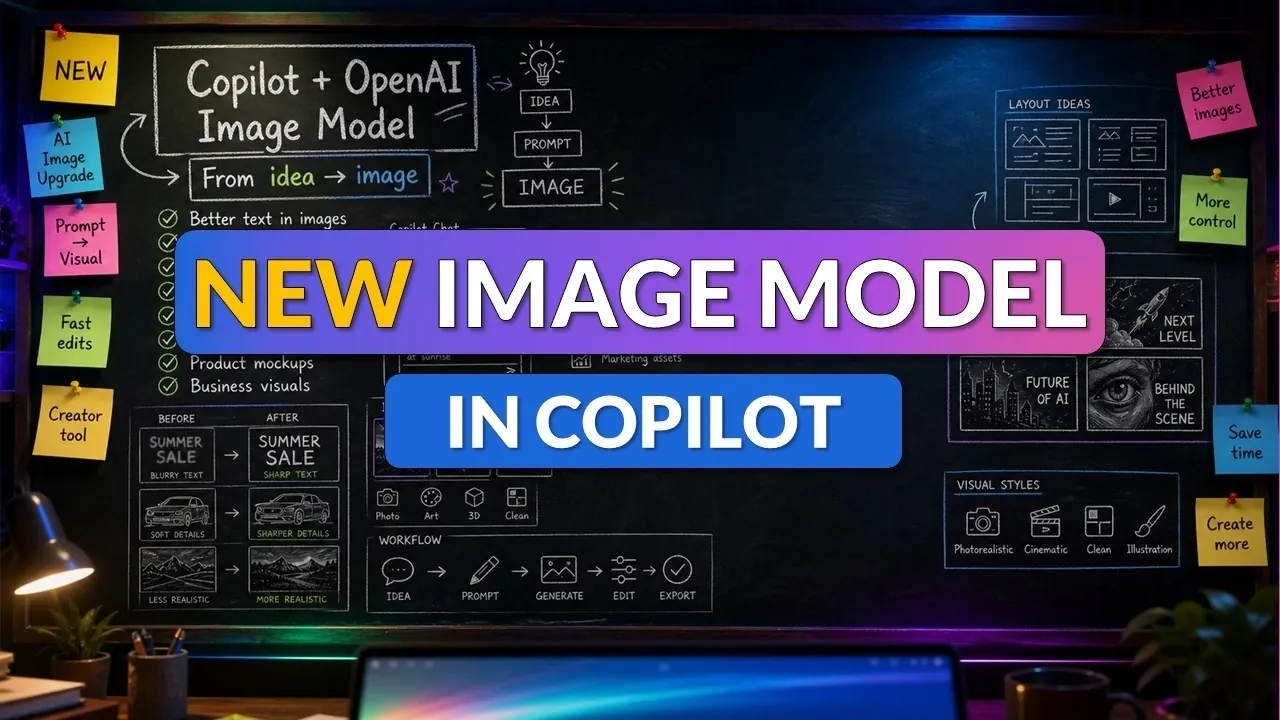
Microsoft has introduced the OpenAI Image Gen 2 model into its Copilot platform, offering users a streamlined way to create high-quality visuals directly within Microsoft 365. As highlighted by Mike Tholfsen, this integration supports diverse needs, from designing infographics for business presentations to generating educational materials like comic strips or interactive diagrams. A key feature of the model is its precise text-to-image alignment, which ensures that outputs align closely with user prompts, making it adaptable for industries such as healthcare, education and corporate communications.
Dive into this overview to explore how you can use features like background removal, color adjustments and cropping to refine your designs. You’ll also discover how prompt assistance simplifies the creative process, even for those new to crafting detailed inputs. Whether you’re managing visuals across projects or collaborating with a team, this guide provides actionable insights to help you maximize the potential of Microsoft Copilot’s image generation capabilities.
Key Features of the OpenAI Image Gen 2 Model
TL;DR Key Takeaways :
- Microsoft has integrated the OpenAI Image Gen 2 model into its Copilot platform, allowing users to create detailed and customizable visuals directly within Microsoft 365 for various professional and creative purposes.
- The model excels in text-to-image alignment and adaptability, making it suitable for industries like business, education and healthcare to produce infographics, teaching materials and medical illustrations.
- Enhanced customization tools, such as background removal, color adjustments and cropping, allow users to refine visuals, while brand kits ensure consistency across projects.
- Prompt assistance simplifies the user experience by helping users craft effective inputs, making sure high-quality results even for those with minimal experience in prompt engineering.
- Microsoft 365’s centralized library streamlines image management and collaboration, allowing teams to organize, reuse and share visuals efficiently for improved workflow and project alignment.
The OpenAI Image Gen 2 model redefines visual content creation with its ability to produce highly accurate and detailed images. Its standout features include exceptional text-to-image alignment and adaptability to various creative needs. For instance:
- Business professionals can design visually engaging infographics to summarize complex data or reports.
- Educators can create interactive visuals, such as comic strips, to simplify challenging concepts for students.
- Medical professionals can generate precise diagrams for academic presentations or training purposes.
The model’s ability to interpret detailed prompts ensures that the generated visuals are not only relevant but also visually compelling, making it a versatile tool for diverse applications.
Enhanced Customization and Editing Tools
Customization is at the core of this integration, offering a suite of tools to refine and personalize your visuals. These tools include:
- Background removal: Simplify designs by eliminating unnecessary elements.
- Color adjustments: Align visuals with your branding or aesthetic preferences.
- Cropping and aspect ratio editing: Ensure precise formatting for various platforms and use cases.
Additionally, the inclusion of brand kits allows you to maintain consistency in design across projects, making it ideal for corporate branding or marketing campaigns. Once your design is complete, you can export it in multiple formats, such as PNG, JPEG, or PDF, making sure compatibility with your specific requirements.
Enhance your knowledge on AI image generator by exploring a selection of articles and guides on the subject.
- Nano Banana 2 Fully Tested : Text Rendering & In-Image Translation Features
- How to master DallE 3 character consistency
- Midjourney 7 version AI image generator is released
- How to create consistent characters with DallE 3
- How to install Mixtral uncensored AI model locally for free
- Google Nano Banana 2 Fully Tested : Adds 4K & Faster Image Output
- Build an uncensored AI image generator with Flux
- Adobe Firefly vs DallE 3 vs Midjourney in-depth comparison
Applications Across Diverse Industries
The versatility of the OpenAI Image Gen 2 model makes it a valuable asset across numerous industries. Here are some practical applications:
- Business: Develop infographics, product roadmaps and visual aids directly from internal documents. For example, you can visually represent a business strategy or highlight key performance indicators in a presentation.
- Education: Create teaching materials like infographics or comics to enhance classroom engagement. Educators can also design professional development resources tailored to specific training needs.
- Healthcare: Generate realistic medical illustrations for textbooks, research papers, or academic presentations. This feature is particularly useful for explaining complex scientific concepts in a clear and accessible manner.
These examples illustrate the model’s adaptability, making it an indispensable tool for professionals seeking to elevate their visual communication.
Prompt Assistance for Seamless User Experience
One of the most user-friendly features of Microsoft Copilot is its prompt assistance functionality. If you’re unsure how to craft an effective input, Copilot provides suggestions to help you refine your prompts. This ensures that even users with minimal experience in prompt engineering can achieve high-quality results. Whether you’re aiming for a specific artistic style or need visuals tailored to a particular audience, this feature simplifies the process and enhances the overall output.
Efficient Image Management and Collaboration
Microsoft 365 streamlines the management of your visuals with a centralized library, designed to improve workflow efficiency. This feature allows you to:
- Organize and access: Keep your images easily accessible across multiple projects.
- Reuse visuals: Maintain consistency in branding or messaging by repurposing existing designs.
- Use the “Create” module: Explore expanded design options and gain greater control over your output.
This centralized approach not only saves time but also fosters collaboration, particularly when working on large-scale projects or campaigns. Teams can share and edit visuals seamlessly, making sure alignment and efficiency throughout the creative process.
Transforming Professional and Educational Visuals
The integration of the OpenAI Image Gen 2 model into Microsoft Copilot has practical implications across various fields. In business, it enables the creation of infographics that effectively communicate strategies or highlight performance metrics. In education, it simplifies complex topics with engaging visual aids, making learning more accessible and interactive. For medical professionals, the tool provides the ability to produce detailed and accurate illustrations for academic or training purposes. These real-world applications demonstrate the model’s potential to transform how professionals and educators approach visual content creation.
Media Credit: Mike Tholfsen
Disclosure: Some of our articles include affiliate links. If you buy something through one of these links, Geeky Gadgets may earn an affiliate commission. Learn about our Disclosure Policy.
