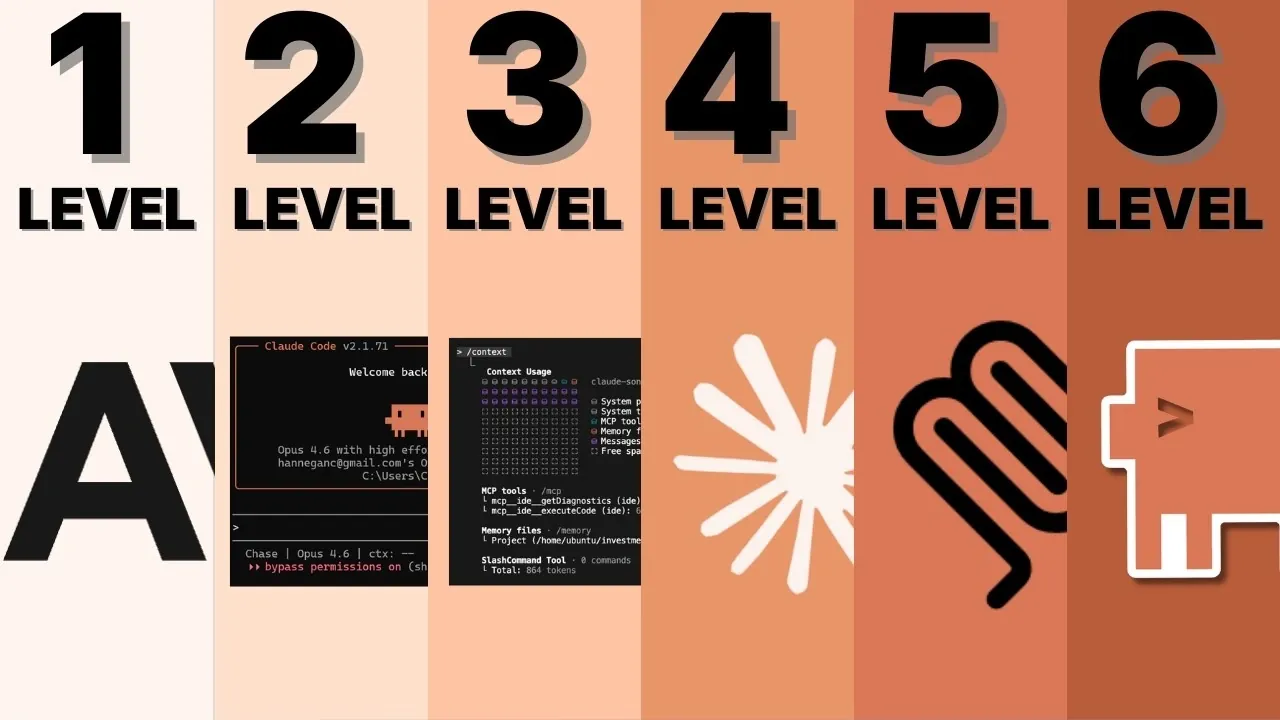
Chase AI breaks down the journey of mastering Claude Code into six distinct levels, each building on the last to deepen your understanding and expand your capabilities. Starting with Level 1, the focus is on becoming a proficient “Prompt Engineer,” where you learn to craft precise, task-specific prompts and develop foundational skills like terminal literacy and critical evaluation. These early steps lay the groundwork for more advanced stages, making sure that your interactions with Claude Code are both effective and reliable.
In this feature, you’ll explore how each level enhances your ability to collaborate with Claude Code, from refining workflows to integrating external systems. Discover how “Plan Mode” enables structured goal-setting, why managing context windows is critical for sustained accuracy and what it takes to scale operations using multi-agent systems. Whether you’re optimizing repetitive tasks or coordinating large-scale projects, this guide offers practical insights to help you navigate each stage with clarity and purpose.
Claude Code Mastery Levels
TL;DR Key Takeaways :
- Claude Code mastery involves six progressive levels, starting from crafting effective prompts to managing large-scale, multi-agent systems.
- Key skills include prompt engineering, context management, external tool integration and workflow optimization to enhance efficiency and precision.
- Advanced techniques like mitigating context rot, using sub-agents and optimizing token usage are critical for handling complex tasks.
- Scaling operations requires coordinating multiple Claude Code instances and using features like parallel workflows and agent teams.
- The structured roadmap fosters a collaborative partnership with Claude Code, allowing users to tackle ambitious projects with confidence and expertise.
Level 1: Prompt Engineer
The journey begins with understanding the fundamentals of prompt creation. At this stage, your primary focus is on crafting precise, task-specific prompts that Claude Code can interpret and execute effectively. Clear and concise prompts are essential for achieving accurate and actionable results.
Key skills to develop include:
- Terminal literacy: Navigating command-line interfaces efficiently to interact with Claude Code.
- Critical evaluation: Analyzing AI outputs to identify errors, inconsistencies, or areas for improvement.
By mastering these foundational skills, you establish a strong base for advanced usage, making sure that Claude Code delivers reliable and meaningful results.
Level 2: Planner
At this level, the focus shifts from basic interaction to structured collaboration. Using “Plan Mode,” you guide Claude Code through goal-oriented planning, engaging in iterative feedback to refine outputs and achieve desired outcomes.
Key strategies to implement:
- Adversarial feedback: Challenging Claude Code’s responses to improve the quality and depth of its outputs.
- Collaborative dialogue: Refining ideas and solutions through active engagement and iterative questioning.
This stage transforms your role from a passive user into an active collaborator, allowing you to work alongside Claude Code to solve problems and develop innovative solutions.
Enhance your knowledge on Claude Code by exploring a selection of articles and guides on the subject.
- Claude Code Skills 2.0 : Workflow Skills vs Capability Uplift Skills
- Nested Claude Code System for Parallel Work in Tmux on macOS
- Claude Code 2.1 Custom Output Modes for Beginners & Pros
- Claude Code Update: LSP Support, Sub-Agents and Ultrathink
- Agent Browser Lets Claude Code Control Chromium for Automations
- Guide to Installing Claude Code on Windsurf and Cursor
- Claude Code Workflow : Creator’s 8-step Path to Faster Builds
- The Story Behind Claude Code’s Recent Performance Issues
- Claude Code MCP Upgrade 2026 : Cut Tokens by 95% with Smart Loading
- New Claude Code Remote Control Feature Released By Anthropic
Level 3: Context Engineer
As you advance, managing context becomes increasingly critical. Claude Code’s performance depends heavily on the relevance and clarity of the information it receives. At this level, you focus on optimizing context windows to maintain efficiency and accuracy during interactions.
Core techniques include:
- Information balance: Providing enough context to guide the AI without overwhelming it with unnecessary details.
- Mitigating context rot: Resetting or summarizing sessions to maintain focus and prevent degradation in performance over time.
By mastering context management, you ensure that Claude Code operates at peak efficiency, even during extended or complex tasks.
Level 4: External Integrations
This level introduces the integration of external tools and frameworks to expand Claude Code’s functionality. By incorporating plugins, MCP servers and other resources, you can tackle more sophisticated projects and automate complex workflows.
Best practices for this stage:
- Targeted use cases: Focusing on specific applications to avoid unnecessary complexity and maintain clarity.
- Understanding project components: Familiarizing yourself with front-end and back-end systems to make informed decisions about tool selection and integration.
Strategic integration of external tools enhances Claude Code’s capabilities, allowing you to address diverse challenges with greater precision and efficiency.
Level 5: Workflow Optimization
Efficiency becomes the primary goal as you refine workflows to save time and improve output quality. The “Skill Creator” tool allows you to develop and customize skills tailored to your specific needs, streamlining repetitive tasks and enhancing consistency.
Key considerations for optimization:
- Localized customizations: Tailoring adjustments to individual projects to maintain relevance and simplicity.
- Streamlining processes: Automating repetitive tasks to reduce manual effort and improve overall productivity.
Effective workflow optimization not only boosts efficiency but also ensures that your projects are executed with precision and consistency, allowing you to focus on higher-level objectives.
Level 6: Scaling
The final level focuses on scaling operations to manage complex, multi-faceted projects. This involves coordinating multiple Claude Code instances and using advanced features such as sub-agents and agent teams to handle large-scale tasks.
Critical strategies for scaling:
- Parallel workflows: Using Git work trees to manage different aspects of a project concurrently, making sure seamless collaboration.
- Token efficiency: Balancing token usage to maintain performance and avoid unnecessary resource consumption.
By mastering these advanced techniques, you can confidently tackle ambitious projects, using Claude Code’s full potential to manage complexity and achieve your goals.
Key Takeaways
- Progressing through the six levels transforms your interaction with Claude Code from basic tool usage to dynamic collaboration.
- Mastering context management, external integrations and workflow optimization is essential for maximizing performance and efficiency.
- Scaling operations requires careful coordination of multiple instances and advanced features like sub-agents and agent teams.
- A strong theoretical understanding of AI development equips you to address complex challenges responsibly and effectively.
By following this structured roadmap, you can unlock the full potential of Claude Code. Each level builds upon the last, equipping you with the skills and knowledge needed to handle increasingly complex tasks. This progression not only enhances your technical expertise but also fosters a collaborative partnership with Claude Code, empowering you to achieve your objectives with confidence and precision.
Media Credit: Chase AI
Disclosure: Some of our articles include affiliate links. If you buy something through one of these links, Geeky Gadgets may earn an affiliate commission. Learn about our Disclosure Policy.
