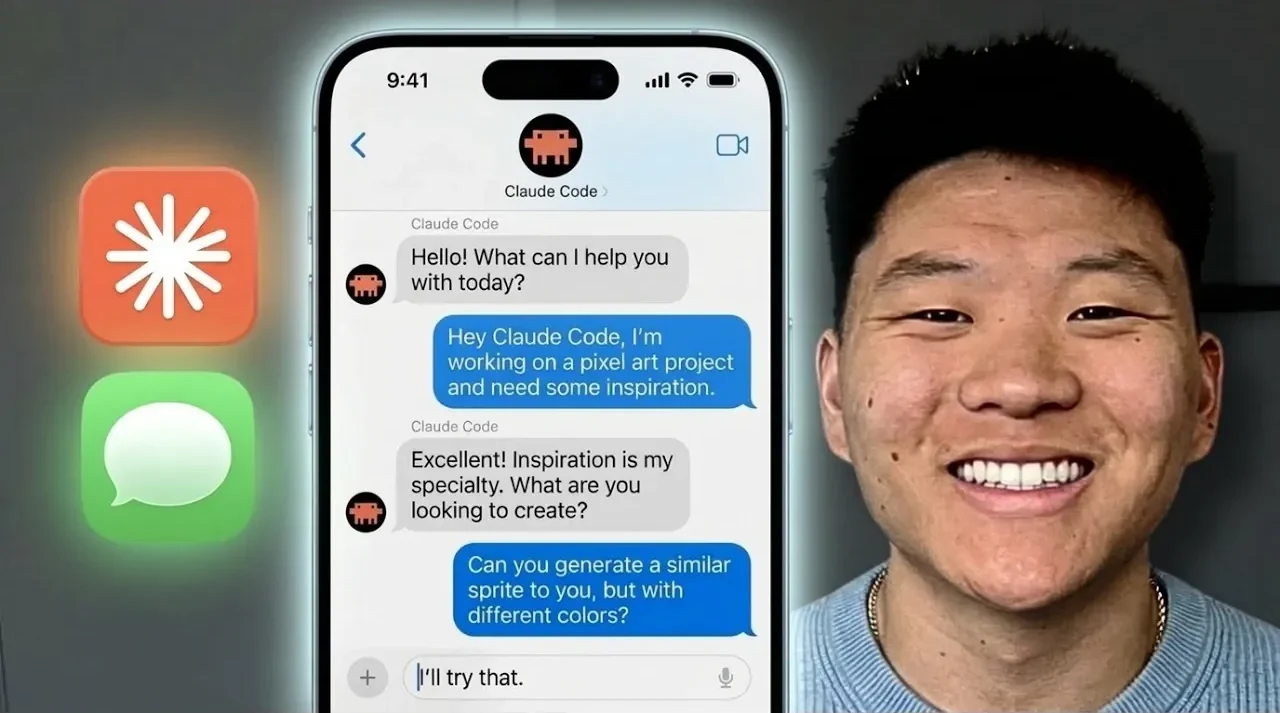
Cloud Code has taken a significant step forward by integrating Apple’s iMessage into its ecosystem, as highlighted by Nate Herk | AI Automation. This new feature allows users to send commands to Cloud Code directly through iMessage, allowing remote task automation from devices like iPhones and Macs. For example, you can now analyze datasets or respond to real-time events without needing to be at your primary workstation. However, to use this feature effectively, certain conditions must be met, such as running macOS and maintaining an active session. For uninterrupted workflows, solutions like hosting Cloud Code on a macOS VPS can help ensure session stability.
Explore how this integration enhances productivity by allowing tasks like scraping YouTube comments, managing workflows remotely and triggering event-based actions, all through a familiar messaging interface. You’ll also gain insight into the setup process, including prerequisites like granting full disk access and installing the iMessage plugin. Additionally, learn strategies to address potential challenges, such as session interruptions, making sure a reliable and efficient experience. This guide provides the essential details to help you make the most of iMessage integration with Cloud Code.
Apple iMessage Joins the Cloud Code Ecosystem
TL;DR Key Takeaways :
- Cloud Code now supports iMessage as a communication channel, allowing seamless remote task automation directly from iPhones or Macs.
- iMessage integration allows users to perform tasks like data analysis, YouTube comment scraping and real-time event responses remotely.
- To use the feature, macOS is required along with full disk access, the iMessage plugin and Cloud Code in channel mode.
- Challenges like session interruptions can be mitigated using macOS VPS hosting or tools like tmux for session persistence.
- Advanced features include multi-user support, permission management and SMS compatibility, enhancing flexibility and security for diverse user needs.
The integration of iMessage into the Cloud Code ecosystem expands its already robust list of supported communication channels, which includes Telegram and Discord. These channels serve as bridges, allowing smooth interaction between Cloud Code and third-party applications. With iMessage, you can now send commands to Cloud Code as if you were operating it locally, offering a new level of convenience and efficiency.
This feature enables you to perform a variety of tasks, such as:
- Scraping YouTube comments to extract valuable insights.
- Analyzing datasets remotely without needing to access your primary workstation.
- Responding to real-time events while on the go.
The ability to use iMessage ensures that you remain productive, even when you’re away from your primary devices, making it an essential tool for professionals who require flexibility in their workflows.
How the Integration Works
The iMessage integration with Cloud Code is designed to be intuitive and user-friendly. Here’s how it operates:
- You send commands to Cloud Code directly through iMessage.
- Cloud Code processes these commands in real-time, making sure swift execution.
- The system utilizes its APIs to interact with external applications, allowing seamless automation and task execution.
For instance, you can instruct Cloud Code to analyze a dataset, scrape data, or trigger event-based actions, all from your mobile device. This functionality is particularly beneficial for users who need to manage workflows remotely without compromising on efficiency or control.

Enhance your knowledge on Claude Code by exploring a selection of articles and guides on the subject.
- Anthropic Claude Code Review Preview: Multi-Agent Pull Request Reviews
- Claude Code Skills 2.0 : Workflow Skills vs Capability Uplift Skills
- Claude Code 2 Feature Update: Automation, Workspace Links, and Skill Scoring
- Nested Claude Code System for Parallel Work in Tmux on macOS
- Claude Code 2.1 Custom Output Modes for Beginners & Pros
- Claude Code Update: LSP Support, Sub-Agents, and Ultrathink
- Claude Code 2 Adds Multi-Agent Code Review for Team & Enterprise
- Guide to Installing Claude Code on Windsurf and Cursor
- Agent Browser Lets Claude Code Control Chromium for Automations
- Claude Code Workflow : Creator’s 8-step Path to Faster Builds
What You Need to Get Started
To enable and use iMessage integration with Cloud Code, you’ll need to meet a few prerequisites. Follow these steps to set up the feature:
- Ensure you are using macOS, as iMessage functionality is exclusive to this operating system.
- Grant full disk access to Cloud Code to ensure smooth operation.
- Download and install the iMessage plugin provided by Cloud Code.
- Launch Cloud Code in channel mode to activate the iMessage feature.
For enterprise or team plans, administrative permissions are required to manage user access and approvals effectively. By completing these steps, you can unlock the full potential of iMessage integration and streamline your remote task management.
Overcoming Limitations
While the iMessage integration is a powerful addition to Cloud Code, it does come with certain limitations. The most notable is the requirement to maintain an active session for continuous communication. If the session is interrupted, the connection to iMessage will stop, potentially disrupting workflows.
To address this, consider implementing the following solutions:
- Host Cloud Code on a macOS VPS to ensure uninterrupted operation and maintain session stability.
- Use tools like tmux or screen to preserve session persistence, even during temporary disconnections.
These strategies can help you overcome the challenges associated with session interruptions, making sure that the iMessage integration remains reliable and effective.
How iMessage Stacks Up Against Other Features
Cloud Code offers a comprehensive suite of features that complement the iMessage integration. Here’s how iMessage compares to other key functionalities:
- Dispatch: Enables you to delegate tasks to Cloud Code via text commands, simplifying task management and execution.
- Channels: Facilitates event-based triggers for external interactions, enhancing automation capabilities and responsiveness.
- Remote Control: Provides direct control of active sessions through web or mobile apps, offering unparalleled flexibility in managing workflows.
Together, these features create a robust ecosystem for remote task management and automation. The addition of iMessage further enhances this ecosystem by introducing a new layer of accessibility and convenience.
Additional Features of iMessage Integration
The iMessage integration is not just about convenience, it also includes advanced capabilities that ensure secure and controlled usage. Key features include:
- Support for multiple users, allowing you to specify phone numbers or Apple IDs for access.
- Built-in tools to manage permissions and approvals directly through iMessage, making sure secure collaboration.
- Compatibility with SMS, allowing users without iMessage access to still interact with Cloud Code.
These features make the iMessage integration both flexible and secure, catering to a wide range of user needs, from individual professionals to large teams.
What This Means for the Future
The integration of iMessage as a supported communication channel represents a significant step forward for Cloud Code. By allowing remote interaction from virtually anywhere, this feature aligns with the broader goal of making Cloud Code more user-friendly and versatile. As the platform continues to evolve, further enhancements to communication channels and automation capabilities are expected, solidifying Cloud Code’s position as a leading tool for task automation and remote management.
This development not only improves accessibility but also enables users to manage complex workflows with greater ease and efficiency. By addressing the setup requirements and overcoming potential limitations, you can fully use the benefits of iMessage integration to streamline your tasks and boost productivity.
Media Credit: Nate Herk | AI Automation
Disclosure: Some of our articles include affiliate links. If you buy something through one of these links, Geeky Gadgets may earn an affiliate commission. Learn about our Disclosure Policy.
