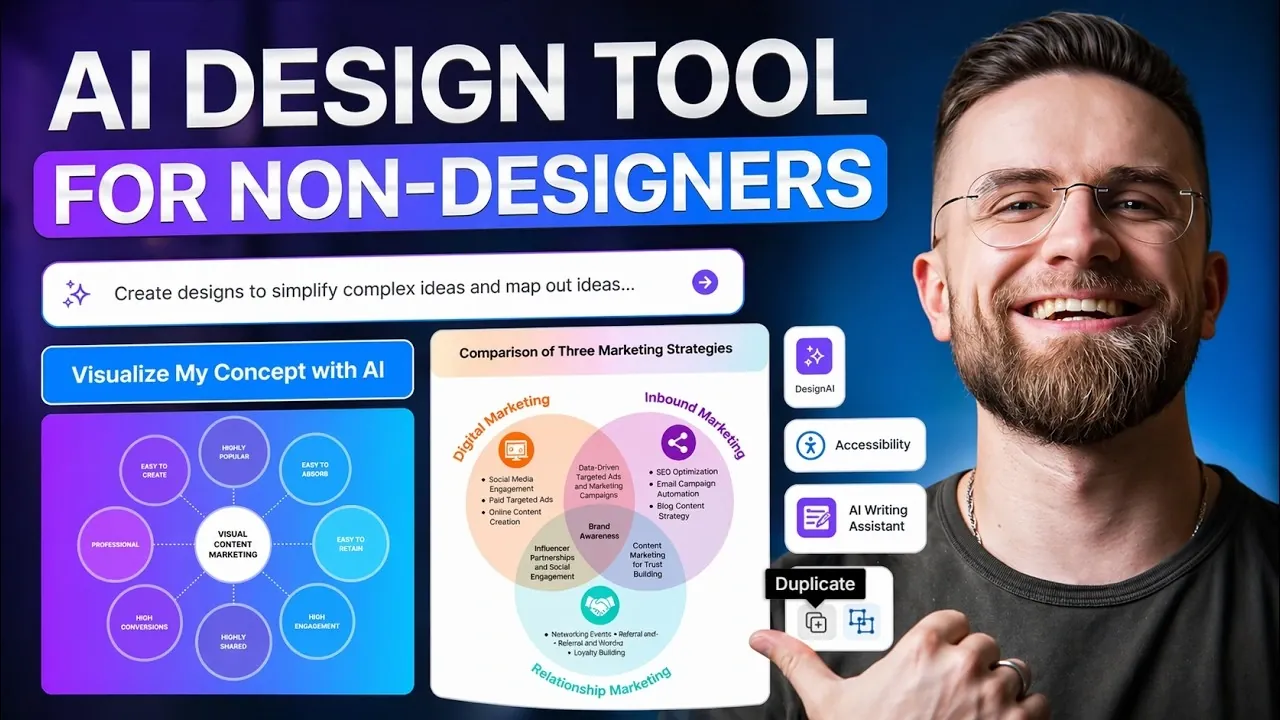
Turning a ChatGPT prompt into a complete visual workflow allows users to convert detailed text into structured diagrams for better clarity and organization. AI Master explains how to start with a well-crafted prompt that specifies the type of diagram, such as a flowchart or mind map, along with details like branches and subnodes. This approach ensures the AI generates a foundational layout that can be further refined to suit specific needs, bridging the gap between text-based outputs and visual representation.
Explore how to enhance these AI-generated diagrams by incorporating branding elements like custom colors and logos. Learn techniques for improving accessibility, such as adjusting labels and contrast, to make visuals more inclusive. Gain insight into practical applications, including client onboarding, sales funnel mapping and project planning, to create workflows that effectively communicate complex ideas.
Why AI Text Outputs Can Be Difficult to Interpret
TL;DR Key Takeaways :
- AI-generated text often lacks structural clarity, making it challenging to interpret; visual workflows simplify complex information for better communication and usability.
- Visual mapping transforms abstract ideas into structured diagrams, offering immediate clarity on relationships, dependencies and hierarchies.
- AI graphic organizer tools automate the creation of flowcharts, mind maps and diagrams, saving time and enhancing visual communication.
- Visual workflows have versatile applications, including content creation, client onboarding, sales funnels and product roadmaps, improving efficiency and alignment.
- Adopting visual workflows enhances communication, professionalism and time efficiency, making it a valuable skill for professionals and freelancers alike.
AI-generated text is often rich in detail but lacks the structural clarity necessary for quick comprehension. For example, workflows described in text form can overwhelm readers, particularly those unfamiliar with the subject matter. This lack of clarity can result in confusion, inefficiencies and missed opportunities. Visual workflows address these issues by presenting information in a format that is intuitive, organized and easy to follow. They allow audiences to grasp the key points and relationships at a glance, making them an invaluable tool for effective communication.
The Importance of Visual Mapping
Visual mapping is a process that transforms abstract ideas into structured, easy-to-understand diagrams. Unlike text, which requires sequential reading, visual workflows provide an immediate overview of relationships, dependencies and hierarchies. Whether you are outlining a sales funnel, a product roadmap, or an automation process, visual diagrams ensure that your audience quickly understands the core concepts. This clarity is particularly valuable in both technical and non-technical settings, where effective communication is critical to success.
Browse through more resources below from our in-depth content covering more areas on ChatGPT prompts.
- ChatGPT vs Midjourney 7 : Same Prompt Image Comparison
- How to write DallE 3 prompts to create amazing AI art for free
- Automate sending prompts to ChatGPT using Google Sheets
- 16+ ChatGPT-4o advanced brainstorming prompts and techniques
- 10 ChatGPT prompt writing styles from Beginner to Master
- How to create effective custom prompts for ChatGPT
- ChatGPT: 5 Advanced Prompting Techniques Used By The Pros
- ChatGPT 5 Prompt Engineering Tips
- ChatGPT Brainstorming Prompts
- Best ChatGPT Prompts
How AI Graphic Organizer Tools Simplify the Process
AI graphic organizer tools, such as Venge, play a pivotal role in bridging the gap between text-based outputs and visual communication. These tools enable users to generate flowcharts, mind maps and process diagrams directly from prompts, automating much of the design process. By doing so, they save time and effort, allowing you to focus on refining and customizing your visuals for maximum impact. These tools are especially useful for professionals who need to convey complex information in a clear and accessible way.
Step-by-Step Guide to Creating Visual Workflows
Transforming a ChatGPT prompt into a polished visual workflow is a straightforward process when you follow these steps:
- Step 1: Craft a Detailed Prompt – Begin by creating a prompt that specifies the type of diagram you need. Include details such as branches, subnodes and style preferences to guide the AI tool.
- Step 2: Generate the Diagram – Use an AI graphic organizer tool to produce a structured diagram. The tool will create a foundational layout with color-coded branches and subnodes.
- Step 3: Refine and Personalize – Customize the diagram by adding branding elements like colors, fonts and logos. Enhance clarity by improving labels and incorporating icons or other visual aids.
- Step 4: Ensure Accessibility – Review the diagram for accessibility issues, such as contrast and font size, to ensure it is readable for all users, including those with visual impairments.
Applications of Visual Workflows
Visual workflows are versatile tools that can be applied across a wide range of professional scenarios. Some of the most common applications include:
- Content Creation: Plan and visualize processes such as ideation, distribution, monetization and automation.
- Client Onboarding: Develop structured visuals to guide new clients through your services or processes, making sure a smooth onboarding experience.
- Sales Funnels: Design diagrams that map out customer journeys, conversion strategies and touchpoints.
- Product Roadmaps: Visualize development timelines, milestones and dependencies to improve project management and team alignment.
Benefits of Adopting Visual Workflows
Incorporating visual workflows into your professional toolkit offers several key advantages:
- Enhanced Communication: Simplify complex information, reducing the likelihood of misunderstandings and misinterpretations.
- Increased Professionalism: Present polished, visually appealing diagrams that resonate with clients, stakeholders and team members.
- Time Efficiency: Automate the creation of diagrams, freeing up time for strategic tasks and decision-making.
Exporting and Sharing Your Visual Workflows
Once your visual workflow is complete, most AI graphic organizer tools allow you to export it in various formats, such as PDFs, PNGs, or shareable links. These export options make it easy to distribute your diagrams across different platforms, making sure they reach your intended audience in the most convenient format. Whether you are presenting to a client, sharing with a team, or publishing online, these flexible export features enhance the usability of your visuals.
Opportunities for Freelancers and Professionals
For freelancers and professionals, offering visual workflow creation as a service can be a valuable addition to your portfolio. Many businesses lack the time or expertise to create professional diagrams and your ability to transform complex processes into clear, polished visuals can help them streamline operations and improve communication. This service is particularly appealing to industries such as marketing, project management and product development, where clear and effective communication is essential for success.
Mastering Visual Workflow Creation
Transforming AI-generated text into actionable visual workflows is a powerful way to enhance communication, save time and elevate your professional output. By using AI graphic organizer tools, you can create clear, accessible diagrams that simplify complex systems and resonate with your audience. Whether you are a freelancer, a business professional, or a team leader, mastering the art of visual workflow creation positions you as an expert in visual communication, capable of delivering impactful results that drive understanding and efficiency.
Media Credit: AI Master
Disclosure: Some of our articles include affiliate links. If you buy something through one of these links, Geeky Gadgets may earn an affiliate commission. Learn about our Disclosure Policy.
