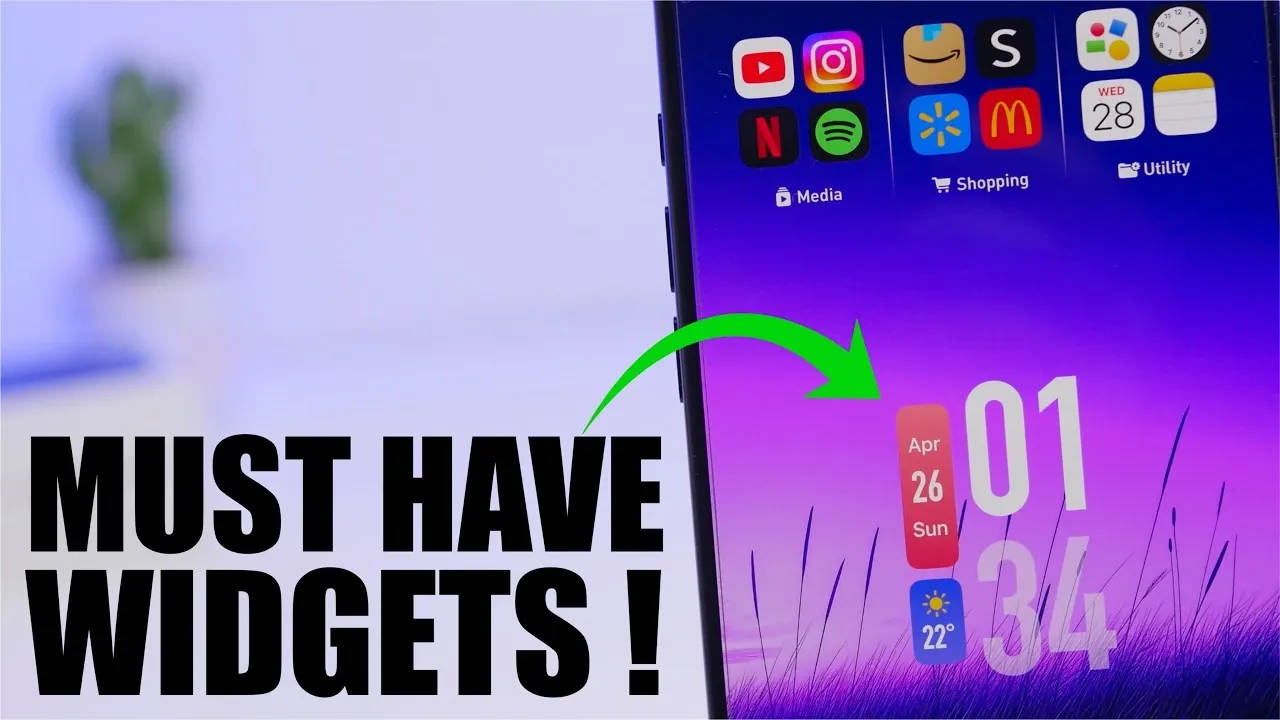
iPhone widgets have redefined how you interact with your device, offering practical tools that simplify tasks, enhance productivity, and provide instant access to essential information. By integrating widgets into your home screen, you can create a more personalized and efficient user experience. Below, we explore some of the most useful and user-friendly widgets, highlighting their features and how they can improve your daily routine.
Device Status Widgets: Monitor Your iPhone at a Glance
Device status widgets offer a convenient way to keep track of your iPhone’s performance and health. These widgets provide real-time updates on critical metrics, including:
- Battery percentage and health
- Storage usage to monitor available space
- CPU performance for real-time processing insights
- RAM availability to track memory usage
- Device temperature for overheating alerts
With customizable sizes, you can choose a compact widget for quick updates or a larger one for detailed insights. These widgets are particularly useful for troubleshooting performance issues or staying informed about your device’s status, making sure you’re always in control.
Mini Folder Widget: Organize Your Apps with Ease
The Mini Folder Widget is a powerful tool for decluttering your home screen and improving navigation. By grouping apps into customizable folders, you can organize them by categories such as productivity, entertainment, or social media. This widget allows you to:
- Access grouped apps with a single tap
- Customize folder layouts to suit your preferences
- Streamline navigation by reducing the need to swipe through multiple screens
Whether you’re managing work apps or personal tools, this widget simplifies access and helps you maintain a clean, organized home screen.
My Weather Widget: Stay Ahead of the Forecast
The My Weather Widget ensures you’re always prepared for changing weather conditions. It provides real-time updates on:
- Temperature, humidity, and air quality
- Rain chances and precipitation levels
- Sun and moon phases for daily planning
- Weekly forecasts for long-term preparation
You can also track the weather for multiple locations, making it ideal for frequent travelers or those planning outdoor activities. With this widget, you’ll never be caught off guard by unexpected weather changes.
Vocabulary Widget: Learn a New Word Every Day
The Vocabulary Widget makes expanding your language skills effortless. Each day, it introduces a new word along with its definition, helping you build your vocabulary in manageable steps. Key features include:
- Daily word updates to keep learning consistent
- Interactive word games to reinforce knowledge
- Customizable difficulty levels to match your learning pace
Whether you’re a student, a professional, or simply a language enthusiast, this widget offers a fun and engaging way to improve your communication skills.
Parcel Widget: Simplify Package Tracking
The Parcel Widget is a must-have for anyone who frequently shops online or manages multiple deliveries. It provides live updates on your shipments directly from your home screen. Features include:
- Real-time tracking with map integration
- Support for multiple shipments to manage all your packages in one place
- Customizable display options for a personalized experience
Instead of opening separate apps or websites, you can monitor your deliveries at a glance, saving time and reducing hassle.
Left Widget: Visualize Time and Stay on Track
The Left Widget is designed to help you manage your time effectively by providing dynamic countdowns for important events, habits, or deadlines. It offers:
- Countdowns in days, weeks, or months for better time visualization
- Progress tracking to measure how close you are to achieving goals
- Customizable event categories for personal or professional use
Whether you’re preparing for a major project or counting down to a special occasion, this widget keeps you motivated and organized.
Mojo Widget: All-in-One Functionality
The Mojo Widget combines multiple features into a single, versatile tool, making it one of the most comprehensive widgets available. Its capabilities include:
- Step tracking to monitor your daily activity
- Calendar integration for event reminders
- Battery monitoring for device health
- Photo display to showcase your favorite memories
- To-do lists for task management
- Sports updates for real-time scores
- Countdowns for upcoming events
This widget is perfect for users who want a single tool to handle multiple tasks, offering convenience and customization in one package.
Files Widget: Quick Access to Your Documents
The Files Widget simplifies file management by allowing you to access your documents directly from your home screen. Key benefits include:
- Direct access to specific folders or files
- Multiple widget setups for different categories
- Time-saving navigation without opening the Files app
Whether you’re managing work projects or organizing personal files, this widget streamlines your workflow and ensures your documents are always within reach.
Optimize Your iPhone Experience
These iPhone widgets are designed to cater to a wide range of needs, from monitoring device performance to organizing apps, tracking packages and enhancing productivity. By incorporating these tools into your home screen, you can create a more intuitive and efficient iPhone experience. Explore these widgets to find the ones that best align with your lifestyle and start making the most of your device today.
Here are additional guides from our expansive article library that you may find useful on iPhone widgets.
- Top iOS 26 Widgets for a Smarter and Sleeker Home Screen
- Don’t Miss Out: Essential iPhone Widgets You Need Right Now
- iOS 26 Features: 3D Icons, Hidden Widgets and Custom Themes
- iPhone Apps That Will BLOW YOUR MIND in 2025!
- 2026 Guide: The Ultimate iPhone Home Screen Setup
Source & Image Credit: iReviews
Disclosure: Some of our articles include affiliate links. If you buy something through one of these links, Geeky Gadgets may earn an affiliate commission. Learn about our Disclosure Policy.
