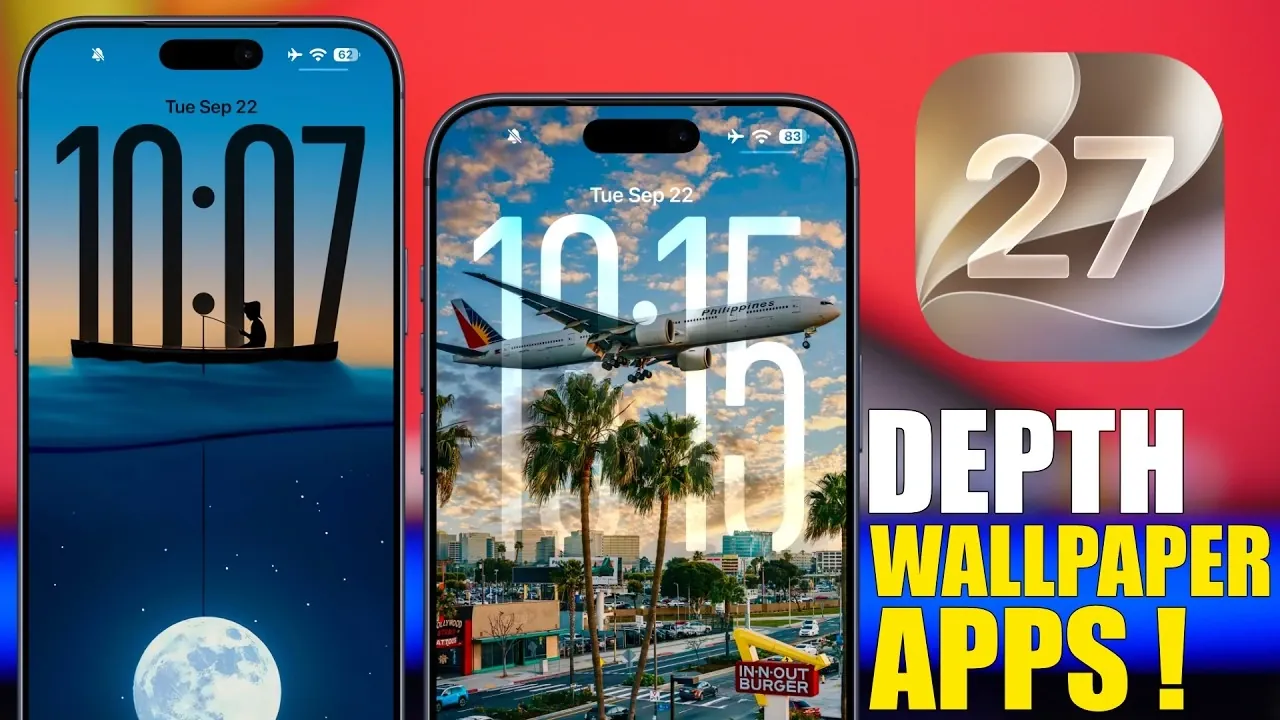
Enhancing your iOS 27 lock screen with visually captivating depth effect wallpapers has never been easier. The App Store is home to a variety of apps designed to help you personalize your device with stunning 3D-like visuals and user-friendly customization tools. Below is a great video from iReviews that shows us some of the top apps available, highlighting their standout features, usability, and unique benefits to help you find the perfect fit for your lock screen.

Wallcraft: Versatile and User-Friendly
Wallcraft stands out as a versatile wallpaper app offering an extensive collection of designs, including a dedicated section for depth effect wallpapers. Whether you opt for the free version or upgrade to the premium subscription for just $5 per year, you’ll gain access to a wide variety of options to suit your personal style.
Key features include:
- An intuitive search function that allows you to find wallpapers by theme, color, or style.
- Preview options to visualize how wallpapers will look on your lock screen before downloading.
- Personalized suggestions tailored to your preferences, making sure a curated experience.
Wallcraft is ideal for users seeking variety, ease of use and a seamless browsing experience, making it a top choice for lock screen customization.
Wallpaper Central: Frequent Updates and Fresh Designs
If staying up-to-date with the latest designs is a priority, Wallpaper Central is an excellent option. This app is known for its regularly updated content, making sure you always have access to fresh and trendy depth effect wallpapers.
Notable features include:
- Detailed previews that allow you to see how wallpapers will appear on your lock screen.
- Quick and straightforward download functionality for hassle-free customization.
With its focus on fresh content and user-friendly design, Wallpaper Central is a reliable choice for keeping your lock screen visually appealing and current.
Wallpapers App: Organized and Accessible
For users who value a well-structured interface, Wallpapers App delivers with its organized and easy-to-navigate design. The app’s “Depth iOS 27” section is specifically tailored to depth effect wallpapers, offering a diverse range of options to suit various tastes.
Highlights include:
- Simple navigation that ensures a smooth and efficient user experience.
- Preview functionality and one-tap downloads for quick customization.
- A wide selection of wallpapers, ranging from vibrant and colorful designs to minimalist aesthetics.
Wallpapers App is perfect for those who appreciate simplicity and a broad range of choices, making it a go-to option for lock screen personalization.
Labby Wallpapers: High-Quality and Curated
Labby Wallpapers takes a more curated approach, focusing on delivering premium designs with a refined aesthetic. The app’s depth effect wallpapers are carefully crafted to ensure your lock screen stands out with artistic and polished visuals.
Key features include:
- Unique, high-quality designs specifically tailored for depth effects.
- Preview options that allow you to see how wallpapers interact with your lock screen’s layout.
Labby Wallpapers is an excellent choice for users who prioritize quality and artistic appeal over quantity, offering a premium experience for those who want their lock screen to make a statement.
Wall-E: Simple and Reliable
Wall-E offers a straightforward and reliable approach to wallpaper customization. Its depth effect section includes both popular and newly added designs, providing a diverse selection for users who prefer simplicity.
Features include:
- A user-friendly interface with categorized wallpapers for easy browsing.
- Quick download functionality that makes updating your lock screen effortless.
While Wall-E may lack some advanced features, its simplicity and reliability make it a solid option for users seeking an easy-to-use app with a variety of depth effect wallpapers.
Locked: Dedicated to Depth Effect Wallpapers
Locked is a specialized app that focuses exclusively on depth effect wallpapers for iOS 27 lock screens. With a variety of categories and a robust search function, this app is designed to help you find the perfect design for your device.
Pros include:
- High-quality wallpapers specifically tailored for depth effect customization.
- Comprehensive search and categorization features for efficient browsing.
While the app’s slower loading times may be a drawback for some users, its exclusive focus on depth effect designs makes it a standout choice for those who want a specialized experience.
Wall Pix: More Than Just Wallpapers
Wall Pix goes beyond traditional wallpaper apps by integrating widgets and themes alongside its wallpaper offerings. The app’s “3D” section is specifically designed for depth and spatial effect wallpapers, providing a unique way to enhance your lock screen.
Features include:
- Previews, filters and quick downloads for seamless customization.
- A combination of wallpapers, widgets and themes for a comprehensive personalization experience.
Wall Pix is perfect for users looking for an all-in-one solution to customize their devices, offering a blend of functionality and creativity that extends beyond wallpapers.
Explore the Best Apps for Your Lock Screen
Each of these apps offers unique features and benefits to help you customize your iOS 27 lock screen with depth effect wallpapers. Whether you prioritize variety, ease of use, artistic quality, or additional features like widgets and themes, there’s an app to match your preferences. Dive into these options to transform your lock screen into a visually striking and personalized space that reflects your style.
Expand your understanding of iOS 27 with additional resources from our extensive library of articles.
- Apple Delaying iOS 27 Beta 5? Here’s When to Expect the Next Update
- New iOS 27 Beta 5 Release Arrives with a Big Shift Coming
- iOS 27 Beta 5 Is Late: What’s Holding Up Apple’s Next Release?
- The iOS 27 Beta 5 Release Imminent with More New Features
- Apple’s iOS 27 Beta 3 Is Just Days Away: Here’s When It Drops
- Apple iOS 27 Beta 5 Preview: a Look at the Next Release
Source & Image Credit: iReviews
Disclosure: Some of our articles include affiliate links. If you buy something through one of these links, Geeky Gadgets may earn an affiliate commission. Learn about our Disclosure Policy.
