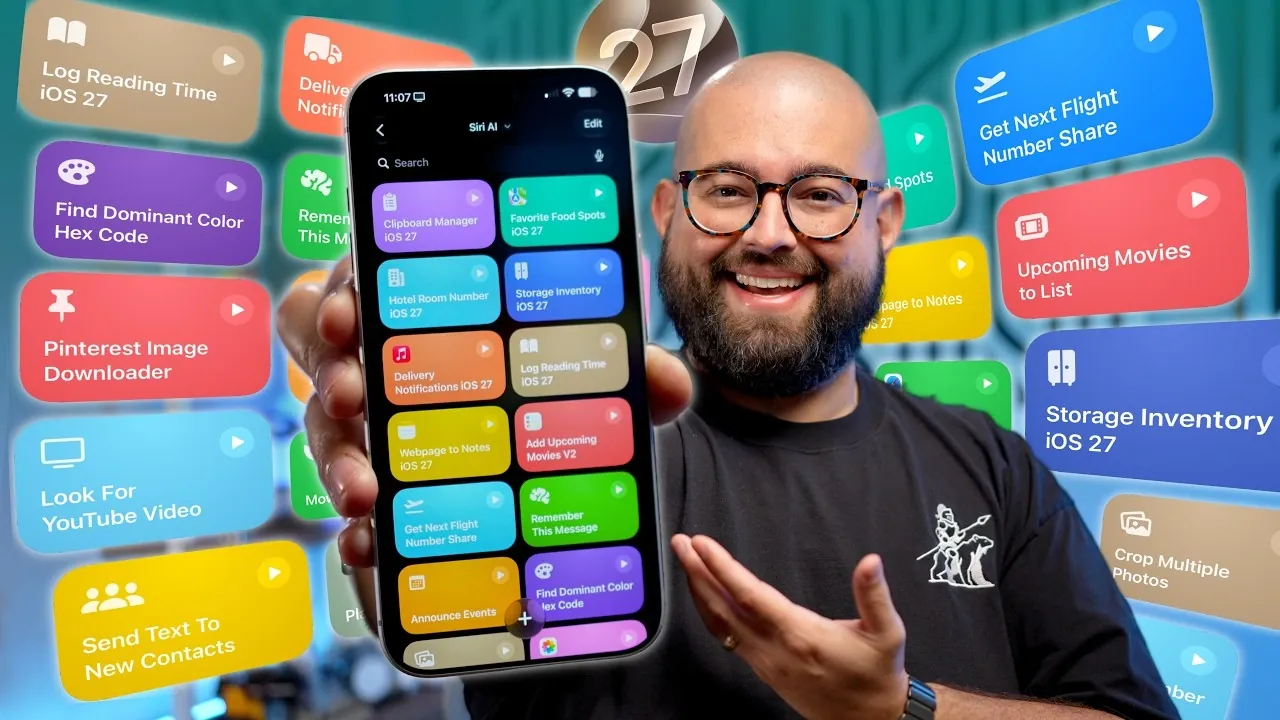
Apple’s iOS 27 introduces a significant update to Shortcuts, offering a robust set of tools designed to enhance automation, productivity, and customization. With features ranging from advanced storage management to AI-powered time tracking, these updates aim to simplify your daily workflows and elevate how you interact with your device. Whether you’re a casual user or a tech enthusiast, these Shortcuts provide practical solutions to streamline tasks and improve efficiency. Here’s an in-depth look at the most impactful features. The video below from Stephen Robles give us more details.

Advanced Storage and Data Organization
Managing your data becomes more intuitive with iOS 27’s enhanced Shortcuts. These tools allow you to:
- Use a native clipboard manager to save and retrieve clipboard history effortlessly, making sure you never lose important copied content.
- Organize favorite locations, such as restaurants or landmarks, with ratings, directions and notes for quick and easy access.
- Track inventory, from office supplies to freezer contents, with customized lists that simplify organization.
- Save small but critical details, like hotel room numbers or travel itineraries, for instant reference during trips.
These features streamline how you store and access information, making organization more seamless and efficient.
Customizable Notification Automations
iOS 27 enables you to take control of your notifications with enhanced automation capabilities. You can:
- Trigger specific actions, such as playing music on your HomePod, based on app notifications.
- Filter notifications by title or message content, allowing you to prioritize what matters most and reduce distractions.
These updates ensure you stay focused on important tasks while maintaining awareness of critical updates, offering a balance between productivity and connectivity.
Time Tracking Made Smarter
For users who value detailed time management, iOS 27 introduces smarter tracking tools to help you optimize your schedule. You can:
- Log time spent on activities like reading or exercising and append these logs to Apple Notes for easy tracking.
- Use AI to attach photos or summaries to your activity records, creating a comprehensive overview of your routines.
These features provide actionable insights into how you spend your time, allowing you to make informed decisions about your daily activities and long-term goals.
Streamlined Media and Image Tools
Managing media is more efficient than ever with iOS 27’s new tools. Key features include:
- Batch cropping photos using third-party apps like Toolbox Pro, saving time on repetitive edits.
- Extracting text from images and saving it to your clipboard for immediate use in documents or messages.
- Downloading images directly from Pinterest boards, making it easier to collect and organize content.
These updates simplify media handling, allowing you to focus on creativity and productivity without unnecessary effort.
Enhanced Calendar and Event Management
Keeping track of your schedule is more intuitive with iOS 27’s calendar and event management features. You can:
- Announce upcoming events on your HomePod, providing audible reminders to keep you on track.
- Automatically share flight details and landing updates via text, making sure others stay informed about your travel plans.
These tools help you stay organized and connected, whether you’re planning your day or coordinating with others.
Personalized Shortcuts for Everyday Tasks
iOS 27 allows you to create Shortcuts tailored to your specific needs, offering unparalleled flexibility. Examples include:
- Automating location sharing via WhatsApp or opening Telegram DMs with a single tap.
- Setting sequential timers for workouts or other time-sensitive activities, making sure precise time management.
- Using toggle actions to switch between two predefined tasks with each Shortcut run, simplifying repetitive workflows.
These tools adapt your device to your lifestyle, making everyday tasks more efficient and personalized.
Advanced Note Management for Researchers and Creators
Content creators and researchers will appreciate the enhanced note management capabilities in iOS 27. With these updates, you can:
- Save websites to Apple Notes with rich text and embedded links, improving the organization of research materials.
- Summarize lengthy web pages or text outputs for easier reference and streamlined note-taking.
These features make it simpler to gather, organize and access critical information, supporting both creative and academic pursuits.
Entertainment and Media Control
Entertainment enthusiasts can enjoy new media-focused Shortcuts that enhance their experience. You can:
- Track upcoming movies, trailers and post-credit scenes, adding details to your Reminders app for easy access.
- Control music playback and settings on Sonos devices directly through Shortcuts, offering seamless integration with your entertainment setup.
These updates ensure a more enjoyable and convenient way to manage your media and entertainment preferences.
Community and Learning Opportunities
iOS 27 fosters collaboration and learning through its Shortcuts community. You can:
- Join groups to share resources, troubleshoot issues, and participate in live streams with other users.
- Enroll in the Shortcuts University course to master creating and optimizing workflows, expanding your expertise.
These resources connect you with like-minded individuals and provide opportunities to deepen your understanding of Shortcuts.
Unlock the Full Potential of iOS 27 Shortcuts
The iOS 27 Shortcuts update delivers a comprehensive suite of tools designed to streamline workflows, automate tasks and enhance productivity. From advanced storage solutions to AI-powered time tracking and media management, these features cater to a wide range of needs. By using these capabilities, you can transform your Apple device into a highly personalized productivity hub. Whether you’re simplifying daily tasks or exploring advanced automation, iOS 27 Shortcuts offer practical solutions to help you achieve more with less effort.
Explore further guides and articles from our vast library that you may find relevant to your interests in iOS 27 Shortcuts.
- Why Apple’s New Siri AI in iOS 27 Changes Everything
- The Final iOS 27 Leaks Just Dropped: Everything You Need to Know
- 7 Hidden iPhone Shortcuts You Probably Aren’t Using Yet
Source & Image Credit: Stephen Robles
Disclosure: Some of our articles include affiliate links. If you buy something through one of these links, Geeky Gadgets may earn an affiliate commission. Learn about our Disclosure Policy.
