Apple’s iOS 27 introduces a range of features designed to enhance customization, privacy, and AI integration, offering users a more personalized and secure experience. This update enables you to tailor your device to your preferences while maintaining robust privacy protections and using advanced technologies. In the video below, iDeviceHelp explores the most impactful settings and features you should adjust immediately to optimize your experience.

Liquid Glass Customization: Redefine Your Interface
One of the standout features in iOS 27 is the Liquid Glass customization tool, which provides unparalleled control over the transparency and tint of system elements. Using an intuitive slider, you can adjust the appearance of lock screens, notifications, menus, and other interface components. Whether you prefer a sleek, transparent design or a more muted, tinted aesthetic, this feature allows you to align your device’s interface with your personal style. By offering this level of design flexibility, Apple has taken a significant step forward in delivering a visually cohesive and customizable user experience.
AI-Powered Photo Cleanup: Simplify Image Editing
The enhanced photo cleanup tool in iOS 27 uses advanced AI technology to make photo editing faster and more precise. With three distinct modes, Automatic, Fast, and High Quality, you can easily remove unwanted objects or imperfections from your images. For the most seamless and polished results, the High Quality mode is recommended. This feature is particularly valuable for users who want professional-looking photos without investing significant time in manual editing. Whether you’re a casual user or a photography enthusiast, this tool simplifies the process of creating stunning images.
Personalized Siri Voice Options
Siri’s voice customization options have been significantly expanded in iOS 27, offering a more personalized and natural interaction experience. You can now choose from six accents: American, Australian, British, Indian, Irish, and South African, each with seven voice variations. Additionally, sliders for pace and expressivity allow you to fine-tune Siri’s tone and delivery to match your preferences. These updates make Siri feel more tailored to your needs, enhancing the overall usability and enjoyment of the virtual assistant.
Granular Sound Controls
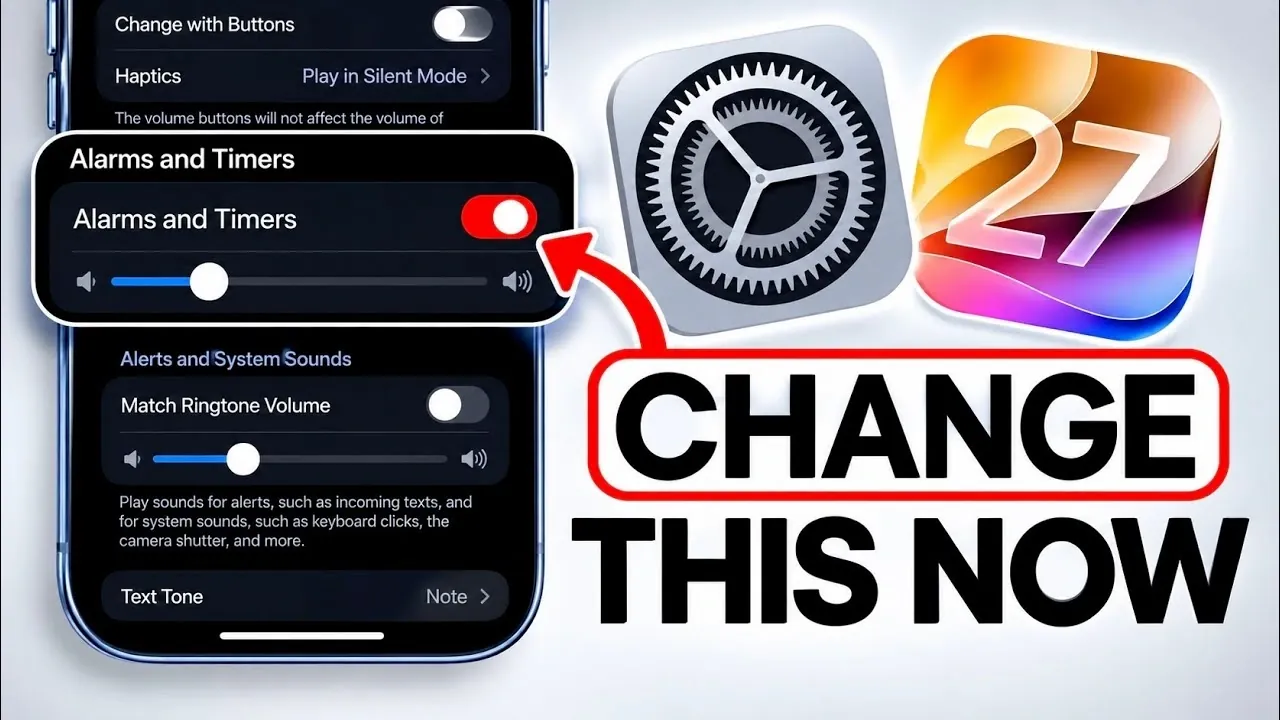
Sound management has been refined in iOS 27 with the introduction of individual volume controls for alerts, alarms, and ringtones. This means you can set distinct volume levels for each category, making sure that notifications remain subtle while alarms stay audible. For users who prefer a unified audio experience, there’s also an option to synchronize ringtone volume with alerts and alarms. These granular controls provide greater flexibility in managing your device’s sound output, allowing you to create an audio profile that suits your lifestyle.
Enhanced Location Privacy in Find My
Privacy remains a cornerstone of iOS 27, with new features in the Find My app offering more control over your location data. You can now temporarily hide your location from specific users without notifying them, providing a discreet option for situations where privacy is essential. This feature underscores Apple’s commitment to user-centric privacy solutions, making sure that you have greater autonomy over how and when your location is shared.
Seamless Audio Continuity for AirPods
For AirPods users, iOS 27 introduces an audio continuity feature that ensures uninterrupted playback when switching to CarPlay. Whether you’re on a call or listening to music, this feature maintains a seamless audio connection across devices, eliminating the frustration of interruptions during transitions. This enhancement is particularly useful for users who frequently switch between their iPhone and CarPlay, making sure a smoother and more enjoyable audio experience.
Customizable Camera Quick Controls
The Camera app in iOS 27 now includes an edit button that allows you to customize quick controls for different modes, such as photos, videos, and cinematic settings. This feature streamlines the photography experience by allowing you to prioritize the tools you use most frequently. Whether you’re capturing casual moments or creating professional content, these quick controls enhance usability and efficiency, making it easier to access the features you need when you need them.
Siri Meets ChatGPT: Smarter AI Integration
A notable addition to Siri’s capabilities in iOS 27 is the option to integrate ChatGPT for world knowledge queries. This allows you to replace Siri’s default AI with ChatGPT, allowing more detailed and context-aware responses. While currently limited to specific query types, this feature represents a significant step toward integrating third-party AI systems into Apple’s ecosystem. It hints at a future where virtual assistants can offer even more advanced and versatile functionality, enhancing their role in daily tasks and information retrieval.
Unlock the Full Potential of iOS 27
iOS 27 represents a major advancement in customization, privacy, and AI integration, offering a more personalized and seamless user experience. By exploring and adjusting these new settings, you can tailor your device to better suit your needs and preferences. From the visually stunning Liquid Glass customization to enhanced Siri personalization and robust privacy controls, this update ensures that your iPhone or iPad is more aligned with your lifestyle. Dive into these features today to make the most of what iOS 27 has to offer.
Unlock more potential in iOS 27 by reading previous articles we have written.
- Apple Delaying iOS 27 Beta 5? Here’s When to Expect the Next Update
- New iOS 27 Beta 5 Release Arrives with a Big Shift Coming
- iOS 27 Beta 5 Is Late: What’s Holding Up Apple’s Next Release?
- The iOS 27 Beta 5 Release Imminent with More New Features
- Apple’s iOS 27 Beta 3 Is Just Days Away: Here’s When It Drops
- Apple iOS 27 Beta 5 Preview: a Look at the Next Release
Source & Image Credit: iDeviceHelp
Disclosure: Some of our articles include affiliate links. If you buy something through one of these links, Geeky Gadgets may earn an affiliate commission. Learn about our Disclosure Policy.
