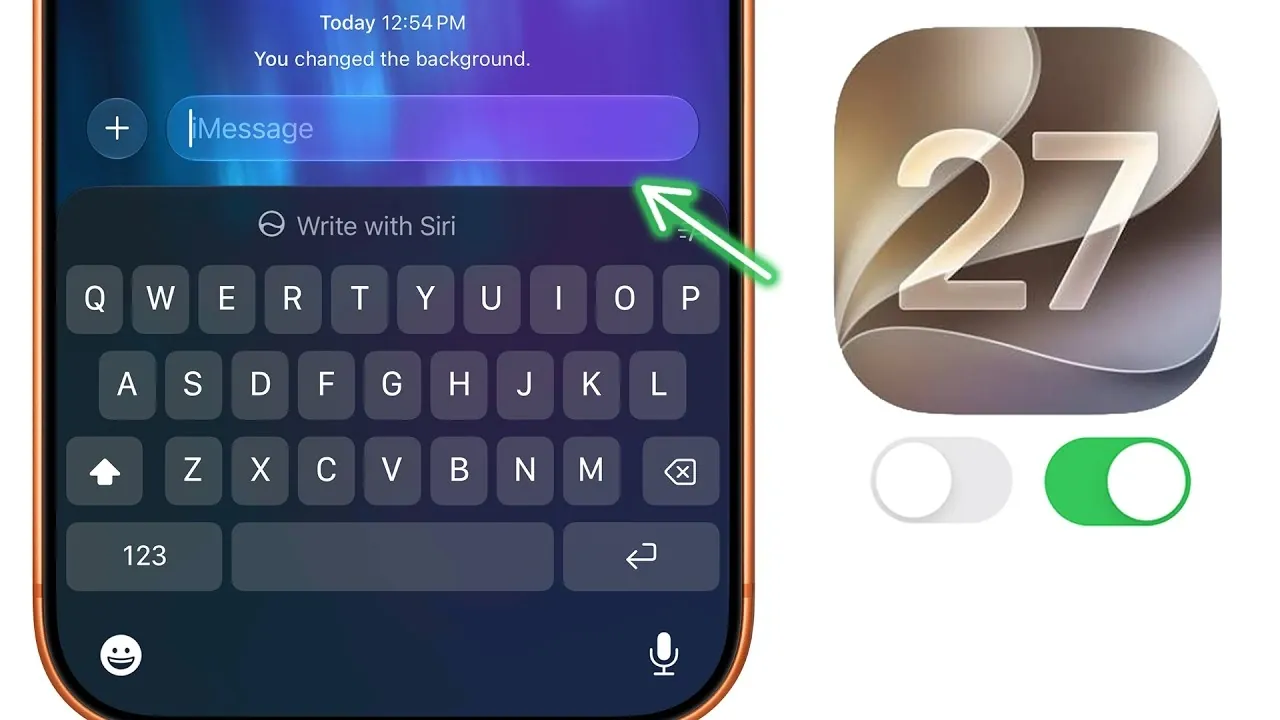
iOS 27 brings a host of new features and settings designed to elevate your iPhone experience. With advanced customization options, enhanced privacy controls and improved usability, this update enables you to tailor your device to your preferences. To help you make the most of these updates, here are 23 essential settings you should adjust right away to unlock the full potential of iOS 27. The video below from Brandon Butch gives us more details.

1. Camera Enhancements
The Camera app in iOS 27 offers expanded functionality, giving you greater control over your photography and videography:
- Manually adjust exposure, focus, and other settings directly within the app for more precise shots.
- Disable audio zoom to reduce background noise in videos, making sure clearer sound quality.
These tools make capturing high-quality content easier and more intuitive.
2. Messages Streamlining
The Messages app now allows you to remove the dictation or voice message button if it feels intrusive. This adjustment declutters the text field, creating a cleaner and more focused messaging experience. By simplifying the interface, you can communicate more efficiently without unnecessary distractions.
3. Flexible Location Sharing
iOS 27 introduces improved location-sharing options, offering greater control over your privacy:
- Set location sharing to expire automatically after a specific duration, such as 30 days, for added convenience.
- Temporarily hide your location in the Find My app without notifying others, making sure discretion when needed.
These features provide a balance between staying connected and maintaining your privacy.
4. Independent Sound Controls
With iOS 27, you can now adjust volume settings independently for alarms, timers and ringtones. This ensures that your alarm is loud enough to wake you without affecting the volume of your ringtone or notifications. This granular control enhances usability and prevents unnecessary disruptions.
5. Appearance Customization
The Liquid Glass effect, a standout visual feature in iOS 27, now includes adjustable transparency levels. Whether you prefer a bold or subtle aesthetic, you can fine-tune your device’s appearance to match your personal style. This customization adds a unique touch to your iPhone’s interface.
6. Spotlight Search Personalization
Spotlight search has become more customizable, allowing you to tailor its functionality to your needs:
- Control the number of app suggestions displayed or disable them entirely for a cleaner search experience.
- Manage app visibility in search results to ensure only relevant apps appear, improving efficiency.
These adjustments make finding what you need faster and more intuitive.
7. Enhanced Photo and Video Features
iOS 27 introduces several tools to improve photo and video management:
- Disable or customize automatic captions in videos for a cleaner viewing experience.
- Enable immediate iCloud syncing to keep your media up to date across devices.
- Create temporary shared albums for events, simplifying memory sharing with friends and family.
- Use the new photo rating system to organize your library more efficiently.
- Share reference image data to verify photo authenticity when needed.
These features streamline how you manage and share your media, making it easier to stay organized.
8. Widgets and Control Center Upgrades
Widgets now support full-screen modes for apps like Weather, Music and Calendar, offering more detailed information at a glance. Additionally, the Control Center is more customizable, allowing you to adjust the size and arrangement of focus and connectivity controls. These upgrades enhance accessibility and usability.
9. Improved Mail Organization
The Mail app now includes a “Remind Me” section for important emails. This feature helps you keep track of critical messages without cluttering your primary inbox. By organizing your emails more effectively, you can stay on top of your communications with ease.
10. Seamless Connectivity Assistance
iOS 27 allows you to enable cellular data alongside Wi-Fi for uninterrupted internet access. This ensures smooth browsing and app usage, even when your Wi-Fi connection is unstable. This feature is particularly useful for maintaining connectivity in areas with unreliable networks.
11. AirPods Audio Customization
Audio enthusiasts can now personalize their listening experience with new equalizer (EQ) customization options for AirPods. Adjust the sound profile to match your preferences, whether you’re listening to music, podcasts, or audiobooks. This feature enhances the overall audio quality and enjoyment.
12. Siri Enhancements
Siri has been upgraded with new features to improve functionality and privacy:
- Set Siri to open new conversations by default for a smoother experience.
- Adjust conversation retention settings to control how long Siri stores your interactions.
- Enable highlight-to-search and automatic visual lookup for faster information retrieval.
- Manage app access to Siri learning for enhanced privacy control.
These updates make Siri more responsive and adaptable to your needs.
13. Generative AI Cleanup
The new generative AI cleanup feature allows you to set the quality to “high” for better results when editing photos or videos. This tool is particularly useful for refining content before sharing, making sure your media looks polished and professional.
14. Safari Tab Organization
Safari now automatically groups tabs by topic, making it easier to manage multiple browsing sessions. This feature is especially helpful for multitasking or conducting research, as it keeps your tabs organized and accessible.
15. Journal App Writing Prompts
The Journal app introduces writing prompts based on your previous entries. This feature helps you maintain a consistent journaling habit while providing inspiration for new entries. It’s an excellent tool for fostering creativity and self-reflection.
Maximize Your iOS 27 Experience
iOS 27 offers a wealth of new settings and features that allow you to customize your iPhone experience like never before. By adjusting these 23 key settings, you can enhance functionality, improve privacy, and make your device truly your own. Take the time to explore these options and enjoy the full range of benefits that iOS 27 has to offer.
Uncover more insights about iOS 27 in previous articles we have written.
- Apple Delaying iOS 27 Beta 5? Here’s When to Expect the Next Update
- New iOS 27 Beta 5 Release Arrives with a Big Shift Coming
- iOS 27 Beta 5 Is Late: What’s Holding Up Apple’s Next Release?
- The iOS 27 Beta 5 Release Imminent with More New Features
- Apple’s iOS 27 Beta 3 Is Just Days Away: Here’s When It Drops
- Apple iOS 27 Beta 5 Preview: a Look at the Next Release
Source & Image Credit: Brandon Butch
Disclosure: Some of our articles include affiliate links. If you buy something through one of these links, Geeky Gadgets may earn an affiliate commission. Learn about our Disclosure Policy.
