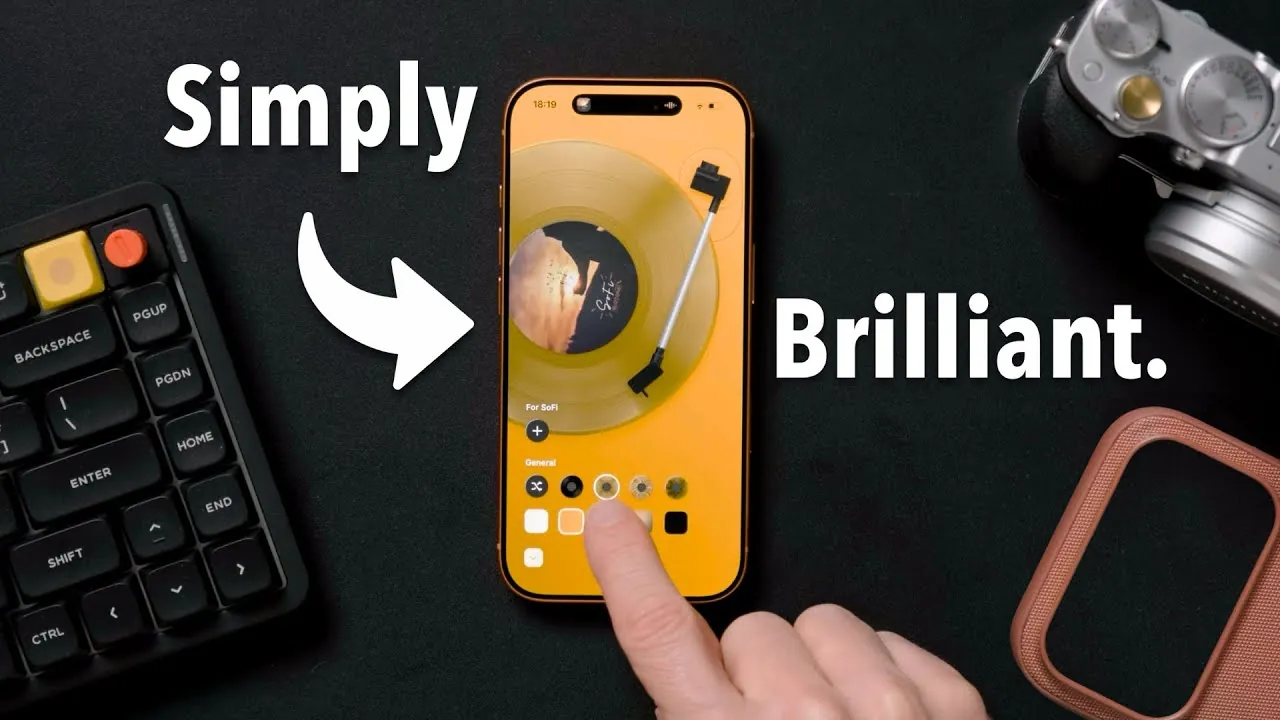
The iPhone 17 introduces a new era of apps that seamlessly blend design and functionality, offering tools to enhance productivity and personalize your digital environment. These apps are carefully crafted to prioritize simplicity, utility, and customization, making them indispensable for users who seek to streamline their daily routines or create a more intentional digital setup. By exploring these standout apps, you can unlock the full potential of your device while enjoying a cohesive and engaging experience. The video below from Better Creating gives us more details on these apps

Apps That Combine Aesthetics with Functionality
Your iPhone is more than just a tool—it’s an extension of your personal style and preferences. These apps elevate everyday tasks by combining visually appealing designs with intuitive interfaces, making sure that functionality meets aesthetics.
- MD Vinyl: Transform your music experience with MD Vinyl, an app that brings the charm of a vintage record player to your iPhone. Featuring spinning vinyl animations and high-resolution album art, it offers a nostalgic yet modern way to enjoy your favorite tracks. This app isn’t just about listening to music; it’s about immersing yourself in a visually and emotionally rich auditory experience.
- Clocks: Redefine how you perceive time with Clocks, a customizable app that enhances your iPhone’s standby mode. Choose from minimalist digital displays or classic analog designs, all paired with smooth animations and elegant typography. This app turns timekeeping into a visually satisfying experience.
- Not Boring Weather: Make checking the weather an enjoyable part of your day with Not Boring Weather. This app combines accurate forecasts with playful, interactive visuals. Its widgets integrate seamlessly into your home screen, making sure that weather updates are both functional and visually engaging.
Productivity Apps to Simplify Your Life
Staying organized and efficient is easier than ever with these productivity-focused apps. Designed with clean interfaces and robust features, they help you manage tasks, habits, and information effortlessly, allowing you to focus on what truly matters.
- Did I Do?: Simplify habit tracking with Did I Do?, a minimalist app that makes logging daily activities quick and intuitive. With just a few taps, you can track progress, build new habits, or break old ones without being overwhelmed by unnecessary features.
- Sync Tasks: Keep your to-do lists organized across multiple platforms with Sync Tasks. This app integrates seamlessly with Apple Reminders, Notion, and other tools, providing a unified space to track tasks. Its intuitive design ensures you stay productive without compromising on aesthetics.
- Mattera: Manage your reading materials efficiently with Mattera, a read-later app that consolidates newsletters, articles, and other content. With features like a built-in reader and adjustable playback speeds, it helps you stay informed while optimizing your time.
- Interwallet: Streamline your digital wallet with Interwallet. This app converts tickets, loyalty cards, and passes into Apple Wallet-compatible formats, making sure you have quick and easy access when you need them most. It’s a practical solution for managing your digital essentials.
Customizing Your iPhone for an Intentional Setup
Your iPhone’s home screen can be more than just a collection of apps—it can serve as a reflection of your priorities and style. By customizing your setup, you can reduce distractions and create a more intentional digital environment that supports your goals.
- Curate Your Home Screen: Organize your apps into folders and keep only the essentials on your main screen. Use widgets to display key information, such as weather updates or upcoming tasks, without needing to open individual apps. This approach ensures a clean and efficient layout.
- Use Focus Mode: Apple’s Focus Mode allows you to create tailored layouts for different activities or times of the day. For example, you can set up a work mode that highlights productivity apps while hiding social media distractions, helping you stay focused and efficient.
- Customize App Icons: Personalize your iPhone with custom app icons and covers. Whether you prefer a minimalist black-and-white theme or a vibrant color palette, this small change can make your device feel uniquely yours while enhancing its visual appeal.
Enhancing Your iPhone Experience
The iPhone 17 serves as a platform for apps that balance form and function, offering tools to enhance both productivity and personalization. From aesthetic-focused apps like MD Vinyl and Clocks to productivity enhancers like Sync Tasks and Mattera, these tools are designed to improve your daily life while maintaining a clean and intentional user experience. By pairing these apps with thoughtful customization strategies, you can transform your iPhone into a device that aligns with your style, priorities, and goals. With the right combination of apps and settings, your iPhone becomes more than just a device—it becomes an essential part of your lifestyle.
Discover other guides from our vast content that could be of interest on iPhone 17 apps.
- Unlock Your iPhone’s Full Potential: The Best iOS 26 Wallpaper Apps
- How to Use the iPhones Built In Productivity Apps
- How to Lock iPhone Apps in iOS 17.4
- 10 BRILLIANT iPhone Apps You NEED in 2025
- iPhone 17 Storage Options Explained: Find the Right Fit for You
Source & Image Credit: Better Creating
Disclosure: Some of our articles include affiliate links. If you buy something through one of these links, Geeky Gadgets may earn an affiliate commission. Learn about our Disclosure Policy.
