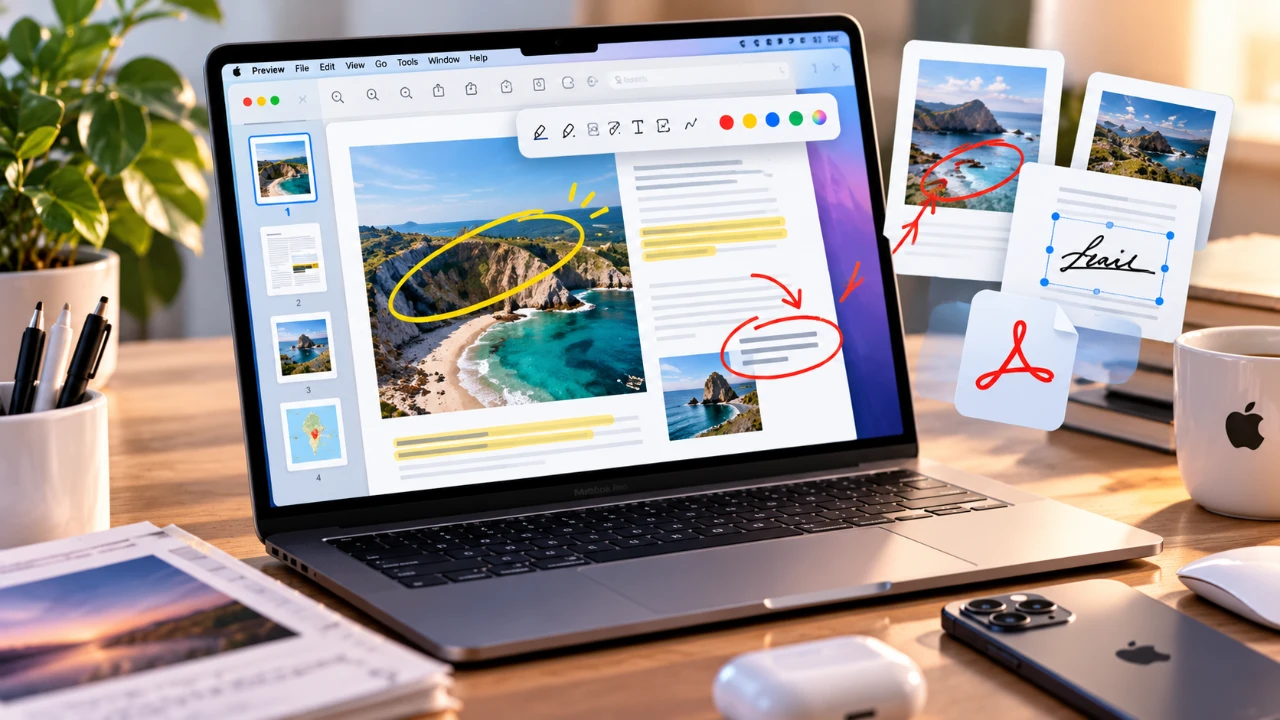
Apple Preview, the built-in macOS application, continues to be a versatile yet often underutilized tool in 2026. While many users see it as a simple file viewer, its extensive capabilities extend far beyond that. From managing PDFs and editing images to seamless cross-device integration, Preview offers a comprehensive suite of tools designed to simplify workflows and enhance productivity. By exploring its features in depth, you can transform this application into an indispensable part of your daily routine.

PDF Management: A Comprehensive Solution
Apple Preview excels in PDF management, offering tools that eliminate the need for additional software. Its features are designed to provide both flexibility and control, making it a powerful resource for handling documents efficiently.
- Reorganize pages by reordering, rotating, or deleting them to create a polished and professional document.
- Insert new pages from other files, blank templates, or scanned documents directly from your iPhone or iPad, making sure seamless integration with your workflow.
- Secure sensitive information by locking PDFs with passwords, adding an extra layer of protection to your files.
- Export PDFs to other formats like JPEG or PNG, with customizable resolution and file size for greater flexibility.
These tools make Preview an all-in-one solution for managing PDFs, whether you’re preparing a business overview, organizing personal files, or collaborating on academic projects.
Annotation and Markup: Streamlined Document Editing
Preview’s annotation and markup tools are designed to meet the needs of both casual users and professionals. These features allow for precise, efficient edits that enhance the clarity and organization of your documents.
- Highlight text, draw freehand, or use rulers and shapes to create structured and visually appealing markups.
- Perfect your edits by holding the cursor after drawing to automatically form clean shapes like circles, rectangles, or arrows.
- Add text with customizable font styles, sizes and colors to ensure your annotations are clear and professional.
- Save multiple digital signatures for quick and convenient signing of contracts, forms, or other documents.
These tools are particularly useful for reviewing contracts, annotating research papers, or collaborating on shared projects, making sure your edits are both precise and impactful.
Image Editing: Practical Tools for Everyday Use
Beyond PDFs, Apple Preview offers robust image editing capabilities that cater to a wide range of users, from casual hobbyists to professionals. Its tools are designed for quick adjustments and minor edits, making it a convenient alternative to more complex software.
- Access detailed metadata, including camera settings and lens information, to better understand and manage your images.
- Remove backgrounds with the background removal tool, allowing you to isolate objects or create transparent images effortlessly.
- Make quick adjustments such as cropping, resizing, or color correction without the need for advanced editing programs.
These features make Preview a practical choice for tasks like preparing images for presentations, creating graphics for social media, or organizing personal photo collections.
Efficient Navigation and Cross-Device Integration
Preview simplifies the process of navigating large documents and ensures seamless access across all your Apple devices. Its intuitive tools and iCloud integration make it a reliable companion for managing files on the go.
- Search instantly for specific words or phrases within PDFs, saving time during document reviews or research.
- Use thumbnail navigation for a visual overview of your file, making it easy to reorder or delete pages as needed.
- Sync changes automatically across your Mac, iPhone and iPad, making sure your annotations, signatures and edits are always up-to-date.
- Scan physical documents using your iPhone or iPad and import them directly into Preview for digital management.
These features enhance productivity by allowing you to work seamlessly across devices, whether you’re at your desk, in a meeting, or on the move.
Customization and Advanced Features
Preview offers a range of customization options and advanced features that allow users to tailor the application to their specific needs. These enhancements make it a versatile tool for both casual and professional use.
- Customize the toolbar to include frequently used tools, such as annotation options or page extraction, for quicker access.
- Adjust the workspace background color to create a more comfortable viewing experience, especially during extended use.
- Interact with 3D objects and open advanced file formats, expanding the application’s versatility for specialized tasks.
These options ensure that Preview remains adaptable to a variety of workflows, making it a valuable resource for users with diverse needs.
Advanced Printing Capabilities
Preview simplifies the printing process with advanced configuration settings that provide precise control over how your documents are printed.
- Adjust layout settings, paper size and borders to ensure your documents are formatted correctly for printing.
- Control print quality to prepare professional reports, presentations, or personal projects with ease.
These features save time and effort, making it easier to produce high-quality printed materials without the need for additional software.
Maximizing the Value of Apple Preview
Apple Preview is far more than a basic file viewer. Its comprehensive features for PDF management, annotation, image editing and cross-device syncing make it an essential tool for anyone in the Apple ecosystem. By using its capabilities, you can streamline your workflow, enhance productivity and handle a wide range of tasks with ease. Whether you’re a student, professional, or casual user, Preview’s versatility ensures it remains a valuable resource in 2026 and beyond.
Become an expert in Apple Preview with the help of our in-depth articles and helpful guides.
- Apple Delaying iOS 27 Beta 5? Here’s When to Expect the Next Update
- New Apple Watch Ultra 4 Leak Points to 3 Major Upgrades
- Apple iOS 27 Beta 5 Preview: a Look at the Next Release
- How Apple Preview Replaces Third-Party PDF Editors in macOS
Source: Nikias Molina
Disclosure: Some of our articles include affiliate links. If you buy something through one of these links, Geeky Gadgets may earn an affiliate commission. Learn about our Disclosure Policy.
