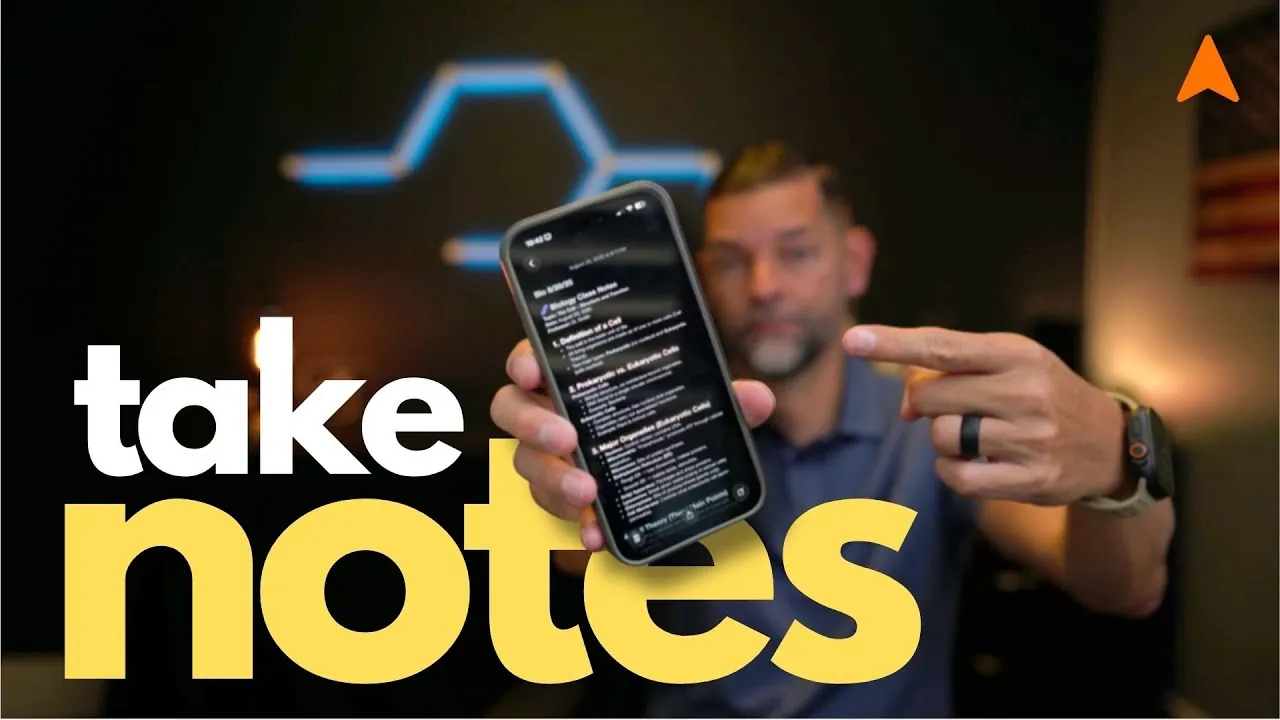
Have you ever found yourself scrambling to remember a brilliant idea or an important task, only to realize you didn’t write it down? In our fast-paced, multitasking lives, keeping track of thoughts, plans, and information can feel overwhelming. That’s where the Apple Notes app comes in, a deceptively simple yet incredibly powerful tool that’s likely already sitting on your iPhone. With its seamless integration across Apple devices and a host of productivity-enhancing features, Apple Notes isn’t just a digital notepad; it’s a gateway to a more organized and efficient life. Whether you’re jotting down a grocery list, brainstorming a project, or managing a complex workflow, this app has the potential to become your go-to resource for staying on top of it all.
In this step-by-step overview, created by Dan Rodriguez, you’ll uncover how to harness the full potential of Apple Notes. From mastering its intuitive organization tools to using its cross-device synchronization, this guide will show you how to make the app work for your unique needs. You’ll learn how to create folders tailored to different aspects of your life, use tags to streamline searches, and even protect sensitive information with built-in security features. By the end, you won’t just know how to use Apple Notes, you’ll understand how to transform it into a personalized system for capturing, organizing, and acting on your ideas. After all, the best ideas are the ones you don’t lose.
Apple Notes Overview
TL;DR Key Takeaways :
- Apple Notes is a versatile, free app designed for seamless note-taking and organization across Apple devices, with features like folders, tags, and iCloud synchronization.
- The app supports diverse use cases, from quick notes on iPhone to detailed annotations on iPad with Apple Pencil, and structured editing on Mac.
- Key productivity features include customizable formatting, real-time collaboration, and security options like password or biometric protection for sensitive notes.
- Practical strategies, such as organizing notes by purpose, using device-specific strengths, and using checklists, can enhance efficiency and usability.
- Apple Notes integrates well with complementary tools like GoodNotes, Paperlike screen protectors, and Apple Pencil accessories, especially for iPad users.
The Importance of Note-Taking
Effective note-taking plays a crucial role in improving memory, staying organized, and boosting productivity. By recording ideas, tasks, or important information, you create a dependable reference for future use. Whether you’re planning a project, capturing meeting highlights, or jotting down a grocery list, notes help you stay focused and efficient. Apple Notes caters to a wide range of needs, making it suitable for both professional and personal contexts. Its ability to integrate seamlessly with your Apple ecosystem ensures that your notes are always accessible, no matter where you are.
Organizing Notes for Maximum Efficiency
Apple Notes provides powerful tools to categorize and organize your notes, making sure they remain easy to locate and manage. By creating folders tailored to different aspects of your life, you can streamline your workflow and reduce clutter. For example:
- Work: Create a folder for work projects to store meeting notes, task lists, and deadlines.
- Education: Use a dedicated folder for academic purposes, such as lecture summaries, research ideas, or study plans.
- Personal: Maintain a personal folder for grocery lists, recipes, travel plans, or creative ideas.
This structured approach ensures your notes remain accessible and well-organized, even as your collection grows. Additionally, you can use tags to further refine your organization, allowing you to filter and group notes based on specific themes or priorities.
How to Use Apple Notes for Maximum Productivity

Below are more guides on Apple Notes from our extensive range of articles.
- Forever Notes Review: Unlocking Apple Notes’ Full Potential
- How to Use Apple Notes as a Vertical Kanban Board for Tasks
- Apple Notes vs Goodnotes 6: Which Note-Taking App is Best for You
- Use the Zettelkasten Method in Apple Notes for Better Organization
- Using ChatGPT in Apple Notes: A Complete Guide for Mac Users
- How to Use Apple Notes for Organization, Collaboration and More
- How to Use Apple Notes for Quick and Efficient Note-Taking
- Discover the New Tools in Apple Notes iOS 18.3 Update
- How to Sync Apple Notes to Notion : 2025 Guide
- Forever Notes system for Apple Notes
Seamless Integration Across Devices
One of the standout features of Apple Notes is its ability to work seamlessly across Apple devices, each offering unique advantages tailored to different scenarios:
- iPhone: Ideal for capturing quick notes, reminders, or ideas while on the go.
- iPad: Perfect for detailed note-taking, especially with Apple Pencil support for handwriting, sketching, or annotating documents.
- Mac: Best for creating structured, in-depth notes during work or study sessions, thanks to the larger screen and keyboard.
This cross-device compatibility ensures that your notes are always synchronized via iCloud, allowing you to pick up where you left off, regardless of the device you’re using. This flexibility makes Apple Notes a practical choice for users with diverse needs and lifestyles.
Key Features That Enhance Productivity
Apple Notes offers a variety of features designed to improve your note-taking experience and boost productivity:
- Organization: Use folders, smart folders, and tags to group and filter notes. Pin important notes to the top for quick access.
- Formatting Options: Customize your notes with headings, bullet points, checklists, and tables. These tools make your notes visually appealing and easy to navigate.
- Collaboration: Share notes with others and collaborate in real time, making it a valuable tool for team projects or group planning.
- Security: Protect sensitive information by locking notes with a password or biometric authentication, such as Face ID or Touch ID.
These features make Apple Notes a comprehensive tool for managing information effectively, whether you’re working independently or collaborating with others.
Enhancing Your iPad Note-Taking Experience
For iPad users, Apple Notes becomes even more powerful when paired with complementary tools and accessories:
- GoodNotes App: A popular app for handwritten notes and document annotation, offering advanced organizational features that integrate well with Apple Notes.
- Paperlike Screen Protector: Provides a paper-like texture for a natural writing experience with the Apple Pencil, enhancing precision and comfort.
- Apple Pencil Grips: Improve comfort and control during extended writing or drawing sessions, reducing hand fatigue.
These tools, combined with Apple Notes, create a seamless and efficient digital note-taking workflow, particularly for users who rely on their iPad for creative or academic purposes.
Practical Strategies for Effective Note-Taking
To maximize the benefits of Apple Notes, consider adopting these practical strategies:
- Organize by Purpose: Use folders and tags to categorize notes based on their purpose, such as work, study, or personal tasks.
- Use Device Strengths: Use your iPhone for quick notes, your iPad for detailed annotations, and your Mac for comprehensive organization and editing.
- Review Regularly: Set aside time to review and refine your notes, making sure they remain relevant and useful over time.
- Use Checklists: Create checklists for tasks or goals to track progress and stay on top of your responsibilities.
By implementing these strategies, you can ensure that your notes remain organized, actionable, and aligned with your goals.
The Value of Apple Notes
Apple Notes is a free, pre-installed app available on all Apple devices, making it both accessible and convenient. Its clean, user-friendly interface ensures a smooth experience, while iCloud synchronization keeps your notes updated across devices. Whether you’re a student, professional, or casual user, Apple Notes delivers consistent performance and accessibility. By using its robust features, such as organization tools, formatting options, and security measures, you can streamline your workflow and enhance your productivity. Apple Notes is more than just a note-taking app, it’s a reliable platform for capturing, organizing, and managing your ideas effectively.
Media Credit: Dan Rodriguez
Disclosure: Some of our articles include affiliate links. If you buy something through one of these links, Geeky Gadgets may earn an affiliate commission. Learn about our Disclosure Policy.
