
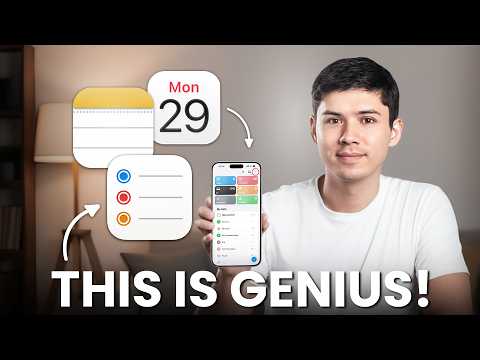
Apple Notes, Reminders, and Calendar offer a unified system for managing tasks, schedules, and ideas, as outlined by Mike Dee. These apps are designed to work seamlessly across Apple devices, providing a streamlined approach to productivity without the need for third-party software. For example, Apple Notes allows you to attach PDFs and search their contents, while Apple Reminders includes location-based notifications to ensure timely task completion. Together, these features create a cohesive workflow that adapts to both personal and professional needs.
In this workflow guide, you’ll explore how to use Apple Notes for capturing and organizing ideas, Apple Reminders for managing tasks efficiently, and Apple Calendar for centralizing your schedule. You’ll learn how features like Smart Lists, natural language input, and app integration can help you stay on top of deadlines and commitments. By understanding how these apps complement one another, you can build a productivity system that simplifies your daily routines and enhances your ability to manage time effectively.
Apple Productivity System Overview
TL;DR Key Takeaways :
- Apple Notes, Reminders, and Calendar form a cohesive productivity system, seamlessly integrated across Apple devices to manage tasks, schedules, and ideas efficiently.
- Apple Notes offers features like document scanning, PDF attachment, and real-time collaboration, making it a versatile tool for capturing and organizing thoughts.
- Apple Reminders provides smart task management with location-based alerts, natural language input, and Smart Lists, making sure timely and organized task execution.
- Apple Calendar centralizes scheduling with color-coded events, custom alerts, and integration with Reminders for a unified view of tasks and events.
- The system emphasizes simplicity, privacy, and cost-efficiency, offering robust functionality without the complexity or expenses of third-party tools.
Apple Notes: A Versatile Tool for Capturing Ideas
Apple Notes stands out as a powerful yet straightforward tool for capturing and organizing your thoughts. Its clean, distraction-free interface allows you to focus entirely on content creation. Key features include:
- Quickly jotting down notes or ideas, making sure you never lose track of important thoughts.
- Scanning documents directly into the app for easy storage and retrieval.
- Attaching PDFs and searching text within them, making it simple to locate specific information.
Collaboration is a significant strength of Apple Notes. You can share notes in real-time, making it ideal for group projects, team brainstorming sessions, or even family planning. Additionally, its integration with Apple Calendar allows you to attach notes to specific events, providing additional context and preparation for meetings or deadlines. This seamless connection between apps ensures that your notes are not just static information but an active part of your productivity system.
Apple Reminders: Streamlined Task Management
Apple Reminders is designed to adapt to your task management needs, offering features that prioritize efficiency and ease of use. Its functionality includes:
- Location-based reminders that notify you of tasks when you arrive at or leave a specific place, making sure timely action.
- Smart Lists that automatically organize tasks by deadlines, priorities, or other criteria, helping you focus on what matters most.
- Natural language processing, allowing you to create tasks effortlessly by typing phrases like “Call Sarah at 3 PM tomorrow.”
The app’s collaboration features enable you to share task lists with others, making it easy to coordinate responsibilities within teams, families, or other groups. Integration with Apple Calendar ensures that your tasks and deadlines are visible alongside scheduled events, providing a comprehensive overview of your commitments. This interconnected approach reduces the risk of missed deadlines and helps you stay on top of your responsibilities.
Apple Notes, Reminders & Calendar Productivity System
Master Apple productivity with the help of our in-depth articles and helpful guides.
- Apple’s 3 App Productivity System: A Guide to Simplify Your Day
- Apple Notes Reminders Calendar : Simple Daily Productivity System
- Best Apple Productivity Workflows for 2026
- New Apple Notes iOS 26 Features to Boost Your Productivity
- Apple Watch for Students: Top Features to Boost Productivity
- Using Apple Notes, Reminders & Calendar for Maximum Productivity
- Apple Reminders Guide 2026 : Calendar Sync, Priorities & Sharing
- Apple Freeform App Review: The Best Tool for Visual Thinkers
- 10 Apple Reminders Features You Need to Know for Productivity
- 10 Apple Notes Productivity Tricks You’re Probably Not Using in 2025
Apple Calendar: Centralized Scheduling for Your Day
Apple Calendar serves as the central hub for organizing your time, offering intuitive features that make scheduling straightforward and efficient. Key capabilities include:
- Color-coded events that allow you to differentiate between personal, work, and other commitments at a glance.
- Custom alerts to ensure you never miss important meetings, deadlines, or appointments.
- Natural language input, allowing you to create events quickly by typing phrases like “Dinner with Emma at 7 PM on Friday.”
The app’s integration with Apple Reminders provides a unified view of your day, combining tasks and events into a single, cohesive schedule. This feature is particularly useful for managing busy days, as it allows you to see all your responsibilities in one place. Whether you’re planning a workday, coordinating family activities, or scheduling personal time, Apple Calendar ensures that your time is managed effectively.
Seamless Integration Across the Apple Ecosystem
One of the most compelling aspects of this system is its seamless integration across the Apple ecosystem. With iCloud syncing, your notes, tasks, and schedules are automatically updated across all your Apple devices. This ensures uninterrupted access to your information, whether you’re working on a Mac, using an iPad, or checking your iPhone on the go.
Apple’s dedication to privacy and security further enhances the appeal of this system. Your data is protected by industry-leading encryption and security measures, giving you confidence in the safety of your information. This commitment to safeguarding your privacy sets Apple’s productivity tools apart from many third-party alternatives.
Advantages Over Third-Party Tools
Apple Notes, Reminders, and Calendar offer several distinct advantages over third-party productivity tools, making them an excellent choice for individuals and teams alike:
- They are completely free, with no hidden costs or subscription tiers, offering full functionality without additional expenses.
- Their simplicity reduces the time spent learning or managing tools, allowing you to focus on your work rather than the software itself.
- Unlike feature-heavy apps like Notion or Asana, they avoid unnecessary complexity while still providing robust functionality for everyday use.
This system prioritizes efficiency and integration, making it particularly well-suited for users who value streamlined workflows. By linking notes, tasks, and schedules, you can manage projects and daily responsibilities without relying on additional software. The result is a productivity system that is both powerful and easy to use, tailored to the needs of Apple users.
A Unified Approach to Productivity
Apple Notes, Reminders, and Calendar combine to create a unified productivity system that emphasizes simplicity, speed, and seamless integration. Whether you’re managing tasks, organizing ideas, or scheduling events, these apps work together to help you stay productive without unnecessary distractions. With strong privacy safeguards, cost-efficiency, and intuitive features, this system provides everything you need to manage your time and tasks effectively. By using the full potential of these tools, you can create a productivity workflow that is both efficient and reliable, perfectly aligned with the Apple ecosystem.
Media Credit: Mike Dee
Disclosure: Some of our articles include affiliate links. If you buy something through one of these links, Geeky Gadgets may earn an affiliate commission. Learn about our Disclosure Policy.
