
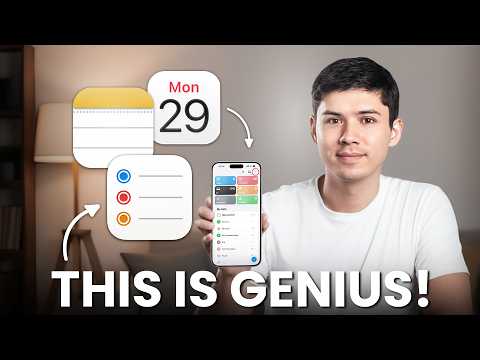
What if the only thing standing between you and a more productive life was already on your device? Mike Dee walks through how Apple Notes, Reminders, and Calendar can transform your workflow into a seamless, stress-free system. Forget the clutter of third-party apps or the frustration of juggling multiple platforms, this trio of apps is designed to work together effortlessly, syncing across all your Apple devices. Imagine having your tasks, schedules, and ideas perfectly integrated, accessible anytime, anywhere. It’s not just about getting things done, it’s about doing them smarter, with less friction and more focus.
In this guide, you’ll discover how these apps combine to create a unified productivity system that’s both intuitive and powerful. From capturing ideas in Apple Notes to managing deadlines with Reminders and coordinating your schedule in Calendar, every feature is designed to simplify your life. You’ll learn how to link tasks to events, attach notes to meetings, and even set location-based reminders that keep you on track wherever you go. Whether you’re tackling a complex project or just trying to stay on top of daily responsibilities, this system offers a streamlined approach that prioritizes what matters most. It’s a reminder that sometimes, the simplest solutions are the most effective.
Apple Productivity System 2026
TL;DR Key Takeaways :
- Apple Notes, Reminders, and Calendar create a unified productivity system with seamless integration across Apple devices, eliminating the need for third-party tools.
- Apple Notes offers versatile features like document scanning, advanced search, and real-time collaboration, making it ideal for capturing and organizing information.
- Apple Reminders simplifies task management with natural language processing, location-based alerts, and Smart Lists, while integrating deadlines with Apple Calendar.
- Apple Calendar acts as a centralized scheduling hub, featuring color-coded events, natural language input, and shared calendars for streamlined coordination.
- The interconnected functionality of these apps ensures efficient workflows, allowing users to link notes, tasks, and events for better organization and productivity.
Apple Notes: A Versatile Tool for Capturing Ideas
Apple Notes is a powerful yet straightforward application for capturing and organizing information. Whether you’re jotting down ideas, creating detailed to-do lists, or securely storing important documents, the app adapts to a wide range of needs. With customizable shortcuts, you can create and access notes instantly, making it an ideal tool for quick note-taking, even when you’re on the move.
The app’s advanced search functionality ensures you can quickly locate specific content, including text within scanned PDFs. Its built-in document scanning feature allows you to digitize physical documents directly into your notes, eliminating the need for separate scanning tools and keeping everything in one place.
Collaboration is another standout feature. You can share notes with others for real-time editing, making it a valuable resource for team projects, brainstorming sessions, or collaborative planning. Additionally, its integration with Apple Calendar allows you to attach relevant notes to scheduled events, making sure all necessary information is easily accessible when needed.
Apple Reminders: Simplified and Intelligent Task Management
Apple Reminders is designed to make task management straightforward and efficient. Its seamless synchronization across Apple devices ensures that your tasks are always accessible, whether you’re using an iPhone, iPad, or Mac. The app’s natural language processing feature allows you to create reminders effortlessly, simply type or speak your task, and the app interprets it accurately.
Location-based reminders and Smart Lists enhance flexibility by automatically categorizing tasks or triggering alerts based on your location. For example, you can set a reminder to pick up groceries when you arrive at a specific store. Collaboration tools allow you to assign tasks and monitor progress within a group, making it easier to manage shared responsibilities and stay organized.
Deadlines set in Reminders are automatically displayed in Apple Calendar, providing a centralized view of your tasks and schedule. This integration reduces the risk of missed deadlines and ensures a cohesive workflow, allowing you to focus on completing your priorities efficiently.
Apple Notes, Reminders & Calendar Productivity System
Expand your understanding of Apple Notes with additional resources from our extensive library of articles.
- Apple Notes Shortcuts, Macros, and MX Console Setup Guide
- New Apple Notes iOS 26 Features : Markdown, 3D Graphs & More
- Apple Notes vs Goodnotes 6: Which Note-Taking App is Best for You
- Using ChatGPT in Apple Notes: A Complete Guide for Mac Users
- Discover the New Tools in Apple Notes iOS 18.3 Update
- 15 Essential Apple Notes Tips for Efficient Note-Taking
- How to Use Apple Notes for Quick and Efficient Note-Taking
- Apple Notes 2026 Features for Faster Note Taking & Planning
- Apple Notes Life Workflow: Projects, Actions, Learnings, Archives
- How to Automate AI Note-Taking with Apple Shortcuts and Notes
Apple Calendar: A Centralized Hub for Scheduling
Apple Calendar acts as the central hub of your productivity system, offering a clear and organized view of your schedule. With color-coded events, you can easily distinguish between personal, professional, and other commitments at a glance. Custom alerts ensure you’re notified of upcoming events, while natural language input allows you to create events quickly by typing phrases like “Dinner with Sarah next Tuesday at 7 PM.”
The app’s integration with Reminders displays task deadlines alongside meetings and appointments, giving you a comprehensive view of your day. This synergy between scheduling and task management eliminates the need to switch between multiple apps, saving time and reducing mental effort. Additionally, shared calendars enable collaboration, making it easier to coordinate schedules with family, friends, or colleagues.
How Notes, Reminders, and Calendar Work Together
The true strength of Apple’s productivity system lies in the seamless interaction between Notes, Reminders, and Calendar. These apps are designed to work together, creating a unified workflow that minimizes manual effort and maximizes efficiency.
For example:
- Attach a note containing meeting agendas or key points to a Calendar event for quick reference during the meeting.
- Link a Reminder task to a specific deadline in your schedule, making sure you stay on track with your commitments.
- Store scanned documents in Notes and connect them to tasks or events, streamlining document review and reducing clutter.
This interconnectedness ensures that all relevant information is accessible when and where you need it, making it easier to manage complex projects, daily responsibilities, or long-term goals.
Why Apple’s Productivity Apps Stand Out
Apple’s productivity apps offer several distinct advantages over third-party alternatives, making them a compelling choice for users within the Apple ecosystem.
- Cost: These apps are completely free, with no hidden fees or subscription tiers, making sure accessibility for all users.
- Integration: Designed to work seamlessly across Apple devices, they provide a consistent and reliable experience.
- Security: Apple’s robust privacy measures ensure that your data remains secure within the ecosystem, offering peace of mind.
- Simplicity: Unlike feature-heavy third-party tools, Apple’s apps prioritize ease of use, reducing the learning curve and setup time.
By focusing on simplicity, integration, and security, these apps allow you to spend less time managing tools and more time achieving your goals.
Maximizing Productivity with Apple’s Ecosystem
Apple Notes, Reminders, and Calendar form a unified productivity system that emphasizes simplicity, efficiency, and seamless integration. By using their features and interconnected functionality, you can optimize your workflow without the complexity of third-party tools. Whether you’re managing tasks, scheduling events, or capturing ideas, this system provides everything you need to stay organized and productive.
Media Credit: Mike Dee
Disclosure: Some of our articles include affiliate links. If you buy something through one of these links, Geeky Gadgets may earn an affiliate commission. Learn about our Disclosure Policy.
