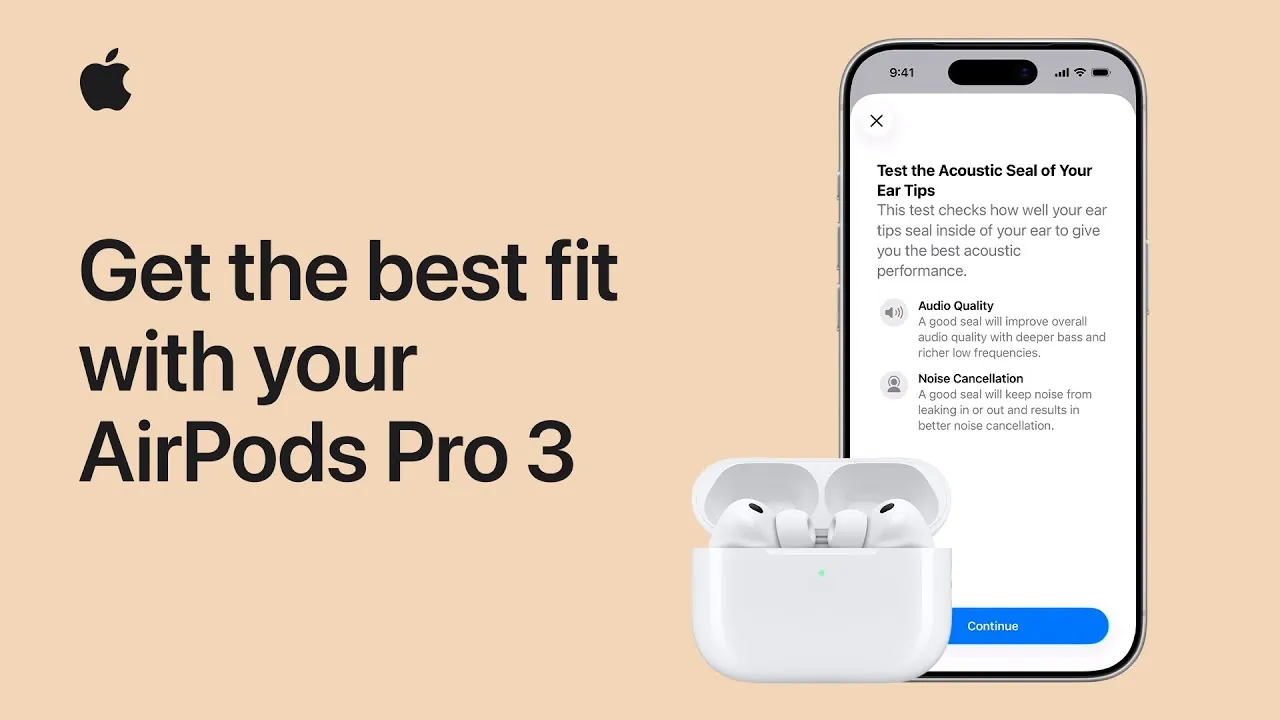
The AirPods Pro 3 are designed to deliver an exceptional audio experience, but their performance depends heavily on achieving the right fit. A proper fit ensures optimal noise cancellation, accurate heart sensor readings, and superior sound quality. The video below from Apple provides detailed steps to help you select the right ear tips, adjust them for comfort, and test the acoustic seal to maximize the potential of your AirPods Pro 3.

Why the Right Fit is Crucial
The fit of your AirPods Pro 3 directly influences their functionality and overall performance. A secure and comfortable fit offers several benefits:
- It enhances noise cancellation by creating an effective acoustic seal that blocks external sounds.
- It improves sound quality by isolating ambient noise, allowing you to hear music and calls more clearly.
- It ensures the heart sensors maintain consistent contact with your skin, allowing accurate health monitoring.
Without the right fit, you may experience diminished performance in all these areas, reducing the overall experience and functionality of your AirPods.
Finding the Right Ear Tip Size
The AirPods Pro 3 come with ear tips in multiple sizes, ranging from extra extra small to large, to accommodate a variety of ear shapes. Medium-sized tips are pre-installed, but testing other sizes is essential to find the best fit for your ears. The size of each ear tip is labeled on the packaging for easy identification.
A proper fit should:
- Feel snug without causing discomfort or pressure.
- Stay securely in place, even during movement or physical activity.
If the ear tips feel loose, unstable, or uncomfortable, try a different size to achieve the ideal balance between security and comfort.
How to Replace or Adjust Ear Tips
Replacing or adjusting the ear tips on your AirPods Pro 3 is a simple process that ensures you achieve the best fit. Follow these steps:
- Firmly grip the base of the ear tip and pull it straight off to remove it.
- If the ear tip is difficult to grip, use a lint-free cloth or roll the edge of the tip inside out for better traction.
- To attach a new ear tip, align it with the connector on the AirPod and press firmly until you hear a click, indicating it is securely attached.
Experiment with different sizes to find the one that provides the best combination of comfort and an effective acoustic seal.
Positioning Your AirPods Pro 3 Correctly
Proper positioning of your AirPods Pro 3 is essential for both comfort and functionality. To position them correctly:
- Insert the AirPods into your ears with the heart sensors facing forward.
- Rotate the stems slightly toward your face to achieve a snug and secure fit.
- Ensure the heart sensors maintain contact with your skin for accurate health monitoring.
This positioning not only improves comfort but also helps the ear tips form a better seal, which is critical for effective noise cancellation and sound quality.
Testing the Acoustic Seal
Once you have adjusted the ear tips and positioned your AirPods, it is important to test the acoustic seal to ensure optimal performance. Use your iPhone to perform this test:
- Open the AirPods settings on your iPhone.
- Navigate to the “fit and comfort” section.
- Follow the on-screen prompts to evaluate the seal of your AirPods.
A proper seal enhances noise cancellation and improves sound quality by minimizing external noise interference. If the test indicates a poor seal, try a different ear tip size or adjust the positioning of your AirPods.
Maximizing Noise Cancellation and Sound Quality
The advanced noise cancellation technology in the AirPods Pro 3 relies on a proper fit to function effectively. A well-fitted ear tip:
- Blocks external noise, allowing the internal microphones to cancel ambient sounds more efficiently.
- Enhances the clarity and depth of your music, podcasts, or calls.
A secure fit also ensures consistent audio performance, even during activities like exercising or commuting. By taking the time to achieve the right fit, you can fully enjoy the immersive sound experience that the AirPods Pro 3 are designed to provide.
Prioritizing Comfort and Stability
Comfort is just as important as functionality when using the AirPods Pro 3. While they are engineered to stay in place during everyday use, a poor fit can lead to discomfort or frequent adjustments. If you experience any issues with pressure or instability:
- Switch to a different ear tip size to reduce discomfort or improve stability.
- Reposition the AirPods to achieve a more secure and comfortable fit.
The goal is to strike a balance between a secure fit and long-term comfort, making sure that you can wear your AirPods for extended periods without irritation.
Customizing Settings with Your iPhone
Your iPhone provides several tools to help you optimize the performance of your AirPods Pro 3. Beyond testing the acoustic seal, you can customize settings to suit your preferences:
- Adjust the noise cancellation levels to match your environment, whether you’re in a quiet room or a noisy outdoor setting.
- Enable transparency mode to stay aware of your surroundings while listening to music or taking calls.
- Fine-tune the audio settings to create a personalized listening experience that matches your preferences.
These features are accessible through the Bluetooth menu or the dedicated AirPods settings on your iPhone, allowing you to tailor your AirPods experience to your specific needs.
Unlocking the Full Potential of Your AirPods Pro 3
Achieving the perfect fit with your AirPods Pro 3 is essential for unlocking their full potential. By selecting the right ear tips, adjusting them properly, and testing the acoustic seal, you can enjoy superior sound quality, effective noise cancellation, and accurate heart sensor functionality. Additionally, customizing the settings on your iPhone ensures that your AirPods are optimized for your unique preferences and environment. Taking the time to perfect the fit and settings will result in a secure, comfortable, and highly personalized listening experience.
Expand your understanding of AirPods Pro 3 fit guide with additional resources from our extensive library of articles.
- How to Use AirPods Pro 3: Complete Setup and Features Guide
- How to Unlock the Full Potential of Your AirPods Pro 3
- How to Set Up and Optimize Your AirPods Pro 3: 18 Essential Tips
- AirPods Pro 3: Everything You Need to Know
- AirPods Pro 3 vs. AirPods Pro 2: Design, Battery, and Audio
Source & Image Credit: Apple Support
Disclosure: Some of our articles include affiliate links. If you buy something through one of these links, Geeky Gadgets may earn an affiliate commission. Learn about our Disclosure Policy.
