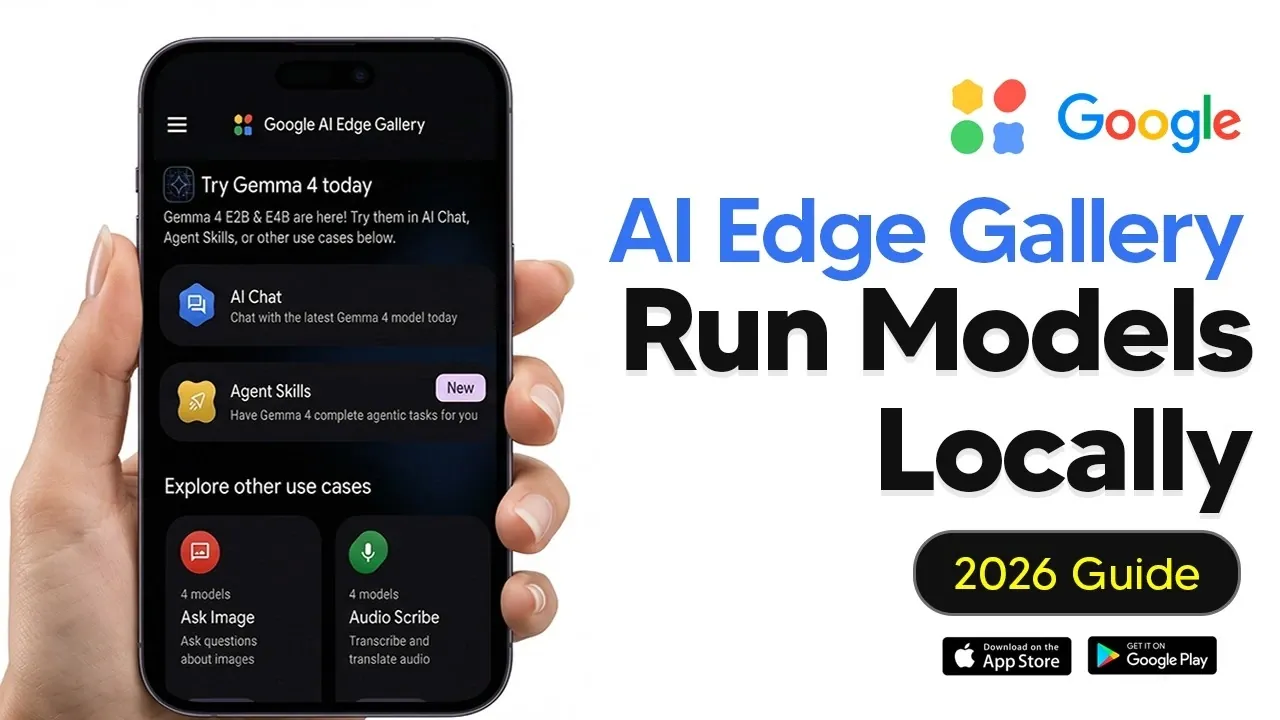
Running large language models (LLMs) locally on your phone is no longer just a concept, it’s a practical reality with the Google AI Edge Gallery. This application allows users to execute advanced AI models directly on their devices, bypassing the need for cloud servers. AI Grid’s walkthrough demonstrates how to set up and optimize the app to perform tasks like text generation and summarization while maintaining privacy and offline functionality. For instance, the guide highlights how devices with at least 8GB of RAM, such as flagship Android phones or the iPhone 15 Pro, can handle larger models efficiently for smoother performance.
Dive into this guide to explore key features like customizable AI settings, GPU acceleration for faster processing and multimodal capabilities that extend beyond text-based interactions. You’ll also gain insight into using experimental voice commands to control device settings and learn how to use predefined “agent skills” to automate tasks like drafting emails or generating QR codes. Whether you’re a developer or a casual user, this walkthrough provides actionable steps to make the most of AI on your smartphone.
Core Features and Capabilities
TL;DR Key Takeaways :
- The Google AI Edge Gallery enables local execution of advanced AI models, including large language models (LLMs), making sure enhanced privacy, offline functionality and faster response times.
- The app offers multimodal capabilities, such as image analysis, audio transcription and text-based interactions, catering to diverse personal and professional use cases.
- Customizable AI settings allow users to fine-tune parameters like temperature and randomness, while GPU acceleration enhances performance and reduces battery consumption.
- Predefined “agent skills” and the Prompts Lab simplify tasks like generating QR codes, drafting emails, summarizing text and creating code snippets, with options for custom workflows.
- Privacy-focused design ensures all data processing occurs locally, while compatibility with high-performance devices maximizes functionality for resource-intensive tasks.
The app is designed to meet diverse user needs, offering a robust set of features that include:
- Local LLM Execution: Perform tasks like text generation, summarization and question answering without relying on cloud servers.
- Customizable AI Settings: Tailor interactions to suit your preferences and requirements.
- Multimodal Functionality: Analyze images, transcribe audio and interact with various data types seamlessly.
- Device Control: Experiment with voice-activated commands to manage your mobile device.
- Privacy-Centric Design: All data processing occurs locally, making sure your information remains secure.
Whether you’re a developer exploring AI tools or a casual user seeking advanced functionality, the Google AI Edge Gallery provides a comprehensive platform to harness the power of AI on your smartphone.
How to Get Started
The Google AI Edge Gallery is accessible to all users without the need for waitlists or developer accounts. You can download the app directly from the Google Play Store or Apple App Store. While the app is compatible with a wide range of devices, its performance is heavily influenced by your hardware specifications. Devices equipped with advanced processors and higher RAM, such as the iPhone 15 Pro or flagship Android models with 8GB or more RAM, deliver optimal performance, especially when running larger AI models.
Here are more detailed guides and articles that you may find helpful on Google AI.
- Google AI Tools Overview from Gemini to NotebookLM
- Google AI Studio Guide : No-Code Apps, Tools, Data Analysis & More
- Google AI Studio 2.0 Adds Antigravity Full-Stack Coding
- Apple’s Siri 2.0 Update 2026: Google AI Integration Explained
- Google AI Studio Review: Features, Benefits, and Use Cases
- Perplexity vs Google AI Search: Why It Stayed a Niche Tool
- 7 Powerful Free Google AI Tools to Build Apps, Visuals & More
- Genie 3 AI by DeepMind : Creates Gaming Worlds in Real Time
- Google AI Photo Magic Editor
- 6 Best Free Google’s AI Tools for Content, Marketing, Apps & More
Local LLMs: AI at Your Fingertips
One of the app’s standout features is its ability to run large language models locally, offering a user-friendly interface for seamless interaction. Through the app, you can:
- Ask Questions: Receive detailed and accurate answers in real time.
- Generate Text: Create content for emails, creative writing, or other purposes.
- Summarize Content: Condense lengthy documents into concise, actionable insights.
The app allows users to download and switch between various model variants based on their specific needs. Larger models deliver superior reasoning and output quality but require more advanced hardware to function efficiently. For the best experience, devices with at least 8GB of RAM are recommended.
Customizing and Optimizing Your AI Experience
The app offers extensive customization options to fine-tune the AI’s behavior, allowing users to adjust parameters such as:
- Temperature: Modulate the creativity and variability of responses.
- Top K and Top P: Refine the specificity and randomness of outputs for tailored results.
Additionally, the app supports GPU acceleration, which significantly enhances processing speed and reduces battery consumption compared to CPU-based operations. This feature is particularly beneficial for running resource-intensive models, making sure smoother performance and extended usability.
Streamlined Task Automation with Agent Skills
The app includes predefined prompts, known as “agent skills,” to simplify specific tasks. These skills enable users to:
- Generate QR Codes: Create scannable codes for various purposes.
- Produce Structured Outputs: Generate tables, lists, or other organized formats effortlessly.
- Draft Emails: Compose professional or casual emails with minimal effort.
For advanced users, the app also supports the creation and import of custom skills, allowing for highly personalized workflows tailored to unique requirements.
Expanding Possibilities with Multimodal Features
The Google AI Edge Gallery goes beyond text-based interactions by incorporating multimodal capabilities. These features include:
- Image Analysis: Use your device’s camera or photo library to analyze images, identify objects, extract text, or gain contextual insights.
- Audio Transcription: Convert audio files into text with ease. While effective, this feature currently processes one file per session.
These multimodal functionalities make the app a versatile tool for managing and interpreting diverse data types, catering to both personal and professional use cases.
Experimental Voice-Activated Mobile Actions
The app includes experimental features that allow users to control their devices through voice commands. For example, you can:
- Control Device Settings: Turn the flashlight on or off or adjust system settings without manual input.
Although still in development, these features demonstrate the app’s potential to integrate AI with everyday mobile operations, offering a glimpse into the future of hands-free device management.
Prompts Lab: Simplifying Everyday Tasks
The Prompts Lab provides a collection of preset templates designed to streamline common tasks. These templates allow users to:
- Summarize Text: Quickly condense lengthy content into concise summaries.
- Rewrite Content: Adjust the tone or style of text to suit specific needs.
- Generate Code Snippets: Create functional code for development purposes.
By using these predefined options, users can save time and achieve consistent, high-quality results.
Performance and Device Compatibility
The app’s performance is closely tied to the hardware capabilities of your device. Devices with advanced processors and higher RAM, such as iPads with M-series chips or flagship Android smartphones, excel at handling larger models and complex tasks. Conversely, older devices may experience slower processing times or struggle with resource-intensive operations.
Privacy and Offline Functionality
A defining feature of the Google AI Edge Gallery is its commitment to privacy. All data processing occurs locally on your device, eliminating the need for external servers. This ensures that sensitive information remains secure and allows users to access the app’s full functionality even without an internet connection.
Additional Tools and Features
The app includes supplementary tools to enhance the user experience, such as:
- Tiny Garden: A casual, built-in game designed for relaxation and entertainment.
- GitHub Integration: Advanced users can explore and create custom skills by using the app’s compatibility with GitHub repositories.
These additional features add value to the app, making it a comprehensive solution for both casual and advanced users.
Empowering Users with AI on the Go
The Google AI Edge Gallery is a versatile and privacy-focused application that brings the power of AI directly to your mobile device. With support for local LLMs, multimodal capabilities and experimental device controls, the app enables users to explore and use AI in a secure, efficient and highly customizable manner. Whether you’re a developer seeking advanced tools or a casual user looking for offline functionality, this app offers a robust platform to meet your needs.
Media Credit: TheAIGRID
Disclosure: Some of our articles include affiliate links. If you buy something through one of these links, Geeky Gadgets may earn an affiliate commission. Learn about our Disclosure Policy.
