Your iPhone is a sophisticated device designed to deliver seamless performance and convenience. However, certain everyday habits can hinder its efficiency, shorten its lifespan, and reduce your overall experience. By identifying and changing these behaviors, you can optimize your iPhone’s performance, extend its battery life, and make the most of its features. In the video below, Proper Honest Tech shows us ten habits to stop immediately, along with actionable tips to help you enhance your device’s functionality.

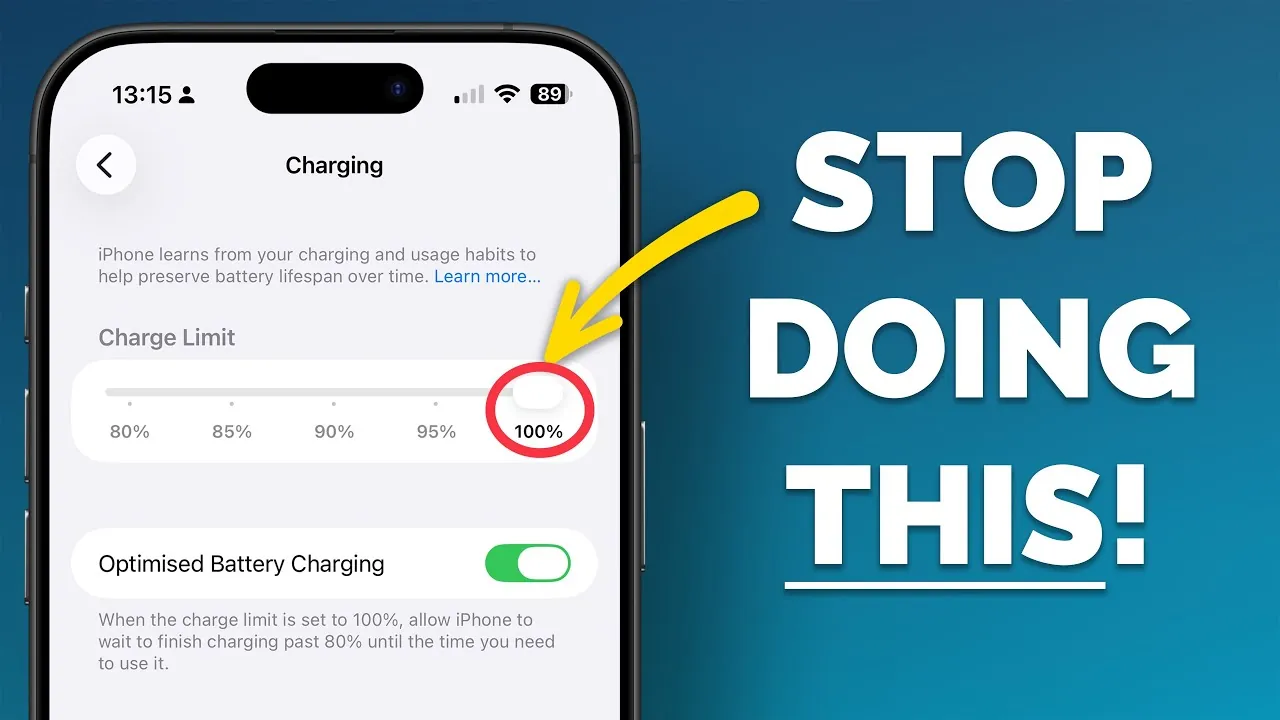
1. Stop Charging Your Battery to 100% Every Time
Consistently charging your iPhone to 100% can degrade the battery over time. Lithium-ion batteries, like the one in your iPhone, perform best when kept between 20% and 80%. To address this, enable the “Optimized Battery Charging” feature in your settings. This intelligent tool learns your daily charging routine and pauses the charge at 80%, resuming only when necessary. By reducing the time your battery spends at full charge, you can prevent overheating and prolong its lifespan.
2. Stop Manually Entering Contact Information
Manually typing in contact details is not only time-consuming but also prone to errors. Instead, use the iOS autofill feature to quickly and accurately share specific information, such as an email address or phone number. This feature ensures precision while protecting your privacy by avoiding the need to share your entire contact card. By automating this process, you save time and reduce the risk of mistakes.
3. Stop Force-Closing Apps Without Reason
Force-closing apps might seem like a way to conserve battery life, but it often has the opposite effect. When you reopen a force-closed app, your iPhone uses additional resources to reload it from scratch. iOS is designed to efficiently manage background processes and memory without user intervention. Letting the operating system handle app performance ensures smoother multitasking and reduces unnecessary battery drain.
4. Stop Logging Health Data in the Notes App
Using the Notes app to track health or fitness data can lead to disorganization and missed opportunities for insights. Instead, use the Health app, which is specifically designed to securely store and analyze your health metrics. This app integrates seamlessly with other health tools and provides a centralized location for tracking data such as heart rate, sleep patterns, and exercise routines. By using the right tool for the job, you gain better insights and a more streamlined experience.
5. Stop Sticking to the Default Snooze Duration
The default 9-minute snooze interval may not align with your sleep habits or morning routine. Customizing your alarm settings allows you to adjust the snooze duration to your preference, whether it’s a shorter 5-minute interval or a longer 15-minute break. This small but impactful change can help you wake up more comfortably and start your day on the right note.
6. Stop Cluttering Your Home Screen
A cluttered home screen can make navigating your iPhone frustrating and time-consuming. Instead of scrolling through multiple pages of apps, take advantage of features like the App Library, Spotlight Search, or Siri. These tools allow you to quickly locate apps without the need for excessive organization. Streamlining your home screen not only improves navigation but also creates a cleaner and more visually appealing interface.
7. Stop Using Full-Screen Screenshot Previews
Full-screen screenshot previews can be distracting, especially when you’re multitasking. By switching to the smaller preview that appears in the bottom-left corner of your screen, you can keep your workspace less cluttered. This adjustment allows you to focus on your tasks without unnecessary interruptions, improving your overall productivity.
8. Stop Copying Entire Messages
When sharing or saving part of a message, copying the entire text is often unnecessary. iOS offers a feature that lets you select specific portions of a message for copying. This is particularly useful for sharing important details without including irrelevant information. By using this functionality, you can save time and ensure that only the most relevant content is shared.
9. Stop Ignoring Spam Filtering Features
Spam calls and messages can disrupt your day and waste your time. iOS provides several tools to combat this issue, including “Silence Unknown Callers”, “Ask Reason for Calling,” and message filtering. These features help you block or filter out unwanted communications, allowing you to focus on important calls and messages. By allowing these tools, you can reduce interruptions and maintain better control over your communications.
10. Stop Using the Default Safari Tab Layout
The default Safari tab layout might not suit your browsing preferences. Fortunately, iOS allows you to customize this layout to match your needs. Whether you prefer a compact view, tabs at the bottom for easier access, or tabs at the top for a more traditional experience, adjusting this setting can make your browsing more intuitive and enjoyable. Experiment with the options to find the layout that works best for you.
Maximize Your iPhone’s Potential
By addressing these ten common habits, you can unlock your iPhone’s full potential and enjoy a more efficient, personalized experience. From optimizing battery health to using built-in tools and features, these small changes can have a significant impact on your device’s performance and longevity. Take the time to evaluate your current practices and implement these adjustments to get the most out of your iPhone.
Master iPhone Battery Optimization with the help of our in-depth articles and helpful guides.
- Maximize Your iPhone Battery Life with These Genius iOS 26 Hacks
- How to Fix iOS 26.2 Battery Drain Issues on Your iPhone
- How to Stop iOS 18.5 Battery Drain
- How to Fix iOS 26.2 Battery Drain on Your iPhone
- iOS 26 Settings You Should Change for Maximum Performance
Source & Image Credit: Proper Honest Tech
Disclosure: Some of our articles include affiliate links. If you buy something through one of these links, Geeky Gadgets may earn an affiliate commission. Learn about our Disclosure Policy.
