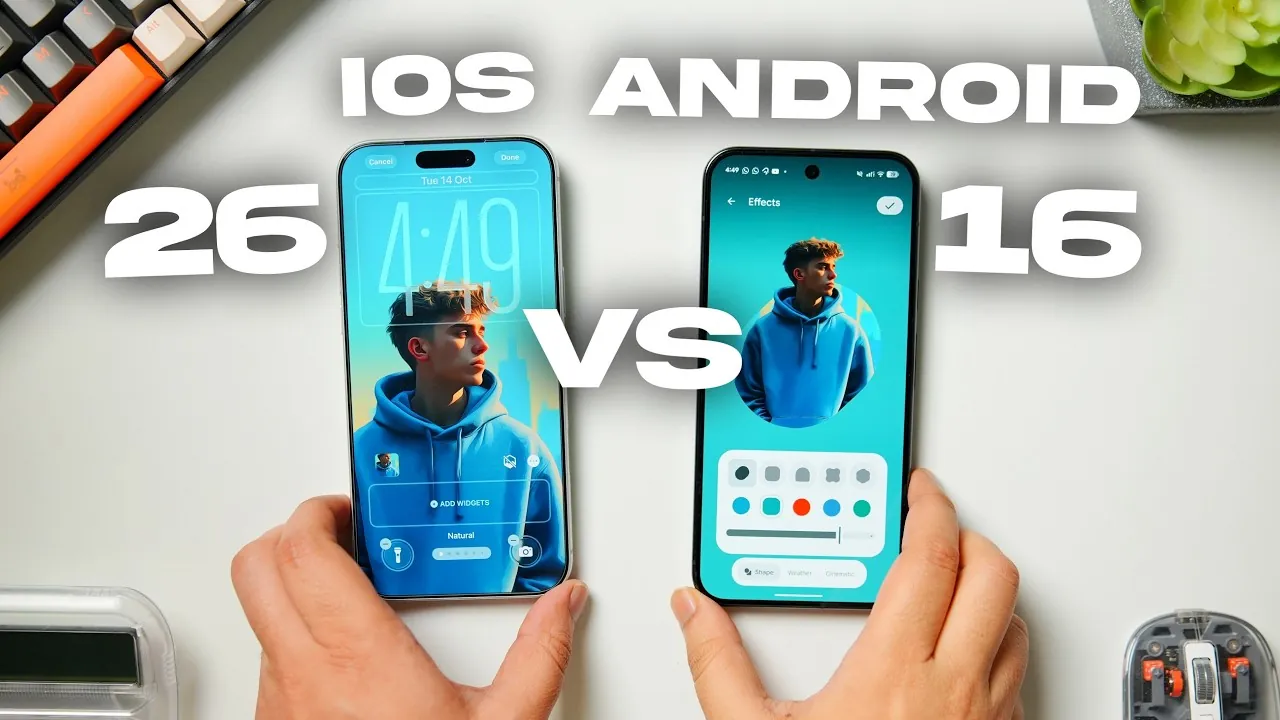
Selecting between the Google Pixel 10 Pro XL, powered by Android 16, and the iPhone 17 Pro Max, running iOS 26, involves evaluating their distinct approaches to user interface (UI) design and customization. These flagship devices embody unique philosophies, each tailored to specific user preferences. By examining key aspects such as lock screen customization, wallpaper styling, home screen features, quick settings, animations, and overall user experience, you can determine which device aligns with your needs. The video below from Mr Android FHD gives us more details.
Lock Screen Customization
The lock screen serves as the gateway to your device, and both iOS 26 and Android 16 offer unique customization options to enhance this interaction:
- iOS 26: Apple introduces a sophisticated lock screen suite, allowing users to adjust clock designs, thickness, and colors. The addition of depth effects creates a layered, immersive look by allowing elements of the wallpaper, such as faces or objects, to overlap the clock. This feature adds a sense of personalization and artistic flair.
- Android 16: Google opts for a more straightforward approach, offering options to tweak font weight and select colors that adapt dynamically to your wallpaper. While functional, these features are less intricate compared to iOS, focusing on simplicity and usability.
For users who value detailed design and layered visuals, iOS 26 provides a more robust set of tools. Android 16, however, caters to those who prefer a clean and functional lock screen experience.
Wallpaper Styling
Wallpaper customization is another area where iOS 26 and Android 16 diverge, reflecting their respective design philosophies:
- iOS 26: Apple introduces spatial scene functionality, allowing 3D parallax effects that shift as you tilt your phone. This feature adds depth and movement to the wallpaper. Additionally, animated album art enhances the lock screen experience, particularly for music enthusiasts who enjoy visual elements tied to their playlists.
- Android 16: Google emphasizes dynamic wallpapers with a dedicated wallpaper studio. Users can apply shape effects, live wallpapers, and weather-based animations, creating a screen that feels responsive to real-world conditions. This approach highlights interactivity and adaptability.
While iOS 26 focuses on artistic depth and visual appeal, Android 16 prioritizes real-time responsiveness and interactive elements, catering to users who enjoy dynamic customization.
Home Screen Features
The home screen experience is a critical aspect of daily device use, and the differences between iOS 26 and Android 16 are evident in their customization options:
- iOS 26: Apple offers extensive home screen customization, including the ability to resize icons and widgets, remove app labels, and apply transparent designs. These features allow users to create a minimalist and clean aesthetic, aligning with Apple’s focus on elegance and simplicity.
- Android 16: Google emphasizes system-wide theming with dynamic colors that adapt to your wallpaper. While visually cohesive, Android lacks options for resizing icons or removing app labels, which may limit the degree of personalization for users seeking a highly tailored layout.
If you prioritize precision and minimalism, iOS 26 provides a more refined toolkit. Android 16, on the other hand, excels in creating bold, cohesive themes that reflect the user’s chosen wallpaper.
Quick Settings and Control Center
Quick settings and control center designs reveal the broader design philosophies of iOS 26 and Android 16, offering distinct user experiences:
- iOS 26: Apple adopts a sleek, transparent “liquid glass” aesthetic for its control center. Users can customize layouts and adjust toggle sizes, making sure a tailored and polished experience. This design aligns with Apple’s emphasis on refinement and consistency.
- Android 16: Google takes a more playful approach, incorporating interactive toggles and shape customization. The quick settings menu is vibrant and dynamic, appealing to users who enjoy colorful and engaging interfaces.
Both systems are functional and intuitive, but iOS 26 leans toward a sleek and refined design, while Android 16 offers a more dynamic and visually engaging experience.
Animations and Haptics
Animations and haptic feedback play a significant role in enhancing the overall user experience, and both systems excel in different ways:
- iOS 26: Apple delivers polished animations, including realistic glass effects, water bubble transitions, and smooth interactions. These animations contribute to a cohesive and refined feel, making sure a seamless user experience.
- Android 16: Google emphasizes playful, interactive animations paired with robust haptic feedback. While engaging and dynamic, these animations may lack the seamless fluidity of iOS during prolonged use, focusing instead on creating a lively and responsive interface.
Your preference may depend on whether you value polished elegance or dynamic interactivity. iOS 26 offers a more refined experience, while Android 16 emphasizes playfulness and engagement.
Overall User Experience
The overall experience of using the Google Pixel 10 Pro XL and iPhone 17 Pro Max is shaped by their distinct strengths and design philosophies:
- iOS 26: Apple’s ecosystem offers a sleek, unified aesthetic with sophisticated design elements. It is ideal for users who value elegance, consistency, and seamless functionality across their devices.
- Android 16: Google’s platform focuses on personalization and interactivity, providing dynamic themes, bold design choices, and a high degree of customization. This makes it a compelling choice for users who enjoy tailoring their devices to reflect their unique preferences.
Both systems excel in delivering a premium user experience, but their strengths align with different user priorities. By understanding these differences, you can select the device that best suits your needs, making sure a satisfying and personalized interaction with your smartphone.
Dive deeper into User Interface (UI) with other articles and guides we have written below.
- How to use Mesop Google’s new AI user interface (UI) Builder
- Creating website user interfaces using AI GPT-4 Vision
- Arduino Cloud for IoT and more enhanced further from user feedback
- How to Design Amazing User Interfaces with Claude Code in 2025
- Interactive AI Interfaces : How C1 Enhances User Engagement
Source & Image Credit: Mr Android FHD
Disclosure: Some of our articles include affiliate links. If you buy something through one of these links, Geeky Gadgets may earn an affiliate commission. Learn about our Disclosure Policy.
