Apple’s iOS 27 introduces a range of features designed to enhance how you interact with your iPhone. With improvements in customization, productivity, and usability, this update focuses on making your device more intuitive and adaptable to your needs. Whether you’re a tech enthusiast or a casual user, iOS 27 offers tools that simplify daily tasks and elevate your overall experience. Below is a detailed look at the top 10 features that make this release noteworthy. The video below from iReviews gives us more details on the new Siri features.
1. Advanced Volume Controls for Precision
iOS 27 introduces granular audio management with separate volume sliders for ringer, alerts, alarms, timers and system sounds. This level of control allows you to fine-tune each category independently, making sure your device adapts seamlessly to different environments. For instance, you can lower alarm sounds for quiet mornings while keeping ringer volume high for important calls. Additionally, customizable sound profiles let you switch between pre-set configurations tailored to specific scenarios, such as work, travel, or leisure, offering both convenience and flexibility.
2. Landscape Mode for Stock Apps
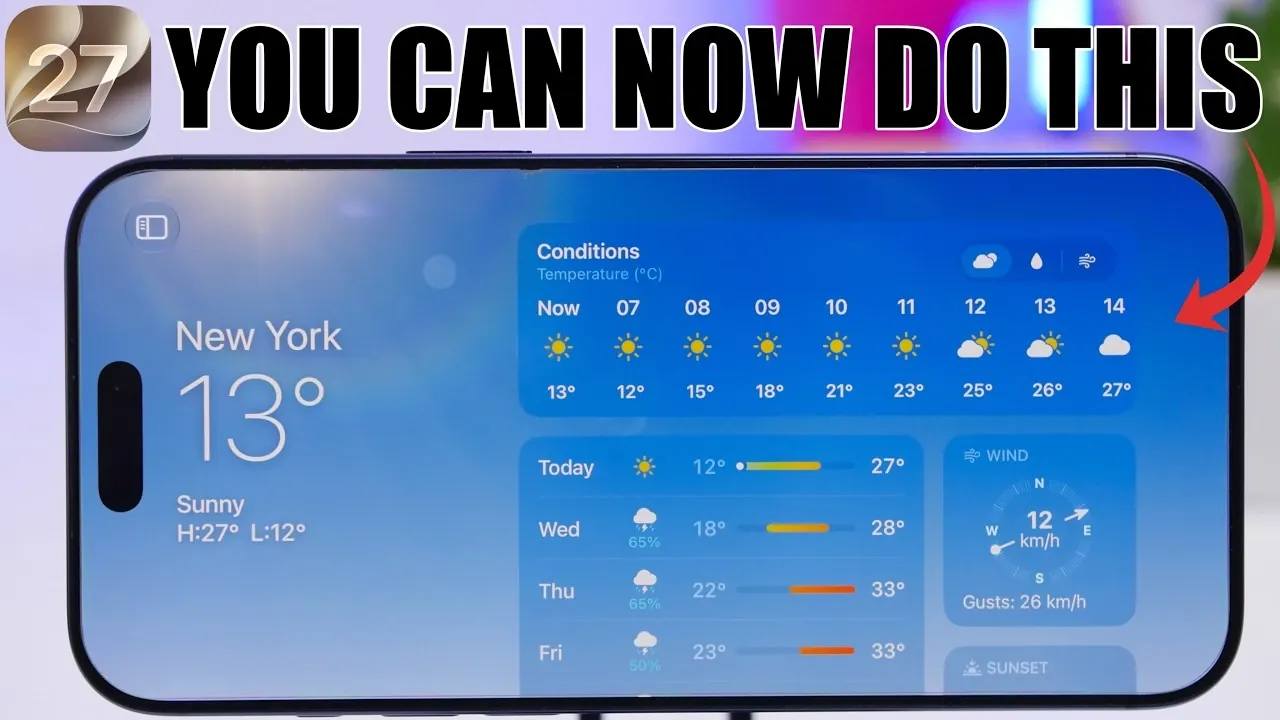
Stock apps like Fitness, Weather and Messages now support landscape orientation, providing a more versatile viewing experience. This feature is particularly beneficial when multitasking, using your iPhone in a docked position, or simply preferring a wider layout. The Weather app has also been upgraded with detailed toggles for wind speed, precipitation and temperature trends, making it easier to access critical weather data at a glance. These enhancements ensure that your iPhone adapts to your preferred usage style, whether you’re working or relaxing.
3. Clipboard Enhancements for Seamless Workflow
Copying and pasting content has been streamlined with iOS 27’s clipboard improvements. A direct paste option in the predictive text bar allows you to insert copied text or images quickly without navigating through additional menus. Furthermore, the clipboard now displays the source of copied content, helping you track where text or images originated. These updates are particularly useful for users who frequently switch between apps, making sure a smoother and more organized workflow.
4. Smarter Photo Organization and Video Frame Extraction
The Photos app now includes searchable keywords, allowing you to tag and locate specific images effortlessly. This feature simplifies photo organization, especially for users with extensive libraries. Another standout addition is the ability to save individual video frames as high-quality photos. Instead of relying on screenshots, you can extract stills directly from videos, preserving moments with greater clarity and precision. These tools make managing and curating your media collection more intuitive than ever.
5. Larger and More Functional Home Screen Widgets
Widgets on the home screen have been expanded in both size and functionality. Full-page widgets are now available for apps like Weather, Music and Reminders, offering detailed information directly on your home screen. This eliminates the need to open apps for quick updates. Third-party developers can also create full-page widgets, unlocking new possibilities for creative and functional layouts. Whether you’re tracking tasks, monitoring the weather, or controlling music, these widgets enhance both productivity and personalization.
6. Liquid Glass Slider for Enhanced Customization
Personalizing your iPhone’s appearance takes a creative leap with the Liquid Glass Slider. This feature allows you to adjust the transparency and tint of your home screen background, creating unique visual effects. Whether you prefer a subtle gradient or a bold translucent look, the Liquid Glass Slider lets you tailor your device’s aesthetic to match your personal style. This tool adds a new layer of customization, making your iPhone truly your own.
7. Smarter Safari Browsing with Automatic Tab Organization
Safari receives a significant productivity boost with automatic tab grouping. Tabs are now organized by topic, making it easier to navigate between related pages. This feature is particularly useful for users who juggle multiple projects or research topics. Additionally, the new “Describe Extension” tool helps you discover browser extensions tailored to your needs, enhancing your browsing experience without overwhelming you with unnecessary options. These updates make Safari a more efficient and user-friendly browser.
8. Clock App with Holiday Detection
The Clock app now includes holiday detection for alarms. If an alarm is set to go off on a public holiday, you’ll receive a notification prompting you to disable it. This thoughtful feature ensures you won’t be disturbed unnecessarily on your days off, adding convenience to your routine. By recognizing holidays automatically, the Clock app adapts to your schedule, reducing the likelihood of interruptions during your downtime.
9. Alarm Automation for a Smarter Routine
Building on the Clock app’s enhancements, iOS 27 introduces advanced alarm automation. You can now set alarms based on specific conditions, such as location or time of day. For example, your iPhone can automatically activate an alarm when you arrive at a hotel or disable it when you leave home for a vacation. These smart settings adapt to your lifestyle, minimizing the need for manual adjustments and making sure your alarms align with your daily activities.
10. Enhanced Productivity with Full-Page Widgets
Full-page widgets are not just about aesthetics; they’re designed to boost productivity. By offering more detailed information directly on your home screen, these widgets reduce the need to open apps for updates. Whether you’re tracking tasks, monitoring the weather, or managing your music, full-page widgets make it easier to stay organized and informed. This feature underscores Apple’s commitment to blending functionality with user convenience.
Redefining Usability and Customization
iOS 27 is a feature-rich update that prioritizes usability, customization and efficiency. From advanced volume controls and smarter alarms to innovative tools like the Liquid Glass Slider and enhanced widgets, this release caters to a wide range of user needs. Whether you’re focused on productivity, personalization, or simply making your iPhone more intuitive, iOS 27 ensures your device remains an indispensable part of your daily life.
Below are more guides on iOS 27 features from our extensive range of articles.
- Apple Just Confirmed 8 Major Features Coming to iOS 27
- iOS 27 Rumors: Top Features We Need (and What’s Leaked So Far)
- Is Your iPhone on the List? iOS 27 Could Cut Off These Popular Models
- iOS 27 Leak: Apple Is Giving You More Control Over the ‘Liquid Glass’ Design
- What to Expect from Apple’s Massive iOS 27 Update
Source & Image Credit: iReviews
Disclosure: Some of our articles include affiliate links. If you buy something through one of these links, Geeky Gadgets may earn an affiliate commission. Learn about our Disclosure Policy.
