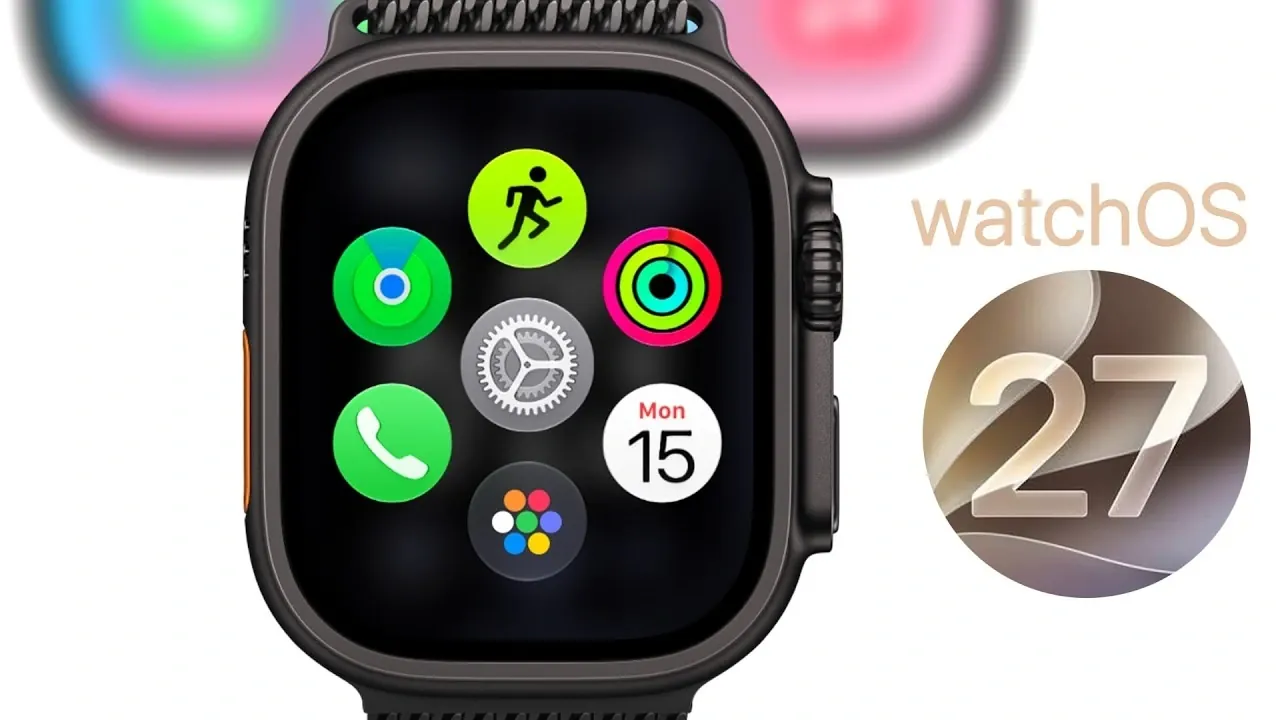
Apple’s watchOS 27 introduces a comprehensive suite of updates, delivering over 30 new features designed to enhance usability, refine design, and optimize performance. With improvements ranging from a modernized user interface to smarter fitness tracking and advanced Siri integration, this update aims to provide a more seamless and intuitive experience for Apple Watch users. The video below from Brandon Butch gives us more details on the new watchOS 27 software.
Refined User Interface and Navigation
watchOS 27 debuts a sleek “liquid glass” design, offering improved readability and navigation across apps, notifications and the control center. Updated app icons, including redesigned visuals for Maps and Music, create a fresh yet functional aesthetic. These enhancements contribute to a visually cohesive and user-friendly interface, making sure ease of use for both new and experienced users.
The dynamic app grid introduces a smarter approach to app organization, prioritizing frequently used apps for quicker access. By eliminating the app switcher, Apple simplifies navigation, making it more efficient and intuitive. This streamlined design ensures that users can interact with their devices effortlessly, even during busy moments.
Enhanced Notifications and Gesture Controls
Notifications in watchOS 27 receive a significant overhaul, offering greater customization and control. New mute and dismiss options allow users to manage alerts more effectively, while Apple Pay notifications now include richer details, simplifying transaction management. These updates ensure that notifications are less intrusive and more informative.
Gesture navigation also sees notable improvements. A new single-tap gesture simplifies interactions across the watch, while customizable gesture settings allow users to tailor controls for specific actions, such as media playback. Additionally, compatibility with Apple Vision Pro gestures expands functionality, offering advanced control options for users seeking a more personalized experience.
Smart Stack: Contextual and Versatile
The Smart Stack widget system becomes more dynamic and contextually aware in watchOS 27. New suggestion types enhance its utility, providing timely and relevant information. Key additions include:
- Birthday reminders to keep you connected with loved ones.
- Parked car locations for easy navigation back to your vehicle.
- Sleep alarm adjustments for better rest management.
- Transit card balances for seamless travel planning.
These updates make the Smart Stack a more powerful tool, making sure that essential information is always at your fingertips.
Fitness and Health Innovations
watchOS 27 introduces significant advancements in fitness and health tracking, further solidifying the Apple Watch as a comprehensive wellness companion. Key updates include:
- Workout Buddy now operates independently of your iPhone, tracking pace, distance and duration directly on your Apple Watch.
- Less intrusive voice feedback provides workout updates without disrupting your focus.
- Step tracking seamlessly syncs between the Fitness and Health apps for more accurate data integration.
- Faster workout initiation and support for Spanish-language workouts improve accessibility and usability.
Health tracking also expands with new features for pre-menopause and menopause monitoring, offering more comprehensive insights into women’s health. These updates empower users to take greater control of their well-being through personalized and actionable data.
Streamlined Find My App
The Find My app in watchOS 27 consolidates its features into a unified interface, combining Find People, Find Devices and Find Items. This redesign simplifies navigation, making it easier to locate loved ones, devices, or personal items. By integrating these functionalities, Apple enhances the app’s practicality and user experience.
Music Playback and Siri Integration
Music playback sees notable improvements, particularly for Apple Music users. Accessing playlists and individual tracks is now faster and more responsive, making sure uninterrupted enjoyment during workouts or leisure time. These enhancements make listening to music on the Apple Watch a smoother and more enjoyable experience.
Siri integration becomes smarter and more contextual in watchOS 27. For instance, during calls, Siri can display relevant information such as birthdays or flight details, making interactions more intuitive and personalized. This advanced AI integration enhances the watch’s role as a proactive assistant in daily life.
Battery and Performance Enhancements
watchOS 27 focuses on optimizing battery life and overall performance. Key improvements include:
- Suggested battery-saving tips to help extend usage time.
- Faster app launches for improved responsiveness.
- Enhanced Wi-Fi connectivity for seamless online interactions.
- Improved water detection for accurate activity tracking in wet conditions.
These updates ensure a more reliable and efficient device experience, allowing users to make the most of their Apple Watch throughout the day.
Device Compatibility and Additional Features
watchOS 27 is compatible with the Apple Watch SE 3, Series 9 and Ultra 2 or later models. However, the first-generation Apple Watch Ultra is not supported, reflecting the update’s focus on using newer hardware capabilities.
Additional features introduced in this update include:
- Custom passes, such as tickets and memberships, now accessible via QR codes in Apple Wallet.
- Faster media playback for a smoother entertainment experience.
- Quicker app extension launches to improve multitasking efficiency.
These enhancements further elevate the Apple Watch’s convenience and functionality, catering to a wide range of user needs.
A Comprehensive Upgrade for Apple Watch Users
watchOS 27 delivers a robust set of updates designed to enhance usability, performance and design. With over 30 new features and improvements, this release redefines the Apple Watch experience, making it smarter, more efficient and more intuitive. From refined navigation and smarter notifications to advanced fitness tracking and health monitoring, watchOS 27 ensures that your Apple Watch remains an indispensable tool in your daily life.
Advance your skills in watchOS 27 by reading more of our detailed content.
- Your Apple Watch is About to Change: 3 Huge Features in watchOS 27
- The Hidden watchOS 27 Features Apple Kept Secret
- Why Your Apple Watch May Never Get These 20 New watchOS 27 Features
- WatchOS 27: the Biggest Surprises on Apple Watch
- The Hidden Features Inside Apple’s watchOS 27 Update
- 10 Hidden iOS 27 Features You Need to Try Right Now
Source & Image Credit: Brandon Butch
Disclosure: Some of our articles include affiliate links. If you buy something through one of these links, Geeky Gadgets may earn an affiliate commission. Learn about our Disclosure Policy.
