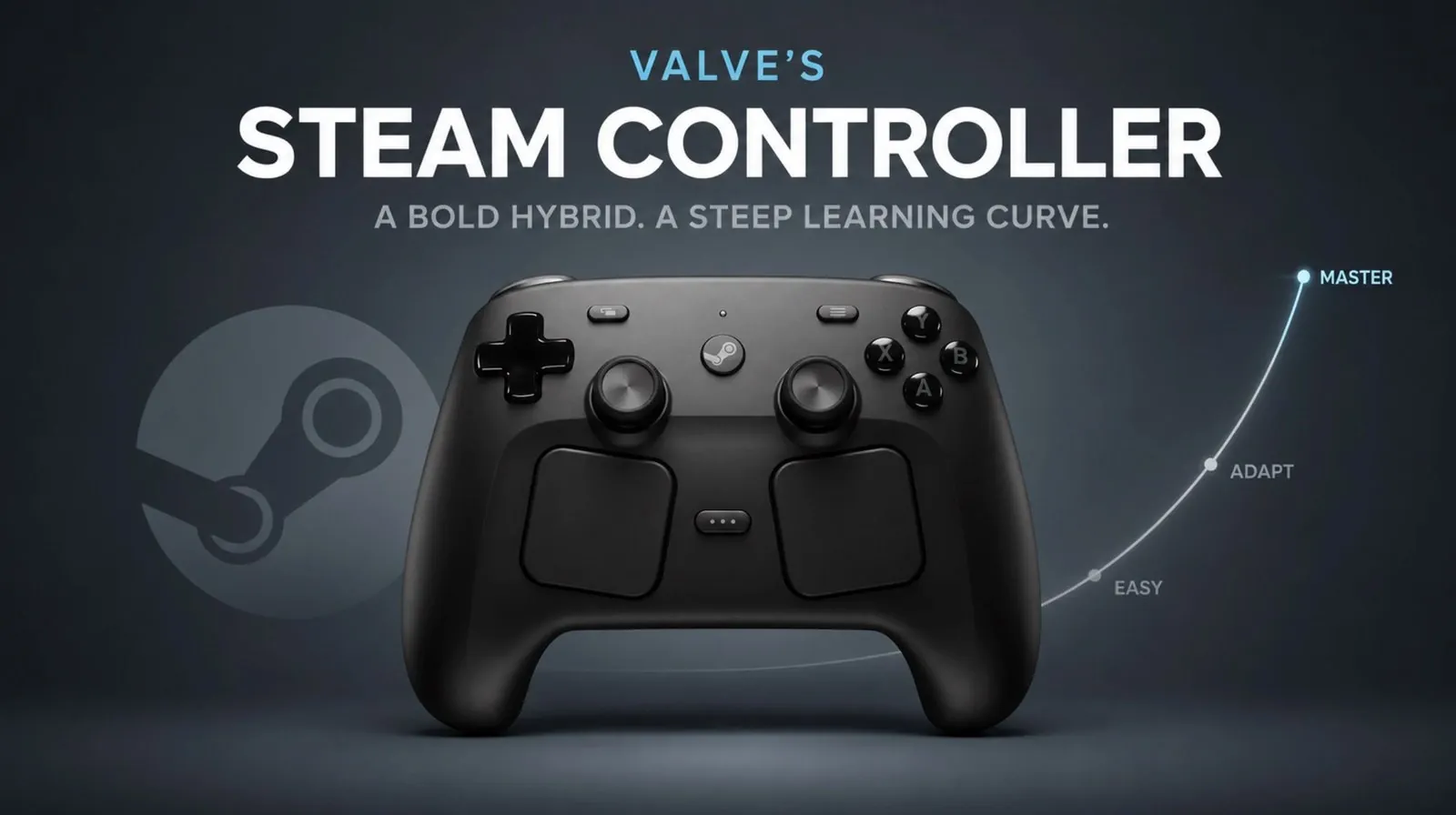
Valve’s Steam Controller is a device designed to change how players engage with PC games by offering features not found in traditional controllers. One standout detail is its dual touchpads, which aim to replicate the precision of a mouse, making it particularly suited for strategy and simulation games. However, as Switch and Click explains, this design introduces challenges such as a steep learning curve for new users and restricted compatibility outside the Steam platform. The inclusion of haptic feedback and customizable input settings reflects Valve’s effort to combine adaptability with immersive gameplay, though the results are not without limitations.
Explore the Steam Controller’s key features, including community-configured profiles that simplify game setup and its ergonomic design, which may pose issues during extended play. Gain insight into the Steam Input software, which offers extensive customization options but occasionally struggles with bugs. This deep dive also examines how the controller performs across different gaming genres and its place within Valve’s broader hardware lineup.
Valve’s Gaming Hardware
TL;DR Key Takeaways :
- The Steam Controller features innovative dual touchpads, haptic feedback and extensive customization options, offering a unique alternative to traditional gaming controllers.
- It bridges the gap between the precision of a mouse and keyboard and the familiarity of standard controllers, but its design and ergonomics may not suit all users.
- Performance highlights include responsive touchpads, immersive haptic feedback and impressive battery life, though a learning curve may deter some players.
- Compatibility is a major drawback, as the controller is primarily designed for the Steam ecosystem and lacks native support for non-Steam games without cumbersome workarounds.
- While Valve’s Steam Input software enables deep customization, persistent bugs and software glitches can disrupt the gaming experience, limiting its appeal to a niche audience.
Valve’s hardware journey began in 2012 with the introduction of Big Picture Mode, designed to make PC gaming more accessible on televisions. This initiative laid the groundwork for subsequent projects, including Steam Machines and the Steam Deck, a handheld gaming PC that has gained significant traction. The Steam Controller is a key milestone in this evolution, embodying Valve’s vision of bridging the gap between the precision of a mouse and keyboard and the familiarity of traditional controllers. By using lessons from its earlier ventures, Valve aimed to create a device that integrates seamlessly into its broader gaming ecosystem, offering players a versatile and immersive experience.
Design and Ergonomics: Balancing Innovation and Usability
The Steam Controller’s design is a blend of innovation and compromise. Its most striking feature is its dual touchpads, which replace traditional joysticks to provide a higher degree of precision. However, the overall build quality is inconsistent. While some components feel durable, others lack the premium finish expected from a device of its kind.
Ergonomically, the controller’s compact design caters to a wide range of users but may not suit all hand sizes. Certain buttons are positioned in ways that can feel awkward during extended gaming sessions, potentially detracting from the overall experience. Despite these shortcomings, the controller remains functional and comfortable for casual gaming, offering a unique alternative to conventional designs.

Gain further expertise in Steam Controller by checking out these recommendations.
- $60 Steam Controller 2 is Packing Features PC Gamers Have Been Waiting For
- Why Valve’s Steam Controller is Quietly Changing PC Gaming
- Is Valve’s New $99 Steam Controller Actually Worth the Price?
- Steam Controller Hands on First Look : Worth the Premium $99 Upgrade?
- Why the New Steam Controller’s Deep Customization Might Overwhelm You
- Unboxing Valve’s Most Unique Hardware : Steam Controller
- Is the Steam Controller Actually Good? What Reviewers Say
- 13 Hidden Steam Controller Features You Probably Missed
- How Valve Just Ruined Scalpers’ Plans for the Next Steam Controller Inventory
- The Hidden Features That Make the Steam Controller Completely Unique
Key Features: A New Approach to Gaming Controls
At the heart of the Steam Controller’s appeal are its dual touchpads, which deliver a level of precision that traditional joysticks cannot match. These touchpads are fully customizable, allowing you to tailor their sensitivity and functionality to suit your gaming preferences. Valve’s Steam Input software further enhances this flexibility, allowing you to create personalized control schemes for different genres. Additionally, the availability of community-configured profiles provides pre-set options, drawing on years of user feedback to optimize gameplay.
Haptic feedback is another standout feature, offering tactile responses that enhance immersion. This combination of touchpads and haptics creates a hybrid control system that merges the best aspects of controllers and mouse-based gaming. Together, these features make the Steam Controller a versatile tool for gamers who value customization and precision.
Performance and Usability: Strengths and Weaknesses
In terms of performance, the Steam Controller excels in several areas. Its touchpad responsiveness and haptic feedback ensure precise and engaging gameplay, particularly in genres that benefit from fine control, such as strategy or simulation games. The controller also features an impressive battery life, lasting over 50 hours on a single charge. Its wireless dongle, which doubles as a charging dock, adds convenience and extends the device’s range, outperforming many competitors in this regard.
However, the controller’s usability is not without flaws. While it shines in games optimized for Steam Input, its unique design can present a learning curve for new users. Mastering the touchpads and configuring settings to your liking may require time and patience, which could deter less tech-savvy players.
Compatibility Challenges
One of the most significant drawbacks of the Steam Controller is its limited compatibility. Designed primarily for use within the Steam ecosystem, it lacks native support for Xinput and Dinput, which are standard for many non-Steam games. While third-party tools and workarounds can enable functionality outside Steam, these solutions are often cumbersome and unreliable. This limitation is particularly problematic for gamers who frequently use platforms like Game Pass or other third-party launchers, as the controller’s full potential remains largely confined to Steam-supported titles.
Software: Powerful but Imperfect
Valve’s Steam Input software is a powerful tool that underpins the Steam Controller’s customization capabilities. It allows you to fine-tune every aspect of the controller’s functionality, from button mapping to touchpad sensitivity. However, the software is not without its issues. Bugs and inconsistencies, such as Steam overlay failures and input glitches, can disrupt gameplay and diminish the overall experience. Despite years of updates, these problems persist, highlighting the need for further refinement. For users who rely heavily on Steam Input, these challenges can be a source of frustration, particularly during critical gaming moments.
A Unique but Divisive Gaming Experience
The Steam Controller represents a bold attempt to redefine the way you interact with PC games. Its innovative features, including customizable touchpads, haptic feedback, and extensive input options, set it apart from traditional controllers. However, its compatibility limitations, inconsistent build quality, and software imperfections may not appeal to everyone.
For gamers who are willing to embrace its quirks and operate primarily within the Steam ecosystem, the Steam Controller offers a highly customizable and immersive gaming experience. It reflects Valve’s commitment to pushing the boundaries of gaming hardware, even if the execution falls short in certain areas. Ultimately, the Steam Controller is a device that caters to a niche audience, delivering a unique blend of innovation and compromise.
- Pros: Customizable touchpads, haptic feedback, long battery life and extensive input options.
- Cons: Limited compatibility, inconsistent build quality and occasional software issues.
Media Credit: Switch and Click
Disclosure: Some of our articles include affiliate links. If you buy something through one of these links, Geeky Gadgets may earn an affiliate commission. Learn about our Disclosure Policy.
