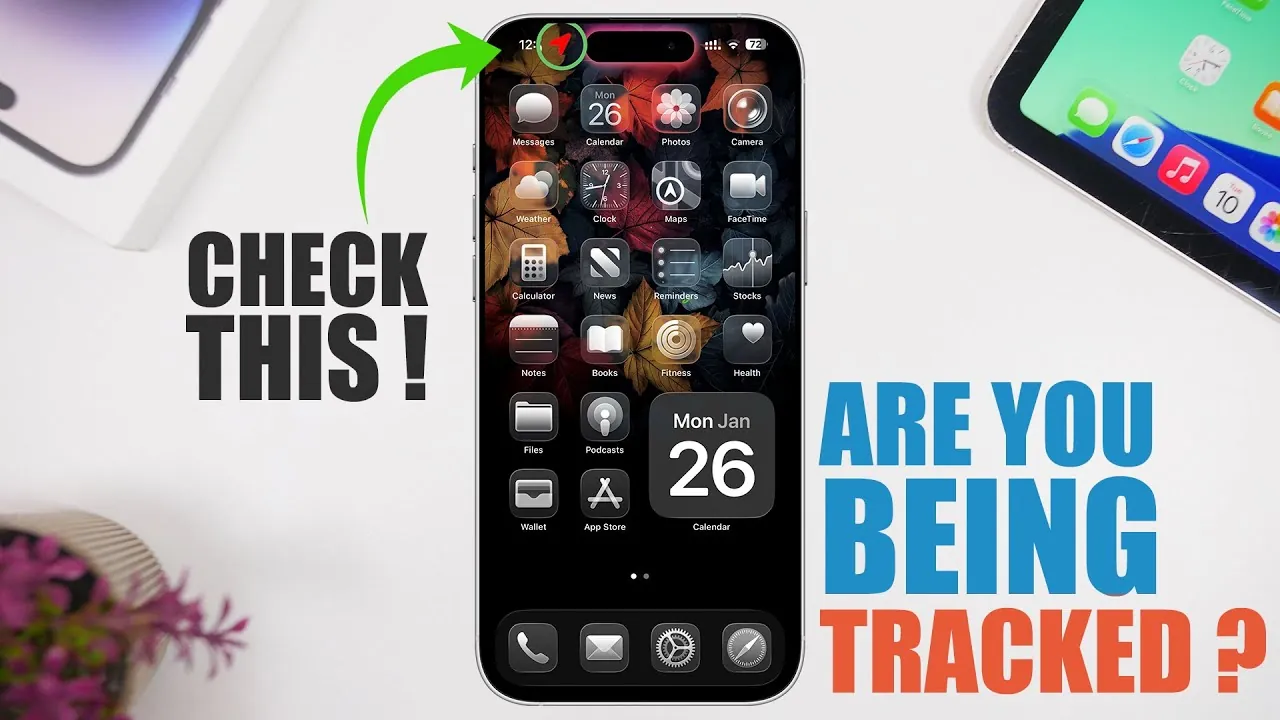
Protecting your privacy is crucial if you suspect your iPhone is being tracked. Tracking can occur through various methods, including shared Apple IDs, spyware, or third-party apps. Each method poses unique risks, but by understanding these threats and taking proactive measures, you can safeguard your personal information and maintain control over your device. The video below from iReviews gives us more details on how you can tell if your device is being tracked.
Shared Apple ID: A Common Tracking Vulnerability
Using a shared Apple ID is one of the most common ways tracking occurs. While sharing an Apple ID may seem convenient, it can unintentionally expose your location, iCloud data, and other sensitive information. This allows others to monitor your activities without requiring additional tools.
- How It Happens: A shared Apple ID syncs data across all connected devices, including location history, messages, and photos. This makes it easy for someone with access to the shared account to track your activities.
- Signs of Tracking: Unfamiliar devices listed under your Apple ID, unexpected changes to your account settings, or receiving notifications for actions you didn’t perform.
How to Secure Your Apple ID:
- Log in to your Apple ID account and review the list of connected devices. Remove any devices you don’t recognize or trust.
- Change your Apple ID password to a strong, unique one that includes a mix of letters, numbers, and special characters.
- Enable two-factor authentication to add an extra layer of security to your account.
- Regularly monitor your account for any unusual activity or unauthorized access.
Spyware and Tracking Apps: Hidden Threats
Spyware and tracking apps are another significant method used to monitor iPhones. These apps often operate discreetly in the background, collecting sensitive data such as your location, messages, and browsing history. They are typically installed without your knowledge, making them particularly invasive and challenging to detect.
- How It Happens: Spyware is often installed by someone with physical access to your device or disguised as a legitimate app downloaded from untrusted sources.
- Signs of Tracking: Unusual battery drain, overheating, or apps consuming excessive power in the background. You may also notice unfamiliar apps installed on your device.
How to Detect and Remove Spyware:
- Go to Settings > Privacy > Location Services and review which apps have access to your location. Disable access for any apps you don’t trust.
- Check Settings > Battery to identify apps using significant battery power, which could indicate spyware activity.
- Delete any apps you don’t recognize or trust. If you’re unsure, consider resetting your device to factory settings after backing up your data.
- Keep your iPhone updated with the latest iOS version, as updates often include security patches that protect against spyware.
Third-Party Apps: A Security Risk
Downloading apps from unofficial sources or third-party app stores can expose your iPhone to significant security risks. These apps may contain malicious code designed to track your location, steal personal data, or compromise your device’s performance.
- How It Happens: Third-party apps bypass Apple’s strict security protocols, making it easier for malicious actors to embed tracking features or spyware.
- Signs of Tracking: Frequent device overheating, sluggish performance, unexpected pop-ups, or apps behaving abnormally.
How to Minimize Third-Party App Risks:
- Only download apps from the official Apple App Store, where apps are thoroughly vetted for security and privacy compliance.
- Monitor your device for unusual behavior, such as overheating, rapid battery drain, or unexpected app crashes.
- Immediately uninstall any apps downloaded from unverified sources or third-party app stores.
- Regularly review app permissions under Settings > Privacy to ensure only trusted apps have access to sensitive data.
Proactive Steps to Protect Your iPhone
Taking proactive measures can significantly reduce the risk of unauthorized tracking on your iPhone. By staying vigilant and maintaining control over your device settings, you can ensure your privacy remains intact.
- Regularly review app permissions under Settings > Privacy to ensure only trusted apps have access to your location, camera, microphone, and other sensitive data.
- Avoid sharing your Apple ID or login credentials with others, even with close friends or family members.
- Enable two-factor authentication to secure your Apple ID and prevent unauthorized access to your account.
- Refrain from downloading apps from unverified sources or third-party app stores, as these are common vectors for spyware and malware.
- Keep your iPhone updated with the latest iOS version to benefit from Apple’s ongoing security improvements and patches.
- Consider using a reputable mobile security app to scan for potential threats and enhance your device’s protection.
Unauthorized tracking of your iPhone is a serious invasion of privacy, but it can be effectively prevented with the right precautions. By addressing vulnerabilities such as shared Apple IDs, spyware, and third-party apps, you can protect your device and personal information. Regularly reviewing your settings, monitoring app behavior, and allowing security features like two-factor authentication will help you stay ahead of potential threats. Stay proactive and vigilant to ensure your iPhone remains secure.
Expand your understanding of iPhone Tracking with additional resources from our extensive library of articles.
- How to Stop Your iPhone from Tracking You: A Step-by-Step Guide
- Protect Your Privacy: How to Stop iPhone Tracking
- SmartLock: TSA-Approved Travel Lock with Apple Find My App
- Get Started with Eye Tracking on iPhone and iPad
- How to Set Up Eye Tracking on iPhone and iPad
Source & Image Credit: iReviews
Disclosure: Some of our articles include affiliate links. If you buy something through one of these links, Geeky Gadgets may earn an affiliate commission. Learn about our Disclosure Policy.
