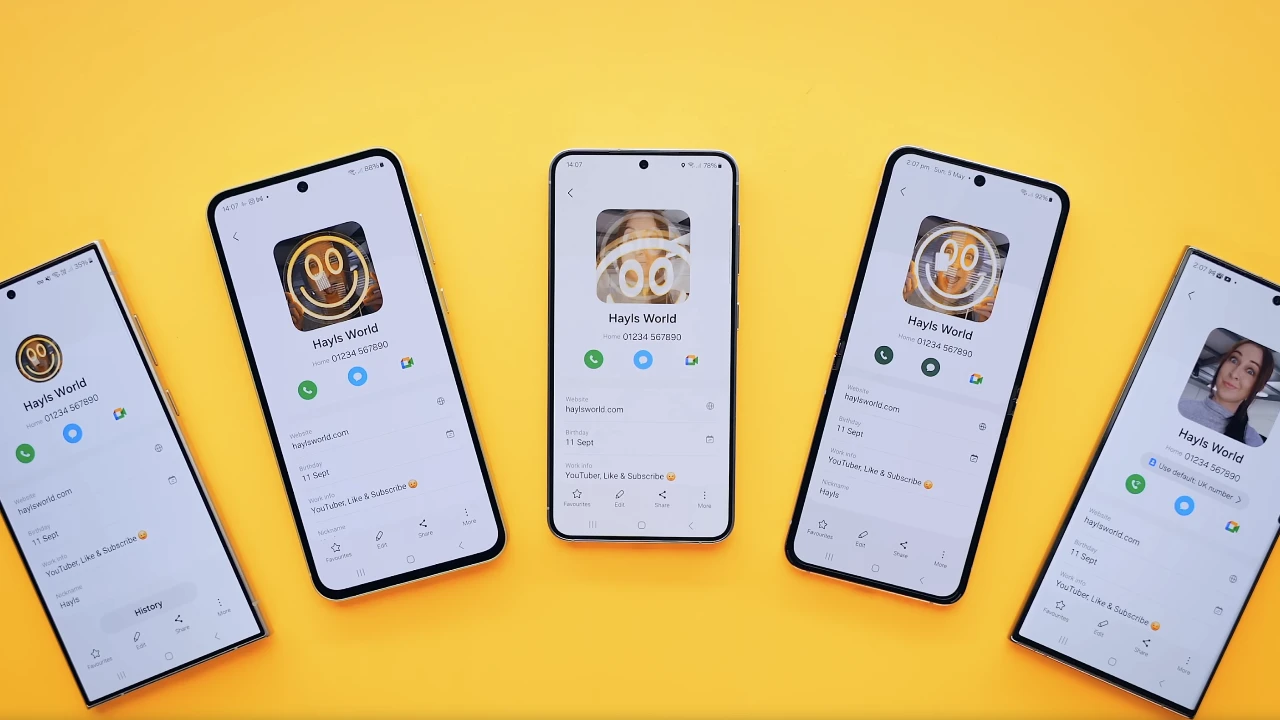
Samsung Galaxy smartphones are packed with a wide range of features and functionalities that can greatly enhance your user experience. However, many of these features are often overlooked or hidden within the device’s settings. We have an awesome video from Hayls World that explores 25 hidden tips and tricks that will help you unlock the full potential of your Samsung Galaxy smartphone.

Profile Customization
– Set GIFs as Profile Pictures: Add a dynamic touch to your contact information by setting GIFs as your profile picture. This unique feature allows you to personalize your profile in a fun and engaging way.
– Profile Picture Sharing: Keep your contacts up to date with your latest profile picture by seamlessly sharing your profile picture updates across your contacts. This feature ensures that your friends and family always have your current profile picture.
– Create GIFs from Videos: Utilize the gallery app to create GIFs from your favorite videos. This feature adds a fun element to your media sharing, allowing you to create and share short, looping animations with ease.
Gallery Features
– Hidden Gallery Lab Settings: Dive into the hidden settings within the Gallery Lab to customize your photo viewing experience. These settings offer additional options and tweaks to optimize your gallery app according to your preferences.
– Lock Albums for Privacy: Protect your private photos by locking specific albums within the gallery app. This feature ensures that only you can access these albums, providing an extra layer of security for your personal media.
Edge Panel
– Calculator Panel: Streamline your multitasking experience by adding a calculator to your Edge Panel. This feature allows you to perform quick calculations without the need to leave your current app, saving you time and effort.
Calculator App
– Conversion Tools: Take advantage of the built-in tools within the calculator app for converting various units of measurement, such as length, temperature, and volume. These tools make it convenient to perform conversions on the go.
– Tip Calculator: Simplify the process of calculating tips when dining out using the tip calculator feature. This tool helps you quickly determine the appropriate tip amount, making it easier to split bills among friends or family.
Screenshot Methods
– Hide Status and Navigation Bars: Capture cleaner and more visually appealing screenshots by hiding the status and navigation bars. This feature allows you to focus on the content of your screenshots without any distracting elements.
– Gesture-Based Screenshots: Take screenshots effortlessly using intuitive gesture-based methods, such as palm swipe or back tap. These gestures provide a quick and convenient way to capture your screen without the need for physical buttons.
Shared Albums
– Create and Share Albums: Collaborate with other Samsung users by creating and sharing photo albums. This feature makes it easy to share and organize photos with friends and family who also use Samsung devices.
Camera Settings
– Speed Up Camera Shutter: Optimize your camera settings to speed up the shutter, reducing lag and allowing you to capture moments faster. This is particularly useful for capturing fast-moving subjects or action shots.
– Intelligent Optimization: Enable intelligent optimization within the camera settings to enhance the speed and quality of your photo capture. This feature utilizes advanced algorithms to automatically adjust camera settings for optimal results.
Device Care
– Phone Diagnostics: Utilize the built-in diagnostics tools to troubleshoot and maintain your device’s health. These tools help you identify and resolve any potential issues, ensuring your phone runs smoothly.
– Auto-Restart: Schedule regular auto-restarts for your device to keep it running at optimal performance. This feature helps clear out any temporary files or memory leaks, improving overall stability and responsiveness.
QR Code for Contacts
– Generate QR Codes: Simplify the process of exchanging contact information by creating and sharing QR codes for your contacts. This feature allows others to quickly scan and save your contact details without the need for manual input.
Video Call Effects
– Customize Backgrounds: Personalize your video call experience by customizing your backgrounds and effects. This feature allows you to add a touch of creativity and fun to your video calls, making them more engaging and enjoyable.
Mute Gestures
– Gesture-Based Muting: Mute incoming calls with simple and intuitive gestures, such as flipping your phone face down or placing your hand over the screen. These gestures add convenience to your phone usage, allowing you to quickly silence calls without the need for physical buttons.
Samsung Wallet
– Loyalty Card Management: Streamline your loyalty card management by adding and organizing your cards within Samsung Wallet. This feature keeps all your rewards and loyalty programs in one convenient location, making it easy to access and use them when needed.
Quick Settings
– Single Swipe Access: Access your quick settings with a single swipe, making it easier to adjust your phone’s settings on the go. This feature allows you to quickly toggle various settings, such as Wi-Fi, Bluetooth, or screen brightness, without navigating through multiple menus.
Keyboard Features
– Text Extraction: Utilize the camera to extract text from images, streamlining the process of capturing and using text. This feature is particularly useful for quickly copying text from physical documents or signs without the need for manual typing.
– Text Shortcuts: Set up text shortcuts for frequently used phrases to speed up your typing. This feature allows you to assign short abbreviations to longer phrases, saving you time and effort when composing messages or emails.
Bluetooth Broadcast
– Auracast: Enhance your audio sharing capabilities by broadcasting audio to multiple devices using Auracast. This feature allows you to share your music or audio with friends and family, creating a shared listening experience.
Sound Enhancements
– Dolby Atmos: Enable Dolby Atmos for an improved audio experience, providing richer and more immersive sound. This feature optimizes the audio output of your device, delivering a more dynamic and engaging listening experience.
Call Features
– Voice Focus Mode: Utilize voice focus mode to reduce background noise during calls, ensuring clearer communication. This feature uses advanced noise cancellation technology to prioritize your voice and minimize distractions.
Bixby Vision
– Accessibility Modes: Enable accessibility modes within Bixby Vision for scene description and object identification, making your phone more user-friendly for individuals with visual impairments. These modes provide audio descriptions and assist in identifying objects and surroundings.
Intelligent Wi-Fi
– Wi-Fi Stats and Tools: Access hidden Wi-Fi stats and tools to better manage your connectivity and troubleshoot issues. These tools provide detailed information about your Wi-Fi network, allowing you to optimize your connection and resolve any problems.
By exploring and utilizing these hidden tips and tricks for your Samsung Galaxy smartphone, you can unlock the full potential of your Samsung Galaxy smartphone. From customizing your profile and enhancing your camera experience to streamlining your productivity and accessibility features, these tips will help you maximize the functionality and user experience of your device. Take the time to explore these hidden features and settings, and you’ll discover a whole new level of convenience and personalization on your Samsung Galaxy smartphone.
Source & Image Credit: Hayls World
Disclosure: Some of our articles include affiliate links. If you buy something through one of these links, Geeky Gadgets may earn an affiliate commission. Learn about our Disclosure Policy.
