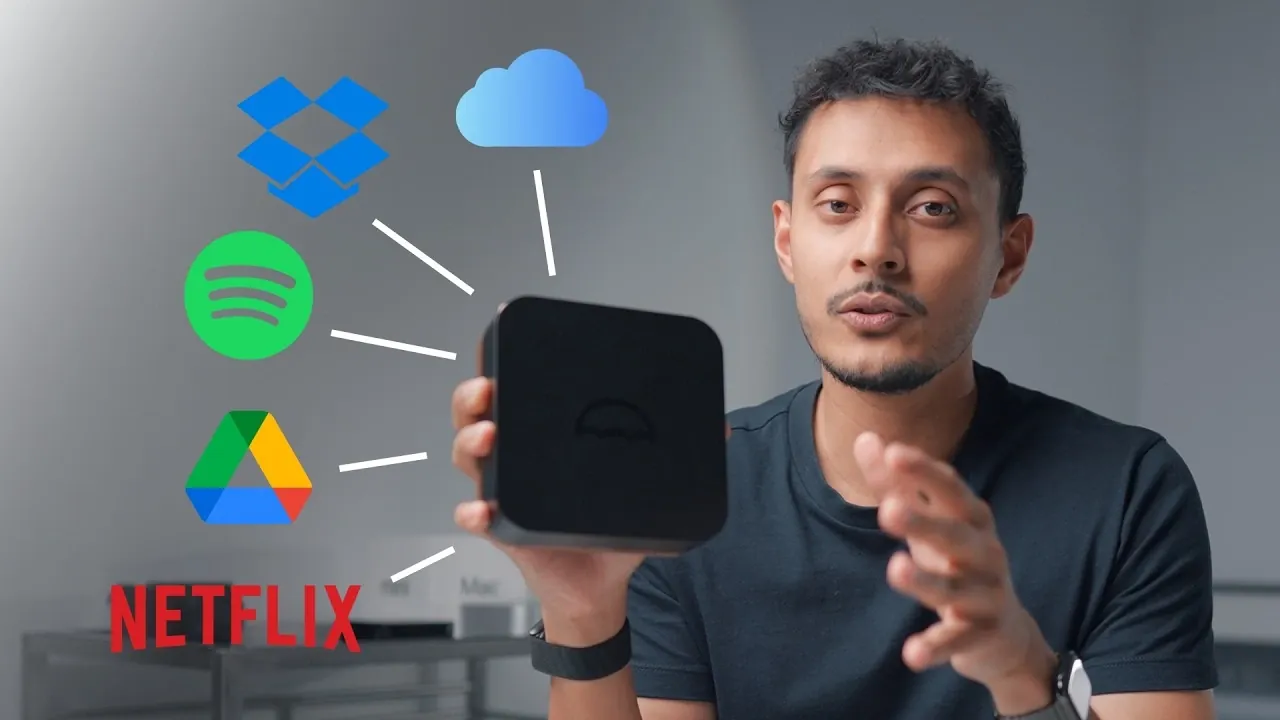
Building your own personal cloud is an effective way to take control of your digital life while reducing ongoing subscription costs. As demonstrated by Oliur / UltraLinx, this process can be completed in under an hour using accessible self-hosting technologies. For instance, the Umbrel Pro device simplifies the setup with features like toolless NVMe SSD installation and an intuitive operating system that supports apps such as NextCloud and Plex. This approach not only provides a customizable alternative to services like Google Drive and Netflix but also ensures greater privacy and ownership of your data.
You’ll learn how to choose the right hardware for your needs, including considerations for balancing speed and cost with storage options like NVMe SSDs and external drives. The guide also walks you through configuring your cloud for tasks such as media hosting, file sharing and even home automation with platforms like Home Assistant. By the end, you’ll have the knowledge to create a secure, versatile system tailored to your specific requirements.
Why Build a Personal Cloud?
TL;DR Key Takeaways :
- Building a personal cloud reduces subscription costs and provides complete control over digital assets, offering benefits like cost efficiency, data privacy and customization.
- The Umbrel Pro is a standout hardware option for personal clouds, featuring a compact design, high-speed NVMe SSD support, versatile connectivity and a user-friendly operating system.
- Setting up a personal cloud is straightforward, with steps including installing storage, connecting to a network and configuring data redundancy, all guided by intuitive software like Umbrel OS.
- Personal clouds can replace multiple subscription services, supporting applications like media streaming, file storage, photo backups, home automation and remote access.
- Optimizing storage involves balancing speed and cost, with NVMe SSDs offering high performance for demanding tasks and external hard drives providing cost-effective capacity for backups and large media libraries.
A personal cloud offers a range of advantages that make it an appealing choice for individuals seeking greater control over their digital lives:
- Cost Efficiency: Eliminate recurring subscription fees for cloud storage, streaming services and other digital platforms.
- Data Privacy and Ownership: Retain full control over your files, media and backups without relying on third-party providers.
- Flexibility and Customization: Tailor your cloud to meet your specific needs, whether for file storage, media hosting, or home automation.
Self-hosting enables you to manage your digital ecosystem independently, free from the limitations and privacy concerns of commercial services.
Choosing the Right Hardware
Selecting the appropriate hardware is critical for building a reliable and efficient personal cloud. The Umbrel Pro is a standout option, offering a combination of performance, ease of use and versatility:
- Compact and Sleek Design: A space-saving device that integrates seamlessly into any environment.
- High-Speed NVMe SSD Support: Enables faster data access and transfers for a smoother experience.
- Versatile Connectivity Options: Includes USB-C, HDMI and Ethernet ports for flexible integration with other devices.
- User-Friendly Operating System: The Umbrel OS simplifies the setup process and provides access to an app store for installing services like NextCloud, Plex and Home Assistant.
For users with more demanding requirements, alternatives like the UG Green DXP 480T Plus offer enhanced performance and scalability, making them suitable for professional-grade setups.
How to Build Your Own Local Cloud in 60 Minutes

Take a look at other insightful guides from our broad collection that might capture your interest in personal cloud solutions.
- Umbrel Pro Private Home Cloud Server Without Monthly Fees
- arkOS Raspberry Pi Operating System Creates A Secure Self Hosted Cloud (video)
- Raspberry Pi 5 NextCloud Setup Guide for Private Cloud Storage
- ZimaCube personal cloud storage up to 164TB and Thunderbolt 4
- Lima Personal Cloud Storage Device Raises Extra $2.5 Million In Funding
- How to Build Your Own Personal Cloud Storage System at Home
- How to Build a Personal Server to save on Cloud Storage Charges
Step-by-Step Guide to Setting Up Your Personal Cloud
Setting up a personal cloud is straightforward, especially with user-friendly devices like the Umbrel Pro. The process can be completed in under an hour:
- Install Storage: Use the toolless NVMe slots to securely insert SSDs, making sure fast and reliable storage.
- Connect to Your Network: Plug the device into your router using an Ethernet cable for stable, high-speed connectivity.
- Configure Data Redundancy: Set up RAID-like configurations to safeguard your data against hardware failures and ensure reliability.
Once the hardware is ready, the Umbrel OS guides you through the setup process, making it accessible even for beginners. The intuitive interface allows you to install and configure apps for various use cases, from file storage to media streaming.
Applications of a Personal Cloud
A personal cloud is more than just a storage solution, it can serve as a versatile platform to replace multiple subscription services. Here are some of its most popular applications:
- Photo and Video Backup: Use apps like Image to wirelessly back up your media. Following the 3-2-1 backup rule ensures your data is secure across multiple locations.
- Media Hosting and Streaming: Host and stream your movies, TV shows and music using platforms like Plex or Jellyfin, eliminating the need for Netflix or Spotify subscriptions.
- File Storage and Sharing: NextCloud provides a secure, private alternative to services like Google Drive or Dropbox, allowing seamless file sharing and collaboration.
- Home Automation: Integrate smart devices with Home Assistant to create a centralized hub for managing your smart home ecosystem.
- Remote Access: Tools like TailScale allow you to securely access your cloud from anywhere in the world, making sure convenience and flexibility.
These applications demonstrate the versatility of a personal cloud, making it a valuable tool for both personal and professional use.
Optimizing Storage: Balancing Speed and Cost
Choosing the right storage solution is essential for optimizing your personal cloud. The balance between speed and cost depends on your specific needs:
- NVMe SSDs: These drives offer exceptional speed, making them ideal for performance-critical tasks such as media streaming and file transfers. However, they come at a higher cost.
- External Hard Drives: A cost-effective option for expanding storage capacity, particularly for large media libraries and backups. While slower than SSDs, they are sufficient for less demanding tasks.
Combining these storage options allows you to create a system that meets your performance requirements while staying within budget.
Performance and Practical Considerations
The Umbrel Pro is designed for quiet operation, making it suitable for use in living spaces without causing disruptions. Its efficient cooling system ensures reliable performance, even during heavy usage, while minimizing heat and noise. This makes it an excellent choice for users who prioritize both functionality and comfort.
However, there are some challenges to consider:
- Upfront Costs: High-quality hardware like the Umbrel Pro and NVMe SSDs can be expensive initially, but the long-term savings from eliminating subscriptions often outweigh these costs.
- Storage Management: Balancing your storage needs with your budget requires careful planning and prioritization to ensure optimal performance and capacity.
Despite these challenges, the benefits of self-hosting, such as enhanced control, privacy and cost savings, make it a worthwhile investment for many users.
Unlock the Potential of a Personal Cloud
Building your own personal cloud is a practical and empowering step toward digital independence. With devices like the Umbrel Pro and a wide range of software options, you can create a scalable, user-friendly solution tailored to your needs. Whether you’re backing up photos, automating your home, or hosting media, a personal cloud puts you in control of your data and services. Take the first step today and enjoy the freedom of a subscription-free digital ecosystem.
Media Credit: Oliur / UltraLinx
Disclosure: Some of our articles include affiliate links. If you buy something through one of these links, Geeky Gadgets may earn an affiliate commission. Learn about our Disclosure Policy.
