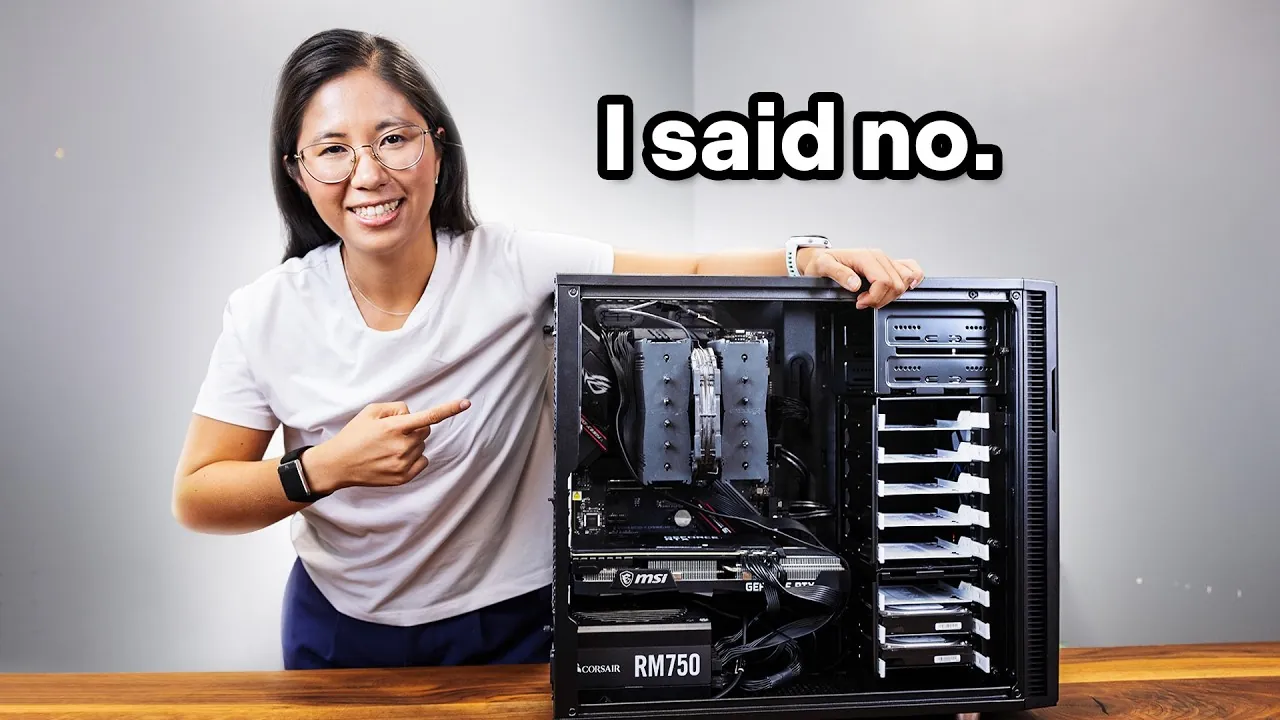
Would you pay $3,600 a year just to store your files? That’s the price Google quoted for 20TB of cloud storage, an eye-watering sum that forces you to question the value of convenience. For many, the idea of paying such a steep subscription fee feels less like a service and more like a trap. But what if there was another way? What if you could take back control, save thousands of dollars, and learn something new in the process? That’s exactly what one determined individual did by ditching Google Drive and building a personal server instead. The result? A scalable, secure, and cost-effective solution that not only solved the problem but also empowered them to manage their own data.
In this piece, Switch and Click explain how you can follow a similar path, transforming an old PC into a fully functional Network Attached Storage (NAS) system. You’ll discover how to set up the hardware, install the right software, and migrate your data, all while overcoming challenges like hardware compatibility and learning curves. More than just a guide, this is a story about reclaiming ownership of your digital life. Whether you’re tired of rising cloud costs or curious about the possibilities of home servers, this journey offers a practical alternative that’s as rewarding as it is liberating. After all, why rent your storage when you can own it?
Why Build Your Own Server?
TL;DR Key Takeaways :
- Building a personal server is a cost-effective alternative to expensive cloud storage services, offering significant long-term savings despite initial hardware and software investments.
- A personal server provides complete control over your data, enhancing privacy and security by eliminating reliance on third-party cloud providers.
- Repurposing an old PC and setting up a Network Attached Storage (NAS) system allows for scalable, efficient, and secure data storage tailored to individual needs.
- Installing user-friendly software like Linux Mint and TrueNAS simplifies server management, while RAID configurations ensure data redundancy and protection against hardware failures.
- Building and maintaining a server offers a valuable learning experience, with opportunities to enhance functionality through remote access, performance upgrades, and backup solutions.
The rising costs of cloud storage are prompting many to explore alternatives, and building a personal server is an increasingly popular choice. A NAS system allows you to store, organize, and access your files locally or remotely, all while keeping your data under your control. Unlike cloud providers, where your files are stored on third-party servers, a personal server ensures that you maintain ownership and oversight of your information.
Here are some compelling reasons to consider this option:
- Cost Savings: While there is an initial investment in hardware and software, the long-term savings can be significant compared to recurring subscription fees.
- Data Control: You have complete authority over where and how your data is stored, reducing concerns about unauthorized third-party access or data breaches.
- Scalability: Unlike rigid pricing tiers offered by cloud providers, a personal server allows you to expand storage capacity as your needs grow.
Building your own server is not just about saving money; it’s about creating a solution tailored to your specific needs while gaining valuable technical skills.
1: Setting Up the Hardware
The first step in building your server is assembling the necessary hardware. An old PC can serve as the foundation, but you may need to upgrade certain components to ensure optimal performance and storage capacity. Key considerations include:
- Case: A spacious case, such as the Fractal Define R5, can accommodate multiple hard drives and provide efficient cooling.
- Motherboard: Select a motherboard with sufficient SATA ports to connect all your drives. If needed, you can add a SATA expansion card.
- Drives: Use a combination of traditional hard drives for bulk storage and SSDs for frequently accessed files. This hybrid setup balances cost, speed, and reliability.
During the build process, you may encounter challenges such as hardware compatibility issues or insufficient power supply capacity. These obstacles can typically be resolved with research, troubleshooting, and, if necessary, purchasing additional components.
Google Tried to Charge Me $3,600/yr… I Built My Own Server Instead

Uncover more insights about personal server setup in previous articles we have written.
- How to Set Up a Home Server for Everything in 2025
- How to Easily Build a Home Server with Raspberry Pi 5
- ZimaBoard affordable home cloud server
- How to Turn an Old Phone Into a Functional Home Server
- How to Turn an Old Laptop Into an Energy-Efficient Home Server
- How to set up a laptop as a home server
- HexOS Review : Simplifying Home Server Management
- Aoostar WTR PRO Versatile and Efficient Home Lab Server
- M4 Mac Mini Home Server: The Ultimate Guide for Beginners
- Host Your Own Minecraft Server on Your PC Guide : Everything You
2: Installing the Software
Once the hardware is ready, the next step is to install the software that will power your server. A combination of Linux Mint and TrueNAS is a user-friendly and robust choice for beginners:
- Linux Mint: This operating system is known for its simplicity and ease of use, making it ideal for managing a personal server.
- TrueNAS: A specialized NAS software that provides tools for creating storage pools, organizing data, and configuring RAID (Redundant Array of Independent Disks) for data redundancy.
RAID is a critical feature for making sure the safety of your data. By mirroring or distributing your files across multiple drives, RAID protects against data loss in the event of a hardware failure. Additionally, setting up SMB (Server Message Block) enables seamless file sharing across devices on your network, allowing you to access your server from computers, smartphones, and tablets.
3: Migrating Your Data
Transferring your files from Google Drive to your new server is a crucial step that requires careful planning. Cloud sync tools can automate the process, making sure that your data is moved securely and efficiently. However, it’s important to take the time to organize your files during migration.
Rather than dumping all your data into a single folder, create a structured directory system with clearly labeled folders. This organization will make it easier to locate and manage your files in the future. Depending on the size of your data, the migration process may take several hours or even days, so patience is key.
Overcoming Challenges
Building and managing a personal server comes with its own set of challenges, but these can be overcome with persistence and a willingness to learn. Common obstacles include:
- Technical Issues: Hardware or software compatibility problems may arise, but online forums and communities are excellent resources for troubleshooting.
- Learning Curve: If you’re new to server management, expect to spend time researching and experimenting to understand the basics.
- Storage Expansion: As your data grows, you may need to upgrade your drives or adjust your RAID configuration. Planning for scalability from the outset can help you avoid future bottlenecks.
While these challenges may seem daunting, they are manageable with the right resources and mindset. The process of building and maintaining your server can be both educational and rewarding.
Enhancing Your Server
Once your server is operational, there are several ways to enhance its functionality and tailor it to your needs:
- Remote Access: Configure secure remote access to retrieve files from anywhere in the world, making sure convenience and flexibility.
- Performance Upgrades: Incorporate SSDs for active projects or implement advanced RAID configurations to improve reliability and speed.
- Backup Solutions: Pair your server with external drives or cloud services to create an additional layer of redundancy and safeguard your data.
These enhancements can transform your NAS into a versatile and powerful tool, capable of handling a wide range of tasks beyond simple file storage.
Key Takeaways
Building your own server is a practical and cost-effective solution for managing large amounts of data. Here’s why it’s worth considering:
- It eliminates recurring subscription fees, offering significant long-term savings.
- You gain complete control over your data, making sure privacy and security.
- The process provides a valuable learning experience, empowering you to manage your own data infrastructure.
For many, a hybrid approach works best. Use your server for bulk storage and redundancy while relying on cloud services for tasks like file sharing or collaboration. This strategy combines the strengths of both systems, offering flexibility and reliability.
Ultimately, building a personal server is more than just a cost-saving measure, it’s an empowering project that puts you in charge of your data. Whether you’re replacing Google Drive or exploring the possibilities of home servers, the journey is both practical and rewarding.
Media Credit: Switch and Click
Disclosure: Some of our articles include affiliate links. If you buy something through one of these links, Geeky Gadgets may earn an affiliate commission. Learn about our Disclosure Policy.
