Have you ever felt like your note-taking app is working against you rather than with you? As a long-time Notion user, I loved its sleek design and collaborative features, but over time, I found myself wrestling with its limitations. The constant reliance on internet connectivity, the rigid structure, and the creeping anxiety of storing my ideas in someone else’s cloud started to weigh on me. That’s when I discovered Obsidian, a tool that felt like a breath of fresh air. With its local-first approach, markdown compatibility, and an almost infinite capacity for customization, Obsidian didn’t just fit into my workflow; it transformed it. If you’ve ever wondered whether there’s a better way to manage your knowledge, you’re not alone.
In the video below, Reysu shares why they made the leap from Notion to Obsidian and how it’s reshaped the way I think, plan, and create. You’ll discover the core benefits of Obsidian, from its unparalleled data ownership to its ability to create a truly personalized knowledge system. Along the way, I’ll highlight the features that make it stand out, like backlinks and graph views, and how they’ve helped me build a more connected, intuitive workspace. Whether you’re a Notion enthusiast curious about alternatives or someone searching for a tool that prioritizes flexibility and control, this journey might just inspire you to rethink your own note-taking setup. After all, the tools we choose shape the way we think, so why not choose one that works for you?
What Makes Obsidian a Compelling Choice?
TL;DR Key Takeaways :
- Obsidian prioritizes data ownership by storing notes locally, making sure privacy, security, and offline access without reliance on cloud services.
- Its markdown compatibility ensures future-proof notes that remain accessible across platforms, avoiding proprietary file format limitations.
- Key features like backlinks, graph view, and powerful search enable users to create interconnected knowledge bases and efficiently retrieve information.
- Obsidian offers extensive customization through themes, layouts, and plugins like Kanban, Calendar, and Templater, allowing users to tailor workflows to their needs.
- It is a cost-effective, subscription-free solution suitable for diverse use cases, including personal knowledge management, research, creative projects, and document organization.
Obsidian distinguishes itself from other note-taking apps like Notion, Evernote, or Apple Notes by offering a range of features designed to give users more control and flexibility. Here are the key reasons why Obsidian might be worth considering:
- Data Ownership: Obsidian stores all your notes locally on your device, making sure you maintain complete control over your data. This eliminates dependency on cloud services and significantly reduces the risk of data breaches or unauthorized access.
- Offline Access: With local storage, you can access your notes anytime, even without an internet connection. This makes it a reliable option for users who frequently work in offline environments.
- No Subscription Fees: Obsidian is free to use, with optional paid features available for advanced users. This makes it a cost-effective alternative to subscription-based apps.
- Markdown Compatibility: Notes are saved as plain-text markdown files, making sure they remain accessible and usable across different tools and platforms for years to come. This future-proof approach avoids the risks associated with proprietary file formats.
These features make Obsidian a secure, cost-effective, and future-proof solution for managing your notes and ideas.
Key Features That Set Obsidian Apart
Obsidian is designed to help users organize and retrieve information efficiently. Its standout features cater to individuals who need a robust and adaptable system for managing their knowledge. Here are some of the most notable features:
- Backlinks: Obsidian allows you to create connections between notes through backlinks, allowing you to visualize relationships and build a web of interconnected knowledge. For instance, you can link meeting notes to project plans or connect research topics to related ideas, creating a dynamic and intuitive knowledge base.
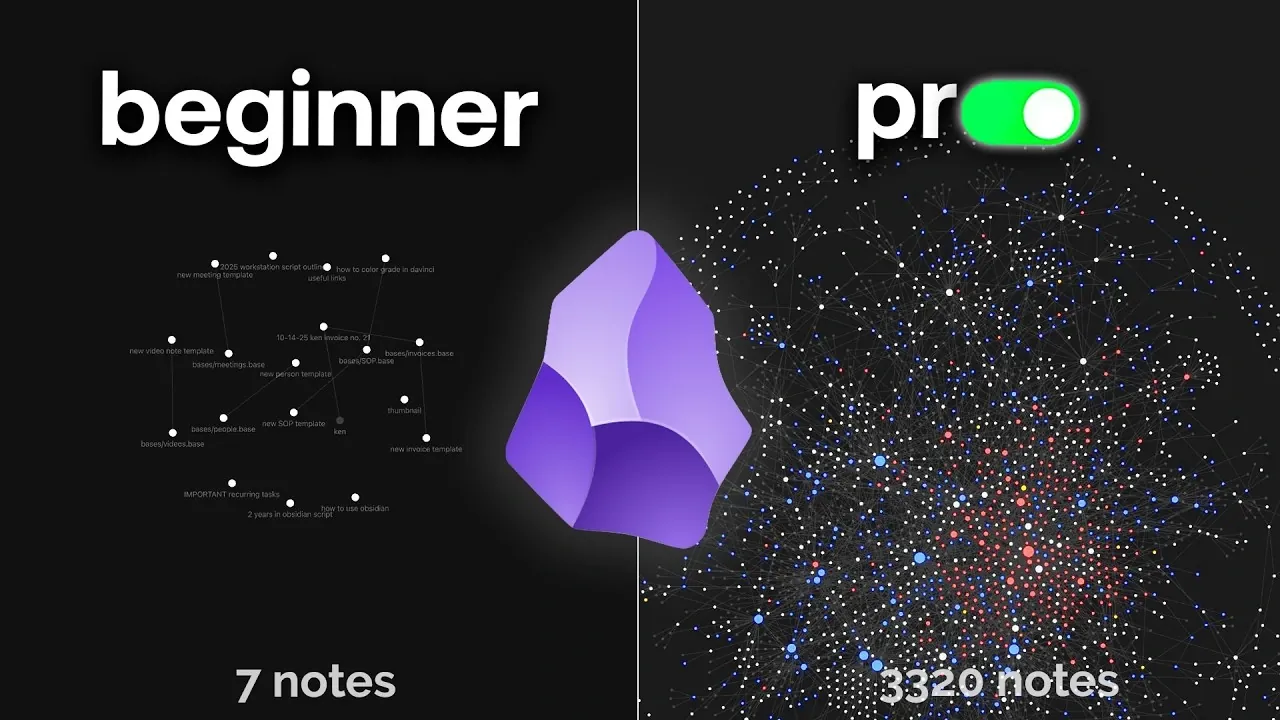
- Graph View: This feature provides a visual representation of your notes and their connections, helping you see patterns and relationships within your information.
- Powerful Search: Obsidian’s search functionality is both fast and precise, allowing you to locate specific information even within large collections of notes. Advanced search operators further enhance its usability.
- Customizable Interface: Unlike many apps that impose rigid designs or frequent updates, Obsidian lets you tailor the interface to suit your preferences. You can adjust themes, layouts, and workflows to create a workspace that aligns with your needs.
These features make Obsidian particularly appealing to users who require a highly organized and adaptable note-taking system.
Notion to Obsidian: Reasons I Changed and What I Gained

Here are additional guides from our expansive article library that you may find useful on Obsidian.
- How to Use Google Gemini & Obsidian to Learn Faster & Smarter
- Obsidian and Home Assistant: The Perfect AI Smart Home Combo
- How Obsidian Simplifies Note-Taking for Maximum Productivity
- Using Obsidian bullet threading to improve your productivity
- The Benefits of Using Obsidian and Cursor Together
- New Obsidian 1.6 update features explained
- Obsidian 1.8.0 Update Adds New Features for Improved Note
- Obsidian & Cursor AI Knowledge and Workflow Management
- YAML in Obsidian: A Guide to Better Metadata Management
- How to Use Vim Mode in Obsidian for Maximum Productivity
Enhancing Obsidian with Plugins
One of Obsidian’s greatest strengths lies in its extensive plugin ecosystem. These plugins allow users to expand the app’s functionality and customize it to suit specific needs. Here are some popular plugins worth exploring:
- Calendar: Integrates a calendar view into your workspace, making it easier to manage time-sensitive notes or track daily tasks.
- Obsidian Web Clipper: Enables you to save articles, videos, and other online resources directly into your vault with customizable templates.
- Dataview: Allows you to query and display your notes in dynamic tables or lists, making it easier to organize and analyze information.
- Kanban: Adds a Kanban board feature for visual task management, ideal for project planning and tracking progress.
- Templater: Automates repetitive tasks by creating notes from pre-defined templates, saving time and making sure consistency.
These plugins empower users to tailor Obsidian to their unique workflows, whether for personal organization, professional projects, or academic research.
Practical Applications of Obsidian
Obsidian’s flexibility makes it suitable for a wide range of use cases. Its features and plugins can be adapted to meet the needs of students, professionals, and creatives alike. Here are some practical ways to use Obsidian:
- Meeting Notes: Organize and link notes from different meetings to related projects or action items, making sure nothing gets lost in the shuffle.
- Research and Study: Manage study materials, research notes, and references in a structured and interconnected way, making it easier to track sources and ideas.
- Creative Projects: Writers, researchers, and content creators can use Obsidian to manage large volumes of interconnected notes, such as character profiles, plot outlines, or academic citations.
- Document Management: Store and organize important documents like invoices, contracts, or receipts for easy retrieval and reference.
- Personal Knowledge Management: Build a personal knowledge base by linking ideas, insights, and resources into a cohesive system.
Whether you are managing professional workflows, academic research, or personal projects, Obsidian’s adaptability can help you stay organized and productive.
Getting Started: Tips for Beginners
If you are new to Obsidian, it is best to start with a simple setup and gradually explore its features. Here are some tips to help you get started:
- Focus on Basics: Begin with a straightforward setup and avoid overwhelming yourself with too many plugins or features at once.
- Experiment with Features: Test different configurations, themes, and workflows to find what works best for your needs.
- Learn Markdown: Familiarize yourself with markdown syntax to take full advantage of Obsidian’s capabilities. Markdown is simple to learn and enhances the flexibility of your notes.
- Adapt Over Time: Obsidian’s strength lies in its flexibility, so don’t hesitate to adjust your system as your needs evolve. Add plugins or reorganize your notes as you become more comfortable with the platform.
By starting small and building up your system over time, you can create a personalized and efficient note-taking environment that meets your unique requirements.
How Obsidian Stands Out from Competitors
Compared to other note-taking apps, Obsidian offers several unique advantages that make it a standout choice:
- No Account Required: Obsidian does not require you to create an account or share personal data, making sure your privacy and security.
- Data Security: Local storage ensures your notes are safe and accessible, even without internet access. This is particularly valuable for users who prioritize data privacy.
- Future-Proof Notes: By using markdown-based storage, Obsidian avoids the risks associated with proprietary file formats. Your notes remain accessible and compatible with other tools, even if you switch platforms in the future.
- Customizability: Unlike many apps that impose rigid structures, Obsidian allows you to design a workspace that aligns with your preferences and workflows.
These features make Obsidian a reliable and versatile choice for users who value security, flexibility, and long-term usability.
Media Credit: Reysu
Disclosure: Some of our articles include affiliate links. If you buy something through one of these links, Geeky Gadgets may earn an affiliate commission. Learn about our Disclosure Policy.
