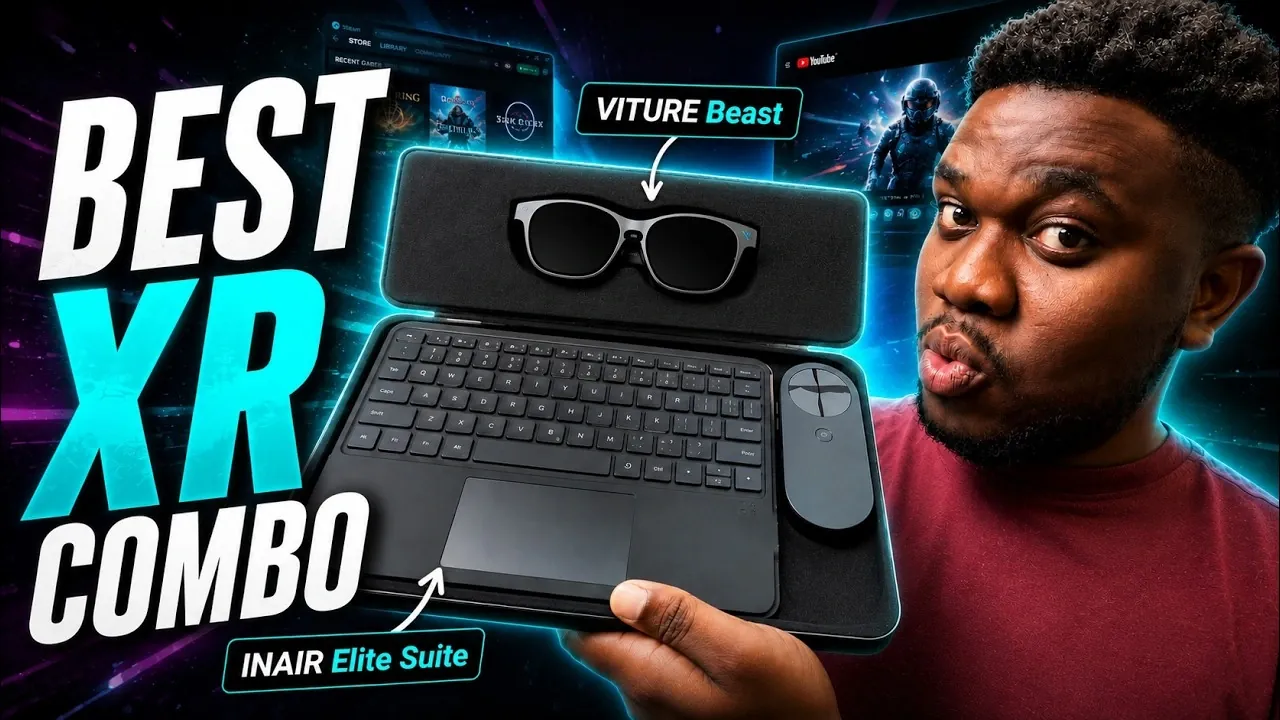
The VITURE Beast XR glasses, when paired with the INAIR Elite Suite, create a compact spatial computing setup that combines immersive visuals with multitasking functionality. The XR glasses feature a 174-inch virtual display, 1200p resolution and electrochromic dimming for adjustable brightness levels. Gadgets Guardian explains how the addition of the INAIR Pod and touch keyboard enables features like AI-driven voice commands and up to six customizable virtual displays, offering a modular approach to productivity and media use.
Explore how the INAIR Elite Suite supports multitasking across multiple virtual screens while maintaining a focus on privacy. Gain insight into the system’s modular design, including its ability to remotely access a PC using the INAIR Way Key and examine practical factors such as battery performance and input constraints. This explainer provides a detailed look at the balance between portability and functionality in this setup.
Viture Beast XR Glasses: A Versatile Display Solution
TL;DR Key Takeaways :
- The Viture Beast XR glasses feature a 174-inch virtual screen with 1200p resolution and 120 Hz refresh rate, offering sharp visuals, smooth performance and adjustable brightness for various lighting conditions.
- The InAir Elite Suite enhances the glasses with modular components, including the InAir Pod (processing hub) and a compact touch keyboard, allowing up to six customizable virtual displays for seamless multitasking.
- AI-powered voice commands and the InAir Way Key for remote PC access provide intuitive interaction and uninterrupted productivity across networks.
- The setup is highly portable and privacy-focused, making it ideal for media consumption, multitasking and working in public spaces without compromising sensitive information.
- While offering an immersive and flexible alternative to traditional laptops, limitations include reduced gaming performance, reliance on external controls and less ergonomic options for extended typing tasks.
At the core of this innovative setup are the Viture Beast XR glasses, which act as the primary display. These glasses boast a 174-inch virtual screen with a 1200p resolution and a 120 Hz refresh rate, making sure sharp visuals and smooth performance. The inclusion of electrochromic dimming technology allows users to adjust brightness levels, making the glasses suitable for a variety of lighting conditions, from brightly lit rooms to dim environments.
Designed with versatility in mind, the glasses cater to a wide range of applications, including gaming, streaming and productivity tasks. This adaptability makes them an appealing choice for users seeking a portable yet powerful display solution that can seamlessly transition between work and entertainment.
InAir Elite Suite: Unlocking Advanced Functionality
The InAir Elite Suite complements the Viture Beast XR glasses by introducing a modular spatial computing system that significantly expands their capabilities. The suite consists of three essential components:
- The XR glasses, serving as the primary display.
- The InAir Pod, which functions as the processing hub.
- A compact touch keyboard for input and control.
Powered by the Android-based InAir OS, the system supports up to six customizable virtual displays, allowing seamless multitasking. Built-in AI interaction further enhances usability, offering voice commands and intelligent assistance for a more intuitive experience.
One of the standout features of the suite is the InAir Way Key, which allows users to remotely access their laptop or PC across different networks. This feature ensures uninterrupted productivity, even when working away from a primary workstation. The modular design of the suite also provides flexibility, allowing users to configure the setup to suit their specific needs, whether for professional tasks or leisure activities.

Find more information on Viture Beast XR Glasses by browsing our extensive range of articles, guides and tutorials.
- Why the VITURE Beast XR Glasses Are Redefining the AR and VR Experience
- VITURE’s Beast XR Display Glasses Official Launch $549 : Most Customizable XR Experience Yet
- VITURE Luma Ultra AR Glasses : a 152-Inch Screen in Your Pocket
- VITURE Beast vs RayNeo Air 4 Pro : Worth the $250 Premium?
- Viture Beast vs Luma Ultra: the Clear Winner After 4 Months of Testing
- XREAL 1S vs Viture Beast vs XREAL One Pro : Tested for Productivity, Gaming and Media
- VITURE Beast vs XREAL One Pro: Why One Set of AR Glasses Completely Dominates
- Hands-On with VITURE’s Beast XR : 1200 Nits, 174-inch View & 3D Video Modes
Advantages of the Viture Beast and InAir Elite Suite
The integration of the Viture Beast XR glasses with the InAir Elite Suite offers several key benefits that set it apart from traditional computing solutions:
- Immersive multitasking with up to six virtual displays for enhanced productivity.
- Customizable display settings to ensure optimal viewing comfort in any environment.
- AI-powered voice commands for hands-free and intuitive interaction.
- A privacy-focused design, ideal for working in public spaces without compromising sensitive information.
- Compact and portable, reducing the need for bulky hardware like laptops or external monitors.
This setup is particularly well-suited for media consumption, offering a cinematic experience for streaming videos and 3D movies. It also excels in productivity, allowing users to manage multiple applications simultaneously without the constraints of a physical monitor.
Accessories and Practical Considerations
To support extended use, the InAir Elite Suite includes a charging adapter that extends the InAir Pod’s two-hour battery life. However, there are some practical considerations to keep in mind. When paired with the InAir Pod, the glasses lose their native controls, relying entirely on the external keyboard and Pod for functionality. This dependency can make the system feel less intuitive compared to standalone devices.
Additionally, while the modular design offers flexibility, the full suite can feel cumbersome for users accustomed to the simplicity of a traditional laptop. The compact touch keyboard, while functional, may not be ideal for heavy typing tasks, making it less suitable for users who frequently work on text-heavy projects.
Limitations and Use Case Comparisons
Despite its impressive capabilities, the InAir Elite Suite is not optimized for gaming. Its focus on productivity and media consumption means it lacks the responsiveness and performance required for high-end gaming experiences. Additionally, the compact keyboard may not provide the same level of comfort and efficiency as a full-sized keyboard for extended typing sessions.
When compared to traditional laptops, the Elite Suite offers a more immersive and private experience, particularly for media consumption and multitasking. However, laptops remain more versatile and familiar for general use, offering broader compatibility with software and peripherals, as well as a wider range of applications.
XR Technology and the Future of Spatial Computing
The Viture Beast XR glasses and InAir Elite Suite exemplify the potential of XR technology to redefine how we interact with digital environments. By combining portability, immersion and modularity, this setup offers a compelling alternative to conventional computing devices. However, there is still room for improvement, particularly in areas such as ergonomics, gaming performance and battery life.
As XR technology continues to advance, future iterations are likely to address these limitations, offering enhanced usability, performance and integration. The Viture Beast and InAir Elite Suite serve as a promising glimpse into the future of spatial computing, bridging the gap between physical and digital workspaces and paving the way for innovative solutions that cater to the evolving needs of modern users.
Media Credit: Gadgets Guardian
Disclosure: Some of our articles include affiliate links. If you buy something through one of these links, Geeky Gadgets may earn an affiliate commission. Learn about our Disclosure Policy.
