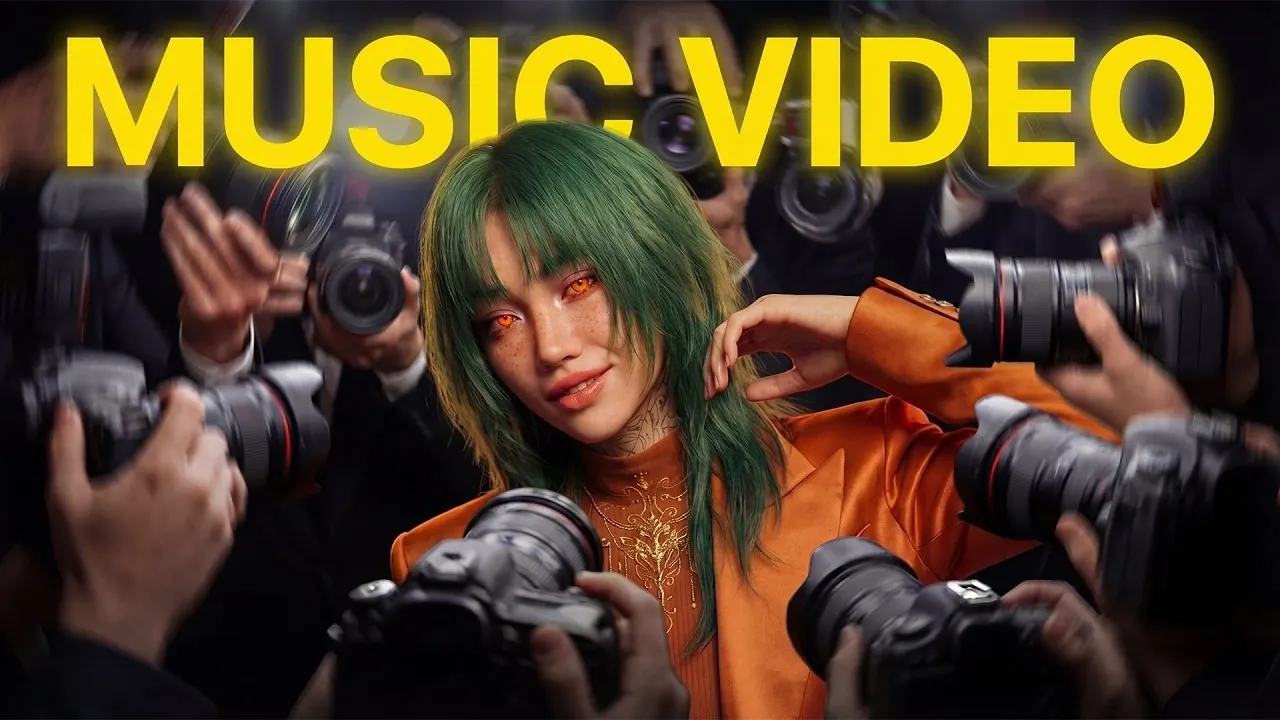
AI-driven platforms like Seedance 2.0 and Suno V5.5 are opening new possibilities for creating music videos that seamlessly blend sound and visuals. In a recent overview, Dan Kieft explores how these technologies can be used together to produce compelling results, even with certain constraints like Seedance 2.0’s 15-second video limit. By combining structured workflows with creative experimentation, Kieft demonstrates how to overcome challenges such as synchronization issues and achieve polished, professional-quality outputs.
Dive into this guide to uncover practical strategies for every stage of the process. Learn how to craft meaningful lyrics with AI, fine-tune music compositions using Suno V5.5 and design cohesive visuals that align with your song’s theme. You’ll also gain insight into animating characters, addressing common production hurdles and refining your final video during post-production. Each step is designed to help you create music videos that resonate with your audience and elevate your creative projects.
AI-Powered Music Video Creation
TL;DR Key Takeaways :
- AI tools like Seedance 2.0 and Suno V5.5 are transforming music video creation by integrating music, visuals and editing for professional-quality results.
- Crafting compelling lyrics with AI tools such as Claude AI involves defining clear themes, refining prompts and tailoring outputs to match the desired mood and genre.
- Advanced tools like Suno V5.5 and Hicksfield’s Soul enable precise music composition and cohesive visual design, enhancing the overall impact of the video.
- Seedance 2.0 facilitates video production but requires careful planning to address limitations like short video lengths and occasional lip-syncing issues.
- Post-production, including synchronization, color grading and iterative refinement, is crucial for achieving a polished and captivating final product.
1: Crafting Lyrics with AI
Compelling lyrics form the foundation of any great music video. AI tools such as Claude AI simplify this creative process by generating lyrics tailored to your input. To maximize the quality of your lyrics:
- Define a clear concept or theme for your song to guide the AI.
- Iteratively refine your prompts to align with your artistic vision.
- Include specific details such as genre, tone, structure and beats per minute (BPM).
For example, if your goal is to create a pop ballad, use descriptors like “uplifting,” “melancholic,” or “emotional” to shape the AI’s output. This ensures the lyrics reflect the mood and theme you want to convey, setting the stage for a cohesive music video.
2: Generating Music with Suno V5.5
Once your lyrics are finalized, Suno V5.5 can help you compose the accompanying music. This tool offers advanced customization options, allowing you to craft a sound that complements your lyrics. Key strategies for this stage include:
- Exclude unwanted instruments or effects to create a more tailored sound.
- Extract vocal stems separately for precise synchronization during video production.
By carefully fine-tuning the music, you can ensure a seamless integration of audio and visuals, enhancing the overall impact of your video.
Here are additional guides from our expansive article library that you may find useful on Seedance 2.0.
- Minimax 2.5 Preview: Stronger Tools for Front-End Work & Research
- SeeDance 2.0: The Complete Setup Guide
- Seedance 2.0 AI Video : Lifelike Avatars, Natural Lip-Sync & More
- Complete Seedance 2.0 Workflows for AI Filmmaking
- Mastering Seedance 2 & Nano Banana 2 for Cinematic AI Short Films
- Seedance 2 Beginner Guide to AI Video Creation
3: Designing Visuals
Visuals are the centerpiece of any music video and tools like Hicksfield’s Soul and Nano Pro enable you to create engaging and dynamic characters. Begin by developing detailed character sheets to maintain consistency across scenes. Then, use virtual photo shoots to generate a variety of images for your characters. This approach provides:
- A cohesive visual identity that aligns with your song’s theme.
- A diverse range of visuals to match different scenes and moods.
Well-designed visuals not only enhance the aesthetic appeal of your music video but also make it more memorable for viewers, leaving a lasting impression.
4: Producing the Video with Seedance 2.0
Seedance 2.0 is a powerful tool for generating video content and synchronizing visuals with audio. However, it comes with certain limitations, such as a maximum video length of 15 seconds and occasional lip-syncing issues. To address these challenges:
- Use Hicksfield’s Lip Sync Studio to correct synchronization errors and improve accuracy.
- Plan your scenes in shorter segments to work within the time constraints of the tool.
By carefully planning and making adjustments, you can ensure your video maintains a professional quality, even within the tool’s limitations.
5: Animating Characters
Dynamic animations bring your characters to life, adding energy and emotion to your music video. Cinema Studio is an excellent tool for creating dance sequences and other animations that align with the rhythm and mood of your song. To refine your animations:
- Experiment with different prompts to explore creative possibilities and variations.
- Generate multiple versions and iterate until the animations perfectly complement your music.
This iterative process ensures that your characters’ movements feel natural and engaging, enhancing the overall storytelling of your video.
6: Editing and Post-Production
Editing is the final stage where all the elements come together to create a cohesive and polished product. During this phase:
- Synchronize the music, vocals and visuals to ensure a seamless flow.
- Incorporate B-roll footage to fill gaps and enhance transitions between scenes.
- Polish the video with color grading, effects and other finishing touches to achieve a professional appearance.
Attention to detail during post-production is essential for elevating the overall quality of your music video, making sure it captivates your audience.
Overcoming Challenges
While AI tools like Seedance 2.0 and Suno V5.5 offer remarkable capabilities, they are not without limitations. Common challenges include:
- Audio synchronization issues that can disrupt the flow of your video.
- Visual inconsistencies across scenes that may detract from the overall cohesion.
To address these issues, plan your visuals and prompts carefully and be prepared for iterative experimentation. Manual adjustments during post-production can also resolve any remaining inconsistencies, making sure a polished and professional final product.
Unlocking Creative Potential
By using advanced tools like Seedance 2.0 and Suno V5.5, you can push the boundaries of creativity and produce visually stunning, emotionally resonant AI-generated music videos. Each step, from crafting lyrics to post-production, requires thoughtful planning and persistence. With the right approach, these technologies empower you to create videos that captivate audiences and leave a lasting impression.
Media Credit: Dan Kieft
Disclosure: Some of our articles include affiliate links. If you buy something through one of these links, Geeky Gadgets may earn an affiliate commission. Learn about our Disclosure Policy.
