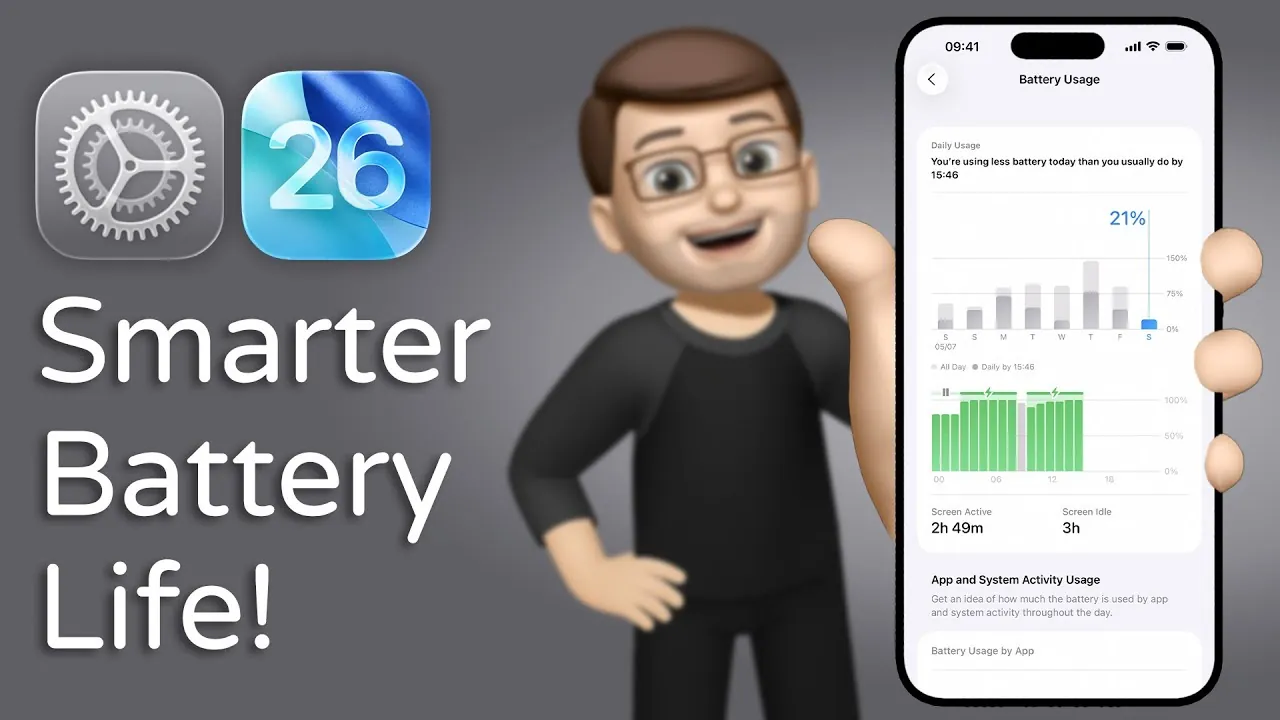
Apple’s iOS 26 brings a new level of innovation to battery management with the introduction of Adaptive Power Mode, a feature designed to optimize energy efficiency without compromising performance. This functionality dynamically adjusts system settings to meet the demands of high-usage scenarios such as gaming, streaming, or multitasking. By intelligently conserving energy, Adaptive Power Mode extends battery life while maintaining a seamless user experience, addressing one of the most common concerns for smartphone users. The video below from Jacob’s QuickTips gives us more details on Adaptive Power Mode in iOS 26.

What Is Adaptive Power Mode and How Does It Work?
Adaptive Power Mode is a smart energy-saving feature that uses advanced algorithms to fine-tune your iPhone’s performance based on real-time usage patterns. It automatically adjusts key settings, such as background processes, screen brightness, and app refresh rates, to reduce power consumption during resource-intensive activities. For instance, when streaming videos or running multiple apps simultaneously, the system prioritizes essential functions while scaling back non-critical tasks. This ensures your device remains efficient, responsive, and capable of handling demanding workloads without unnecessary battery drain.
The feature operates seamlessly in the background, requiring minimal user intervention. By analyzing usage behavior, Adaptive Power Mode learns to anticipate energy needs, making it a proactive solution for managing battery life. This intelligent approach not only enhances the overall performance of your device but also reduces the frequency of charging, offering a more convenient and sustainable smartphone experience.
Automatic Low Power Mode Activation: A Hands-Free Solution
iOS 26 also introduces an improvement to the existing Low Power Mode by allowing automatic activation when your battery level drops to 20%. Previously, users had to manually enable this mode, but now the system takes over seamlessly, making sure uninterrupted usage. Low Power Mode works by limiting background app activity, pausing automatic downloads, and simplifying visual effects, all of which contribute to reduced energy consumption.
This automation is particularly beneficial during critical moments when you may not have immediate access to a charger. Whether you’re in the middle of an important call, navigating with GPS, or working on a time-sensitive task, the automatic activation of Low Power Mode ensures your device remains operational for as long as possible. By eliminating the need for manual intervention, this enhancement adds a layer of convenience and reliability to your iPhone’s battery management.
How to Enable and Customize Adaptive Power Mode
Accessing and customizing Adaptive Power Mode is straightforward, allowing users to tailor the feature to their specific needs. To enable it, navigate to Settings > Battery > Power Mode, where you can toggle the feature on or off and explore additional customization options. iOS 26 provides detailed explanations of how each setting impacts battery performance, empowering you to make informed decisions about energy management.
For users who prefer a more hands-on approach, the customization options allow adjustments to specific parameters, such as screen brightness thresholds or app refresh rates. This transparency ensures that you can strike the right balance between performance and battery life, adapting the feature to suit your daily routines and usage habits. Whether you’re a heavy multitasker or someone who prioritizes battery longevity, Adaptive Power Mode offers the flexibility to meet your requirements.
Key Benefits of Adaptive Power Mode
Adaptive Power Mode delivers a range of benefits that cater to the needs of modern smartphone users. These advantages include:
- Extended Battery Life: By dynamically adjusting system settings, the feature ensures your device lasts longer, even during high-demand activities like gaming or video streaming.
- Reduced Manual Intervention: Automation minimizes the need to constantly monitor or adjust power settings, allowing you to focus on your tasks without interruptions.
- Enhanced Convenience: Whether you’re traveling, working, or multitasking, Adaptive Power Mode ensures your iPhone remains operational when you need it most.
- Improved Sustainability: By optimizing energy usage, the feature contributes to a more eco-friendly approach to smartphone usage, reducing the frequency of charging cycles.
These benefits make Adaptive Power Mode particularly valuable for users who rely heavily on their devices throughout the day or have limited access to charging options. Its ability to adapt to various scenarios ensures that your iPhone remains a reliable companion, even in demanding situations.
Early Feedback from Beta Testing
Beta testers of iOS 26 have provided encouraging feedback on the performance of Adaptive Power Mode. Many users have reported noticeable improvements in battery life during intensive activities such as gaming, video streaming, and multitasking. The feature’s ability to intelligently manage energy consumption has been praised for its practicality and ease of use.
However, some testers have noted occasional inconsistencies in performance, particularly when switching between different usage scenarios. Apple is expected to address these issues before the official release, making sure that Adaptive Power Mode delivers a consistent and reliable experience. These refinements highlight Apple’s commitment to providing a polished and effective solution for battery management, further enhancing the appeal of iOS 26.
A New Era of Battery Optimization
The introduction of Adaptive Power Mode in iOS 26 represents a significant step forward in smartphone battery management. By combining intelligent system adjustments with automated Low Power Mode activation, Apple has created a feature that aligns with the needs of modern users. This innovation not only enhances the functionality of iPhones but also addresses the growing demand for energy-efficient technology.
As Apple continues to refine and improve Adaptive Power Mode, it has the potential to set a new standard for battery optimization in the smartphone industry. With its ability to extend battery life, reduce manual intervention, and provide a seamless user experience, this feature ensures that your iPhone remains a dependable tool in both everyday and high-demand scenarios.
Uncover more insights about Adaptive Power Mode in the previous articles we have written.
- How iOS 26 Enhances iPhone Battery Life
- iOS 26 Battery Life and Adaptive Power
- Apple iPhone 17, iOS 26, and M5 iPad Pro: Full Details
- How to Fix iOS 26 Beta Battery Drain
- What Is Adaptive Power in iOS 26? A Complete Guide
Source & Image Credit: Jacob’s QuickTips for iPhone
Disclosure: Some of our articles include affiliate links. If you buy something through one of these links, Geeky Gadgets may earn an affiliate commission. Learn about our Disclosure Policy.
