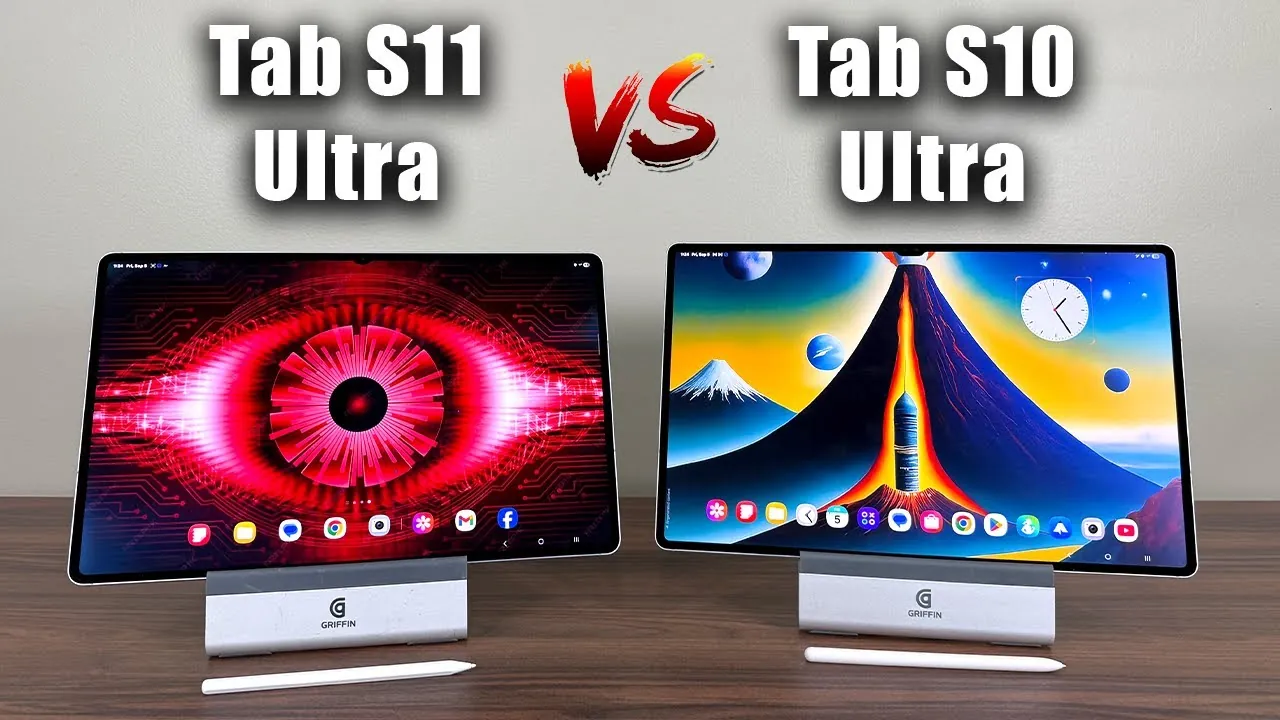
The Samsung Galaxy Tab S11 Ultra represents a thoughtful evolution of its predecessor, the S10 Ultra, with a range of upgrades designed to enhance performance, usability, and overall functionality. Whether you are contemplating an upgrade or entering the high-end Android tablet market for the first time, understanding the differences between these two models is essential. This detailed comparison video from Sakitech highlights the key distinctions and shared features to help you make an informed decision.

Design and Build: Premium Craftsmanship with Practical Adjustments
Both the Galaxy Tab S11 Ultra and S10 Ultra share a robust armor aluminum chassis, exuding a premium aesthetic and durability. Their dimensions and screen sizes remain consistent at 14.6 inches, making sure a large and immersive display experience. However, the S11 Ultra introduces subtle yet impactful refinements to its design.
- The S11 Ultra features a smaller camera notch, offering a more seamless viewing experience.
- The redesigned S Pen now attaches magnetically to the top edge, replacing the rear-mounted attachment of the S10 Ultra. This change enhances accessibility and convenience.
While the new S Pen placement improves usability, it also renders older S10 Ultra accessories incompatible with the S11 Ultra. If you already own peripherals for the S10 Ultra, this shift in design may influence your decision.
Display: Enhanced Brightness for Versatile Use
Both models boast stunning 14.6-inch AMOLED displays with 120Hz refresh rates and anti-reflective coatings, making sure smooth visuals and reduced glare. However, the S11 Ultra takes a significant step forward in brightness capabilities.
- S11 Ultra: Offers a peak brightness of 1,600 nits, making it ideal for outdoor use and HDR content.
- S10 Ultra: Peaks at 920 nits, which is sufficient for most indoor settings but less effective in bright environments.
The increased brightness of the S11 Ultra ensures vibrant and clear visuals, even under direct sunlight, making it a more versatile option for users who frequently work or consume media outdoors.
Performance: Significant Power Upgrades
The S11 Ultra delivers a notable performance boost, powered by the Dimensity 9400+ processor. This marks a substantial improvement over the S10 Ultra’s Dimensity 9300+, catering to users with demanding multitasking or gaming needs.
- CPU: The S11 Ultra offers 24% faster processing speeds.
- GPU: Graphics performance is enhanced by 27%, making sure smoother visuals for gaming and media editing.
- AI Processing: Improved by 33%, allowing faster and more efficient AI-driven tasks.
Both models support microSD expansion, but the S11 Ultra raises the storage limit to 2TB, compared to the S10 Ultra’s 1.5TB. This makes the S11 Ultra a better choice for users requiring extensive storage for files, apps, or multimedia.
S Pen: A Mixed Bag of Changes
The S Pen remains a core feature of both tablets, designed for writing, sketching, and navigation. However, the S11 Ultra introduces a trade-off in functionality.
- The S11 Ultra’s S Pen lacks the Bluetooth functionality found in the S10 Ultra’s version, eliminating features like air actions and remote camera control.
- The new magnetic attachment on the S11 Ultra improves accessibility but may not appeal to users who rely on the advanced features of the S10 Ultra’s S Pen.
For users who prioritize Bluetooth-enabled features, the S10 Ultra may still hold an advantage in this area.
Software: Productivity and Future-Ready Features
The S11 Ultra ships with One UI 8.0, based on Android 16, offering a range of exclusive features aimed at enhancing productivity. Key improvements include an upgraded Samsung DeX mode, which allows users to create multiple independent desktops for multitasking.
While the S10 Ultra runs on One UI 7.0 (Android 15) and may receive some of these features through updates, the S11 Ultra provides a more comprehensive and future-proof software experience right out of the box. This makes it an appealing choice for professionals and power users seeking advanced multitasking capabilities.
Battery and Charging: Incremental Improvements
The S11 Ultra offers a slight increase in battery capacity, featuring an 11,600mAh battery compared to the S10 Ultra’s 11,200mAh. This translates to approximately 30 minutes to an hour of additional usage, depending on your activity. Both models support 45W fast charging, making sure quick recharges and minimal downtime.
Audio and Biometrics: Enhanced User Experience
Audio quality sees a modest improvement with the S11 Ultra’s quad speakers, which deliver louder and richer sound compared to the S10 Ultra. Both tablets support Dolby Atmos, providing an immersive audio experience for media consumption.
For security, both models rely on in-display optical fingerprint sensors, offering a reliable and convenient biometric solution. While the core functionality remains the same, the S11 Ultra’s slightly faster response time adds to the overall user experience.
Making the Right Choice
The Samsung Galaxy Tab S11 Ultra introduces meaningful upgrades in performance, display brightness, storage capacity, and software features, making it a compelling option for new buyers seeking a high-end Android tablet. For existing S10 Ultra users, the decision to upgrade depends on your specific needs. If you value improved outdoor visibility, advanced multitasking capabilities, or enhanced performance, the S11 Ultra is worth considering. However, if features like Bluetooth-enabled S Pen functionality are critical to your workflow, the S10 Ultra may still meet your requirements effectively.
Uncover more insights about Samsung Galaxy Tab S11 Ultra in previous articles we have written.
- Samsung Galaxy Tab S11 Ultra Features, Specs, and Release Date
- Samsung Galaxy Tab S11 Ultra: Design, Features, and More
- Samsung Galaxy Tab S11 Ultra: Features, Price, and Release Date
- Samsung Galaxy Tab S11 Ultra: Key Upgrades and Feature
- Samsung Galaxy Tab S11 Ultra Full Specs and Features
Source & Image Credit: sakitech
Disclosure: Some of our articles include affiliate links. If you buy something through one of these links, Geeky Gadgets may earn an affiliate commission. Learn about our Disclosure Policy.
