iOS 27 brings a host of new features and settings aimed at improving usability, performance, and personalization. Whether you’re looking to streamline everyday tasks or fine-tune your device’s functionality, these updates provide meaningful enhancements. Below is a detailed guide to the most essential settings you should explore to maximize your iOS 27 experience. The video below from iReviews gives us more details on the latest iOS software update,

1. Liquid Glass Customization
The Liquid Glass customization feature is one of the most visually captivating updates in iOS 27. This setting allows you to adjust the transparency of your device’s interface, giving you control over how much of your wallpaper or background is visible through menus and widgets. By using the transparency slider, you can create a look that reflects your personal style, whether you prefer a bold, opaque design or a subtle, translucent effect. This feature not only enhances aesthetics but also adds a layer of personalization to your device.
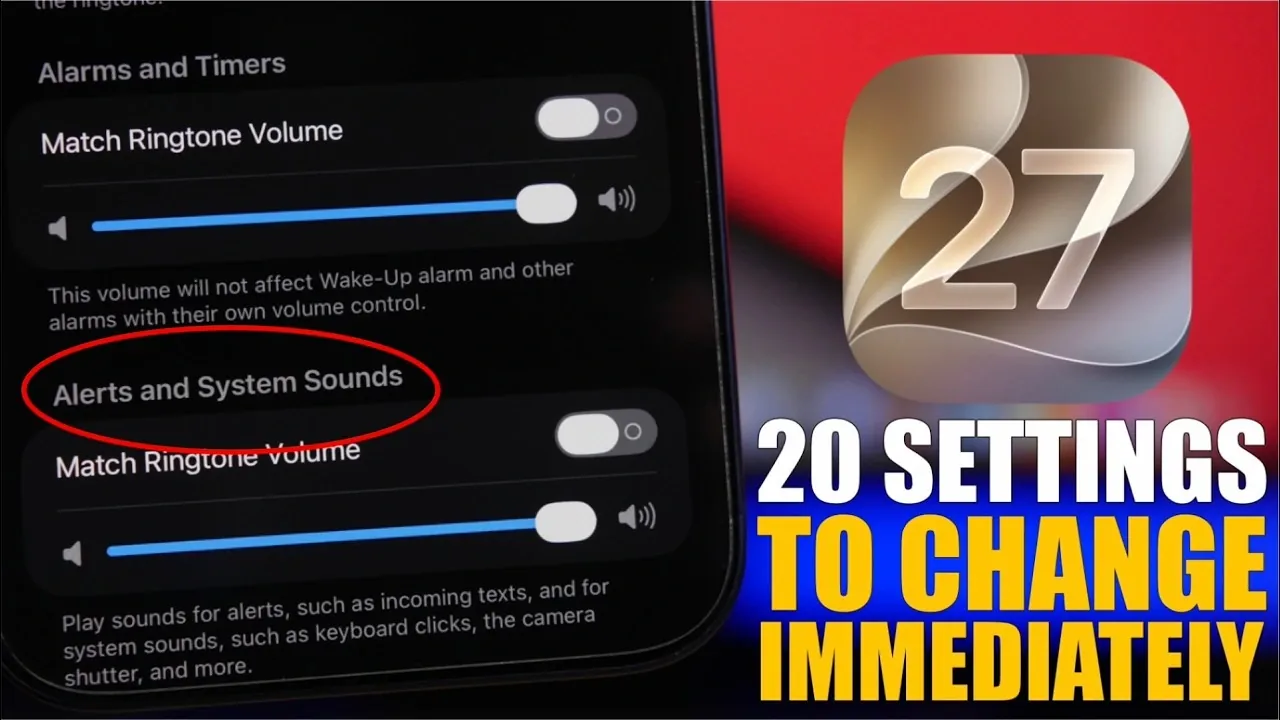
2. Enhanced Volume Controls
Managing sound settings has never been easier. iOS 27 introduces separate volume sliders for different audio categories, including ringer, alarms, timers and system sounds. This granular control ensures that you can adjust specific audio outputs independently. For example, you can lower system sounds while keeping your alarm volume high, making sure you never miss an important notification or wake-up call. This feature is particularly useful for users who rely on their devices for multitasking in various environments.
3. Wi-Fi Connectivity Assist
The Wi-Fi Connectivity Assist feature ensures a seamless internet experience by automatically switching to cellular data when your Wi-Fi connection becomes weak or unstable. You can configure this setting globally or for specific networks, making it especially beneficial for uninterrupted streaming, video calls, or online gaming. This intelligent feature minimizes disruptions and keeps you connected, even in areas with inconsistent Wi-Fi coverage.
4. Siri Customization
Siri has undergone significant enhancements in iOS 27, offering more personalization options than ever before. You can now adjust Siri’s voice tone and pitch using sliders, choose from a variety of voice styles and select between spoken or silent responses. Additionally, you have the ability to manage how long Siri retains your interaction history, giving you greater control over your privacy. These updates make Siri more adaptable to your preferences and ensure a more tailored user experience.
5. Photos App: Star Ratings and Full-Screen Viewing
The Photos app now includes a star rating system, allowing you to rate images on a scale of 1 to 5 stars. This feature makes it easier to organize and prioritize your favorite photos. Additionally, the “Zoom to Fill Screen” option enables you to view images without distractions, filling the entire screen and eliminating black borders. These updates enhance both the functionality and visual appeal of the Photos app, making it a more powerful tool for managing your memories.
6. Camera App Quick-Access Buttons
Photography enthusiasts will appreciate the new customizable quick-access buttons in the Camera app. You can assign frequently used features, such as portrait mode, night mode, or video recording, to these buttons, making sure that your favorite tools are always within reach. This update streamlines the photography process, allowing you to capture moments more efficiently.
7. Messages App: Simplified Interface
The Messages app has been refined to offer a simplified interface. One notable improvement is the ability to remove the voice message button, reducing the likelihood of accidentally sending voice recordings. This change creates a smoother and more intuitive messaging experience, making it easier to focus on text-based communication.
8. Podcasts and TV App Storage Management
To help conserve storage space, iOS 27 introduces options to disable automatic video downloads in the Podcasts app. Similarly, in the TV app, you can prevent upcoming episodes from downloading automatically. These features are ideal for users with limited storage or those who prefer manual download management, making sure that your device remains clutter-free.
9. Mail App Smart Replies
The Mail app now offers personalized smart replies based on your email habits. These suggestions adapt to your communication style, making it faster and easier to respond to messages. For instance, frequently used phrases or sign-offs will appear as suggestions, streamlining your email workflow and saving you time.
10. Improved Shortcuts Automation
The Shortcuts app has been enhanced to allow you to describe automations during creation or edit them manually. This improvement simplifies the setup process and ensures that your automations function as intended. Whether you’re managing complex workflows or setting up simple tasks, this update makes the Shortcuts app more user-friendly and versatile.
11. Accessibility Enhancements
iOS 27 introduces several accessibility enhancements to improve the user experience. In the Photos app, for example, you can now disable automatic subtitles for a cleaner viewing experience. This feature is particularly helpful for users who prefer an unobstructed view of their images without text overlays, offering greater flexibility in how content is displayed.
12. Automatic Updates for Apps and Security
iOS 27 simplifies updates with several new options:
- Enable automatic iOS updates to receive critical fixes and new features as soon as they’re available.
- Activate background security updates for seamless protection against vulnerabilities.
- Turn on automatic app updates to ensure compatibility with iOS 27 and access the latest improvements.
These features ensure that your device remains secure and up-to-date without requiring constant manual intervention.
Maximizing Your iOS 27 Experience
iOS 27 offers a wide range of settings designed to enhance your device’s functionality, performance and personalization. From the visually stunning Liquid Glass customization to advanced Siri options and smarter automation tools, these updates cater to diverse user needs. By exploring and adjusting these features, you can unlock the full potential of your device and create a more seamless, personalized experience. Take the time to configure these settings today and make iOS 27 work for you.
Check out more relevant guides from our extensive collection on iOS 27 that you might find useful.
- Apple Delaying iOS 27 Beta 5? Here’s When to Expect the Next Update
- New iOS 27 Beta 5 Release Arrives with a Big Shift Coming
- iOS 27 Beta 5 Is Late: What’s Holding Up Apple’s Next Release?
- The iOS 27 Beta 5 Release Imminent with More New Features
- Apple’s iOS 27 Beta 3 Is Just Days Away: Here’s When It Drops
- Apple iOS 27 Beta 5 Preview: a Look at the Next Release
Source & Image Credit: iReviews
Disclosure: Some of our articles include affiliate links. If you buy something through one of these links, Geeky Gadgets may earn an affiliate commission. Learn about our Disclosure Policy.
