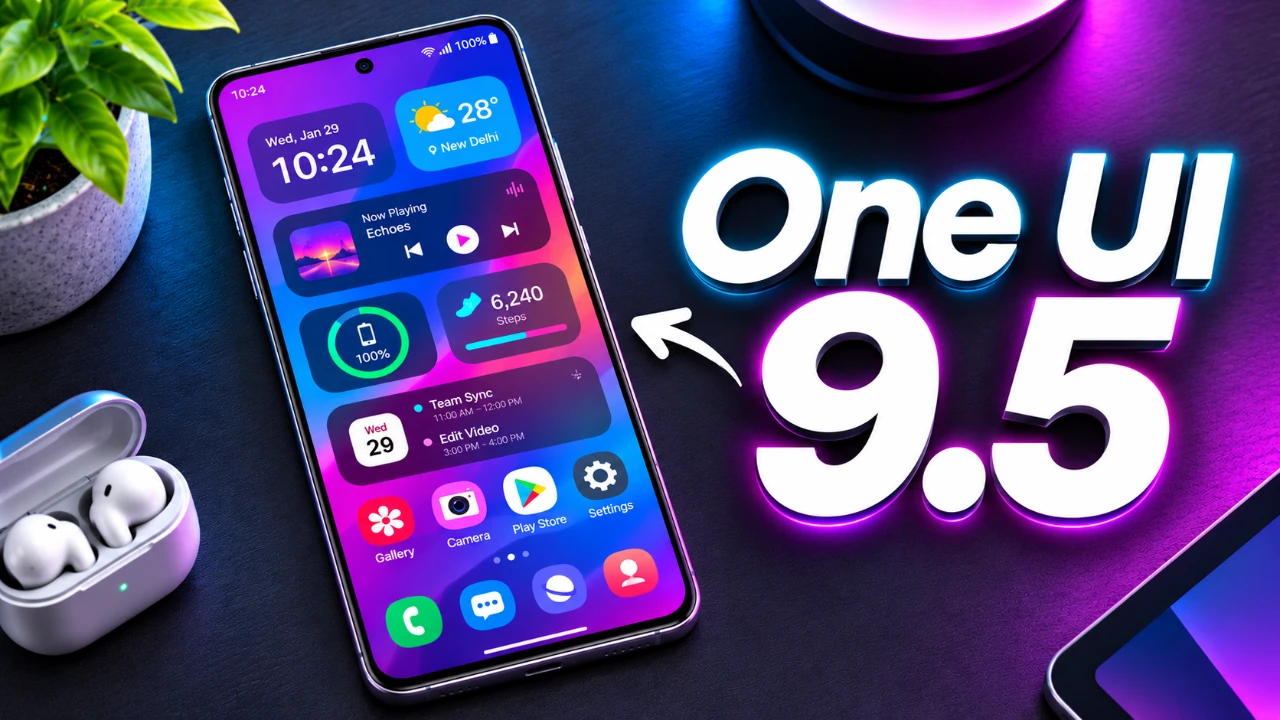
Samsung is gearing up to release One UI 9.5, a massive update designed to elevate the Galaxy user experience with advanced privacy controls, seamless multi-device connectivity, and a refined modern interface. Early reports give a compelling preview of Samsung’s most polished software upgrade yet. Here is a breakdown of what to expect.
TL;DR Key Takeaways :
- Native App Lock: Secure individual apps directly using fingerprints, PINs, or patterns without third-party software.
- AppCast Connectivity: Wirelessly link your Galaxy smartphone to a Galaxy Book for desktop app access and notifications.
- AI Automation & Widgets: Enhanced Bixby multi-step automation alongside highly customizable widget combinations.
- Release Timeline: Public beta expected in late 2026, followed by a full rollout in early 2027 alongside the Galaxy S27 series.

Built-in App Lock: Privacy Made Simple
One of the standout features of One UI 9.5 is the native app lock, a tool designed to bolster user privacy. This feature allows you to secure specific apps using your device’s existing authentication methods, such as a fingerprint, PIN, or pattern. By integrating this functionality directly into the operating system, Samsung eliminates the need for third-party apps, making sure a seamless and secure experience. Whether you want to protect sensitive information or restrict access to certain apps, this feature provides a straightforward and effective solution for managing privacy.
AppCast: Seamless Device Integration
Samsung continues to strengthen its ecosystem with the introduction of AppCast, a feature that enhances cross-device connectivity. AppCast enables you to wirelessly link your Galaxy smartphone to a Galaxy Book laptop, allowing you to access phone apps, notifications, and even messages directly on your computer. This feature simplifies multitasking and creates a unified workflow, making it easier to stay productive without switching between devices. As an alternative to Microsoft’s Phone Link, AppCast underscores Samsung’s commitment to delivering streamlined device integration for its users.
AI-Powered Automation: Smarter with Bixby
Artificial intelligence takes center stage in One UI 9.5 with the introduction of AI-powered automation. This feature uses advanced AI capabilities to perform multi-step tasks across apps, potentially integrating with Bixby for enhanced functionality. For instance, you could schedule a meeting, send reminders, and adjust your device settings, all with a single command. By focusing on practical applications of AI, Samsung aims to simplify everyday tasks and make your device smarter and more intuitive.
Custom Widgets: Tailor Your Home Screen
Customization reaches new heights in One UI 9.5 with the addition of personalized widgets. This feature allows you to combine various elements, such as calendars, shortcuts, and app actions, into a single widget tailored to your preferences. Not only does this enhance the visual appeal of your home screen, but it also improves functionality by providing quick access to essential tools. With this level of customization, your device can feel uniquely yours while remaining practical and efficient.
Refined Design: A Modern User Interface
Samsung has made significant strides in refining the visual and interface elements of One UI 9.5. Expect floating UI components, glass-like effects, and smoother animations that create a more cohesive and modern design. Rounded menus, improved spacing, and subtle background effects contribute to a polished user experience, making sure that every interaction feels intuitive and visually appealing. These design updates not only enhance usability but also align with Samsung’s broader vision of creating a seamless and aesthetically pleasing interface.
Satellite Connectivity Hub: Emergency Services Anywhere
For users in supported regions, One UI 9.5 introduces a satellite connectivity hub, a feature designed to provide emergency messaging services in areas without cellular coverage. This capability offers a critical lifeline during emergencies, making sure that you can stay connected even in remote locations. While the availability of this feature may depend on hardware compatibility, its inclusion highlights Samsung’s focus on safety and innovation, offering peace of mind in challenging situations.
Camera App Overhaul: Simplicity Meets Functionality
The camera app in One UI 9.5 has been redesigned to deliver a cleaner and more user-friendly interface. With rounded menus, improved spacing and subtle background effects, navigating the app feels more intuitive. These changes make it easier to access settings and capture moments effortlessly, whether you’re a casual user or a photography enthusiast. The updated interface reflects Samsung’s commitment to balancing simplicity with functionality, making sure a smoother experience for all users.
Additional Features: Small Updates with Big Impact
One UI 9.5 also includes several smaller updates that collectively enhance the overall user experience:
- Dark-themed app icons for better integration with dark mode, making sure a cohesive visual experience.
- Battery widgets designed to support future Galaxy smart glasses, offering a glimpse into Samsung’s expanding ecosystem.
- A USB debugging-only mode for developers, providing greater control during app testing and development.
- Enhanced security checks for app installations, aligning with the latest Android 17 standards to ensure safer downloads.
Release Timeline: When to Expect the Update
The rollout of One UI 9.5 is expected to begin with a public beta in late 2026, followed by a full release in early 2027. The update is likely to debut alongside the launch of the Galaxy S27 series, with a gradual rollout to other eligible Galaxy devices. While the timeline and features are based on leaks, Samsung’s track record suggests a steady and reliable distribution process for both flagship and mid-range devices.
A Comprehensive Upgrade for Samsung Users
One UI 9.5 represents a significant step forward for Samsung’s Galaxy ecosystem. By combining advanced AI capabilities, enhanced customization options, and refined design elements, this update delivers a well-rounded and practical upgrade. Whether you’re seeking improved privacy, smarter automation, or a more polished interface, One UI 9.5 offers something for everyone. As the release date approaches, keep an eye out for official announcements to confirm the final feature set and availability.
Below are more guides on One UI from our extensive range of articles.
- Every New Feature in the Samsung One UI 9 WATCH Update
- Samsung’s One UI 9 Update Is Finally Here: And It’s a Total Game-Changer
- First Look at One UI 9.5: Samsung’s Sleekest Interface Redesign in Years
- The Best One UI 9 Hidden Features Samsung Kept Quiet
Disclosure: Some of our articles include affiliate links. If you buy something through one of these links, Geeky Gadgets may earn an affiliate commission. Learn about our Disclosure Policy.
