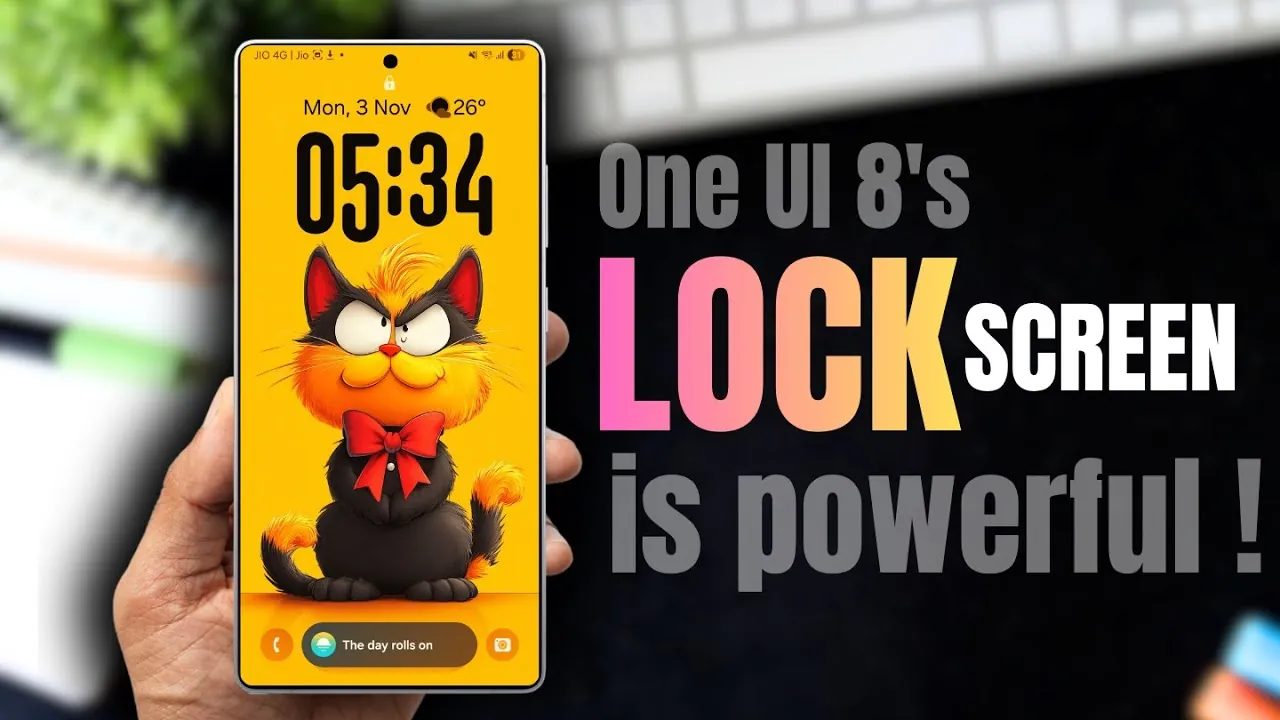
The Samsung Galaxy lock screen, powered by the advanced OneUI 8.0, introduces a host of innovative features that seamlessly combine functionality with personalization. From dynamic fingerprint animations to AI-generated wallpapers, these updates transform the way you interact with your device before unlocking it. With a focus on enhancing both usability and aesthetic appeal, these features elevate the smartphone experience to new heights. The video below from AppX gives us more details about Samsung’s One UI 8 Lock Screen.
Fingerprint Animations: A Personalized Unlocking Experience
One of the standout updates in OneUI 8.0 is the introduction of customizable fingerprint animations. Accessible through the Lockar module, this feature offers four distinct animation styles, allowing you to tailor the unlocking process to your personal taste. Whether you prefer the subtle elegance of a glowing effect or the intricate movement of a ripple, these animations add a unique touch to your device. Beyond their visual appeal, they provide a smooth and engaging interaction every time you unlock your phone, making the process both functional and enjoyable.
Widget Integration: Information at Your Fingertips
Widgets on the lock screen and Always-On Display (AOD) are designed to bring essential tools and information closer to you. With OneUI 8.0, you can now integrate system widgets, such as weather updates, calendar events, or alarms, alongside third-party app widgets like Gmail, Spotify, or even a calculator. This feature allows you to perform quick tasks—such as checking your schedule, managing music playback, or calculating a tip—without needing to unlock your device. By offering convenience and accessibility, these widgets save time and streamline your daily interactions.
App Shortcuts: Quick Access to Your Favorites
The lock screen now supports up to six customizable app shortcuts, providing direct access to your most frequently used tools. These shortcuts can include apps like the flashlight, camera, or settings, and they are displayed in an expandable format for easy navigation. You can also adjust their alignment and placement to suit your preferred lock screen layout. This feature is particularly useful for users who rely on specific apps throughout the day, allowing faster access with just a single tap.
Adaptive Clock: A Design That Matches Your Style
The adaptive clock feature introduces a dynamic design element to your lock screen, making sure it complements your chosen wallpaper. Whether you prefer the bold look of a digital clock or the timeless elegance of an analog style, the adaptive clock adjusts its appearance to match your aesthetic preferences. This feature ensures that your lock screen maintains a cohesive and visually appealing design, enhancing the overall user experience. Future updates are expected to expand its functionality, including seamless integration with wallpapers directly applied from your gallery.
Wallpaper Customization: Unleash Your Creativity
Wallpaper customization takes center stage in OneUI 8.0, offering a variety of options to let you express your creativity. With features like multi-wallpaper settings, AI-generated designs, and photo ambient wallpapers, you can craft a lock screen that reflects your personality and mood. Users can rotate up to 15 wallpapers, each enhanced with frames, effects, and filters. AI-generated wallpapers allow you to create unique designs based on specific themes and colors, while photo ambient wallpapers adapt to real-time weather and lighting conditions. These tools provide endless possibilities for creating a lock screen that feels uniquely yours.
Additional Features and Optimization Tips
OneUI 8.0 also includes a range of tools and tips to help you optimize your lock screen experience. For example, you can explore suggested wallpaper designs and frames to enhance the aesthetic appeal of your device. Adjusting widget placements or fine-tuning the brightness of the Always-On Display can further improve usability. Additionally, the lock screen settings menu provides options to customize notifications, allowing you to prioritize important alerts while maintaining a clean and organized interface. These small adjustments can significantly enhance both the functionality and appearance of your lock screen.
Transforming the Lock Screen Experience
The Samsung Galaxy lock screen powered by OneUI 8.0 is designed to be more than just a gateway to your device—it’s a platform for personalization and utility. With features like fingerprint animations, widget integration, adaptive clock designs, and advanced wallpaper options, the lock screen becomes a canvas for self-expression. By exploring these enhancements, you can unlock the full potential of your smartphone, tailoring it to suit your unique needs and preferences. These updates not only improve usability but also ensure that your device reflects your individual style, making every interaction more meaningful and enjoyable.
Master Samsung Galaxy Lock Screen with the help of our in-depth articles and helpful guides.
- Samsung Galaxy Update: New Features You Need to Know
- Samsung Galaxy S25 Ultra: The ULTIMATE Personalization Guide
- One UI 8.0 Shifting Clock: Everything You Need to Know
- Master Your Samsung Galaxy: The Ultimate Good Lock Guide
- Important Samsung Galaxy Security Settings You Need To Change
Source & Image Credit: AppX
Disclosure: Some of our articles include affiliate links. If you buy something through one of these links, Geeky Gadgets may earn an affiliate commission. Learn about our Disclosure Policy.
