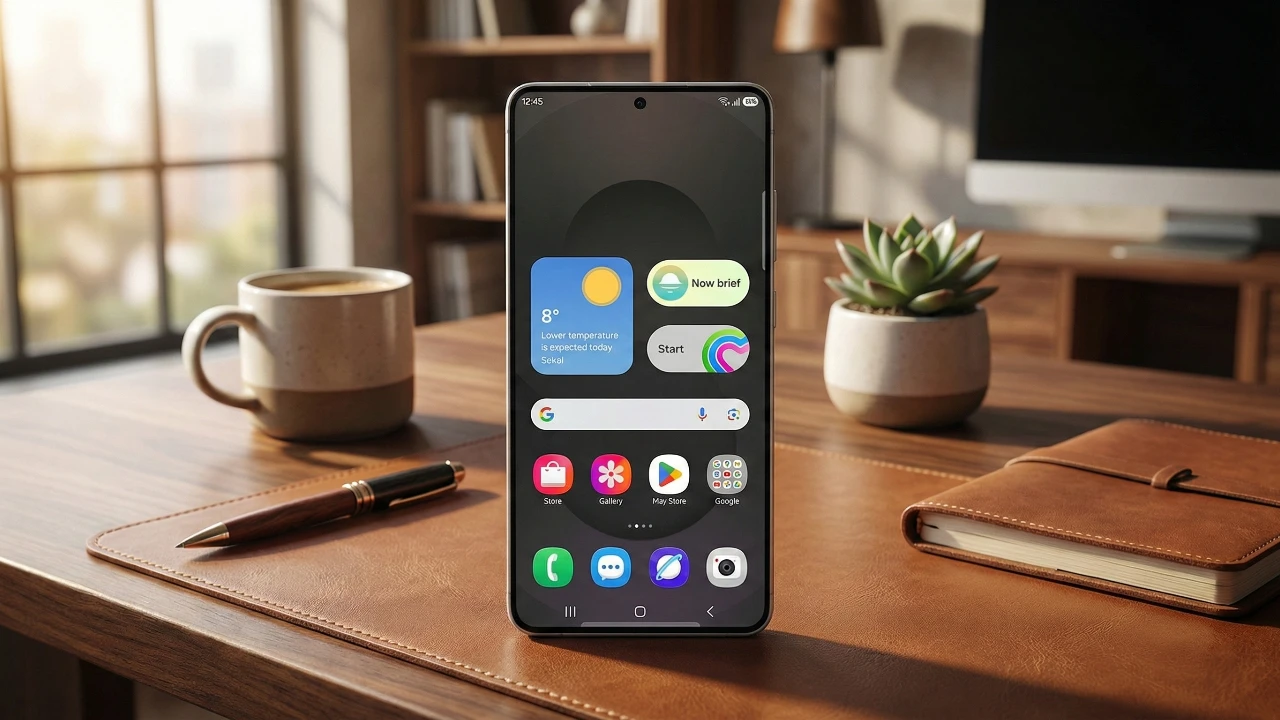
Samsung’s One UI 8.5 brings a host of powerful enhancements and new features designed to elevate your smartphone experience. With a focus on intuitive functionality, customization, and security, this update ensures your device adapts to your needs while offering seamless usability. From smarter tools to improved accessibility, here’s a detailed look at what One UI 8.5 has to offer. The video below from WhatGear shows us a range of tips and tricks for the new One UI 8.5.

AI-Powered Image Editing: Redefining Creativity
The Samsung Gallery app now includes AI-powered image editing tools that simplify photo enhancement. These tools enable precise edits, the addition of AI-generated elements, and the effortless creation of custom wallpapers. Whether you’re a casual user or a photography enthusiast, this feature enables you to achieve professional-quality results directly on your device. The integration of AI ensures that even complex edits are accessible, making creativity more intuitive than ever.
Enhanced Customization and Accessibility
One UI 8.5 introduces expanded customization options and inclusive design features to cater to a diverse range of users.
- Customizable Quick Settings: You can now rearrange controls, adjust layouts, and prioritize frequently used tools. This flexibility ensures your phone is tailored to your preferences, streamlining daily tasks.
- Lock Screen Personalization: New fonts, adjustable thickness, and contextual weather effects allow you to create a lock screen that reflects your style while providing useful information at a glance.
- Accessibility Improvements: Features such as extended reaction times, hover-based mouse actions, and options to dim strobing effects make devices more user-friendly for individuals with disabilities, fostering inclusivity.
These updates ensure that your device not only looks the way you want but also functions in a way that suits your unique needs.
Productivity and Multitasking: Smarter Tools for Everyday Use
Samsung has enhanced its productivity tools to make multitasking more seamless and efficient.
- Samsung DeX Enhancements: Updates include customizable touchpad gestures and improved app management. Smoother transitions between apps and enhanced window controls make multitasking effortless, transforming your phone into a powerful workstation.
- Modes and Routines Automation: Automation features now include triggers based on alarms. For example, your phone can display calendar events or read weather updates when your morning alarm goes off, saving you time and effort.
- S Pen Enhancements: Galaxy Ultra users benefit from updated tools and animations for text input. These improvements enhance precision and responsiveness, making the S Pen an indispensable tool for both creativity and productivity.
These features are designed to help you stay organized and productive, whether you’re working on the go or managing your daily schedule.
Security and Digital Well-Being: Prioritizing Safety and Balance
Samsung continues to prioritize user security and healthy device usage habits with several key updates.
- Anti-Theft Security Features: A new identity check feature enhances protection in case of theft, making sure your personal information remains secure even if your device is lost or stolen.
- Digital Well-Being and Parental Controls: Redesigned tools make it easier to monitor screen time and manage parental controls. The intuitive interface promotes healthier device usage habits for both individuals and families.
- Samsung Health App Updates: Subtle design improvements and new sharing features allow you to share health data with trusted contacts, simplifying the process of tracking and managing your well-being.
These updates reflect Samsung’s commitment to providing a safe and balanced user experience, making sure peace of mind for all users.
Enhanced Media and Connectivity Features
One UI 8.5 introduces advanced media tools and improved connectivity options to enhance your entertainment and communication experiences.
- Gallery and Video Editing Upgrades: Redesigned menus and advanced sorting filters make managing your media more intuitive. Enhanced video editing tools now support HDR export, giving you greater creative control over your content.
- Bluetooth LE Audio Sharing: This feature allows you to stream music or voice content to multiple devices simultaneously, making group listening experiences seamless and enjoyable.
- Interactive World Clock: The redesigned world clock app includes an interactive global map, making it easier to track time zones and coordinate across regions—a valuable tool for frequent travelers or those managing international schedules.
- Smart View and Always-On Display Updates: Improved animations and controls make screen mirroring with Smart View more seamless. Additionally, transitions between the always-on display and lock screen have been refined for a more cohesive visual experience.
These features ensure that your device not only keeps you connected but also enhances your creative and entertainment pursuits.
A Comprehensive Update for a Smarter Galaxy Experience
Samsung’s One UI 8.5 delivers a well-rounded suite of features that cater to a wide range of user needs. From AI-powered tools and enhanced customization to improved security and productivity enhancements, this update ensures your Galaxy device remains at the forefront of innovation. Whether you’re focused on creativity, efficiency, or personalization, One UI 8.5 offers something for everyone, making your smartphone experience smarter, more intuitive, and more enjoyable.
Gain further expertise in Samsung One UI 8.5 by checking out these recommendations.
- How Samsung One UI 8.5 Enhances Your Smartphone Experience
- Samsung One UI 8.5: Everything You Need to Know
- Samsung Galaxy S26 Ultra Leaks: Charging, Colors, One UI 8.5
- Samsung One UI 8.5 Beta 1: Customization, Security, and More
- Samsung Drops One UI 8.5 Beta: Here’s What’s New
Source: WhatGear
Disclosure: Some of our articles include affiliate links. If you buy something through one of these links, Geeky Gadgets may earn an affiliate commission. Learn about our Disclosure Policy.
