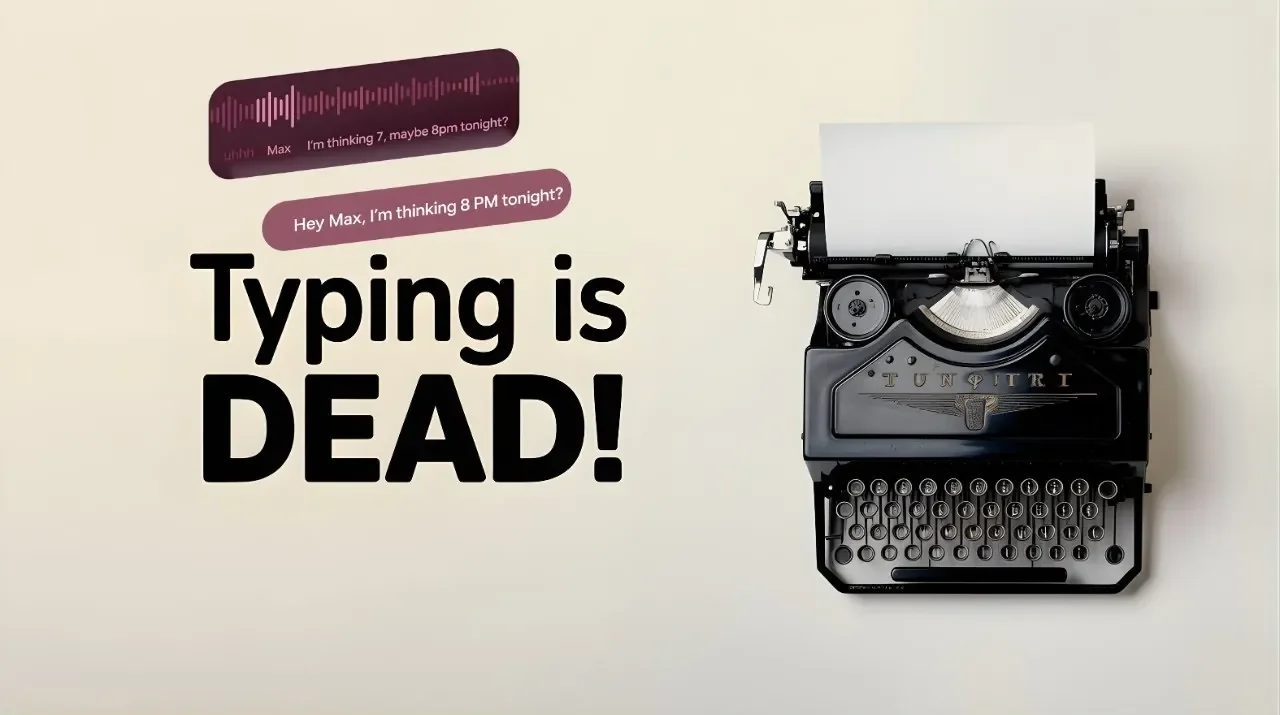
Imagine dictating an entire report, brainstorming ideas, or drafting an email, all without lifting a finger or worrying about your data being sent to the cloud. For Mac users, this isn’t just a dream; it’s a reality with the Whryte app. The fastest offline speech-to-text solution available. In a world where privacy concerns and unreliable internet connections often disrupt productivity, this tool stands out by delivering instant transcription entirely offline. No buffering, no data breaches, no interruptions, just seamless, real-time conversion of your voice into text. Whether you’re working on sensitive legal documents, jotting down creative ideas, or navigating a multilingual project, this app promises to transform the way you work.
But what makes this tool truly remarkable isn’t just its speed or privacy, it’s the thoughtful design that caters to a wide range of users. From customizable templates that adapt to your workflow to multilingual support for global professionals, this app is more than just a transcription tool; it’s a productivity powerhouse. Below Prompt Engineering explains how it refines grammar, integrates effortlessly with macOS, and even tracks your efficiency with detailed statistics. Whether you’re a writer looking to streamline your drafts or a business professional aiming to save time during meetings, this exploration will reveal how this app transforms your Mac into a speech-to-text powerhouse. The possibilities might just surprise you.
Offline Speech-to-Text App
TL;DR Key Takeaways :
- Real-Time Offline Transcription: The app provides instant speech-to-text conversion without requiring an internet connection, making sure data privacy and uninterrupted performance, even in areas with limited connectivity.
- Enhanced Transcription Quality: Features an optional language model (LLM) enhancement mode for improved accuracy, grammar, punctuation, and sentence structure, making it ideal for professional use.
- Customizable Features: Offers predefined templates, adjustable prompts, and customizable hotkeys to tailor the app to specific tasks and workflows.
- Multilingual Support: Supports 25 languages, allowing seamless multilingual transcription for global communication and diverse projects.
- Battery Efficiency and Workflow Integration: Designed for minimal power consumption and seamless integration with macOS applications, making sure efficient and reliable use for on-the-go professionals.
- Currently Whryte is priced at $24.99 for a limited time.
Real-Time Offline Transcription
This application delivers instant speech-to-text conversion without requiring an internet connection. By processing all data locally on your device, it ensures that sensitive information remains secure. Unlike cloud-based alternatives, this offline functionality eliminates the risks associated with data breaches and guarantees uninterrupted performance, even in areas with limited or no connectivity. This feature is particularly valuable for professionals handling confidential material, such as legal documents, medical records, or proprietary business information.
The app’s ability to function offline also makes it highly dependable in scenarios where internet access is unreliable, such as during travel or in remote locations. This ensures that your transcription tasks are never delayed, no matter the environment.
Enhanced Transcription Quality
Accuracy is a defining feature of this tool. It incorporates an optional enhancement mode powered by a language model (LLM) to refine transcription quality. This mode automatically corrects grammar, punctuation, and sentence structure, making sure that the output is polished and professional. For instance, when dictating a formal document or report, the LLM enhancement mode ensures the text is ready for immediate use, saving you time on manual edits.
This feature is particularly beneficial for writers, researchers, and professionals who require high-quality text. Whether you’re drafting an article, preparing a presentation, or creating detailed notes, the app’s ability to deliver precise and well-structured text makes it an indispensable tool.
Whryte Offline Speech-to-Text App for Mac
Uncover more insights about offline speech-to-text in previous articles we have written.
- Kyutai Voice : Secure Offline STT and TTS AI Voice Solutions
- Kokoro 82M Text-to-Speech AI Features and Setup Guide
- FUTO Keyboard: The Offline Solution to Protect Your Privacy
- How to Run AI Models Offline for Privacy and Cost Savings
- Vormor handheld text scanner and real-time voice translator
- OpenAI AI Audio : TTS Speech-to-Text Audio Integrated Agents
- Top Reasons Why Flow AI is the Fantastic Voice-to-Text Tool
- NEWYES Scan Reader Pen 4: Multifunctional Translator | StackSocial
- How to Build a Local AI Voice Assistant with a Raspberry Pi
- How to use the new ChatGPT desktop app
Customizable Features
The application’s customization options allow users to tailor it to their specific needs, enhancing both usability and efficiency. Key features include:
- Predefined and user-created templates for LLM instructions, allowing tailored outputs for tasks such as drafting emails, creating reports, or summarizing meetings.
- Adjustable prompts to fine-tune the transcription style and tone, making sure the output aligns with your preferences or professional standards.
- Customizable hotkeys for toggling transcription or activating push-to-talk modes, allowing seamless integration into your workflow.
These features make the app versatile, catering to a wide range of use cases, from professional tasks like report writing to personal projects such as journaling or creative writing. The ability to adapt the tool to your specific requirements ensures a smoother and more efficient user experience.
Multilingual Support
With support for 25 languages, this app is ideal for multilingual users or those working in international environments. Switching between languages is seamless, allowing you to work on multilingual projects without interruption. For example, you can draft a document in English and seamlessly include sections in Spanish, French, or any other supported language, all within the same session.
This feature is particularly useful for professionals engaged in global communication, such as translators, international business teams, or educators. The app’s ability to handle multiple languages with ease ensures that it remains a valuable tool for diverse linguistic needs.
Clipboard Management and Workflow Integration
The app simplifies text handling with its clipboard management feature, giving you control over how transcription results are stored. You can choose to preserve or overwrite clipboard content based on your preferences, making sure a smooth and efficient workflow.
Additionally, the app integrates seamlessly with macOS, making it compatible with any text-based application. Whether you’re working in a word processor, email client, or browser, the app fits naturally into your workflow. This integration eliminates the need for constant switching between applications, saving time and effort.
Statistics Tracking
To help users monitor and optimize their productivity, the app includes a statistics tracking feature. This tool records key metrics such as word count, character count, and time saved through transcription. These insights are particularly useful for professionals aiming to improve their efficiency.
For example, writers can measure how much faster they complete drafts using voice input compared to traditional typing. Similarly, business professionals can track the time saved during meetings or brainstorming sessions, allowing them to allocate their time more effectively.
Battery Efficiency
Despite its robust capabilities, the app is designed with battery efficiency in mind. It minimizes power consumption, allowing you to use it for extended periods without worrying about draining your device’s battery. This makes it an excellent choice for on-the-go professionals who rely on their devices throughout the day.
Whether you’re working from a coffee shop, traveling, or attending back-to-back meetings, the app’s energy-efficient design ensures that it remains a reliable companion.
A Comprehensive Tool for Productivity
This offline speech-to-text application for macOS combines speed, privacy, and versatility to enhance your productivity. With features such as real-time transcription, advanced customization, multilingual support, and seamless workflow integration, it offers a powerful alternative to traditional typing. Whether you’re a writer, researcher, or business professional, this tool is designed to meet your needs while safeguarding your data and conserving battery life.
Media Credit: Prompt Engineering
Disclosure: Some of our articles include affiliate links. If you buy something through one of these links, Geeky Gadgets may earn an affiliate commission. Learn about our Disclosure Policy.
