Feeling overwhelmed by the sheer number of digital tools available today? You’re not alone. Many solo professionals and creators find themselves entangled in systems designed for large teams or complex workflows. This can lead to frustration, inefficiency, and a lack of focus. Simplifying your toolkit can significantly enhance both productivity and creativity. Apple Notes, with its minimalist design and seamless cross-device functionality, offers a practical solution for those seeking simplicity without sacrificing utility. By adopting a straightforward tool like Apple Notes, you can streamline your digital life and focus on what truly matters.
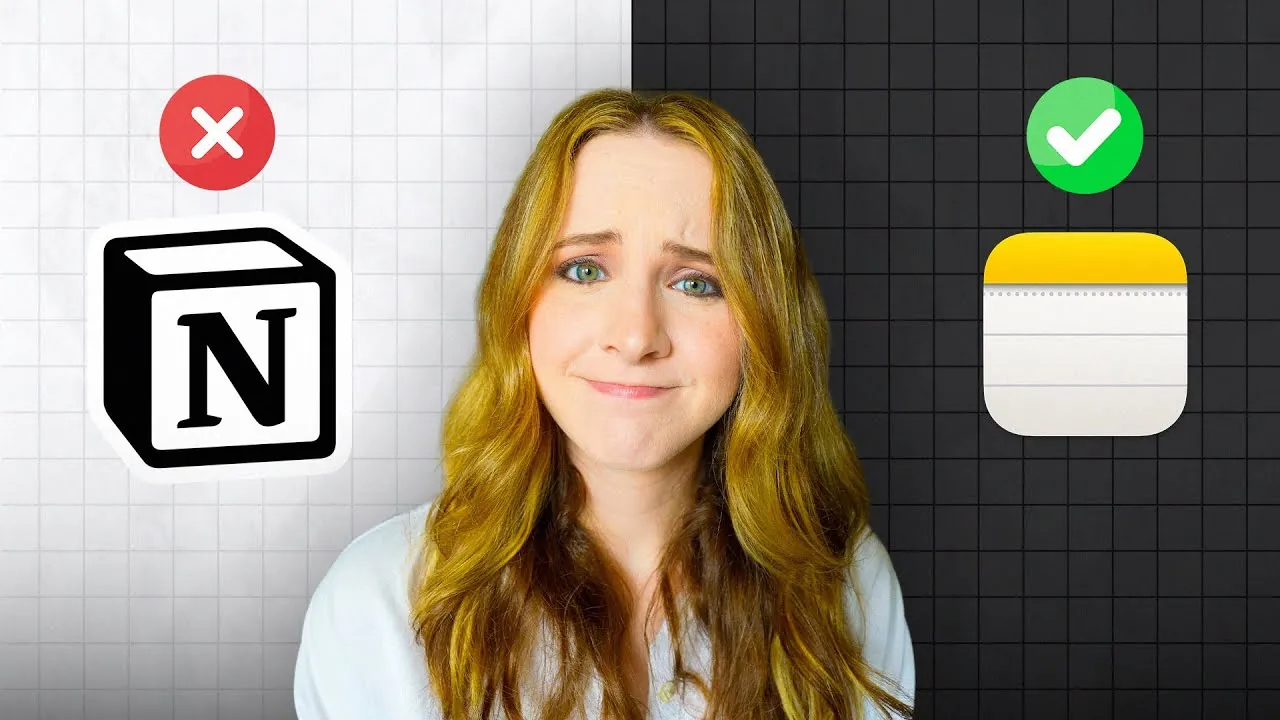
In this guide by Sara Dietschy learn how simplifying your digital life can make a world of difference, especially if you’ve been relying on robust platforms like Notion that may no longer fit your needs. Whether you’re managing personal projects, brainstorming ideas, or just trying to keep your thoughts organized, Apple Notes offers a refreshingly straightforward approach.
Apple Notes Note-Taking
TL;DR Key Takeaways :
- Apple Notes offers a minimalist, distraction-free platform ideal for solo creators and individuals seeking simplicity over complex tools like Notion.
- Simplifying digital tools can boost productivity, reduce stress, and foster creativity, especially for those who thrive in less structured environments.
- Key features of Apple Notes include quick note-taking, seamless synchronization across Apple devices, and flexibility for organizing personal projects or workflows.
- Pairing Apple Notes with complementary tools like the Things app for task management or Google Drive for file storage can create a balanced and efficient system.
- Regularly reassessing your tools ensures they align with your current needs, helping you prioritize simplicity, focus, and creativity in your digital life.
Why Transition from Notion to Apple Notes?
Notion is a feature-rich platform, ideal for managing intricate projects and team collaborations. However, its extensive capabilities can sometimes feel overwhelming, especially for solo creators or individuals with simpler needs. If your priorities have shifted or your workflow has become less complex, transitioning to a tool like Apple Notes may be the perfect solution.
Apple Notes excels in simplicity, speed, and accessibility. For example, if you’re a solo creator managing tasks like drafting video scripts or brainstorming ideas, Apple Notes allows you to focus entirely on your content without the distractions of excessive formatting or unnecessary features. Its seamless integration across Apple devices ensures that your notes are always within reach, whether you’re working on your MacBook, iPhone, or iPad. This accessibility makes it an excellent choice for individuals who value efficiency and ease of use.
The Case for Simplifying Digital Tools
Overly complex systems can often hinder productivity, especially for individuals who thrive in less structured environments or those managing conditions like ADHD. Simplifying your digital toolkit can foster creativity, reduce stress, and help you focus on what truly matters. By eliminating unnecessary features and distractions, you create a clearer mental space for your work.
For instance, if you’ve been using Notion for task management or workflow documentation, you may find that its complexity outweighs its benefits for your current needs. Simplifying your tools allows you to dedicate more time and energy to your creative process. Apple Notes, with its straightforward design, offers a refreshing alternative that prioritizes usability and functionality over excessive customization.
Notion vs Apple Notes

Here is a selection of other guides from our extensive library of content you may find of interest on Apple Notes.
- How to Use Apple Notes for Quick and Efficient Note-Taking
- 10 Apple Notes Hacks to Boost Your Efficiency in iOS 18
- New Apple Notes 18.2 : Real-Time Transcription & Call Recording
- Apple Notes: The Best Tool for Digital Knowledge Management
- Apple Notes vs MS OneNote : Which Note-Taking App is Best
- Using ChatGPT in Apple Notes: A Complete Guide for Mac Users
- 5 Apple Notes AI Tools to Boost Your Workflow & Productivity
- Use the Zettelkasten Method in Apple Notes for Better Organization
- Top Apple Notes Features You Should Be Using Right Now
- How to Use Apple Notes on macOS for Productivity & Organization
Key Features and Benefits of Apple Notes
Apple Notes stands out as a versatile and user-friendly tool. Its features are designed to support productivity while maintaining simplicity. Here are some of its key benefits:
- Quick and intuitive note-taking: The minimalist interface ensures that you can capture ideas without being bogged down by formatting options.
- Seamless synchronization: Notes are automatically synced across all Apple devices, making sure that your work is always accessible, no matter where you are.
- Flexibility: Whether you’re organizing personal projects, brainstorming creative ideas, or managing workflows, Apple Notes adapts to your needs.
By minimizing distractions, Apple Notes creates a focused environment that supports efficient thinking and working. Whether you’re documenting personal goals or drafting ideas for a creative project, its straightforward design helps you stay productive without unnecessary complications.
Pairing Apple Notes with Complementary Tools
While Apple Notes is an excellent tool for note-taking, combining it with other applications can further enhance your workflow. Here are some complementary tools to consider:
- Task Management: The Things app offers a clean and intuitive interface for tracking tasks and deadlines, making it a perfect companion to Apple Notes’ minimalist approach.
- File Storage and Collaboration: Google Drive provides a reliable platform for storing documents, sharing files, and collaborating with others, adding an extra layer of functionality to your digital ecosystem.
By integrating Apple Notes with these tools, you can create a balanced and efficient system that supports both individual and collaborative work. This combination allows you to streamline your workflow without feeling overwhelmed by excessive features or complexity.
Adapting to Life and Workflow Changes
As your life evolves, so do your needs and priorities. Whether you’re navigating major life changes like becoming a parent, managing multiple responsibilities, or simply seeking a better work-life balance, simplifying your digital tools can help you stay focused and reduce stress. Apple Notes provides a practical way to adapt to these changes by offering a straightforward and reliable platform for organizing your thoughts and tasks.
This shift isn’t just about improving productivity—it’s about aligning your tools with your values and goals. By simplifying your digital life, you create space for creativity, peace of mind, and the things that matter most, such as spending time with loved ones or pursuing personal projects. Apple Notes enables you to focus on what’s truly important without being weighed down by unnecessary complexity.
Lessons for Creators
As a creator, you don’t need overly complex tools to achieve success. In fact, simpler systems often lead to better results by reducing distractions and fostering creativity. Here are some key takeaways for creators looking to streamline their workflows:
- Regularly evaluate your tools: Ensure that your digital toolkit aligns with your current needs and goals.
- Prioritize ease of use: Choose tools that are intuitive and consistent, rather than feature-heavy platforms that may complicate your workflow.
- Document your workflows: Creating clear documentation can improve efficiency and scalability as your projects grow.
While tools like Notion are valuable for specific use cases, they may not suit every stage of your creative journey. Embracing simplicity with tools like Apple Notes can help you reduce stress, spark creativity, and build a sustainable system for managing your work.
Reassessing Notion’s Role
Notion is undeniably powerful, but it’s not always the best fit for everyone. If you’re a solo creator or someone seeking a more straightforward approach, transitioning to tools like Apple Notes can provide the clarity and focus you need. The key is to select tools that align with your workflow and support your goals, rather than complicating them. By reassessing your digital toolkit, you can create a system that enhances your productivity and creativity without overwhelming you.
Media Credit: Sara Dietschy
Disclosure: Some of our articles include affiliate links. If you buy something through one of these links, Geeky Gadgets may earn an affiliate commission. Learn about our Disclosure Policy.
