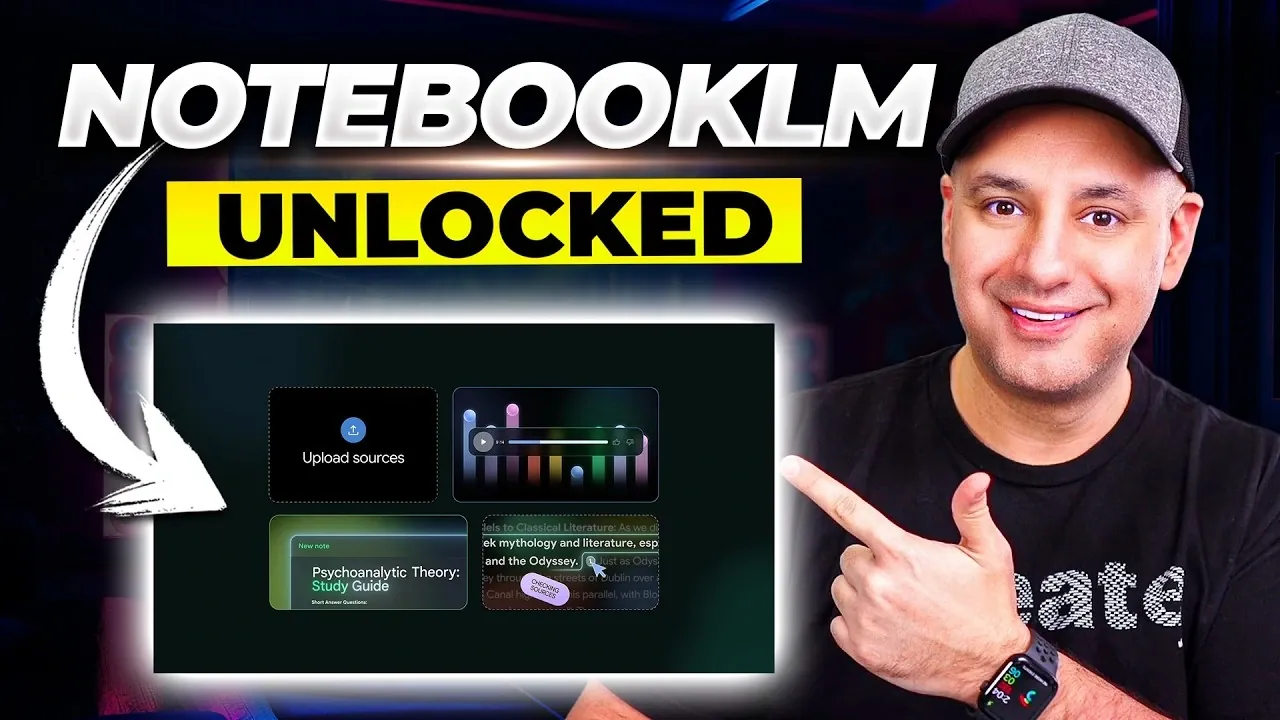
NotebookLM has become a versatile platform for research and organization, combining efficiency with adaptability. According to Skill Leap AI, its integration with Google Gemini enables users to consolidate resources such as PDFs, Drive files and web content into unified notebooks, making it easier to manage complex projects. For example, its Deep Research mode supports detailed investigations, while Fast Research mode is designed for quick insights, allowing users to adjust their approach based on specific project requirements.
Discover how to use NotebookLM’s visualization features to create customizable charts and diagrams or simplify complex ideas with its mind mapping functionality. Learn how AI-generated audio overviews can support dynamic learning and explore strategies for securely sharing your work or tailoring AI interactions to suit your needs. This analysis provides practical insights to help you navigate and maximize NotebookLM’s capabilities in 2026.
Top NotebookLM Tips
TL;DR Key Takeaways :
- NotebookLM integrates seamlessly with Google Gemini, centralizing resources like PDFs, Google Drive files and web content into unified notebooks for streamlined workflows and collaboration.
- Advanced research modes, Fast Research for quick insights and Deep Research for detailed analysis, enhance precision with filtering tools to focus on relevant and credible information.
- Features like source-specific interactions, visualization tools and mind mapping improve efficiency, allowing users to extract insights, create visuals and organize ideas effectively.
- AI-powered audio overviews and cinematic video summaries cater to diverse learning preferences, offering customizable formats for comprehensive understanding or quick overviews.
- Customization options, secure sharing and personalized AI interactions ensure a tailored and productive user experience, making NotebookLM a versatile tool for research and content creation.
1. Seamless Integration with Google Gemini
NotebookLM now offers effortless integration with Google Gemini, allowing you to create and access notebooks directly within the Gemini ecosystem. This feature consolidates your resources, such as PDFs, Google Drive files and web content, into a single, unified notebook. By centralizing your materials, you can streamline workflows, reduce redundancy and interact with your data more cohesively. This integration is particularly beneficial for users managing large-scale projects or collaborating across multiple platforms.
2. Advanced Research Modes for Tailored Insights
NotebookLM provides two distinct research modes designed to cater to different needs:
- Fast Research: Ideal for quickly gathering sources and obtaining immediate insights, saving time on tight deadlines.
- Deep Research: Perfect for conducting thorough, detailed analyses of complex topics, making sure comprehensive understanding.
Additionally, its advanced filtering tools allow you to refine your source selection, making sure you focus on the most relevant and credible information. This precision helps you avoid information overload and enhances the quality of your research.
3. Precision with Source-Specific Interactions
One of NotebookLM’s standout features is its ability to interact with individual sources. You can ask specific questions and receive precise answers tailored to that source. These responses can be saved as notes and even converted into reusable sources for future projects. This capability enhances both the accuracy and efficiency of your workflow, making it easier to extract actionable insights from your materials.
4. Transform Data with Visualization Tools
NotebookLM’s visualization tools enable you to convert research into compelling visuals, such as charts, diagrams and infographics. These tools are fully customizable, allowing you to adjust styles, layouts and detail levels to suit your specific needs. Whether you’re preparing for a presentation or collaborating on a project, these visuals help you communicate complex ideas more effectively and engage your audience with clarity.
5. Organize Ideas with Mind Mapping
Simplify complex topics using NotebookLM’s mind mapping feature. This tool helps you visually organize and connect ideas, making it easier to identify relationships and structure your thoughts. You can download and share these mind maps, fostering collaboration and improving clarity in team projects. By breaking down intricate concepts into manageable components, mind mapping enhances both individual and group productivity.
Learn more about NotebookLM with other articles and guides we have written below.
- NotebookLM Update Adds Claude Integration for Workflows
- Latest NotebookLM 2026 Updates: Features, Workflow & What Matters
- NotebookLM Infographic Presets, 10 Styles & Custom Looks
- Claude Projects vs NotebookLM: Research Notes or Buildable Workflows
- NotebookLM Data Tables Explained, Free for All Google Users
- NotebookLM Guide: Summaries, Slide Decks, SOPs & Data Tables
- Integrate NotebookLM Research into Docs & Sheets Fast in 2026
- NotebookLM Feature Guide : Cinematic Video Overviews
- NotebookLM 2026 Guide: Research-to-Content with Gemini
- NotebookLM 2026 Guide : Features, Tools & Best Practices
6. AI-Generated Audio Overviews
NotebookLM’s audio capabilities now include AI-hosted podcasts in various formats, such as:
- In-depth explorations of topics for comprehensive understanding
- Concise summaries for quick overviews
- Debates or discussions to explore multiple perspectives
The interactive mode allows you to pause playback and ask questions, creating a dynamic and engaging experience. You can also customize audio content for specific audiences or languages, making it more accessible and versatile for diverse user needs.
7. Video Summaries for Visual Learners
For users who prefer visual content, NotebookLM offers cinematic-mode video summaries, available in premium plans. These high-quality videos provide engaging overviews of your research and can be tailored to specific audiences or topics. This feature is particularly useful for educators, professionals and content creators looking to present information in a visually appealing and easily digestible format.
8. Customization and Secure Sharing
NotebookLM allows you to personalize your notebooks with custom summaries, covers and layouts, making them more engaging and professional. Enhanced sharing options enable you to:
- Send notebooks via email or public links for easy distribution
- Adjust access settings to control who can view or edit your content
These features ensure secure and efficient collaboration, whether you’re working with colleagues, clients, or academic peers.
9. Streamlined Note-Taking and Source Creation
The “Add Note” feature simplifies the process of compiling and organizing your thoughts. You can format notes and convert them into sources for further analysis or visual representation. This functionality bridges the gap between raw ideas and polished outputs, making your workflow more seamless and efficient. By integrating note-taking with source creation, NotebookLM helps you maintain a structured and productive approach to your projects.
10. Personalize AI Interactions
NotebookLM’s conversational AI can be customized to match your preferences. You can adjust the tone and response style to suit your needs, whether you prefer concise, formal answers or a more casual, detailed approach. This personalization ensures the AI aligns with your working style, enhancing your overall experience and making interactions more intuitive and productive.
Maximize Your Productivity with NotebookLM
NotebookLM’s innovative features and updates make it an indispensable tool for research, content creation and productivity in 2026. By using its integration with Google Gemini, advanced research modes and visualization tools, you can streamline your workflow and achieve better results. Whether you’re a student, professional, or content creator, these tips and tricks will help you unlock the full potential of NotebookLM and stay ahead in an increasingly competitive landscape.
Media Credit: Skill Leap AI
Disclosure: Some of our articles include affiliate links. If you buy something through one of these links, Geeky Gadgets may earn an affiliate commission. Learn about our Disclosure Policy.
