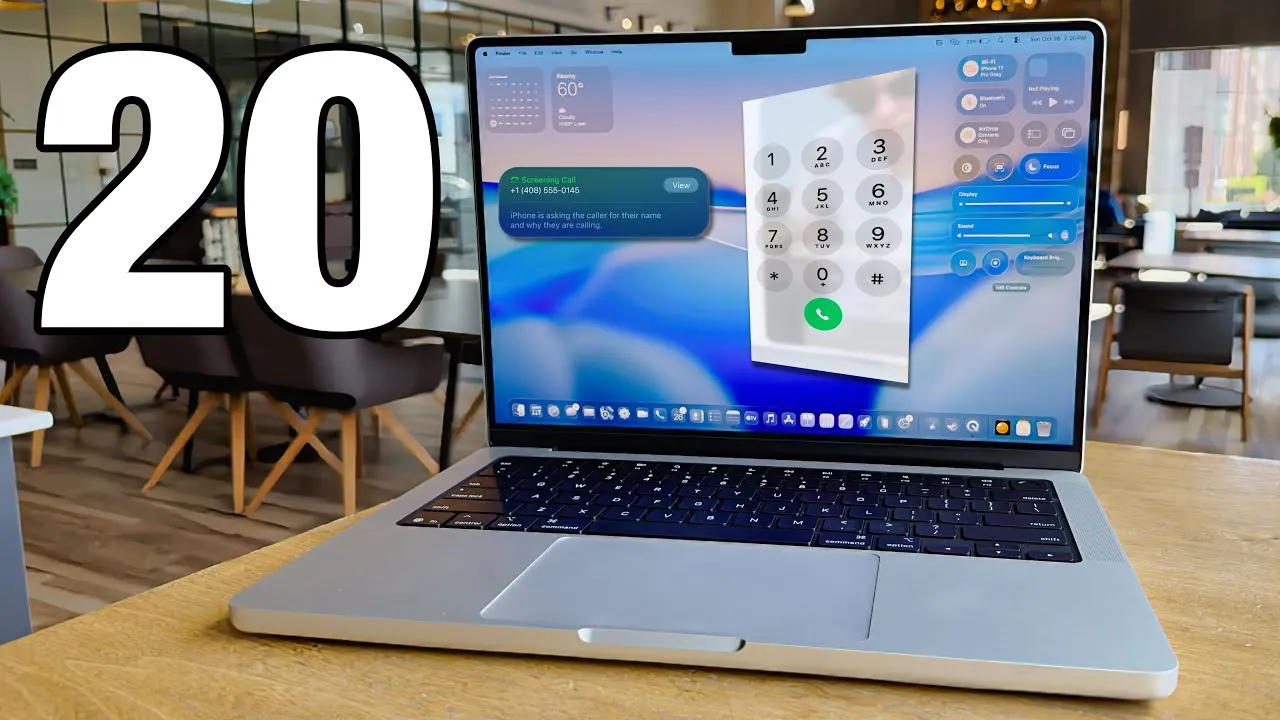
The M5 MacBook Pro, powered by the advanced M5 chip, represents a significant leap in performance, efficiency, and customization. Whether you’re a seasoned Mac user or new to the ecosystem, taking the right steps to optimize your device is essential. The video below from GregsGadgets provides 20 actionable steps to personalize and enhance your experience, making sure you unlock the full potential of your MacBook Pro.

Personalize Your MacBook Pro
Customizing your MacBook Pro allows you to create a workspace that reflects your preferences and enhances productivity.
- Switch between light and dark modes to match your environment and reduce eye strain.
- Choose accent colors and apply tinted icons to establish a cohesive visual theme.
- Modify the lock screen by adjusting the clock font and thickness for a unique touch.
Organize your desktop by allowing Stacks, which automatically groups files by type, keeping your workspace clutter-free. Additionally, customize folder icons with colors, emojis, or custom images for easier identification and a more personalized appearance.
Optimize Display and Window Management
The M5 MacBook Pro’s advanced display technology offers flexibility and tools to boost productivity.
- Enable the “More Space” resolution to expand your display area, allowing you to view more content simultaneously.
- Use macOS gestures and window snapping to arrange windows side by side, streamlining multitasking.
- Customize the Control Center and menu bar by adding frequently used controls like Wi-Fi, Bluetooth, or screen brightness for quick access.
These features ensure you can efficiently manage your workspace and make the most of the MacBook Pro’s high-resolution display.
Maximize Battery Efficiency
The M5 MacBook Pro is designed for exceptional battery life, but you can take additional steps to extend usage even further.
- Enable the battery percentage display to monitor your usage at a glance.
- Activate Low Power Mode to reduce background activity and optimize energy consumption during extended use.
By managing energy settings effectively, you can ensure your MacBook Pro remains powered throughout your busiest days.
Use Spotlight Search
Spotlight Search is a versatile tool that simplifies navigation and enhances productivity.
- Quickly locate apps, files, and documents using the menu bar or a keyboard shortcut.
- Perform tasks like calculations, unit conversions, and accessing clipboard history directly from Spotlight.
This feature saves time and streamlines your workflow, making it an indispensable part of your daily routine.
Customize the Trackpad and Gestures
The MacBook Pro’s trackpad is highly responsive and offers a range of customization options to suit your workflow.
- Adjust the tracking speed and right-click preferences for precise control.
- Enable App Exposé to view all open windows for a specific app, simplifying multitasking.
- Set up Hot Corners to assign quick actions to each corner of the screen, such as locking the display, accessing notifications, or launching Mission Control.
These settings allow you to tailor the trackpad to your needs, enhancing both efficiency and ease of use.
Enhance Connectivity
The M5 MacBook Pro seamlessly integrates with other Apple devices, creating a connected and efficient ecosystem.
- Automate hotspot connections with nearby iPhones for uninterrupted internet access.
- Use the new Phone app to make and receive calls directly on your Mac, eliminating the need to switch devices.
These features ensure smooth communication and connectivity, allowing you to stay productive across all your Apple devices.
Organize Your Dock and Applications
A well-organized dock can improve your workflow and reduce distractions.
- Add the Applications folder to your dock for quick access to all installed apps.
- Rearrange or remove icons to prioritize frequently used apps, creating a cleaner and more efficient workspace.
Additionally, macOS Tahoe includes built-in tools for screen recording and advanced screenshot options, making it easy to capture and share content as needed.
Explore Additional Features
The M5 MacBook Pro is packed with features designed to enhance your experience and productivity.
- Take advantage of macOS Tahoe’s built-in tools, such as screen recording and advanced screenshot options, to streamline your workflow.
- Explore accessibility features like Voice Control and Dictation for hands-free navigation and input, making the device more versatile.
These tools allow you to customize your MacBook Pro to fit your specific needs, whether for work, creativity, or everyday tasks.
Final Thoughts
The M5 MacBook Pro, equipped with the innovative M5 chip and macOS Tahoe, offers a powerful combination of performance, customization, and connectivity. By following these 20 steps, you can personalize your device, optimize its functionality, and enhance your productivity. Whether you’re managing professional tasks, working on creative projects, or organizing your daily life, these tips will help you make the most of your MacBook Pro.
Below are more guides on M5 MacBook Pro from our extensive range of articles.
- M5 MacBook Pro Release Date, Features, and What to Expect
- MacBook Pro with M5 Chip: Features, Specs, and Release Details
- M5 MacBook Pro: Get Ready – November 2025 Release LEAKED
- M5 MacBook Pro Review: Key Features, Pros, and Cons Explained
- M5 MacBook Pro: Features, Performance, and What to Expect
Source & Image Credit: GregsGadgets
Disclosure: Some of our articles include affiliate links. If you buy something through one of these links, Geeky Gadgets may earn an affiliate commission. Learn about our Disclosure Policy.
