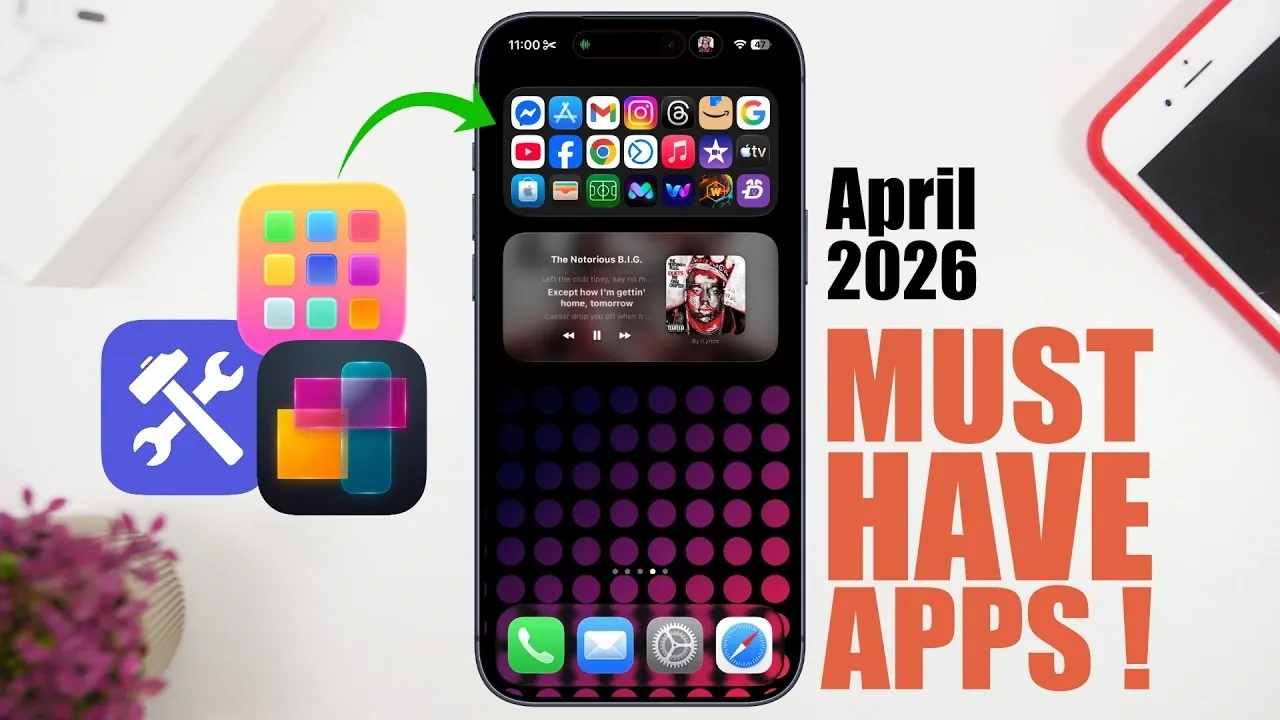
Are you looking to maximize the functionality and personalization of your iPhone this month? These eight essential apps are designed to enhance your device’s performance, aesthetics, and overall utility. Whether you’re aiming to create a more visually appealing home screen, boost productivity, or access smarter tools, these apps cater to a variety of needs. Let’s explore how each app can transform your iPhone experience in a new video from iReviews.

1. Wallpapers App: Elevate Your Home Screen
A captivating home screen begins with the perfect wallpaper. The Wallpapers app offers a vast library of high-quality, iOS 26-optimized wallpapers to suit every style. From minimalist patterns to dynamic depth-effect visuals, the app ensures you’ll find something that resonates with your aesthetic preferences. Its curated collections and category-based browsing make it easy to discover new designs. Additionally, the app provides desktop wallpapers, allowing you to create a cohesive look across all your devices. With both free and premium options available, this app offers flexibility for every user.
2. Customizable Widget App: Personalize Your Widgets
Widgets are a key feature of iPhone customization and this app takes them to new heights. With the Customizable Widget app, you can design widgets tailored to your specific needs. Whether you want to track habits, display upcoming calendar events, or showcase motivational quotes, this app has you covered. Add personal touches like emojis, photos, or unique color schemes to make your widgets truly your own. For health-conscious users, features such as hydration reminders and fitness trackers provide valuable insights right on your home screen. This app is perfect for anyone looking to combine functionality with creativity.
3. Mini Folder App: Declutter Your Home Screen
If your home screen feels overcrowded, the Mini Folder app offers an elegant solution. This app allows you to create compact, widget-based folders that provide quick access to your most-used apps. You can customize folder sizes, choose which apps to include and even adjust the folder’s appearance to match your home screen theme. By organizing your apps into sleek, accessible folders, you can reduce clutter while maintaining efficiency. This tool is ideal for users who value a clean and organized interface.
4. Music Widget App: Stay Tuned with Your Favorite Songs
For music enthusiasts, the Music Widget app is a must-have. Seamlessly integrating with Apple Music, this app brings your favorite tunes directly to your home screen. Enjoy real-time lyrics, playback controls and song progress tracking without needing to open the Apple Music app. The widget’s intuitive design ensures that you can stay connected to your music while multitasking. Whether you’re working, exercising, or relaxing, this app enhances your listening experience by keeping your favorite songs at your fingertips.
5. Text Deck App: Simplify AI-Powered Messaging
The Text Deck app is a powerful tool for anyone who frequently uses AI platforms like ChatGPT or Gemini. This app features pre-designed templates for generating prompts, making it easier to draft professional emails, brainstorm creative ideas, or craft engaging social media posts. Customizable input fields allow you to tailor prompts to your specific needs, streamlining your workflow and saving time. Whether you’re a professional, student, or content creator, this app simplifies the process of using AI for your daily tasks.
6. Custom Notify App: Stay Organized with Personalized Alerts
Managing your schedule becomes effortless with the Custom Notify app. This app enables you to create and schedule personalized notifications for various tasks, such as fitness goals, work deadlines, or health check-ins. With pre-made templates that can be easily customized, setting up reminders is quick and intuitive. The app’s flexibility ensures that you never miss an important task or event, helping you stay organized and productive throughout your day.
7. Tools Converters App: All-in-One Conversion Solution
The Tools Converters app is a comprehensive solution for all your conversion needs. Whether you’re dealing with cooking measurements, financial calculations, or health metrics, this app has you covered. Its intuitive search function allows you to quickly find the specific converter you need, saving time and effort. With support for a wide range of categories, including construction tools and international units, this app is an invaluable resource for both everyday tasks and specialized projects.
8. Shortcut Library App: Automate and Streamline Tasks
The Shortcut Library app simplifies the process of discovering and installing iPhone shortcuts. Browse shortcuts by app or device and access detailed descriptions to understand their functionality before installation. Whether you’re looking to automate repetitive tasks or enhance your workflow, this app provides a curated selection of shortcuts to suit your needs. By integrating these shortcuts into your device, you can save time and increase efficiency in your daily routines.
Why These Apps Matter
These eight apps are more than just tools; they’re practical solutions designed to make your iPhone experience more personalized, organized and efficient. From aesthetic enhancements like wallpapers and widgets to functional utilities like converters and shortcuts, these apps cater to a wide range of user needs. By incorporating them into your device, you can unlock its full potential and enjoy a smarter, more streamlined experience. Whether you’re focused on productivity, creativity, or convenience, these apps ensure that your iPhone works for you in every way possible.
Here are additional guides from our expansive article library that you may find useful on iPhone Wallpapers.
- Best iOS 26 Wallpapera for Depth Effect Lock Screens
- What are the different sizes of iPhone wallpaper
- Maximize iOS 26 Customization with Depth Effect & Live Wallpaper
- How to Enable and Optimize Ultra-Dark Mode in iOS 26
Source & Image Credit: iReviews
Disclosure: Some of our articles include affiliate links. If you buy something through one of these links, Geeky Gadgets may earn an affiliate commission. Learn about our Disclosure Policy.
