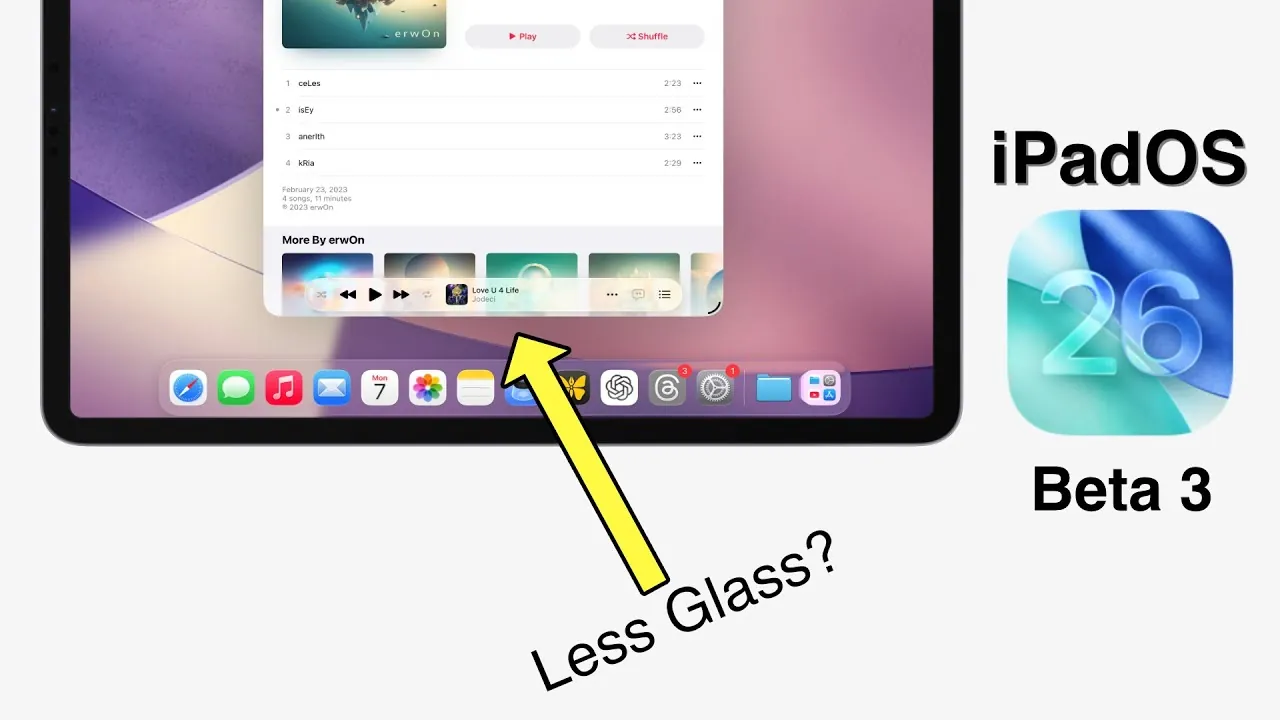
Apple’s iPadOS 26 Beta 3 introduces a series of updates aimed at refining the user experience and addressing feedback from earlier iterations. This release focuses on enhancing functionality, improving aesthetic customization, and ensuring system stability as Apple prepares for the public beta phase. With subtle yet impactful changes, the update caters to both casual users and professionals seeking a seamless experience. Below is a detailed exploration of the key features and improvements in this beta release. The video below from SlatePad gives us more details on the new iPadOS 26 beta 3.

Expanded Wallpaper Options
Apple has broadened the range of wallpaper customization in iPadOS 26 Beta 3, offering users more ways to personalize their devices. The update introduces additional color variations for the default wallpapers, allowing you to tailor your iPad’s appearance to better reflect your style. These new options are designed to provide a more engaging and visually appealing experience, particularly for users who value aesthetic variety. By focusing on personalization, Apple ensures that your device feels uniquely yours, enhancing the overall user experience.
Enhanced Cursor Functionality
A standout feature in this beta is the introduction of the “Shake to Enlarge” gesture for the cursor, a functionality previously seen in macOS. This enhancement significantly improves cursor visibility, particularly when using external displays or multitasking across multiple apps. By simply shaking your finger or trackpad, the cursor temporarily enlarges, making it easier to locate and navigate. This feature is especially beneficial for tasks requiring precision, such as editing documents or managing complex workflows. It addresses a common challenge for users, demonstrating Apple’s commitment to practical usability improvements.
Refinements to Liquid Glass Design
The liquid glass design in iPadOS 26 Beta 3 has undergone subtle adjustments to strike a better balance between aesthetics and functionality. Apple has reduced the opacity levels in translucency effects, enhancing text readability while maintaining the sleek, modern look of the interface. These refinements are applied across native apps like Music, Files, and Safari, making sure a consistent experience throughout the system. While some users have praised the improved clarity, others have expressed mixed opinions, highlighting the subjective nature of design preferences. Nevertheless, these changes reflect Apple’s ongoing efforts to optimize the visual and functional aspects of its software.
Prioritizing System Stability
System stability remains a core focus in this beta release. Apple has addressed several performance issues reported in earlier versions, resulting in a smoother and more reliable experience. By resolving bugs and optimizing the software, Apple aims to minimize disruptions and ensure a seamless transition to the public beta phase. These improvements not only enhance day-to-day usability but also underscore Apple’s dedication to delivering a polished and dependable product. For users, this means fewer crashes, faster response times, and an overall more stable operating system.
Key Features at a Glance
iPadOS 26 Beta 3 highlights Apple’s commitment to blending functionality with aesthetics. Key updates include:
- Expanded wallpaper options for enhanced personalization.
- Improved cursor functionality with the “Shake to Enlarge” gesture.
- Refinements to the liquid glass design for better text readability.
- Significant improvements in system stability and performance.
Looking Ahead
With iPadOS 26 Beta 3, Apple continues to fine-tune the iPad experience by addressing user feedback and focusing on meaningful enhancements. From expanded customization options to practical usability features, this update strikes a thoughtful balance between form and function. As the public beta phase approaches, Apple’s emphasis on stability and user-centric improvements ensures a reliable and engaging experience for all users. These updates set the stage for future developments, reinforcing Apple’s commitment to innovation and excellence in software design.
Uncover more insights about iPadOS 26 Beta 3 in previous articles we have written.
- Should You Install iOS 26 Beta 3? Pros and Cons Explained
- iOS 26 Beta 3 Features, Release Date, and More
- iPhone 17 and iOS 26 Beta 3: Apple’s Biggest Updates Explained
- iOS 26 beta 3 Release Date, Features, and What to Expect
- Everything You Need to Know About iOS 26 Beta 3
Source & Image Credit: SlatePad
Disclosure: Some of our articles include affiliate links. If you buy something through one of these links, Geeky Gadgets may earn an affiliate commission. Learn about our Disclosure Policy.
