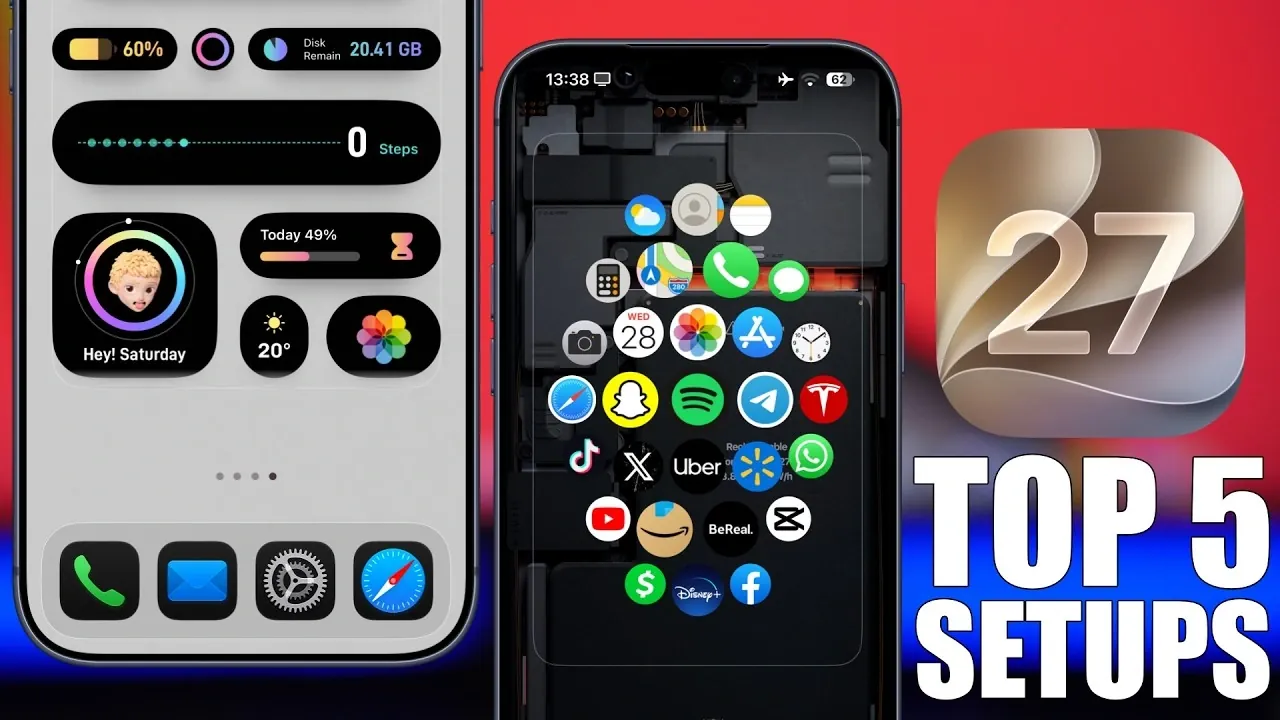
iOS 27 introduces a new era of personalization, offering tools that allow you to design home and lock screens that reflect your unique style and functional needs. With features like customizable clocks, large widgets, transparent icons, and minimalistic layouts, this update seamlessly combines aesthetics with practicality. Below, we explore the top five ways to maximize iOS 27’s customization options, making sure your device is both visually appealing and highly functional.
1. Redefine Your Lock Screen
The lock screen in iOS 27 provides unmatched flexibility, allowing you to customize clocks, wallpapers, and layouts to suit your preferences. You can now adjust clock designs with options for bold or subtle styles, varying thickness, and customizable fonts. For example:
– Pairing a bold clock with a 3D-effect wallpaper creates a striking, modern aesthetic.
– Opting for a thin, understated clock on a minimalistic portrait wallpaper delivers a clean, professional look.
These combinations not only enhance the visual appeal of your lock screen but also ensure it remains functional and easy to read. With iOS 27, your lock screen becomes a canvas for creativity and practicality.
2. Elevate Your Home Screen with Widgets
Widgets take center stage in iOS 27, offering a perfect blend of utility and customization. The introduction of large widgets that span across the screen allows you to create an interface reminiscent of the Apple Watch, providing quick access to essential information. Key features include:
- Apps like Mojo, Xboard, and Ice Screen that enable you to design widgets tailored to your needs, such as tracking fitness, managing media, or displaying calendar events.
- Transparent widgets that seamlessly blend with your wallpaper, creating a cohesive and modern look.
By integrating these widgets, you can craft a home screen that is both practical and visually engaging, making sure that your most-used tools are always at your fingertips.
3. Transform Your Icons
iOS 27 introduces an innovative approach to icon design, moving beyond traditional styles to offer more dynamic and customizable options. Transparent “liquid glass” icons, for instance, add a futuristic touch, especially when paired with vibrant or dual-tone wallpapers. Customization options include:
- Adjusting icon sizes and labels to improve visibility or align with your aesthetic preferences.
- Reducing the number of icons on your home screen to achieve a sleek, minimalistic appearance.
These features allow you to align your icons with your device’s overall theme, creating a unified and polished look. Whether you prefer bold, eye-catching designs or subtle, understated styles, iOS 27 gives you the tools to make your icons stand out.
4. Organize with Split-Screen Layouts
The split-screen layout in iOS 27 offers a practical and visually appealing way to organize your home screen. By dividing your screen into distinct sections, you can enhance both usability and design. For example:
– Using a dark background for widgets improves readability and creates a clear visual separation.
– A contrasting color for the icon section adds depth and visual interest to your layout.
This setup is particularly useful for users who value organization and quick access to frequently used apps and tools. The split-screen feature ensures that your home screen remains both functional and aesthetically pleasing, catering to your specific needs.
5. Embrace Minimalism
Minimalism is a core theme in iOS 27, with features designed to declutter and simplify your device. By focusing on essential elements, you can create a streamlined interface that prioritizes functionality and elegance. Key strategies include:
- Using simple wallpapers with soft gradients or solid tones to create a clean backdrop for icons and widgets.
- Reducing the number of icons on your home screen to highlight essential apps and maintain a distraction-free layout.
- Customizing tints and wallpaper adjustments to fine-tune the overall look and feel of your device.
This approach is ideal for users seeking a clean, distraction-free interface that enhances usability while maintaining a sophisticated aesthetic.
iOS 27 enables you to transform your device into a reflection of your personal style and practical needs. By exploring features like customizable clocks, innovative widgets, transparent icons, and split-screen layouts, you can create a home screen and lock screen that are as functional as they are visually stunning. Whether you prefer bold, dynamic designs or clean, minimalistic aesthetics, iOS 27 offers endless possibilities to make your device truly your own.
Enhance your knowledge of iOS 27 by exploring a selection of articles and guides on the subject.
- Apple Delaying iOS 27 Beta 5? Here’s When to Expect the Next Update
- New iOS 27 Beta 5 Release Arrives with a Big Shift Coming
- iOS 27 Beta 5 Is Late: What’s Holding Up Apple’s Next Release?
- The iOS 27 Beta 5 Release Imminent with More New Features
- Apple’s iOS 27 Beta 3 Is Just Days Away: Here’s When It Drops
- Apple iOS 27 Beta 5 Preview: a Look at the Next Release
Source & Image Credit: iReviews
Disclosure: Some of our articles include affiliate links. If you buy something through one of these links, Geeky Gadgets may earn an affiliate commission. Learn about our Disclosure Policy.
